
1. Introduzzjoni
The VDIAGTOOL VT100 is a versatile OBD2 scan tool designed for comprehensive vehicle diagnostics. It supports 4 major systems (ABS, SRS, Engine, Transmission) and offers 5 essential reset services, including Oil Reset, EPB Reset, ABS Bleeding, Throttle Relearn, and SAS Reset. This tool provides full OBDII functionality and lifetime free updates, making it suitable for DIYers and professional mechanics.
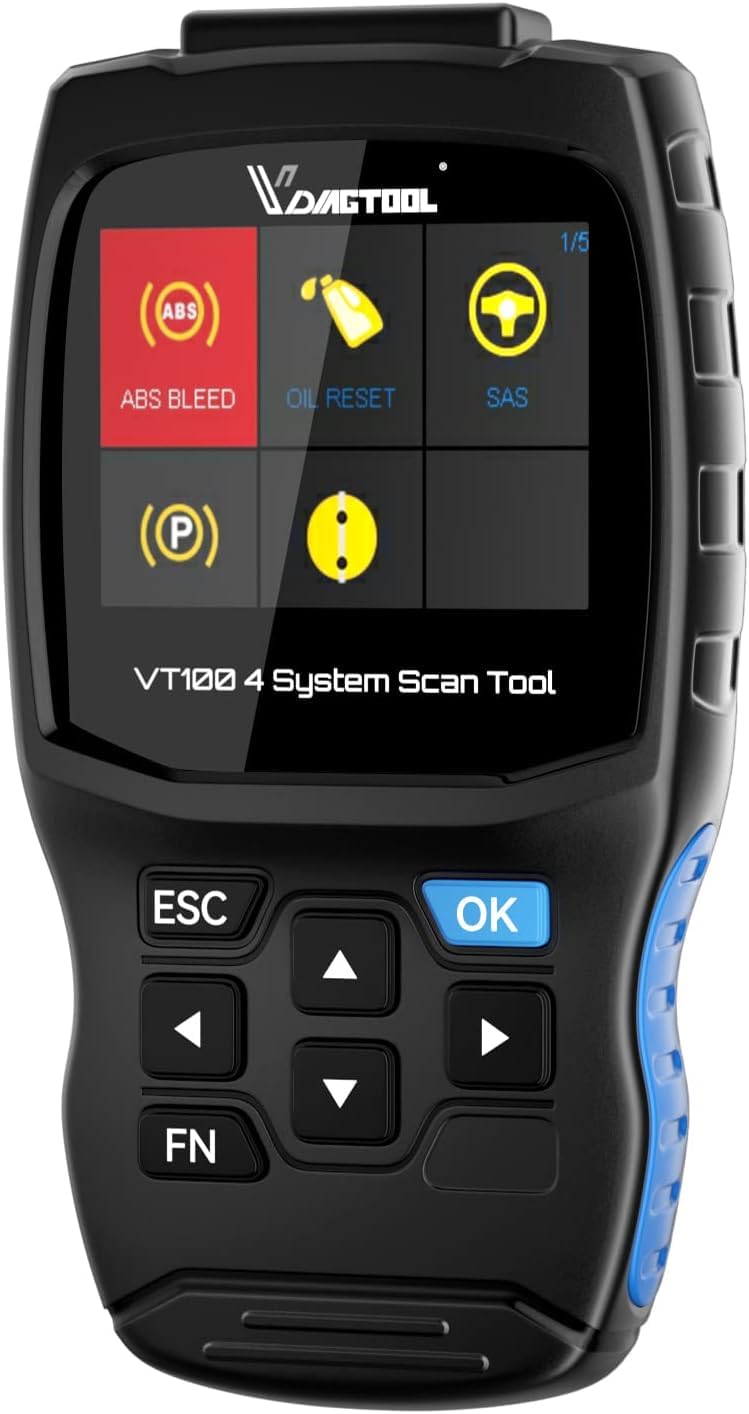
Image: VDIAGTOOL VT100 Scan Tool with its OBDII connector cable.
2. Twaqqif u Użu Inizjali
2.1 Kontenut tal-Pakkett
- VT100 OBD2 Scanner Diagnostic Tool
- OBDII Connector cable
- Manwal għall-Utent
2.2 Konnessjoni tal-Apparat
To begin, locate your vehicle's OBDII port, typically found under the dashboard on the driver's side. Connect the provided OBDII connector cable from the VT100 scan tool to the vehicle's OBDII port. The device will automatically power on once connected.

Image: The VT100 scan tool, OBDII cable, and user manual included in the package.
2.3 Aġġornamenti tas-Software
The VT100 offers lifetime free software updates via Wi-Fi or USB to ensure compatibility with the latest vehicle models and diagnostic features. It is recommended to regularly update the device.

Image: The VT100 display showing options for software updates via Wi-Fi or USB connection.
Updating via Wi-Fi:
- Navigate to the 'Update' menu on the device.
- Select 'Via WiFi'. The device will search for available networks.
- Choose your Wi-Fi network and enter the password if prompted.
- Once connected, select the desired software updates and confirm to download and install.
Aġġornament permezz tal-USB:
- Download the update client software from the official VDIAGTOOL websit fuq il-PC tiegħek.
- Install the update client on your computer.
- Connect the VT100 device to your PC using the provided USB cable.
- Follow the on-screen instructions on the update client to download and transfer updates to the device.
3. Istruzzjonijiet Operattivi
3.1 4-Dijanjostika tas-Sistema
The VT100 scan tool provides diagnostic capabilities for four main vehicle systems: Engine, Transmission, Anti-lock Braking System (ABS), and Supplemental Restraint System (SRS/Airbag).

Image: Visual representation of the four main vehicle systems (ABS, SRS, Engine, Transmission) that the VT100 can diagnose.
Biex twettaq dijanjostika tas-sistema:
- Mill-menù prinċipali, agħżel 'Dijanjostika'.
- Choose the vehicle brand (e.g., European, Asian, American).
- Select the specific system you wish to diagnose (e.g., Engine Control Module, Transmission Control Module, Brakes, Airbag).
- The tool will communicate with the vehicle's ECU and display diagnostic options such as 'Read DTC', 'Clear Fault Code', 'Read Data Stream', and 'Readiness'.
3.2 5 Reset Services
The VT100 offers five commonly used maintenance reset services:
- Irrisettja Żejt: Resets the engine oil life system, which calculates an optimum oil life change interval based on vehicle driving conditions and climate.
- Irrisettjar tal-EPB: Resets the Electronic Parking Brake system after brake pad replacement.
- Fsada mill-ABS: Performs various bi-directional tests to check the operating conditions of the Anti-lock Braking System. This function is used to cycle the ABS pump to remove air from the brake lines.
- Tagħlim mill-ġdid tat-Throttle: Jiinizjalizza l-attwaturi tat-throttle għall-istat awtomatiku biex jirregola b'mod preċiż l-operazzjonijiet tat-throttle (jew tal-magna wieqfa).
- Irrisettjar tas-SAS: Iwettaq kalibrazzjoni għas-Sensor tal-Angolu tal-Istering, li jaħżen b'mod permanenti l-pożizzjoni attwali tal-istering bħala l-pożizzjoni dritta 'l quddiem fl-EEPROM tas-sensor.

Image: Visual guide to the five most used maintenance services available on the VT100.
3.3 OBDII Full Functions
The VT100 supports all 10 modes of OBDII standard for comprehensive system diagnosis:
- Aqra/Ħassar il-Kodiċijiet
- View Dejta Ħaj
- View Iffriżar tad-Dejta tal-Qafas
- Retrieve Vehicle Information
- Check I/M Readiness Status
- Test tal-O2 Monitor
- On-Board Monitor Test (Mode 06)
- Test tas-Sensor O2

Image: The VT100 screen showing the menu for OBDII functions, including Read Code, Erase Code, Live Data, and Smog Test.
3.4 Live Data in Graph
The VT100 can display live sensor data in a graphical format, allowing for easier monitoring and analysis of vehicle performance parameters over time.

Image: The VT100 screen showing live data represented as a waveform graph, useful for real-time monitoring of vehicle parameters.
3.5 Multilanguage Support
The device supports multiple languages, allowing users to operate the tool in their preferred language.

Image: The VT100 screen showing a selection of language options, including English, Simplified Chinese, Spanish, French, German, and Dutch.
3.6 Kopertura tal-Vettura
The VT100 supports over 60 car brands and 10,000 car models, including US, European, and Asian models.

Image: An infographic illustrating the extensive vehicle coverage of the VT100, including US, European, and Asian car models.
4. Manutenzjoni
Regular software updates are crucial for maintaining optimal performance and compatibility with new vehicle models. Ensure the device is kept clean and stored in a dry environment when not in use.
5 Issolvi l-problemi
5.1 Kwistjonijiet Komuni
- Apparat mhux mixgħul: Ensure the OBDII cable is securely connected to the vehicle's port. Check the vehicle's battery status.
- Żbalji fil-komunikazzjoni: Verify the vehicle's ignition is on. Ensure the correct vehicle brand and system are selected in the diagnostic menu.
- Update failures: Check your Wi-Fi connection or USB cable. Ensure the PC update client is correctly installed and running.
- ABS Bleeding issues: If experiencing issues with ABS bleeding, ensure all connections are secure and follow the on-screen prompts carefully. Some users have reported success in resolving brake-related issues using this function.
- SAS Reset errors: If the Steering Angle Sensor reset fails, ensure the steering wheel is in the straight-ahead position and reattempt the calibration.
6. Speċifikazzjonijiet
| Brand | VDIAGTOOL |
| Mudell | VT100 |
| Piż tal-oġġett | 2.01 liri |
| Dimensjonijiet tal-Pakkett | 9.37 x 6.1 x 4.41 pulzieri |
| Daqs tal-Iskrin | 2.4 Pulzier |
| Sors tal-Enerġija | Powered by OBDII Port |
| Numru tal-Parti tal-Manifattur | VDT-VT100 |
7. Garanzija
The VDIAGTOOL VT100 Scan Tool comes with lifetime free software updates, ensuring long-term functionality and compatibility.
8. Appoġġ
For any questions or technical assistance, please contact VDIAGTOOL support via email at vdiagtool2@outlook.com jew bit-telefon fuq 1-213-355-7171.
9. Prodott Aktarview Video
Vidjo: Uffiċjal lestview of the VDIAGTOOL VT100 OBD2 Scanner, highlighting its primary features and 4-system diagnostic capabilities.