
MageGee GT860
MageGee GT860 Wired Keyboard User Manual
Model: GT860 | Brand: MageGee
1. Introduzzjoni
Thank you for choosing the MageGee GT860 Wired Keyboard. This manual provides detailed instructions for setting up, operating, and maintaining your new keyboard. The GT860 is a 96-key compact layout keyboard designed for gaming and daily use, featuring RGB backlighting and an ergonomic design.

Image: The MageGee GT860 wired keyboard showcasing its compact 96-key layout and vibrant RGB backlighting.
2. Karatteristiċi
- 92% Compact Minimalism Layout: Retains all commonly used keys in a space-saving design.
- Membrane with Mechanical Feeling: Utilizes advanced imitation mechanical technology for a tactile typing experience.
- Disinn Ergonomiku: Key layout is engineered for comfortable use, reducing fatigue during long sessions.
- Upgrade RGB Backlit Lighting Effect: Features a variety of light colors and modes, with adjustable brightness and breathing speed. Letters on keys are illuminated.
- High Quality and Reliable Performance: Plug and play functionality, compatible with Windows 10/8/7/XP/VISTA and Mac OS.

Image: Visual representation of the keyboard's ergonomic design, RGB lighting effects, and adjustable foot support for improved performance.

Immaġni: Close-up view of the keyboard with some keycaps removed, illustrating the underlying membrane switch mechanism that provides a mechanical-like feel.
3. Gwida ta' Setup
- Ħoll it-Tastiera: Oħroġ it-tastiera mill-imballaġġ tagħha bir-reqqa.
- Qabbad mal-Kompjuter: Locate an available USB port on your computer. Insert the USB cable from the MageGee GT860 keyboard into the USB port.
- Installazzjoni tas-sewwieq: The keyboard is plug-and-play. Your operating system (Windows, Mac OS) will automatically detect and install the necessary drivers. No additional software installation is required.
- Pjazzament: Place the keyboard on a stable, flat surface. Adjust the integrated feet on the underside of the keyboard for your preferred typing angle.
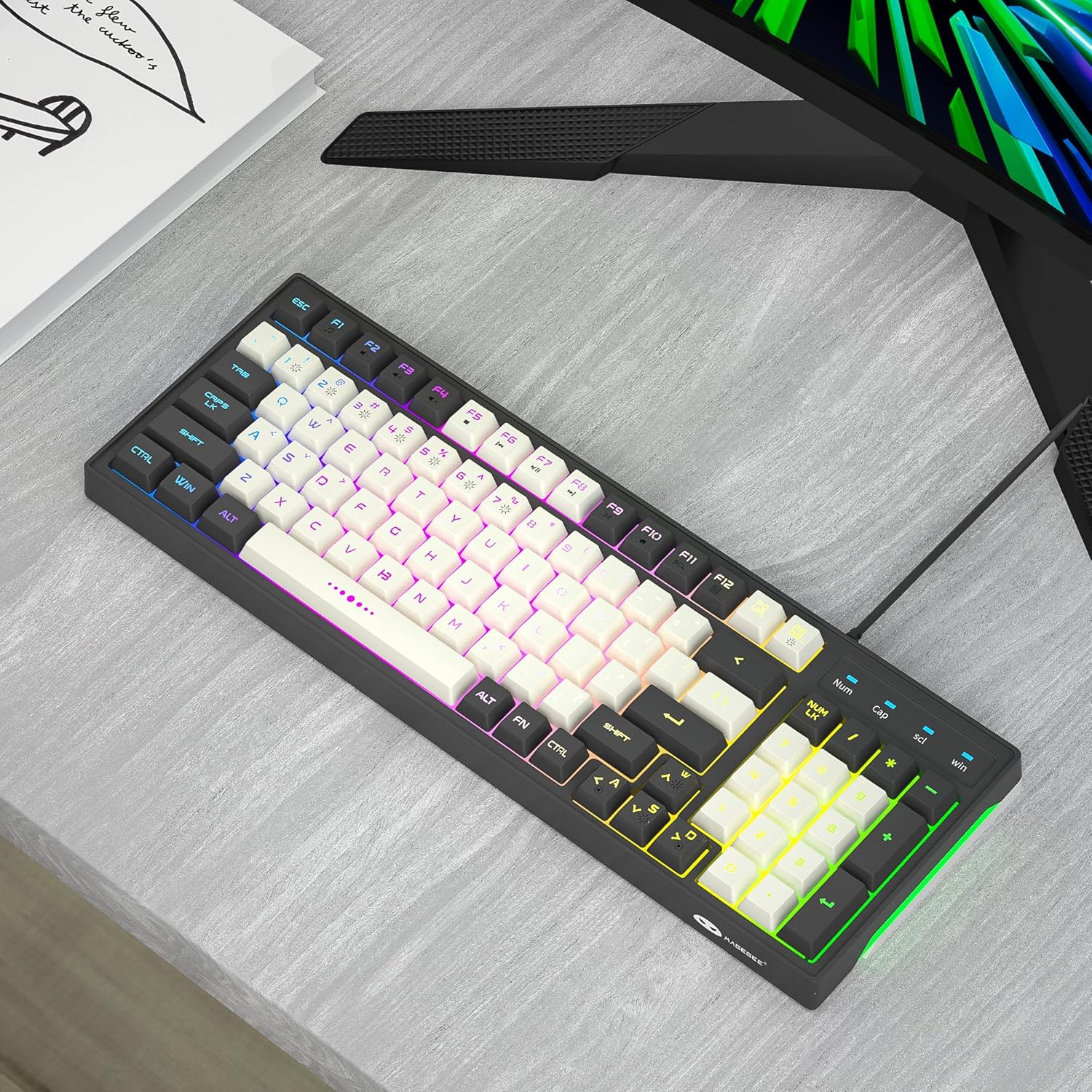
Image: The MageGee GT860 keyboard positioned on a desk, ready for use with a computer monitor, demonstrating a typical setup.
4. Istruzzjonijiet Operattivi
4.1 Kontroll tad-Dawl ta' Wara RGB
The MageGee GT860 keyboard features multiple RGB lighting modes. Use the Function (Fn) key in combination with other keys to control the backlight:
- Fn + Scroll Lock (SCL): Iċċikla minn ġo modi differenti ta' dawl RGB.
- Fn + Page Up (PGUP): Żid il-luminożità tad-dawl ta' wara.
- Fn + Page Down (PGDN): Naqqas il-luminożità tad-dawl ta' wara.
- Fn + Arrow Keys (Left/Right): Adjust lighting effect speed (for dynamic modes).

Image: The MageGee GT860 keyboard showcasing its 18 distinct RGB lighting modes, illustrating the variety of visual effects available.

Image: A detailed diagram illustrating the various Function (Fn) key combinations for controlling RGB backlight effects and accessing multimedia functions on the MageGee GT860 keyboard.
4.2 Funzjonijiet Multimedia
Access multimedia controls by holding the Fn key and pressing the corresponding F-keys:
- Fn+F1: Media Player
- Fn+F2: Volum 'l isfel
- Fn+F3: Volum Up
- Fn+F4: Mute
- Fn+F5: Track Preċedenti
- Fn+F6: Track li jmiss
- Fn+F7: Play/Pawsa
- Fn+F8: Waqqaf
- Fn+F9: Email
- Fn+F10: Home Page
- Fn+F11: Skrollja Lock
- Fn+F12: Kalkulatur
5. Manutenzjoni
To ensure the longevity and optimal performance of your MageGee GT860 keyboard, follow these maintenance guidelines:
- Tindif: Regularly clean the keyboard with a soft, dry cloth. For dust and debris between keys, use compressed air. For stubborn dirt, a slightly damp Jista' jintuża drapp b'sapun ħafif, biex tiżgura li l-ebda likwidu ma jidħol fit-tastiera.
- Evita Likwidi: Txerridx likwidi fuq it-tastiera. Jekk isseħħ xi tixrid, skonnettja t-tastiera mill-kompjuter tiegħek immedjatament u ħalliha tinxef kompletament qabel ma terġa' tqabbadha.
- Ħażna: Meta ma tkunx qed tużaha għal perjodi twal, aħżen it-tastiera f'ambjent nadif u niexef 'il bogħod mix-xemx diretta u minn temperaturi estremi.
- Immaniġġja b'Kura: Evita li twaqqa’ t-tastiera jew li tissottomettiha għal impatti qawwija.
6 Issolvi l-problemi
If you encounter issues with your MageGee GT860 keyboard, refer to the following common problems and solutions:
| Problema | Soluzzjoni Possibbli |
|---|---|
| It-tastiera mhix qed tirrispondi. |
|
| Id-dawl ta' wara mhux qed jaħdem jew huwa baxx. |
|
| Certain keys are not working. |
|
7. Speċifikazzjonijiet
| Karatteristika | Dettall |
|---|---|
| Mudell | GT860 |
| Teknoloġija tal-Konnettività | USB bil-fili |
| Numru ta' Ċwievet | 96 |
| Deskrizzjoni tat-Tastiera | Logħob |
| Karatteristiċi Speċjali | RGB Backlit, Ergonomic Design, Anti-Ghosting |
| Apparati Kompatibbli | PC, Gaming Console (via USB) |
| Kompatibilità tas-Sistema Operattiva | Windows 10, Windows 8, Windows 7, Windows XP, Windows VISTA, Mac OS |
| Dimensjonijiet tal-Prodott | 14 x 6 x 2 pulzieri (35.56 x 15.24 x 5.08 ċm) |
| Piż tal-oġġett | 1.63 liri (0.74 kg) |
| Kulur | Grey White Keycaps |
8. Garanzija u Appoġġ
MageGee products are designed for reliability and performance. For any product inquiries, technical support, or warranty claims, please refer to the contact information provided with your purchase or visit the official MageGee websit. Jekk jogħġbok żomm il-prova tax-xiri tiegħek għal skopijiet ta' garanzija.
For further assistance, you may visit the MageGee store on Amazon: MageGee Amazon Store
Ask a question about this manual
Ask about setup, troubleshooting, compatibility, parts, safety, or missing instructions. Manuals+ will review the question and use this page’s manual context to help answer it.