
1. Introduzzjoni
Thank you for choosing the MageGee 60% Wired Gaming Keyboard. This ultra-compact keyboard is designed for gamers, typists, and travelers, offering a blend of performance, portability, and customizable RGB backlighting. This manual provides essential information for setting up, operating, maintaining, and troubleshooting your new keyboard.

An fuqview of the MageGee 60% Wired Gaming Keyboard, showcasing id-disinn kompatt tiegħu u d-dawl ta' wara RGB vibranti.
2. Kontenut tal-Pakkett
- MageGee 60% Wired Gaming Keyboard
- Kejbil USB tat-Tip Ċ għal USB-A
- Manwal għall-Utent (dan id-dokument)
3. Istruzzjonijiet ta' Setup
3.1 Konnessjoni tat-Tastiera
- Locate the USB Type-C port on the back or side of the keyboard.
- Connect the smaller end of the provided USB Type-C cable to the keyboard's port.
- Qabbad it-tarf l-akbar tal-USB-A tal-kejbil ma' port USB disponibbli fuq il-kompjuter tiegħek.
- It-tastiera hija plug-and-play u għandha tiġi rikonoxxuta awtomatikament mis-sistema operattiva tiegħek.
3.2 Kompatibilità tas-Sistema
The MageGee 60% Wired Gaming Keyboard is compatible with a wide range of operating systems, including:
- Windows 10, Windows 8, Windows 7, Windows XP, Windows VISTA
- Mac OS
For use with gaming consoles such as XBOX, PlayStation, or Nintendo Switch, a compatible converter adapter is recommended (not included).

This image illustrates the core features of the keyboard, including its 61 anti-ghosting keys, detachable Type-C cable for connectivity, multiple backlight modes, compact 60% layout, ergonomic design, and durable construction.
4. Istruzzjonijiet Operattivi
4.1 Keyboard Layout and Keys
This keyboard features a 60% compact layout with 61 keys. It includes anti-ghosting technology for all 61 keys, ensuring accurate registration of multiple simultaneous key presses, which is beneficial for gaming.
4.2 Kontroll tad-dawl ta' wara
The keyboard features customizable RGB backlighting with multiple effects. You can adjust the backlight modes, brightness, and speed using specific key combinations.
- Tibdil tal-Modalitajiet tad-Dawl ta' Wara: The keyboard offers various backlight effects, including normal light, wave, horse riding, and breathing modes. Specific key combinations (often involving the 'FN' key) are used to cycle through these modes. Refer to the keycaps for symbols indicating backlight functions.
- Aġġusta tal-luminożità: There are 5 levels of brightness control. Use the designated key combinations (typically 'FN' + arrow keys or other function keys) to increase or decrease the backlight intensity.
- Aġġusta tal-Veloċità: The speed of dynamic backlight effects can also be adjusted across 5 levels. Use the designated key combinations (typically 'FN' + arrow keys or other function keys) to modify the effect speed.

The keyboard's customizable RGB backlighting is shown, demonstrating different lighting patterns and the ability to adjust brightness and speed to suit user preferences.
4.3 Disinn Ergonomiku
The keyboard is designed with an ergonomic key layout that adapts to the natural movement arc of your hands. The key height is optimized to provide comfort and reduce fatigue during long periods of use.
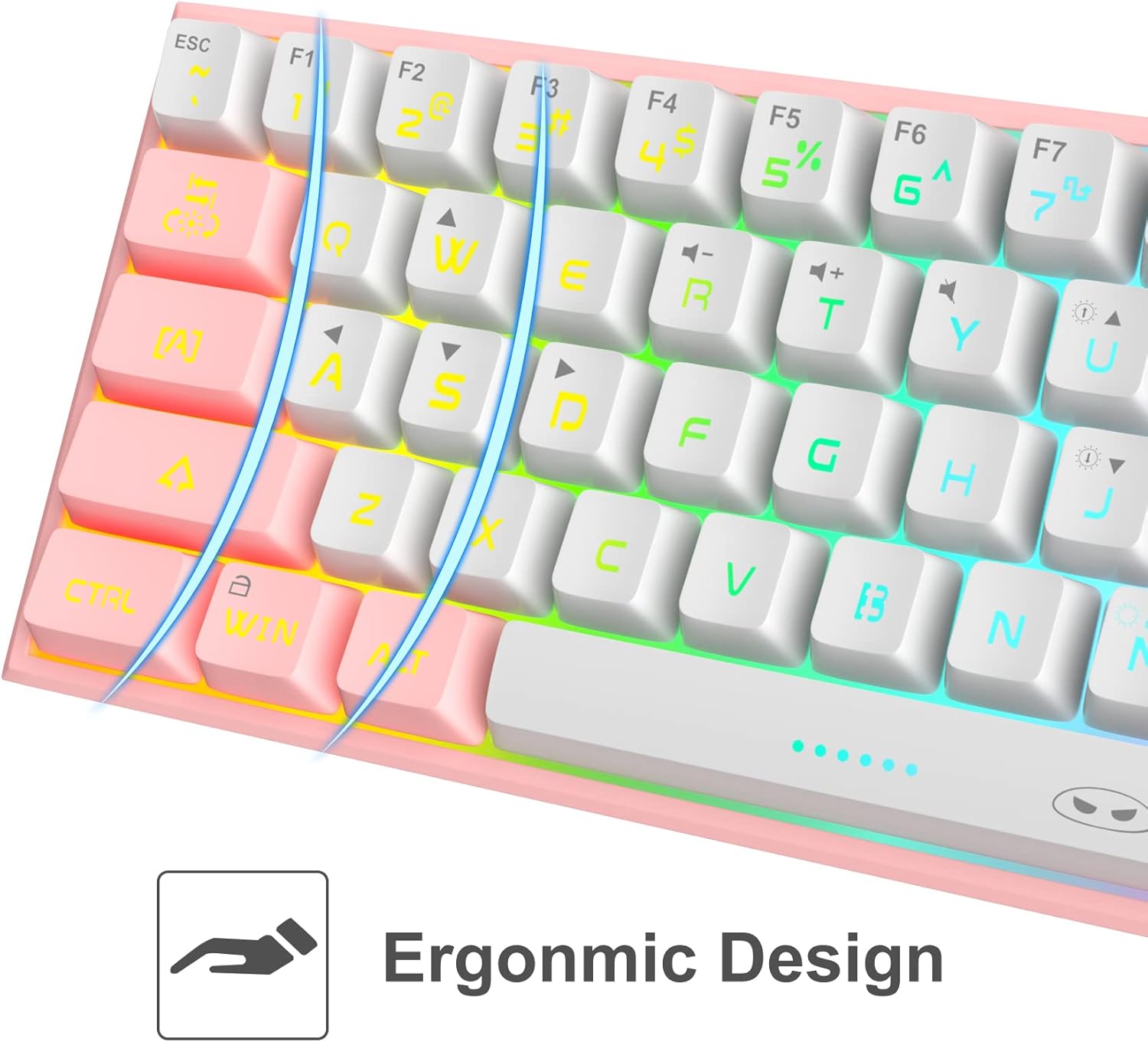
A dettaljata view of the keyboard's keycaps, emphasizing the ergonomic design that contributes to comfortable and reduced-fatigue use during extended periods.
5. Manutenzjoni
To ensure the longevity and optimal performance of your MageGee keyboard, follow these maintenance guidelines:
- Tindif: The keyboard features a waterproof design, which helps protect against accidental spills. For general cleaning, disconnect the keyboard from your computer. Use a soft, damp cloth to wipe down the keycaps and chassis. For stubborn dirt, a small amount of mild soap can be used. Ensure the keyboard is completely dry before reconnecting.
- Tneħħija tat-Trab: Uża arja kkompressata biex tneħħi t-trab u l-fdalijiet minn bejn il-keycaps.
- Ħażna: Meta ma tkunx qed tużaha għal perjodi twal, aħżen it-tastiera f'post niexef u frisk 'il bogħod mix-xemx diretta.
6 Issolvi l-problemi
If you encounter issues with your MageGee keyboard, refer to the following common problems and solutions:
| Problema | Kawża Possibbli | Soluzzjoni |
|---|---|---|
| It-tastiera ma tirrispondix | Loose cable connection, incorrect USB port, driver issue. | Kun żgur li l-kejbil tal-USB huwa konness sew kemm mat-tastiera kif ukoll mal-kompjuter. Ipprova port USB differenti. Erġa' ibda l-kompjuter tiegħek. |
| Backlight ma jaħdimx | Backlight turned off, brightness set to minimum. | Use the designated key combinations to turn on the backlight or increase brightness. |
| Certain keys not registering | Debris taħt il-keycap, kunflitt tas-softwer. | Clean the affected key area with compressed air. Test the keyboard on another computer to rule out software issues. |
| Dewmien fl-input tat-tastiera | USB port issue, system performance. | Try a different USB port. Ensure your computer meets the system requirements for your applications. |
7. Speċifikazzjonijiet
| Karatteristika | Dettall |
|---|---|
| Mudell | B09LV96L71 |
| Brand | MageGee |
| Teknoloġija tal-Konnettività | Bil-fili (USB Tip-Ċ) |
| Layout tat-Tastiera | 60% Compact, 61 Keys |
| Backlighting | RGB Backlit (multiple modes, adjustable brightness/speed) |
| Karatteristiċi Speċjali | Waterproof, Anti-ghosting (all 61 keys), Ergonomic Design |
| Dimensjonijiet tal-Prodott | 12 x 5 x 2 pulzieri |
| Piż tal-oġġett | 1.05 liri |
| Materjal | Acrylonitrile Butadiene Styrene (ABS) |
| Kulur | Roża Abjad |
| Apparati Kompatibbli | PC, Mac, Gaming Consoles (with adapter) |
8. Garanzija u Appoġġ
8.1 Informazzjoni dwar Garanzija
Specific warranty details for the MageGee 60% Wired Gaming Keyboard may vary by region and retailer. Please refer to the warranty card included with your purchase or contact your point of sale for detailed information regarding warranty coverage and terms.
8.2 Appoġġ għall-Klijent
For technical assistance, troubleshooting beyond this manual, or inquiries about your product, please contact MageGee customer support through their official website or the retailer from whom you purchased the product. Have your model number (B09LV96L71) and purchase details ready when contacting support.