
1. Introduzzjoni
Grazzi tax-xiriasing the Final UX3000 Bluetooth Wireless Headphones. These headphones are designed to deliver premium Hi-Fi sound quality with hybrid noise-cancelling technology, ensuring an immersive audio experience. With long battery life and versatile connectivity options, the UX3000 is ideal for music listening, movies, and gaming.
Please read this manual thoroughly before using the product to ensure proper operation and to maximize your listening enjoyment.

Image: The Final UX3000 headphones in black, showcasing id-disinn eleganti tagħhom.
2. Kontenut tal-Pakkett
Kun żgur li l-oġġetti kollha li ġejjin huma inklużi fil-pakkett tiegħek:
- Final UX3000 Headphone
- Cable tal-Iċċarġjar tal-USB-C
- Borża tal-Ġarr Artab
- 3.5mm Cable for Wired Connection
- Manwal għall-Utent (dan id-dokument)
Note: A USB charger is not included in the package.
3. Prodott Aktarview
3.1 Komponenti tal-Headphones
Familiarize yourself with the various parts and controls of your Final UX3000 headphones.

Immaġni: Dettaljata view of the control buttons located on the ear cup.
Kontrolli u Indikaturi:
- Buttuna tal-Qawwa: Used to power the headphones on/off and initiate Bluetooth pairing.
- Volume + / - Buttons: Jaġġusta l-volum tal-awdjo.
- Buttuna b'ħafna funzjonijiet: Controls playback (play/pause), call management (answer/end calls), and activates voice assistant.
- Buttuna ANC: Toggles Active Noise Cancelling on/off.
- Bluetooth / ANC Status Indicator: LED light indicating power, pairing status, and ANC status.
- Port tal-Iċċarġjar USB-C: Għall-iċċarġjar tal-headphones.
- Jack Awdjo 3.5mm: Għal konnessjoni bil-fili.

Image: Diagram showing the Power Button and Status Indicator.

Image: Diagram showing the Volume Up and Volume Down buttons.
4. Setup
4.1 Iċċarġjar tal-Headphones
Before first use, fully charge your UX3000 headphones. Connect the supplied USB-C charging cable to the headphone's USB-C port and the other end to a USB power source (e.g., computer USB port, USB wall adapter). The LED indicator will show charging status and turn off when fully charged.
- Ħin tal-Iċċarġjar: Madwar sagħtejn għal ħlas sħiħ.
- Ħajja tal-batterija: Sa 35 siegħa ta' daqq ta' mużika.
4.2 Tqabbil tal-Bluetooth
Biex tqabbad il-headphones tiegħek mingħajr fili ma' apparat:
- Kun żgur li l-headphones huma mitfija.
- Agħfas u żomm il-buttuna tal-Power għal madwar 5 sekondi sakemm l-indikatur LED jteptep blu u aħmar, u dan jindika l-modalità ta' tqabbil.
- Fuq l-apparat tiegħek (smartphone, tablet, kompjuter), attiva l-Bluetooth u fittex apparati disponibbli.
- Select "Final UX3000" from the list of found devices.
- Once connected, the LED indicator will flash blue slowly. A voice prompt will confirm "Device Connected".

Image: The UX3000 headphones positioned beside a smartphone displaying its Bluetooth connection settings.
Konnessjoni b'ħafna punti:
The UX3000 supports multipoint connection, allowing you to connect to two Bluetooth devices simultaneously. For example, you can be connected to your smartphone and your laptop at the same time, seamlessly switching audio sources.
4.3 Konnessjoni bil-Fili
For a wired audio experience or when the battery is depleted, use the supplied 3.5mm audio cable.
- Connect one end of the 3.5mm cable to the audio jack on the headphones.
- Qabbad it-tarf l-ieħor mal-output tal-awdjo ta' 3.5mm tat-tagħmir tiegħek.
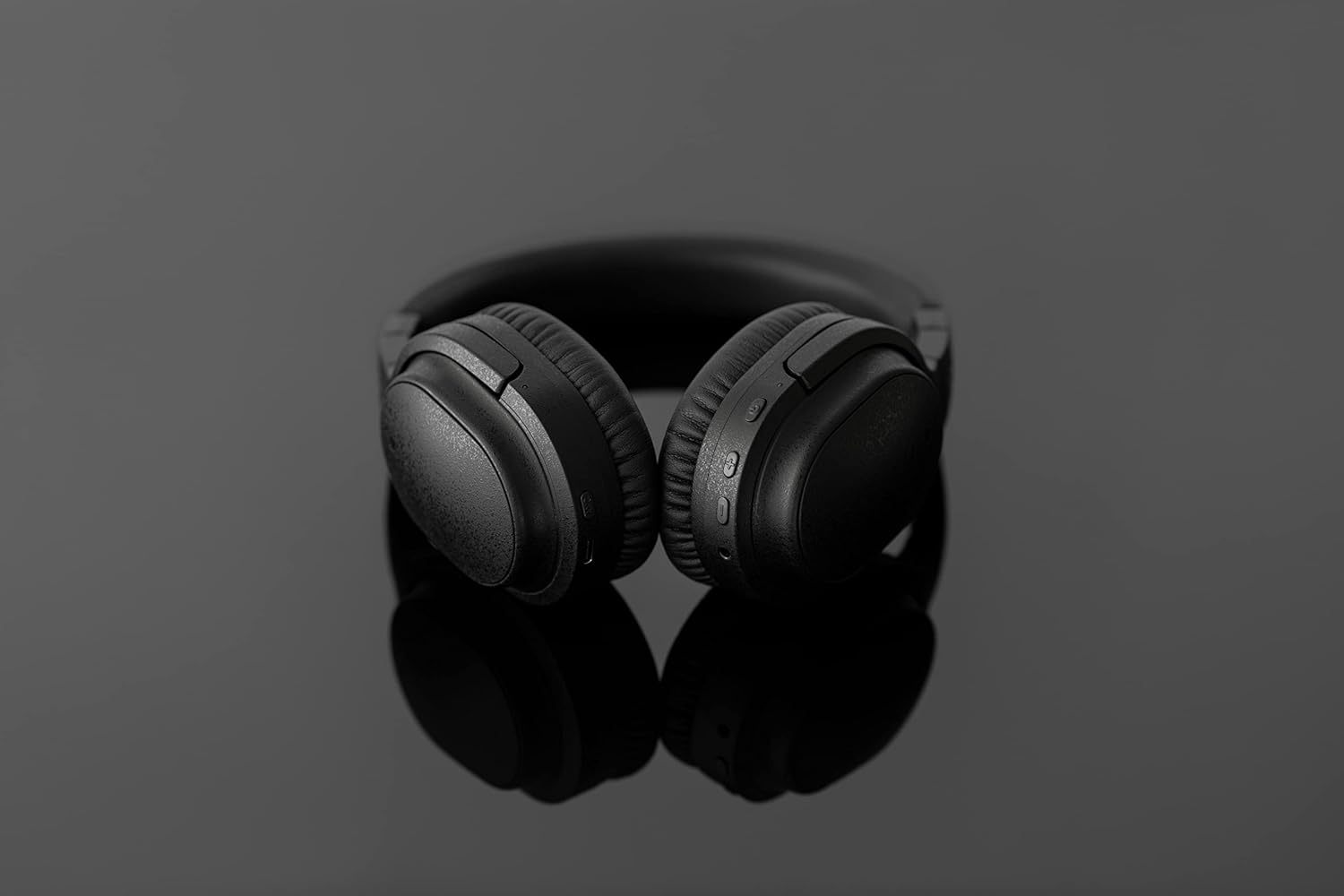
Image: The UX3000 headphones connected to a digital audio player using the 3.5mm audio cable.
5. Istruzzjonijiet Operattivi
5.1 Power On/Off
- Qawwa Mixgħul: Agħfas u żomm il-buttuna tal-Power għal żewġ sekondi. L-indikatur LED se jteptep blu.
- Itfi: Agħfas u żomm il-buttuna tal-Power għal żewġ sekondi. L-indikatur LED jintefa.
5.2 Daqq tal-Mużika
- Play/Pawsa: Agħfas il-buttuna b'diversi funzjonijiet darba.
- Track li jmiss: Agħfas u żomm il-buttuna tal-Volum + għal żewġ sekondi.
- Track preċedenti: Agħfas u żomm il-buttuna tal-Volum - għal żewġ sekondi.
- Volum 'il fuq: Press the Volume + button briefly.
- Volum 'l isfel: Press the Volume - button briefly.
5.3 Hybrid Noise Cancelling (ANC)
The UX3000 features Hybrid Active Noise Cancelling, utilizing two microphones per ear cup to effectively reduce ambient noise. One microphone collects external noise, and the other collects sound from the driver unit, allowing for highly accurate anti-noise signal generation.
- Attiva/Iddiżattiva l-ANC: Press the ANC button once. A voice prompt will confirm the status.

Image: A schematic diagram explaining how the Hybrid Noise Cancelling technology works with external and internal microphones.
5.4 aptX Low Latency Support
The UX3000 supports aptX Low Latency, which minimizes audio delay and ensures proper synchronization with visuals. This feature provides an optimal experience for watching movies and playing games, preventing noticeable lag between audio and video.

Image: A user wearing the UX3000 headphones, engaged with a laptop, highlighting their suitability for media and communication.
5.5 Funzjonijiet ta' Sejħa
- Tweġiba/Tmiem Sejħa: Agħfas il-buttuna b'diversi funzjonijiet darba.
- Irrifjuta Sejħa: Agħfas u żomm il-buttuna Multi-funzjoni għal 2-il sekonda.
- Attiva l-Assistent tal-Vuċi: Agħfas darbtejn il-buttuna Multi-funzjoni.
6. Manutenzjoni
To ensure the longevity and optimal performance of your Final UX3000 headphones, follow these maintenance guidelines:
- Tindif: Wipe the headphones with a soft, dry cloth. Do not use abrasive cleaners, solvents, or strong chemicals.
- Ħażna: When not in use, store the headphones in the provided soft carrying pouch to protect them from dust and scratches. The headphones are foldable for compact storage.
- Evita l-umdità: Keep the headphones away from water, humidity, and extreme temperatures.
- Iċċarġjar: Do not leave the headphones connected to a charger for extended periods after they are fully charged.

Image: The UX3000 headphones shown in their folded configuration, ready for compact storage or travel.
7 Issolvi l-problemi
If you encounter issues with your Final UX3000 headphones, refer to the following common problems and solutions:
| Problema | Kawża Possibbli | Soluzzjoni |
|---|---|---|
| Il-headphones ma jixegħlux. | Batterija baxxa. | Iċċarġja l-headphones bis-sħiħ. |
| Ma tistax tqabbad mat-tagħmir. | Headphones not in pairing mode; device's Bluetooth is off; too many paired devices. | Ensure headphones are in pairing mode (flashing red/blue). Turn on Bluetooth on your device. Forget previous pairings on your device and try again. |
| L-ebda ħoss jew volum baxx. | Volum baxx wisq; headphones mhux konnessi; output awdjo mhux korrett magħżul fuq l-apparat. | Żid il-volum kemm fuq il-headphones kif ukoll fuq l-apparat. Erġa' qabbad il-headphones. Iċċekkja s-settings tal-output tal-awdjo fuq l-apparat tiegħek. |
| It-tħassir tal-istorbju mhux effettiv. | ANC not activated; environmental noise too high for full cancellation. | Ensure ANC is activated. ANC is most effective for low-frequency, constant noises. |
| Voice prompts (e.g., "Battery Low") occur frequently even when charged. | Potential firmware issue or specific device interaction. | Ensure headphones are fully charged. If issue persists, contact customer support. |
8. Speċifikazzjonijiet
| Karatteristika | Dettall |
|---|---|
| Isem tal-Mudell | UX3000 BLK |
| Teknoloġija tal-Konnettività | Mingħajr fili (Bluetooth), Bil-fili (Jack ta' 3.5 mm) |
| Teknoloġija tal-Komunikazzjoni mingħajr Fili | Bluetooth 5.0 |
| Medda Bluetooth | 10 Meters |
| Kontroll tal-Ħoss | Kanċellazzjoni tal-Istorbju Ibrida |
| Tip ta' Sewwieq Awdjo | Sewwieq Dinamika |
| Medda ta' Frekwenzi | 20Hz-20kHz |
| Ħajja tal-batterija | Sa 35-il Siegħa |
| Ħin tal-Iċċarġjar | 2.5 Sigħat |
| Piż tal-oġġett | 260 Gram (9.2 uqija) |
| Tqegħid tal-widnejn | Fuq il-widnejn |
| Fattur tal-Formola | Fuq il-widnejn |
| Apparati Kompatibbli | Bluetooth-enabled devices supporting HFP, HSP, A2DP, and AVRCP profiles, and specifically compatible with SBC, AAC, aptX, and aptX low latency codecs |
| Użi Speċifiċi Għall-Prodott | Films u Logħob |
| Manifattur | Awdjo Finali |
| Data L-Ewwel Disponibbli | 14 ta’ Diċembru 2021 |
9. Garanzija u Appoġġ
The Final UX3000 headphones come with Final's 12 Month Worry-Free Warranty. This warranty covers defects in materials and workmanship under normal use for a period of 12 months from the date of original purchase.
For warranty claims, technical support, or any inquiries regarding your product, please contact Final customer service through the official Final website or your point of purchase. Please have your proof of purchase ready when contacting support.
Final is committed to providing friendly and responsive customer service to ensure your satisfaction.