
MageGee MKBox
MageGee MK-Box 60% Mechanical Gaming Keyboard User Manual
Ditta: MageGee
Mudell: MK-Box
1. Prodott Aktarview
The MageGee MK-Box is a compact 60% mechanical gaming keyboard designed for both gaming and office use. It features 68 keys, including separate arrow keys and Fn function keys, providing essential functionality while saving desk space. The keyboard is equipped with mechanical blue switches for a tactile and clicky typing experience, and it boasts charming blue LED backlighting with multiple customizable modes.
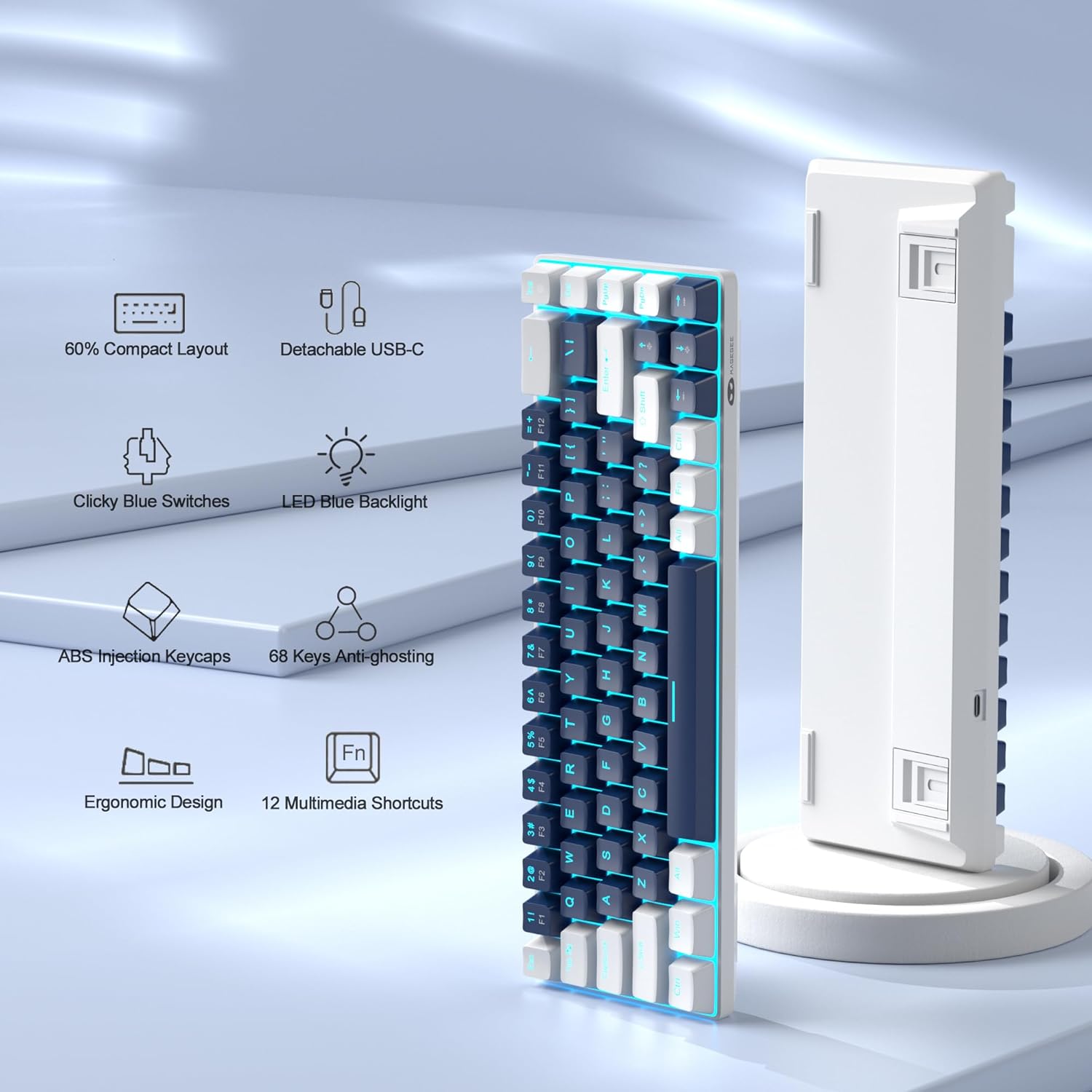
Figure 1: Key features of the MageGee MK-Box keyboard.
2. Gwida ta' Setup
2.1 Unboxing and Connection
Carefully remove the keyboard from its packaging. The MK-Box connects via a detachable USB-C cable, ensuring a stable and reliable connection to your device.

Figure 2: MageGee MK-Box keyboard with its USB cable.

Figure 3: Detachable USB-C connection for easy setup.
Connect the USB-C end of the cable to the keyboard and the USB-A end to an available USB 2.0 port on your computer (Windows, Linux, or Mac). The keyboard is plug-and-play, requiring no additional drivers or software installation.
2.2 Aġġustament tal-Angolu tat-Tajpjar
The MK-Box features double kickstand feet on its underside, allowing you to adjust the typing angle for improved ergonomics and comfort during extended use.

Figure 4: Adjustable kickstand feet for ergonomic comfort.
3. Istruzzjonijiet Operattivi
3.1 It-tqassim tat-tastiera u ċ-ċwievet tal-funzjoni
The MK-Box features a mini portable 60% compact layout with 68 keys. Despite its small size, it includes separate arrow keys and full F1-F12 function keys accessible via the Fn key, making it suitable for both gaming and productivity.
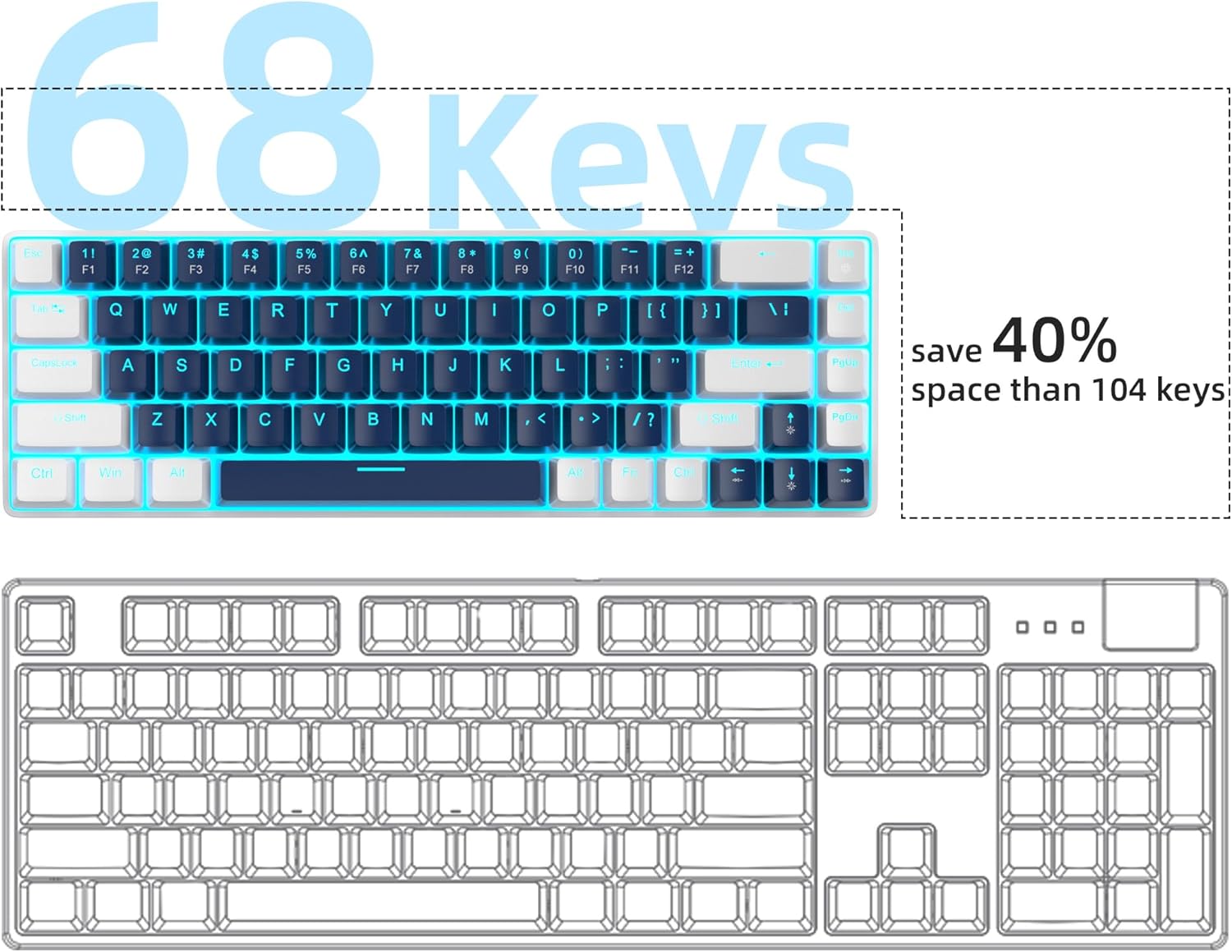
Figure 5: Space-saving 68-key compact layout.
3.2 Kontroll tad-dawl ta' wara
The keyboard features classic charming blue LED backlighting with approximately 15 different modes. You can control the backlight effects, brightness, and speed using the following key combinations:
- Fn + Ins: Aqleb bejn modi differenti ta' backlight.
- Fn + ↑ (Up Arrow): Żid il-luminożità tad-dawl ta' wara.
- Fn + ↓ (Down Arrow): Naqqas il-luminożità tad-dawl ta' wara.
- Fn + ← (Left Arrow): Naqqas il-veloċità tad-dawl ta 'wara.
- Fn + → (Right Arrow): Żid il-veloċità tad-dawl ta' wara.

Figure 6: Backlight control key combinations.
3.3 Mechanical Blue Switches
The MK-Box is equipped with mechanical blue switches, known for their distinct tactile bump and audible click sound. These switches provide excellent input feeling and strong mechanical feedback, ideal for typing and gaming.
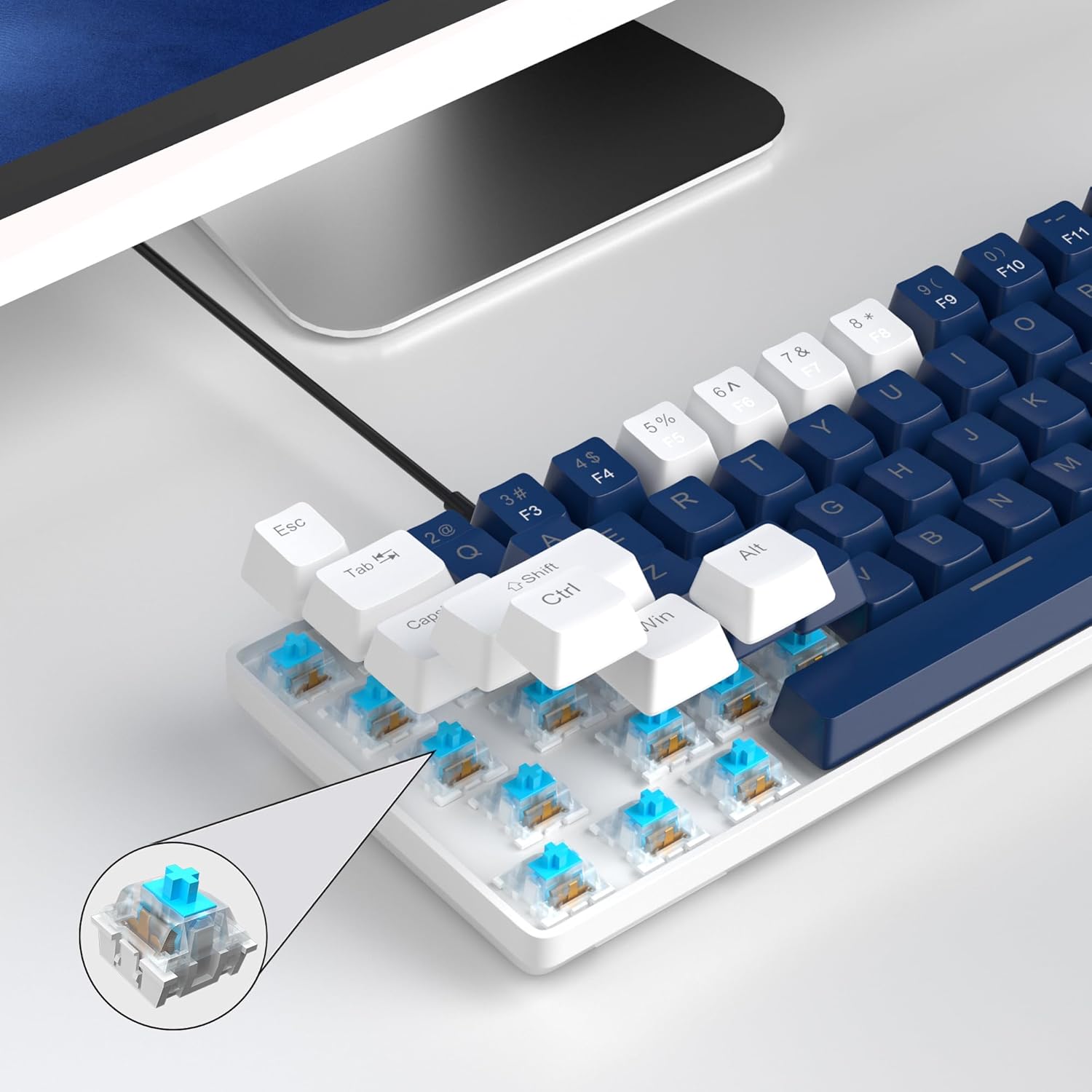
Figure 7: Detail of the mechanical blue switch.
3.4 Kontra l-Ghosting
All 68 keys on the MK-Box feature full anti-ghosting, ensuring that every keystroke is registered accurately, even during rapid and simultaneous key presses in intense gaming sessions.

Figure 8: Full anti-ghosting for accurate input.
3.5 Vidjo Uffiċjali tal-Prodott
Vidjo 1: Wirja uffiċjali tal-vidjo tal-prodottasing the MageGee 60% Gaming Keyboard with Blue Switches, including demonstrations of its features and backlighting.
4. Manutenzjoni
To ensure the longevity and optimal performance of your MageGee MK-Box keyboard, follow these maintenance tips:
- Tindif: Regularly clean the keycaps and the area between them using a soft brush or compressed air to remove dust and debris. For stubborn dirt, gently wipe keycaps with a damp drapp.
- Ġestjoni tal-Kejbil: The detachable USB cable allows for easy storage and transport, reducing wear and tear on the cable and port.
- Evita Likwidi: Żomm il-likwidi 'l bogħod mit-tastiera biex tevita li ssir ħsara lill-komponenti interni.
5 Issolvi l-problemi
If you encounter any issues with your MageGee MK-Box keyboard, refer to the following common troubleshooting steps:
- It-Tastiera Mhux Tirrispondi:
- Kun żgur li l-kejbil USB huwa konness sew kemm mat-tastiera kif ukoll mal-kompjuter tiegħek.
- Ipprova qabbad it-tastiera ma' port USB differenti fuq il-kompjuter tiegħek.
- Ittestja t-tastiera fuq kompjuter ieħor biex tiddetermina jekk il-problema hijiex fit-tastiera jew fis-sistema tiegħek.
- Id-Dawl ta' Wara Mhux Jaħdem/Mhux Korrett:
- Agħfas Fn + Ins biex tiċċikla bejn il-modi tad-dawl ta' wara.
- Aġġusta l-luminożità billi tuża Fn + ↑ (Vleġġa 'l fuq) jew Fn + ↓ (Down Arrow).
- Keys Not Registering (Ghosting):
- The keyboard has full anti-ghosting. If specific keys are not registering, ensure no debris is lodged under the keycap.
- Consider gently removing the keycap (using a keycap puller if available) and cleaning the switch area.
6. Speċifikazzjonijiet
| Karatteristika | Dettall |
|---|---|
| Dimensjonijiet tal-Prodott | 12.13 x 3.98 x 1.54 pulzieri |
| Piż tal-oġġett | 1.5 liri |
| Manifattur | MageGee |
| Teknoloġija tal-Konnettività | USB (fili) |
| Deskrizzjoni tat-Tastiera | Mechanical, Gaming, Ergonomic |
| Tip ta' Swiċċ | Iswiċċ Blu |
| Numru ta' Ċwievet | 68 |
| Backlight Kulur | Blue (Single Color) |
| Apparati Kompatibbli | Laptop, PC (Windows, Linux, Mac) |

Figura 9: Dimensjonijiet tat-tastiera.
7. Garanzija u Appoġġ
The MageGee MK-Box keyboard comes with a standard manufacturer's warranty. For specific warranty details, claims, or technical support, please refer to the warranty information provided with your product packaging or visit the official MageGee websit.
For further assistance, you may also contact MageGee customer support directly. Please have your product model number (MK-Box) and purchase details ready when contacting support.
Appoġġ onlajn: Visit the MageGee Store on Amazon
Ask a question about this manual
Ask about setup, troubleshooting, compatibility, parts, safety, or missing instructions. Manuals+ will review the question and use this page’s manual context to help answer it.