
1. Informazzjoni Importanti dwar is-Sigurtà
Please read all safety and operating instructions carefully before using this television. Keep this manual for future reference. Always follow basic safety precautions to reduce the risk of fire, electric shock, and injury.
- Tesponix dan l-apparat għax-xita jew l-umdità.
- Timblokkax il-fetħiet tal-ventilazzjoni. Installa skont l-istruzzjonijiet tal-manifattur.
- Tinstallax ħdejn xi sorsi tas-sħana bħal radjaturi, reġistri tas-sħana, stufi, jew apparat ieħor (inkluż amplifiers) li jipproduċu sħana.
- Ipproteġi l-korda tad-dawl milli tkun mixi jew maqrusa, partikolarment fil-plakek, fil-kontenituri tal-konvenjenza, u fil-punt fejn joħorġu mill-apparat.
- Uża biss aċċessorji/aċċessorji speċifikati mill-manifattur.
- Irreferi l-manutenzjoni kollha lil persunal tas-servizz kwalifikat. Il-manutenzjoni hija meħtieġa meta l-apparat ikun sar xi ħsara.
2. X'hemm fil-Kaxxa
Carefully unpack your new Sansui TV and ensure all items listed below are present.
- 1 x Sansui 4K Ultra HD Android LED TV (JSW50ASUHD)
- 2 x Bażi tal-Stand tal-Mejda
- 1 x Wall Mounting Set
- 4 x Screws for stand/mount
- 1 x Manwal għall-Utent
- 1 x Karta tal-Garanzija
- 1 x Kontroll mill-bogħod
- 2 x Batteriji AAA (għall-kontroll remot)
- 1 x Kurduni tal-Enerġija
- 1 x Mini AV Cable
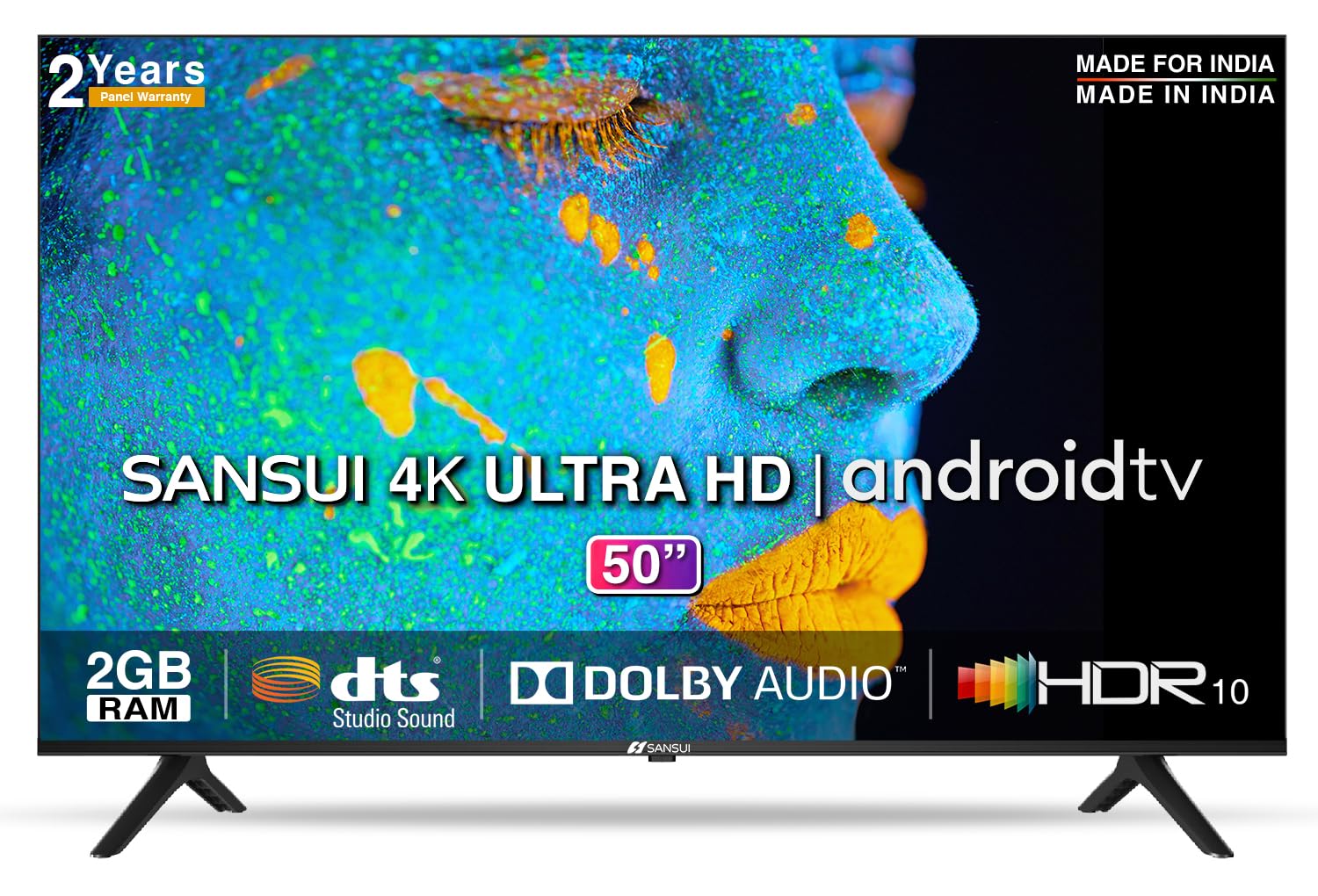
Image: Sansui 50-inch 4K Ultra HD Android LED TV with its table stand.
3. Prodott Aktarview
3.1. Karatteristiċi ewlenin
- Wiri: 4K Ultra HD (3840x2160) resolution, 60Hz refresh rate, Wide Viewing Angle, A+ Grade Panel, Wide Colour Gamut, HDR 10, Crystal Clear Display, High Brightness, Bezel-less Design.
- Awdjo: Dolby Audio, DTS Studio Sound, 20 Watts Audio Output.
- Karatteristiċi tat-TV intelliġenti: Android 10.0 (Certified by Google), Google Assistant, Alexa Enabled Support, Built-in Chromecast, CA53 Quad Core Processor, 2GB RAM, 8GB ROM.
- Apps appoġġjati: Prime Video, Netflix, Disney + Hotstar, YouTube, Google Play.
- Konnettività: 3 HDMI ports, 2 USB ports, 3.5mm audio jack, Bluetooth, Wi-Fi, RJ45 (Ethernet), Antenna.

Image: Visual representation of the TV's main features and capabilities.
3.2. Dimensjonijiet
The TV features a 50-inch screen (127 cm diagonal) with a bezel-less design for an immersive viewing esperjenza.

Image: Detailed dimensions of the Sansui 50-inch TV, including width, height, and depth with and without the stand.
4. Setup
4.1. Installazzjoni tal-Istand tal-Mejda
- Poġġi l-iskrin tat-TV 'l isfel fuq wiċċ artab u ċatt biex tevita l-ħsara.
- Align the table stand bases with the corresponding slots at the bottom of the TV.
- Secure the bases using the provided screws. Ensure they are tightened firmly.
4.2. Immuntar mal-Ħajt (Mhux obbligatorju)
If you choose to wall mount your TV, please use the provided wall mounting set and screws. The VESA mount standard is 800 x 400 mm. It is recommended to seek professional assistance for wall mounting to ensure proper and safe installation.
4.3. Mezzi ta 'Konnessjoni
The TV offers various connectivity options for your external devices.
- Qawwa: Qabbad il-korda tal-enerġija mad-dħul tal-enerġija tat-TV u mbagħad ma' sokit tal-ħajt.
- HDMI: Use HDMI cables to connect devices like set-top boxes, gaming consoles, or Blu-ray players to the 3 HDMI ports.
- USB: Connect USB drives or other USB devices to the 2 USB ports for media playback.
- Out tal-Awdjo: Use the 3.5mm jack to connect headphones or external audio systems.
- Ethernet (RJ45): For a stable internet connection, connect an Ethernet cable from your router to the RJ45 port.
- Antenna: Connect your antenna cable to the RF input for terrestrial broadcasting.
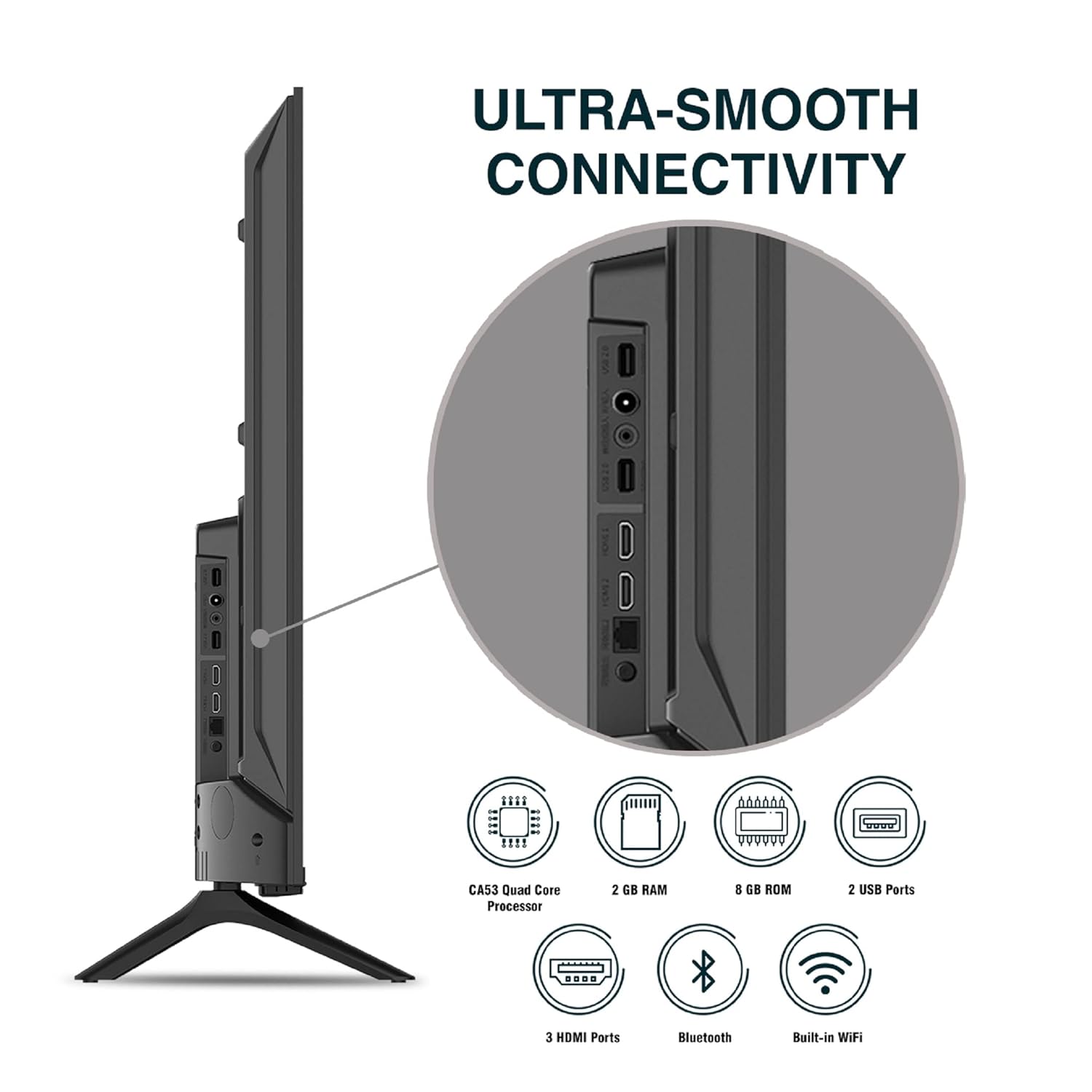
Immaġni: Dettaljata view tal-portijiet tal-konnettività tat-TV.
5. Istruzzjonijiet Operattivi
5.1. Operazzjoni Bażika
- Power On/Off: Press the power button on the remote control or on the TV to turn it on or off.
- Setup Inizjali: Upon first power-on, follow the on-screen instructions to set up language, network connection, and Google account.
- Sors tad-dħul: Press the 'Input' button on the remote to select between HDMI, AV, TV, or other connected sources.
- Kontroll tal-Volum: Uża l-buttuni Volume Up/Down fuq ir-remote.
5.2. Using the Smart Remote
The included remote control features voice control and dedicated hotkeys for quick access to popular streaming services.
- Kontroll tal-Vuċi: Press the Google Assistant button (microphone icon) and speak your commands to search for content, control smart home devices, or ask questions.
- Hotkeys: Directly launch Netflix, Prime Video, YouTube, and Google Play with a single press.
- Navigazzjoni: Use the directional pad and 'OK' button to navigate the Android TV interface.

Image: Sansui Smart Remote Control with voice control and app hotkeys.
5.3. Android TV Interface and Smart Features
Your Sansui TV runs on Android 10.0, providing access to a wide range of apps and smart functionalities.
- Skrin tad-dar: The home screen displays your favorite apps, recommended content, and input sources.
- Google Play Store: Download and install additional apps, games, and content from the Google Play Store.
- Chromecast integrat: Cast content (videos, photos, music) from your smartphone, tablet, or computer directly to the TV.
- Google Assistant/Alexa: Use voice commands via the remote or a compatible Alexa device to control your TV and other smart home devices.

Image: Android TV home screen showing available applications.
6. Manutenzjoni
Kura u manutenzjoni xierqa se jestendu l-ħajja tat-TV tiegħek.
- Tindif tal-Iskrin: Imsaħ l-iskrin bil-mod b'ċarruta ratba u mingħajr suf. Għal marki iebsa, uża prodott għat-tindif tal-iskrin iddisinjat speċifikament għat-televiżjonijiet, applikat fuq iċ-ċarruta, mhux direttament fuq l-iskrin.
- Tindif tal-Kabinett: Uża drapp artab u niexef biex timsaħ il-kabinett tat-TV. Tużax prodotti tat-tindif jew solventi li joborxu.
- Ventilazzjoni: Kun żgur li l-fetħiet tal-ventilazzjoni huma nodfa mit-trab u l-fdalijiet biex tevita li jisħnu żżejjed.
- Korda tal-Enerġija: Regularly check the power cord for any damage. If damaged, replace it with an authorized part.
7 Issolvi l-problemi
Jekk tiltaqa' ma' xi problemi, irreferi għall-problemi u s-soluzzjonijiet komuni li ġejjin.
| Problema | Kawża Possibbli | Soluzzjoni |
|---|---|---|
| Ebda Qawwa | Il-korda tal-enerġija skonnettjata; Problema fil-plakka tal-enerġija | Iċċekkja l-konnessjoni tal-korda tal-enerġija; Ittestja s-sokit b'apparat ieħor. |
| No Picture, Only Sound | Sors ta' input mhux korrett; Problema bl-apparat estern | Select correct input source; Check external device connection and power. |
| No Sound, Only Picture | Volume muted/low; External audio system issue | Unmute or increase volume; Check external audio system connections. |
| Il-Kontroll Remot Mhux Jaħdem | Batteriji eżawriti; Ostruzzjoni bejn ir-remote u t-TV | Ibdel il-batteriji; Neħħi kwalunkwe ostaklu. |
| Kwistjonijiet ta' Konnessjoni Wi-Fi | Incorrect password; Router issues; Signal interference | Re-enter password; Restart router; Move TV closer to router or use Ethernet. |
Jekk il-problema tippersisti wara li tipprova dawn is-soluzzjonijiet, jekk jogħġbok ikkuntattja l-appoġġ għall-klijenti.
8. Speċifikazzjonijiet
Detailed technical specifications for the Sansui JSW50ASUHD TV.
| Karatteristika | Deskrizzjoni |
|---|---|
| Isem tal-Mudell | SANSUI LED - JSW50ASUHD |
| Daqs tal-Iskrin | 50 Pulzier (127 ċm) |
| Teknoloġija tal-Wiri | LED |
| Riżoluzzjoni | 4K Ultra HD (3840x2160) |
| Riffriskar Rata | 60 Hz |
| Sistema Operattiva | Android 10.0 (Certified by Google) |
| Proċessur | CA53 Quad Core |
| RAM | 2 GB |
| ROM (Ħażna) | 8 GB |
| Output Awdjo | 20 Watts |
| Teknoloġija tal-Ħoss | Dolby Audio, DTS Studio Sound |
| Portijiet HDMI | 3 |
| Portijiet USB | 2 |
| Konnettività bla fili | Wi-Fi, Bluetooth |
| Konnettività oħra | Ethernet (RJ45), 3.5mm Audio Jack, Antenna |
| Appoġġ HDR | HDR10 |
| Tip ta 'Immuntar | Immuntar mal-Ħajt u Immuntar fuq il-Mejda |
| Standard tal-Immuntar VESA | 800 x 400 mm |
| Konsum tal-Enerġija | 120 Watts |
| Piż tal-oġġett | 9650 Gramm |
| Kulur | Mystique Black |
9. Garanzija u Appoġġ
Your Sansui TV comes with a comprehensive warranty and dedicated customer support.
- Garanzija: 1 year comprehensive warranty and 1 year additional on panel from the date of purchase.
- Appoġġ tal-Garanzija: For warranty-related queries, please contact Sansui Toll Free No.: 1800-419-3777.
- Kuntatt tal-Importatur: Jaina India Pvt Ltd., D170, Okhla Industrial Area, Phase-1, New Delhi-110020 INDIA | Email: sansuicare@jainaindia.com.
Jekk jogħġbok żomm l-irċevuta tax-xiri tiegħek għal talbiet ta' garanzija.