
Introduzzjoni
This manual provides detailed instructions for the setup, operation, and maintenance of your Blue Tiger Storm Gray Premium Trucker Bluetooth Headset. Please read this manual thoroughly to ensure optimal performance and longevity of your device.
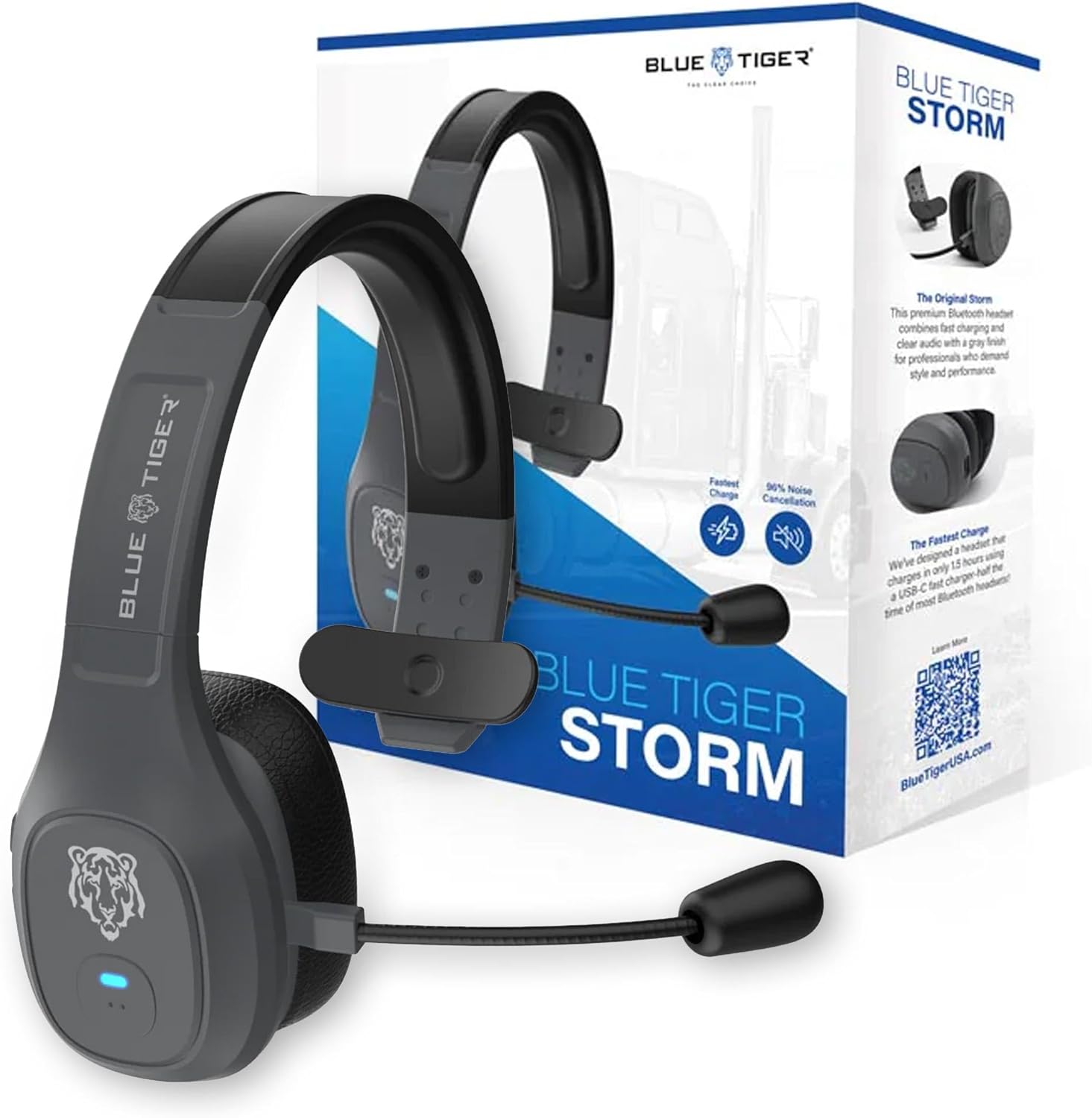
Image: Blue Tiger Storm Gray Premium Trucker Bluetooth Headset with its packaging.
Kontenut tal-Pakkett
Ivverifika li l-oġġetti kollha huma preżenti fil-pakkett tiegħek:
- Premium Storm Headset
- Attached Protein Leather Ear Cushion
- Cable tal-Iċċarġjar tal-USB-C
- D/C Vehicle Adapter
- Bonus Mic Cover
- Gwida Quick Start
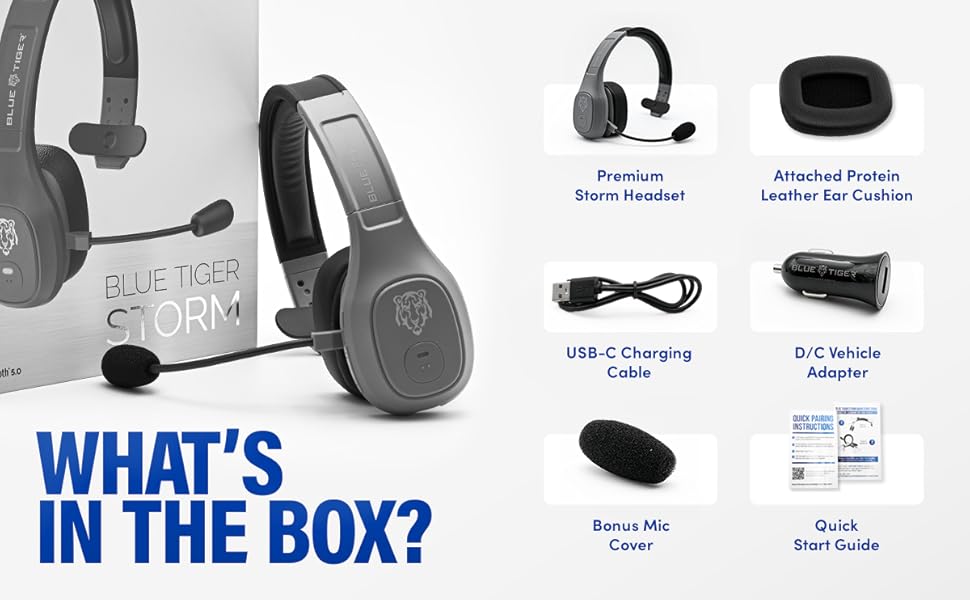
Image: Contents of the Blue Tiger Storm headset package.
Prodott Overview
Komponenti u Kontrolli
Familiarize yourself with the various parts and controls of your headset:
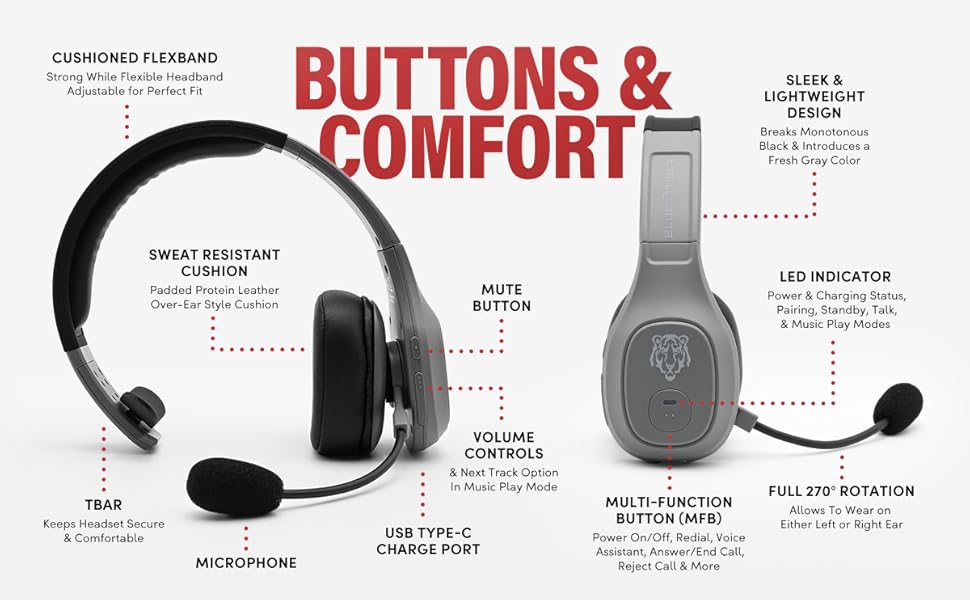
Image: Diagram of headset components and controls.
- Cushioned Flexband: Strong yet flexible headband for a comfortable fit.
- Sweat Resistant Cushion: Padded protein leather over-ear style cushion.
- Mikrofonu: Passive noise-canceling microphone for clear communication.
- Port ta' Ċarġ tal-USB tat-Tip C: Għall-iċċarġjar tal-headset.
- Buttuna Mute: Controls microphone mute function.
- Kontrolli tal-Volum: Adjusts audio volume and navigates tracks in music mode.
- Buttuna Multi-Funzjoni (MFB): Controls power, pairing, calls, and voice assistant.
- Indikatur LED: Displays power, charging, pairing, talk, and music play modes.
- Rotazzjoni sħiħa ta' 270°: Allows the headset to be worn on either the left or right ear.
- TBAR: Helps keep the headset secure and comfortable.
Karatteristiċi Ewlenin
- Kumdità: Lightweight (under 5 oz), adjustable headband, and soft over-ear protein leather ear cushions designed for extended wear.
- Kanċellazzjoni tal-Istorbju: Passive noise-canceling microphone blocks out 96% of background noise for clear calls in noisy environments.
- Ħajja Estiża tal-Batterija: 400 mAh battery provides 30 hours of talk time and 800 hours on standby.
- Iċċarġjar veloċi: USB-C port allows for a full charge in 1.5 hours.
- Konnettività Affidabbli: Bluetooth 5.0 offers a 100 ft operating range and compatibility with two devices simultaneously.
- Karatteristiċi intelliġenti: Supports Siri and Google Assistant for hands-free voice commands.
- Vehicle-Ready: Includes a D/C vehicle adapter for convenient charging on the go.

Image: Comfort features of the headset.

Image: Noise cancellation features.
Setup
1. Iċċarġjar tal-Headset
- Connect the provided USB-C charging cable to the headset's USB-C port.
- Plug the other end of the USB-C cable into a compatible USB power source (e.g., computer, wall adapter, or the included D/C vehicle adapter).
- The LED indicator will show charging status. A full charge typically takes 1.5 hours.
2. Tqabbil tal-Bluetooth
Ensure your device supports Bluetooth functionality.
- Qawwa Mixgħul: Press and hold the Multi-Function Button (MFB) until the LED indicator flashes blue and red, indicating pairing mode.
- Attiva l-Bluetooth: On your mobile device, navigate to the Bluetooth settings and turn Bluetooth on.
- Agħżel il-Headset: Look for "Blue Tiger Storm" in the list of available devices and select it to connect.
- Konferma: The LED indicator on the headset will turn solid blue or flash blue slowly once successfully paired. A voice prompt will also confirm the connection.
- Tqabbil tat-Tieni Apparat: To pair a second device, ensure the first device is connected. Then, put the headset back into pairing mode (LED flashing blue/red) and connect the second device. The headset can maintain connection with two devices simultaneously.
Vidjo: Viżjoni ta' 360 grad view of the Blue Tiger Storm headset, demonstrating its design and features.
Istruzzjonijiet Operattivi
Qawwa mixgħul/mitfi
- Qawwa Mixgħul: Press and hold the MFB for approximately 3 seconds until the LED flashes blue.
- Itfi: Press and hold the MFB for approximately 5 seconds until the LED flashes red and then turns off.
Ġestjoni tas-Sejħiet
- Tweġiba/Tmiem Sejħa: Agħfas l-MFB darba.
- Irrifjuta Sejħa: Agħfas u żomm l-MFB għal 2 sekondi.
- Isemmi mill-ġdid l-Aħħar Numru: Agħfas darbtejn l-MFB.
Volum u Mute
- Volum 'il fuq: Agħfas il-buttuna Volum 'il fuq.
- Volum 'l isfel: Agħfas il-buttuna Volum 'l isfel.
- Ixekkel/Istinka l-mikrofonu: Double-tap the Mute button. The microphone boom can be adjusted 270 degrees for optimal positioning.
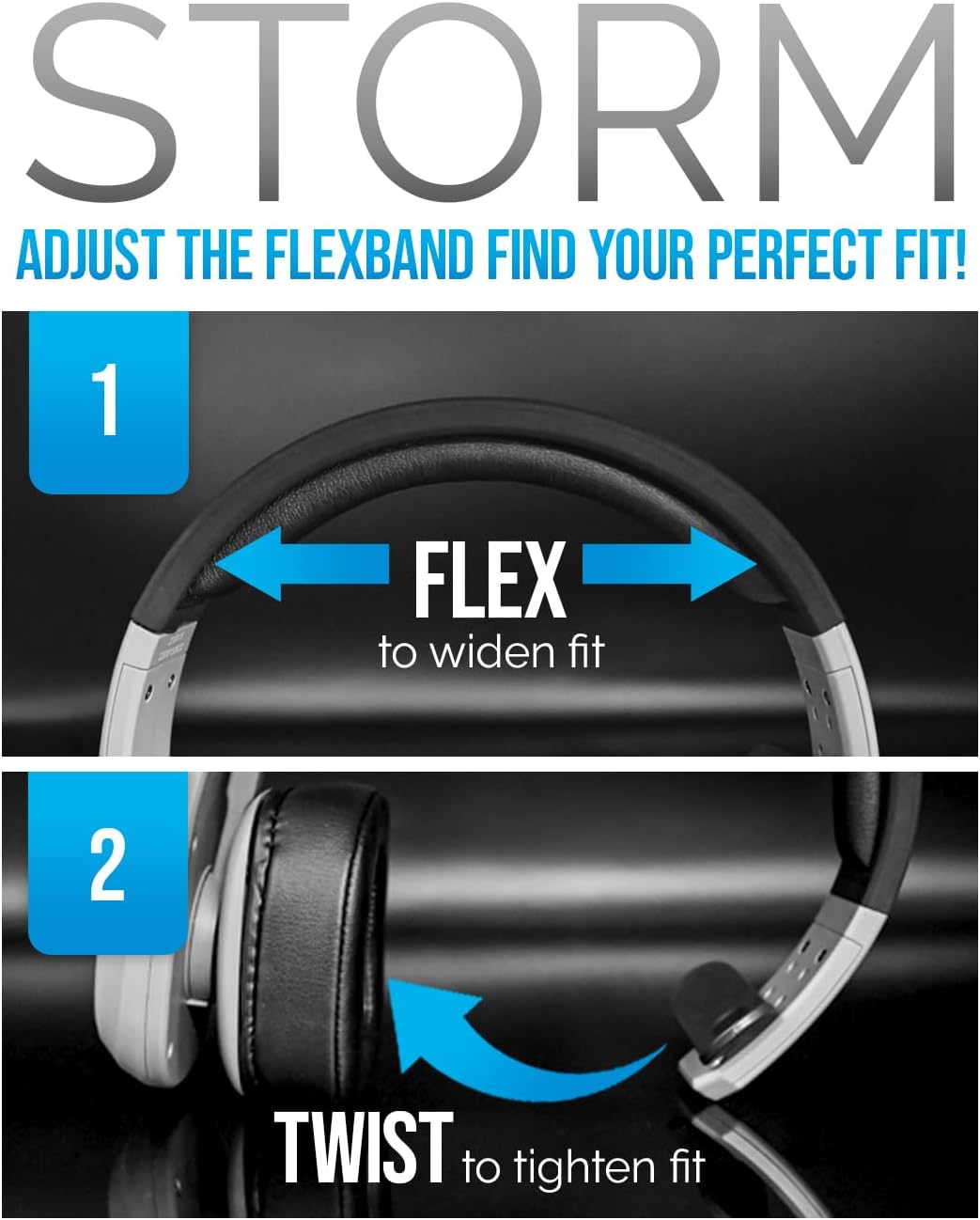
Image: Adjusting the headset for a perfect fit.
Assistent tal-Vuċi
- Activate Siri/Google Assistant: Tap the MFB once to activate your device's voice assistant.
Daqq tal-Mużika
- Play/Pawsa: Agħfas l-MFB darba.
- Track li jmiss: Agħfas il-buttuna Volume Up għal żewġ sekondi.
- Track preċedenti: Agħfas il-buttuna Volum Down għal 2 sekondi.
Video: A promotional video highlighting the features and benefits of the Blue Tiger Storm headset, including noise cancellation, battery life, and smart assistant integration.
Manutenzjoni
Tindif
- Imsaħ il-headset b'ċarruta ratba, damp drapp. Evita li tuża kimiċi ħarxa jew tindif li joborxu.
- For the protein leather ear cushions, use a mild soap solution if necessary, and ensure they are completely dry before use.
- The microphone cover can be gently removed and cleaned or replaced with the bonus mic cover provided.
Ħażna
- Aħżen il-headset f'post frisk u niexef 'il bogħod mix-xemx diretta u minn temperaturi estremi.
- Evita li tpoġġi oġġetti tqal fuq il-headset biex tevita l-ħsara.
Issolvi l-problemi
| Problema | Kawża Possibbli | Soluzzjoni |
|---|---|---|
| Il-headset ma jixgħelx | Batterija baxxa | Charge the headset using the USB-C cable. |
| Ma tistax tqabbad mat-tagħmir | Headset not in pairing mode; Bluetooth off on device; Device out of range | Ensure headset is in pairing mode (flashing blue/red LED). Turn on Bluetooth on your device. Move device closer to headset (within 100 ft). |
| Kwalità awdjo fqira / Ħoss fl-isfond | Microphone not positioned correctly; Excessive environmental noise; Weak Bluetooth connection | Adjust microphone closer to your mouth. Ensure the passive noise cancellation is effective. Move closer to the paired device. |
| L-ebda ħoss mill-headset | Volume too low; Headset not connected; Device audio output not set to headset | Increase headset and device volume. Re-pair the headset. Check device audio settings to ensure output is directed to the headset. |
| Headset disconnects frequently | Out of range; Interference; Low battery | Stay within 100 ft of the paired device. Avoid strong electromagnetic interference. Charge the headset. |
Speċifikazzjonijiet
| Karatteristika | Speċifikazzjoni |
|---|---|
| Isem tal-Mudell | Maltempata |
| Teknoloġija tal-Konnettività | Mingħajr fili (Bluetooth 5.0) |
| Medda Bluetooth | 100 Saqajn |
| Ħin tat-Tkellem | 30 Sigħat |
| Ħin ta' Standby | 800 Sigħat |
| Ħin tal-Iċċarġjar | 1.5 Hours (USB-C) |
| Kontroll tal-Ħoss | Passive Noise Cancellation (96%) |
| Piż | 4.98 Ounces (approx. 5 ounces) |
| Tqegħid tal-widnejn | Fuq il-widnejn |
| Mikrofonu | 270-degree adjustable boom mic |
| Apparati Kompatibbli | Bluetooth-enabled devices, Car Audio Systems |
| Komponenti Inklużi | D/C vehicle adapter, Extra Mic Cover, USB-C Charging Cable |
Garanzija u Appoġġ
Blue Tiger products are designed for durability and performance. For specific warranty information, please refer to the warranty card included with your product or visit the official Blue Tiger website. For technical support or further assistance, please contact Blue Tiger customer service.
Appoġġ onlajn: www.bluetigerusa.com