
1. Introduzzjoni
This manual provides detailed instructions for the installation, operation, and maintenance of your Hubble Nursery Pal Link Premium Twin 5-Inch Baby Monitor. This system includes a 5-inch parent unit and two smart cameras, designed to help you monitor your child. Please read this manual thoroughly before using the product to ensure proper function and safety.

Immaġni 1.1: Fuqview of the Hubble Nursery Pal Link Premium Twin system, showing the parent unit, two cameras, and the HubbleClub app on a smartphone.
2. Informazzjoni Importanti dwar is-Sigurtà
Please observe the following safety precautions to reduce the risk of fire, electric shock, or injury:
- Żomm partijiet żgħar 'il bogħod mit-tfal.
- Do not place the camera or cords within reach of children. Cords can pose a strangulation hazard.
- Uża biss l-adapters tal-enerġija pprovduti.
- Tesponix il-prodott għall-ilma jew l-umdità.
- Ensure proper ventilation for all components.
- Do not attempt to open or repair the product yourself. Refer all servicing to qualified personnel.
3. Kontenut tal-Pakkett
Ivverifika li l-oġġetti kollha huma preżenti fil-pakkett tiegħek:

Immaġni 3.1: Rappreżentazzjoni viżwali tal-kontenut tal-pakkett.
- 5-inch Parent Unit with Split Screen capability
- Digital Pan, Tilt, and Zoom Cameras (x2)
- Power Adapters (for Parent Unit and Cameras)
- Gwida Quick Start
- HubbleClub Services Information
4. Gwida ta' Setup
4.1 Iċċarġjar tal-Parent Unit
Before initial use, fully charge the parent unit for approximately 16 hours. Connect the small plug of the power adapter to the parent unit and the other end to a power outlet. The battery indicator will show charging status.
4.2 Positioning the Cameras
Place the cameras on a flat surface or mount them to a wall. Ensure the camera is at least 3 feet (1 meter) away from your child to avoid potential hazards. Position the cameras to provide a clear view of the monitoring area.
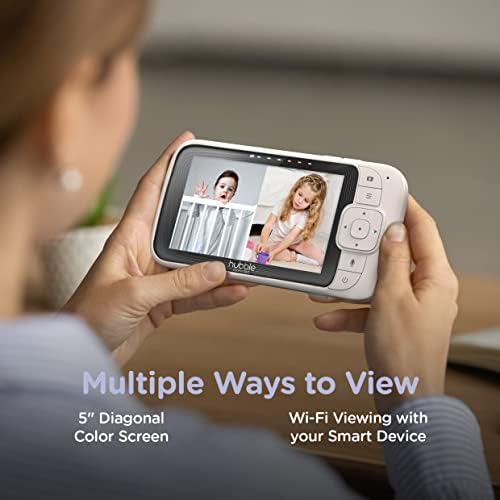
Image 4.1: The parent unit and a single camera, illustrating their compact design.
4.3 Connecting to Wi-Fi and HubbleClub App
Għal remoti viewing and advanced features, download the HubbleClub app on your smartphone or tablet. Follow the in-app instructions to connect your cameras to your home Wi-Fi network. This enables features such as 24-hour recording, live streaming, and remote access.
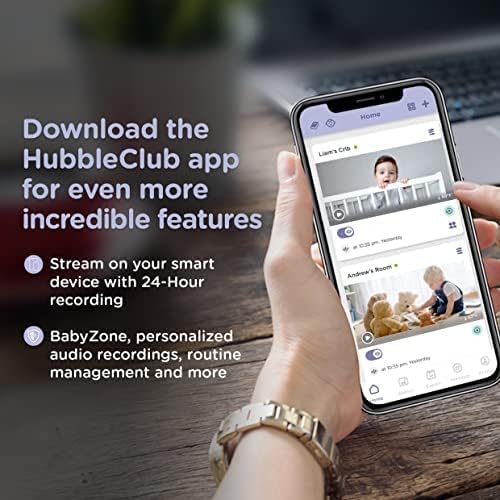
Image 4.2: The HubbleClub app interface on a smartphone, demonstrating its capabilities for monitoring and managing multiple cameras.
5. Istruzzjonijiet Operattivi
5.1 Funzjonijiet tal-Unità Prinċipali
The 5-inch diagonal color screen on the parent unit allows for direct monitoring. Use the controls to:
- View live video feed from one or both cameras (split screen).
- Utilize two-way communication to speak to your child.
- Play preloaded lullabies and soothing sounds.
- Adjust camera pan, tilt, and zoom remotely.
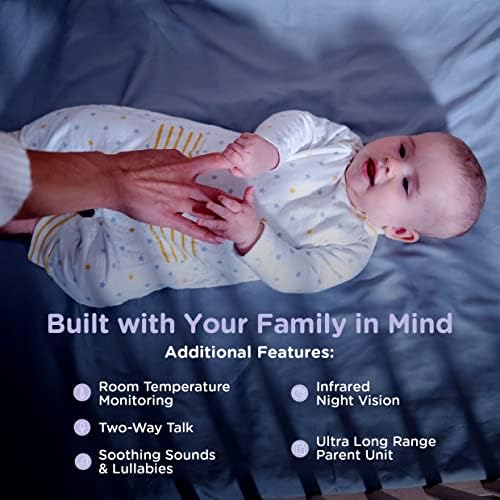
Image 5.1: The parent unit displaying a split screen, allowing simultaneous viewing ta' żewġ feeds tal-kamera.
5.2 HubbleClub App Features
The HubbleClub app enhances your monitoring experience with additional functionalities:
- Live Streaming & Remote Access: View camera feeds from anywhere via your smart device.
- 24-Hour Recording: Continuous recording for review (subscription may be required).
- Routine Management: Schedule and manage routines for sleep and other activities.
- Baby Growth & Development Tracker: Monitor your child's progress.
- Monitoraġġ Ambjentali: Receive alerts for motion, sound, and temperature changes.
- Parir espert: Access parenting tips and sleep advice.
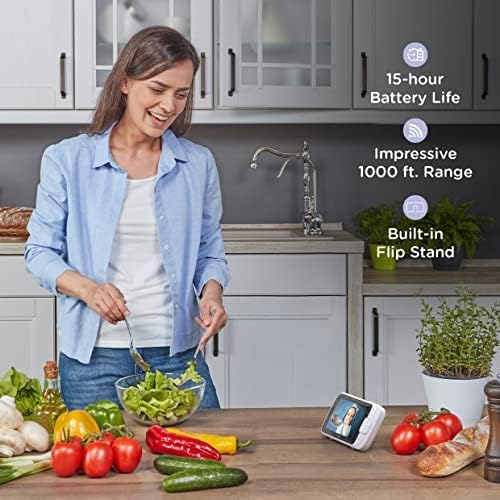
Image 5.2: Key features of the monitor system, including environmental monitoring and communication capabilities.
5.3 Firxa u Ħajja tal-Batterija
The parent unit offers an impressive range of up to 1,000 feet (300 meters) in optimal conditions. The 3,000mAh battery provides up to 15 hours of operation on a single charge, depending on usage.
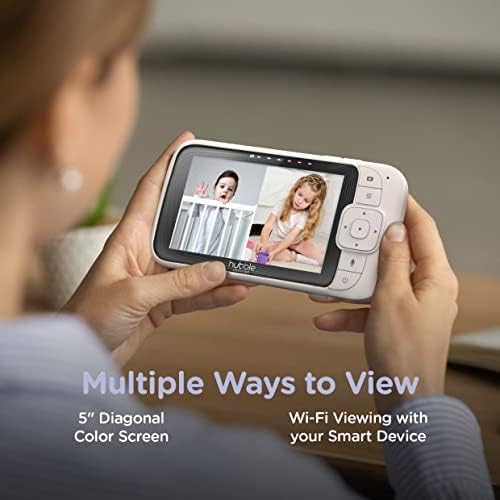
Image 5.3: The parent unit in a home setting, emphasizing its long battery life and extended range.
6. Manutenzjoni
To ensure the longevity and optimal performance of your baby monitor:
- Tindif: Wipe the parent unit and cameras with a soft, dry, lint-free cloth. Do not use cleaning sprays or liquid cleaners.
- Ħażna: If storing the unit for an extended period, ensure the parent unit battery is fully charged and then store in a cool, dry place.
- Kura tal-batterija: Avoid fully discharging the parent unit battery frequently to prolong its lifespan.
7 Issolvi l-problemi
If you encounter issues with your Hubble Nursery Pal Link Premium Twin, refer to the following common solutions:
| Problema | Soluzzjoni |
|---|---|
| L-ebda immaġni/ħoss fuq l-unità tal-ġenituri. | Ensure both the parent unit and cameras are powered on and within range. Check power connections. |
| Kwalità fqira tal-immaġni. | Check for obstructions between the camera and parent unit. Ensure cameras are in a well-lit area or night vision is active. Adjust camera position. |
| Parent unit not connecting to Wi-Fi. | Verify your Wi-Fi network is 2.4GHz. Ensure correct Wi-Fi password. Restart your router and the parent unit. |
| Ħajja qasira tal-batterija. | Reduce screen brightness. Limit continuous live viewing. Ensure the unit is fully charged before use. |
| App not receiving notifications. | Check app notification settings on your smartphone. Ensure the app has necessary permissions. Verify internet connectivity. |
8. Speċifikazzjonijiet tal-Prodott
| Karatteristika | Dettall |
|---|---|
| Numru tal-Mudell | HCSNPLP2-2 |
| Wiri tal-Unità tal-Ġenituri | Skrin bil-Kulur Djagonali ta' 5 pulzieri |
| Tip ta' Kamera | Digital Pan, Tilt, Zoom (x2) |
| Konnettività | Wi-Fi (2.4GHz) |
| Riżoluzzjoni tal-Qbid tal-Vidjo | 1080p |
| Firxa Wireless | Sa 1,000 pied (linja tal-vista) |
| Batterija tal-Unità tal-Ġenituri | 3000 mAh Lithium Ion (up to 15 hours) |
| Karatteristiċi Speċjali | Two-way communication, Lullabies, Night Vision, Room Temperature Monitoring, Motion/Sound Detection |
| Tip ta 'Immuntar | Mount Wall |
| Piż tal-oġġett | 1.96 libbra (0.89 Kilogrammi) |
| UPC | 697333826898, 697333826928 |
9. Garanzija u Appoġġ
For warranty information and technical support, please refer to the warranty card included in your product packaging or visit the official Hubble Connected websit. Tista' ssib ukoll mistoqsijiet frekwenti u informazzjoni ta' kuntatt għas-servizz tal-konsumatur hemmhekk.
Hubble Connected Official Websit: www.hubbleconnected.com