
Vecupou QK03
Vecupou Mini Projector Instruction Manual
Mudell: QK03
Brand: Vecupou
1. Prodott Aktarview
The Vecupou Mini Projector (Model QK03) offers a versatile and immersive viewing experience, supporting 1080P Full HD resolution with enhanced brightness and contrast. It features the latest 5G WiFi for seamless wireless screening from iOS and Android devices, and advanced Bluetooth 5.1 technology for connecting external audio. Designed for both indoor and outdoor use, this portable projector delivers a maximum 200-inch display and comes equipped with dual built-in HiFi stereo speakers for rich audio. Its multiple connectivity options ensure compatibility with a wide range of devices, making it ideal for home theater, gaming, and presentations.
2. Kontenut tal-Pakkett
Malli tiftaħ il-pakkett, jekk jogħġbok kun żgur li l-oġġetti kollha li ġejjin huma preżenti:
- Vecupou Mini Projector (Model QK03)
- Kontroll mill-bogħod
- Kejbil tal-Enerġija
- Cable HDMI
- Cable USB
- AV Cable
- Stand tat-tripod aġġustabbli
- Kap tal-Lenti
- Drapp tat-Tindif
- Tampuni tal-qoton
- Manwal għall-Utent (dan id-dokument)
3. Karatteristiċi Ewlenin tal-Prodott
- Viżwali Mtejba: Supports 1080P Full HD resolution with 80% higher brightness (REAL 10000 Lumens) and an 8000:1 contrast ratio for clear and vivid images.
- Advanced 5G WiFi Connectivity: Enables easy and fast wireless screening of movies, games, and videos from iOS/Android devices to a maximum 200-inch display. Note: Due to copyright restrictions, protected videos from platforms like Netflix or Hulu may not be supported via mirror display.
- Bluetooth 5.1 Integration: Connects seamlessly with external speakers or headphones for enhanced audio synchronization and immersive sound. (Note: Bluetooth does not support direct phone connection for audio).
- Dual Hi-Fi Stereo Speakers: Equipped with two built-in speakers that restore original audio fidelity, providing excellent sound quality for various settings without external speakers.
- Kompatibilità ta' Apparat Multipli: Features versatile input options including HDMI, USB, VGA, TF/SD, and AV, allowing connection to smartphones, laptops, TV sticks, PS5, tablets, TV boxes, and more.
- Long-lasting LED Light Source: The LED light lens has a lifespan of up to 80,000 hours.
- Korrezzjoni Manwal Keystone: Offers ±15° manual keystone correction for adjusting image distortion.
4. Gwida ta' Setup
- Spakkjar: Neħħi l-komponenti kollha mill-imballaġġ bir-reqqa. Żomm l-imballaġġ għal ħażna jew trasport fil-futur.
- Pjazzament: Place the projector on a stable, flat surface. Use the adjustable tripod stand for optimal positioning. Ensure there is adequate ventilation around the projector.
- Konnessjoni tal-Enerġija: Connect the power cable to the projector's power input and then to a wall outlet. The power indicator light will illuminate.
- Qawwa Inizjali Mixgħula: Agħfas il-buttuna tal-qawwa fuq il-proġekter jew il-kontroll mill-bogħod biex tixgħel l-apparat.
- Focus u Aġġustament Keystone: Use the FOCUS knob on top of the projector to sharpen the image. Adjust the KEYSTONE correction to ensure the projected image is rectangular and not trapezoidal.
- Apparat li jgħaqqad: Choose your preferred connection method (HDMI, USB, VGA, AV, or wireless) and connect your source device.
5. Istruzzjonijiet Operattivi
- Għażla tas-Sors tal-Input: After connecting your device, use the 'Source' button on the remote or projector to select the correct input (e.g., HDMI1, USB, AV).
- Wireless Screen Mirroring (5G WiFi):
- Ensure your iOS/Android device and the projector are connected to the same 5G WiFi network.
- On the projector's home screen, select the 'Wireless' or 'Screen Mirroring' option.
- Follow the on-screen instructions to connect your smartphone or tablet.
- Bluetooth Audio Connection:
- Innaviga għas-settings tal-Bluetooth fuq il-proġettazzjoni.
- Ippermetti Bluetooth u fittex tagħmir disponibbli.
- Agħżel l-ispiker jew il-headphones Bluetooth tiegħek mil-lista biex tqabbadhom.
- Kontroll tal-Volum: Use the volume buttons on the remote control or the projector's control panel to adjust the audio level.
- Navigazzjoni fil-menu: Use the arrow keys and 'OK' button on the remote or projector to navigate through menus and settings.
6. Għażliet ta' Konnettività
The Vecupou Mini Projector offers a variety of ports for connecting different devices:
- HDMI: For connecting laptops, TV sticks, gaming consoles (PS5), Blu-ray players, etc.
- USB: Biex iddoqq il-midja direttament minn drives USB.
- VGA: For connecting older computers or laptops.
- Slott tal-Karta TF/SD: For playing media directly from TF or SD cards.
- TA’: For connecting devices using composite video and stereo audio cables.
- Ħruġ tal-Awdjo (3.5mm): For connecting external speakers or headphones via a wired connection.
7. Integrazzjoni tal-Midja
Stampi tal-Prodott

The Vecupou Mini Projector, shown with a projected image of a soccer game, highlighting its 1080P support and wireless capabilities.

An illustration detailing the projector's advanced technology, including 5G connectivity, 80% increased brightness, maximum 200-inch screen support, and 360-degree stereo surround sound.

A visual comparison demonstrating the superior image clarity and color of the Vecupou projector (labeled 'Ours' with 1080P Supported) against a less vibrant competitor's image (labeled 'Others').

The projector showcasing its latest 5G WiFi connection, enabling seamless wireless screening from iOS, Android, and Windows devices, with a smartphone mirroring content.

The projector demonstrating its Bluetooth connection capability, allowing pairing with headphones and smart speakers for enhanced audio. A note indicates that Bluetooth does not support direct phone connection.

An fuqview of the projector's multiple device connection options, displaying icons for compatible devices such as computers, USB drives, tablets, TV sticks, cameras, gaming consoles, DVD players, and external audio systems.
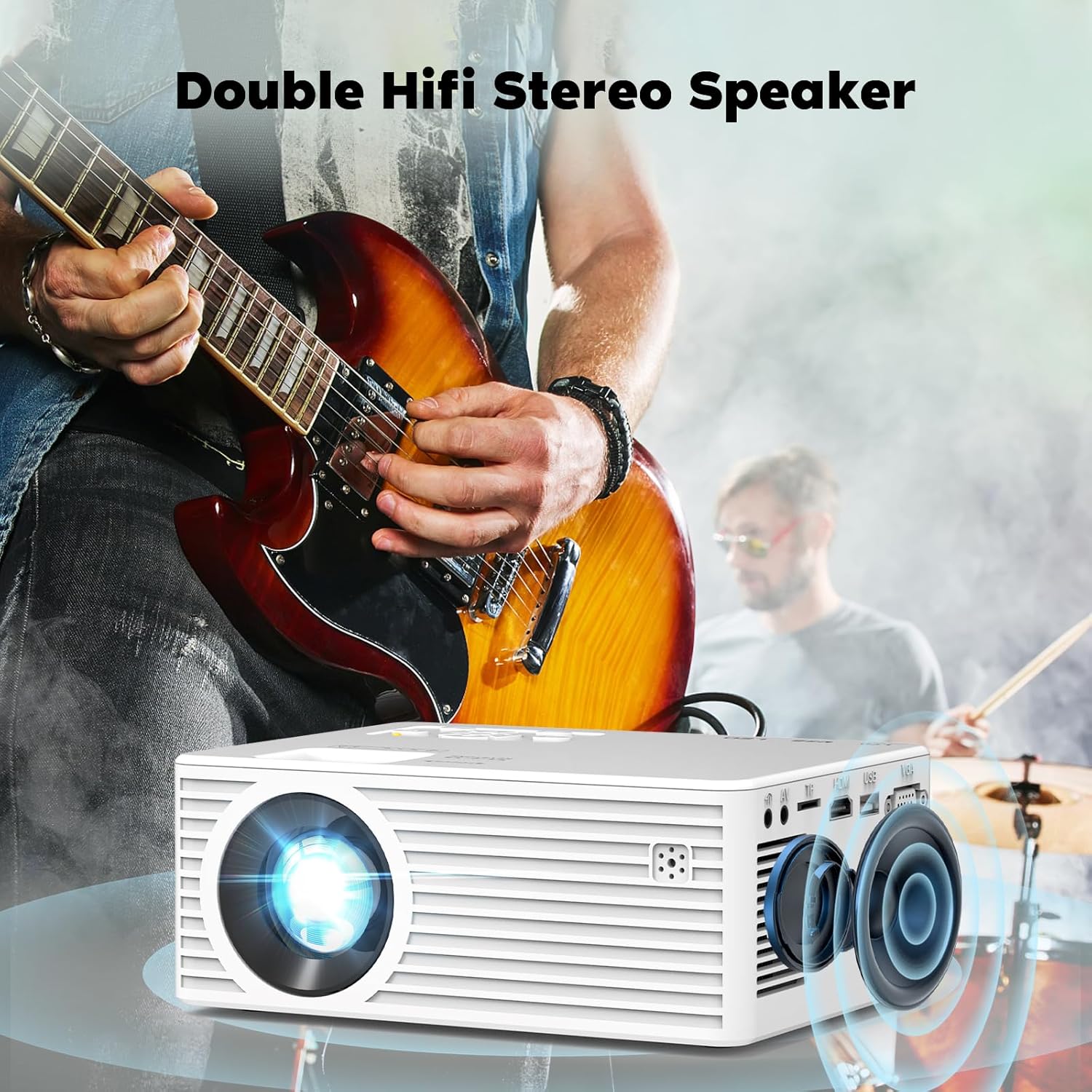
The projector highlighting its double HiFi stereo speakers, designed to deliver high-quality audio, with a musical performance in the background.

A dettaljata view of the projector's LED light lens, illustrating the focus and manual ±15° keystone correction features for optimal image alignment.

The projector demonstrating its compatibility with a TV Stick (not included), showing a smart TV interface with popular streaming applications for easy access to entertainment.
Vidjows Uffiċjali tal-Prodott
This video, titled 'See Customer's Real Projection Effect' by the seller JINDGLONDONLIMITED, demonstrates the actual projection quality of the Vecupou Mini Projector in a real-world setting. It showcases the clarity and brightness of the image as experienced by a customer.
8. Manutenzjoni
- Tindif tal-Lenti: Use the provided cleaning cloth and cotton swabs to gently clean the projector lens. Do not use abrasive cleaners or harsh chemicals.
- Tneħħija tat-Trab: Regularly clean the projector's vents to prevent dust buildup, which can affect performance and lifespan. Use a soft brush or compressed air.
- Ħażna: When not in use, store the projector in a cool, dry place, away from direct sunlight and extreme temperatures. Use the lens cap to protect the lens.
- Itfi sew: Dejjem itfi l-proġettur billi tuża l-buttuna tal-enerġija apposta u ħallih jiksaħ qabel ma tneħħih mill-plagg jew iċċaqlaqh.
9 Issolvi l-problemi
- Ebda Qawwa:
- Kun żgur li l-kejbil tal-enerġija huwa konness sew kemm mal-proġettazzjoni kif ukoll mas-sokit tal-enerġija.
- Iċċekkja jekk l-iżbokk tad-dawl huwiex funzjonali.
- Ebda Immaġni:
- Ivverifika li s-sors tad-dħul korrett intgħażel (eż., HDMI1, USB, AV).
- Check the connection cable between the projector and the source device. Try a different cable if necessary.
- Kun żgur li l-apparat tas-sors ikun mixgħul u qed joħroġ sinjal.
- Immaġni mċajpra:
- Adjust the FOCUS knob until the image is clear.
- Use the KEYSTONE correction to ensure the image is rectangular.
- Kun żgur li d-distanza tal-projezzjoni hija fil-medda rakkomandata.
- Ebda Ħsejjes:
- Żid il-volum kemm fuq il-proġettazzjoni kif ukoll fuq l-apparat tas-sors.
- Jekk qed tuża l-Bluetooth, kun żgur li l-apparat awdjo estern huwa mqabbad sew u li l-volum tiegħu huwa għoli.
- Iċċekkja s-settings tal-awdjo fuq l-apparat tas-sors.
- Kwistjonijiet ta' Konnessjoni Wireless:
- Kun żgur li kemm il-proġettur kif ukoll l-apparat tiegħek huma konnessi mal-istess netwerk WiFi 5G.
- Erġa' ibda kemm il-proġettazzjoni kif ukoll l-apparat tiegħek.
- Move closer to the WiFi router to improve signal strength.
10. Speċifikazzjonijiet
| Karatteristika | Dettall |
|---|---|
| Dimensjonijiet tal-Prodott | 11 x 8 x 5 pulzieri |
| Piż tal-oġġett | 3 liri |
| Numru tal-mudell tal-oġġett | QK03 |
| Manifattur | Vecupou |
| Pajjiż ta' Oriġini | Iċ-Ċina |
| Użi Rakkomandati Għall-Prodott | Home Cinema |
| Karatteristika Speċjali | Built-In Speaker, Dust-Proof, Portable, Built-In Cooling System, Wireless Screen Mirroring, Wi-Fi Ready |
| Teknoloġija tal-Konnettività | VGA, USB, HDMI |
| Riżoluzzjoni tal-wiri | 1920 x 1080 |
| Dijagonali tal-iskrin viżibbli | 300" / 762 ċm |
11. Garanzija u Appoġġ
Vecupou is committed to providing high-quality products and excellent customer service. Your Vecupou Mini Projector comes with a 3-YEAR After-Sales Service Promise u a 100% Garanzija ta 'Flus lura.
For any questions, technical support, or warranty claims, please contact our professional customer service team. We strive to respond to all inquiries within 24 hours.
- Email: Refer to your product packaging or the official Vecupou websit għall-aktar indirizz elettroniku riċenti.
- Websit: Visit the official Vecupou websit għal FAQs u aktar informazzjoni.