
BOROFONE BR16
BOROFONE BR16 Portable Bluetooth Speaker User Manual
Mudell: BR16
Introduzzjoni
Thank you for choosing the BOROFONE BR16 Portable Bluetooth Speaker. This manual provides essential information for setting up, operating, and maintaining your device. Please read it carefully before use to ensure optimal performance and longevity.
Prodott Overview
Kontenut tal-Pakkett
- BOROFONE BR16 Portable Bluetooth Speaker
- Cable tal-Iċċarġjar tal-USB
- Manwal għall-Utent
Speaker Components and Controls
Stampa 1: Wara view of the BOROFONE BR16 speaker, showing the power switch, USB-A port, Micro-USB charging port, TF card slot, and control buttons. The speaker's model and specifications are visible on the back label.

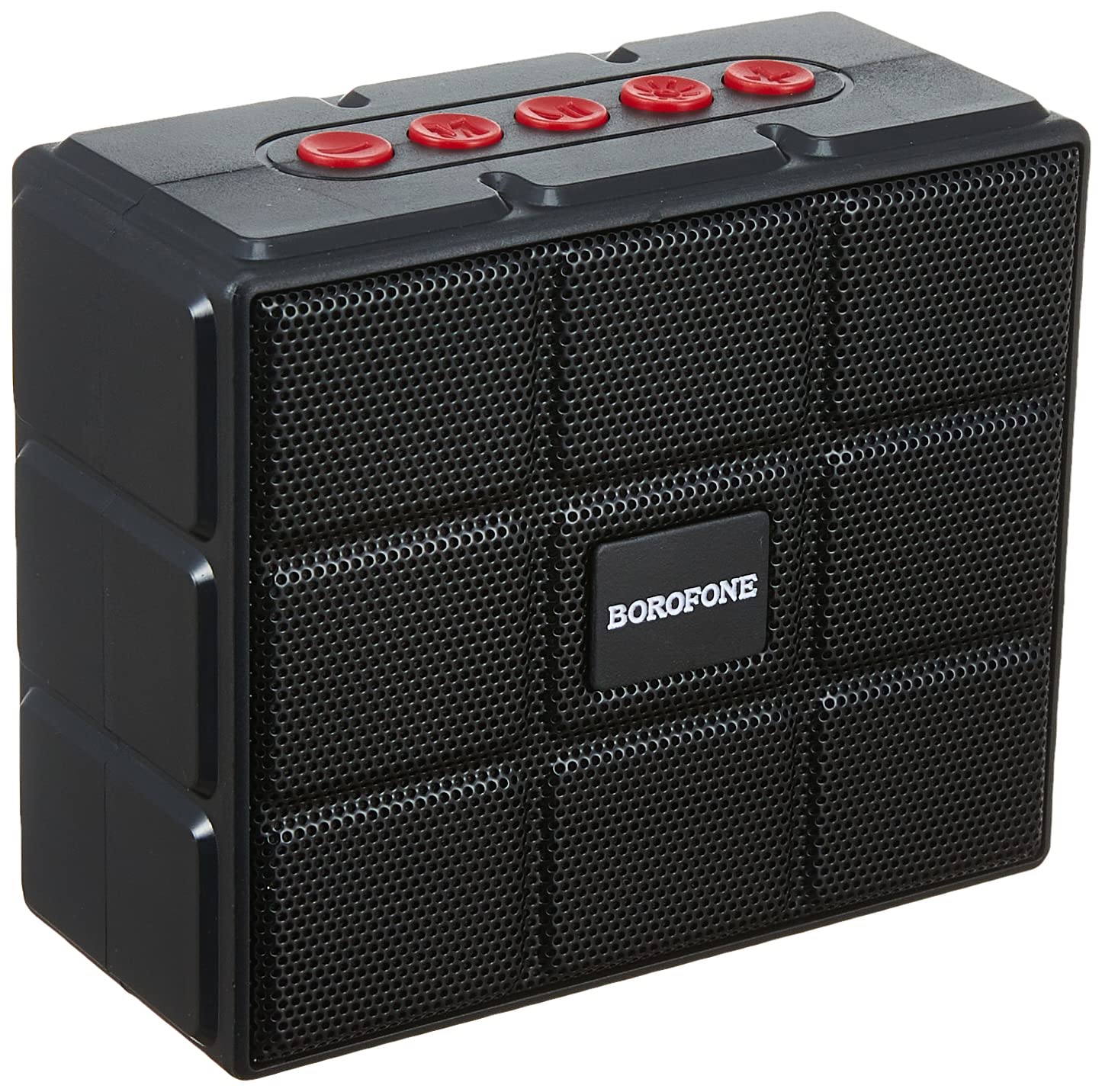
Stampa 2: Quddiem view of the BOROFONE BR16 speaker, featuring a protective grille and the BOROFONE logo.

Stampa 3: Dettaljati view of the speaker's back label, displaying model number BR16, Wireless version V5.1, Input DC 5V/1A, Power 5W x 1, and Battery Rated Capacity 1200mAh, along with CE, FCC, RoHS, and CCC certifications.
- Swiċċ tal-Enerġija: Located on the side/rear, used to turn the speaker ON/OFF.
- Buttuni tal-Kontroll: (Red buttons on top) For playback control (play/pause, volume up/down, track skip) and mode selection.
- Port USB-A: For U disk (USB flash drive) playback.
- Port mikro-USB: Għall-iċċarġjar tal-ispiker.
- Slott tal-Karta TF: For playing music from a MicroSD/TF card.
Setup
Iċċarġjar lill-Ispeaker
- Connect the Micro-USB end of the provided charging cable to the speaker's Micro-USB port.
- Qabbad it-tarf USB-A tal-kejbil ma' adapter tal-enerġija USB (mhux inkluż) jew mal-port USB tal-kompjuter.
- Id-dawl indikatur tal-iċċarġjar se jixgħel. L-iċċarġjar tipikament jieħu madwar 3 sigħat.
- Ladarba jkun iċċarġjat kompletament, id-dawl indikatur jista' jinbidel jew jintefa. Skonnettja l-kejbil tal-iċċarġjar.

Stampa 4: The USB charging cable included with the speaker, featuring a standard USB-A connector and a Micro-USB connector.
Tixgħel/Jitfi
- To power on, slide the ON/OFF switch to the "ON" position. You will hear an audible prompt.
- Biex titfi, żżerżaq is-swiċċ ON/OFF għall-pożizzjoni "OFF".
Istruzzjonijiet Operattivi
Modalità Bluetooth
- Ensure the speaker is powered on. It will automatically enter Bluetooth pairing mode, indicated by a flashing LED light and an audible prompt.
- Fuq l-apparat tiegħek (smartphone, tablet, laptop), attiva l-Bluetooth u fittex apparati disponibbli.
- Select "BOROFONE BR16" from the list of devices.
- Once paired, the LED indicator will stop flashing, and you will hear a confirmation sound.
- Issa tista' ddoqq l-awdjo mit-tagħmir tiegħek permezz tal-ispiker.
Nota: The speaker supports Bluetooth 5.1 for stable and efficient wireless connection.
Modalità tar-Radju FM
- Qawwa fuq il-kelliem.
- Press the Mode button (one of the red control buttons) to switch to FM radio mode.
- Agħfas u żomm il-buttuna Play/Pause biex tiskennja u ssalva awtomatikament l-istazzjonijiet FM disponibbli.
- Use the Volume Up/Down buttons (or track skip buttons) to navigate between saved stations.
TF Card / U Disk Playback
- Insert a TF (MicroSD) card into the TF card slot or a USB flash drive into the USB-A port.
- L-ispiker awtomatikament jiskopri l-apparat tal-ħażna u jibda jdoqq l-awdjo files.
- Use the control buttons for playback (play/pause, next/previous track, volume).
TWS (True Wireless Stereo) Function (If Supported)
If you have two BOROFONE BR16 speakers, you can pair them together for a True Wireless Stereo experience.
- Ensure both BR16 speakers are powered on and not connected to any Bluetooth device.
- On one speaker, press and hold the TWS pairing button (refer to specific button function if available, otherwise try Play/Pause or Mode button).
- The speakers will attempt to pair with each other. Once successful, you will hear a confirmation sound.
- Connect your device to one of the paired speakers via Bluetooth. Audio will now play in stereo through both speakers.
Nota: The TWS function allows two speakers to act as left and right channels for a more immersive sound.
Manutenzjoni
- Keep the speaker dry. Do not expose it to extreme temperatures or humidity.
- Naddaf l-ispiker b'ċarruta ratba u niexfa. Tużax prodotti tat-tindif jew solventi li joborxu.
- Evita li twaqqa’ jew tissuġġetta lill-kelliem għal impatti qawwija.
- Meta ma tkunx qed tużah għal perjodi twal, iċċarġja l-ispiker mill-inqas darba kull tliet xhur biex iżżomm il-batterija f'saħħitha.
Issolvi l-problemi
| Problema | Soluzzjoni |
|---|---|
| L-ispeaker ma jixgħelx. | Kun żgur li l-batterija hija ċċarġjata. Qabbad l-ispiker ma' sors ta' enerġija billi tuża l-kejbil tal-iċċarġjar USB. |
| Ma tistax tqabbad permezz tal-Bluetooth. |
|
| L-ebda ħoss jew volum baxx. |
|
| Ir-riċeviment tar-radju FM huwa fqir. |
|
Speċifikazzjonijiet
| Mudell | BR16 |
| Brand | BOROFONE |
| Verżjoni Bluetooth | 5.1 |
| Ċippa | JL AC6965E |
| Kapaċità tal-batterija | 1200mAh |
| Ħin tal-Iċċarġjar | Madwar sagħtejn |
| Mużika / Ħin għat-Taħdit | Madwar sagħtejn |
| Unità tal-Ispeaker | 52mm x 1 |
| Qawwa tal-Ħruġ | 5W |
| Dimensjonijiet | 100 x 84 x 47 mm (madwar 3.9 x 3.3 x 1.85 pulzieri) |
| Piż | 245g (madwar 0.54 libbra) |
| Materjal | Plastik |
| Konnettività | Bluetooth, FM Radio, TF Card, U Disk, TWS |
| Apparati Kompatibbli | Smartphones, Tablets, Laptops |
| Metodu ta' Kontroll | Buttuni Fiżiċi |
| Reżistenza għall-Ilma | Yes (Specific IP rating not provided, assume splash-proof) |
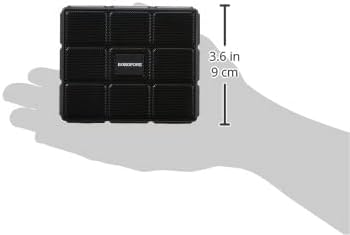
Stampa 5: The BOROFONE BR16 speaker held in a hand, illustrating its compact and portable design with approximate dimensions of 3.6 inches (9 cm).
Garanzija u Appoġġ
For warranty information or technical support, please refer to the documentation provided with your purchase or contact your retailer.

Stampa 6: The official BOROFONE company logo.
Ask a question about this manual
Ask about setup, troubleshooting, compatibility, parts, safety, or missing instructions. Manuals+ will review the question and use this page’s manual context to help answer it.