
Introduzzjoni
Thank you for choosing the MageGee K1 Gaming Keyboard. This wired, full-sized 104-key keyboard is designed for an enhanced gaming and typing experience, featuring vibrant 7-color LED backlighting, a durable clear housing, and ergonomic design. This manual provides essential information for setup, operation, and maintenance to ensure optimal performance and longevity of your keyboard.
X'hemm fil-Kaxxa
- MageGee K1 Gaming Keyboard
- Kejbil tal-USB (imwaħħal)
Setup
The MageGee K1 keyboard is designed for simple plug-and-play functionality, requiring no additional drivers for basic operation.
- Qabbad it-Tastiera: Locate an available USB port on your PC, desktop, or laptop. Insert the USB cable from the MageGee K1 keyboard into the USB port.
- Rikonoxximent tas-Sistema: Your operating system should automatically detect and install the necessary generic drivers. This process may take a few moments.
- Lest għall-Użu: Ladarba tiġi rikonoxxuta, it-tastiera tkun lesta għall-użu immedjat.
Istruzzjonijiet Operattivi
1. LED Backlight Control
The MageGee K1 features a fantastic 7-color LED backlight with multiple modes. The light is displayed over the entire keyboard and keys due to its transparent housing.
- Ibdel il-Kulur tad-Dawl ta' Wara: Agħfas FN + TAB keys simultaneously to cycle through the 7 available colors (blue, red, green, pink, cyan, yellow, white).
- Ibdel il-Modalitajiet tad-Dawl: Żomm l-isfel FN + ESC keys simultaneously to cycle through 4 light modes: dim, bright, pulse, and off.
- Karatteristika tat-Tifi Awtomatiku: The backlight will automatically turn off after 10 minutes of inactivity. Press any key to wake it up.

Image: The MageGee K1 keyboard displaying various 7-color LED backlight options, illustrating the vibrant illumination across the keys.

Image: A close-up of the MageGee K1 keyboard, highlighting the 'FN' and 'ESC' keys for switching light modes, and 'FN' and 'TAB' keys for changing backlight colors.
2. Shortcuts tal-Multimedia
Access frequently used programs and functions quickly with multimedia combination keys.
- Agħfas Fn+F1-F12 for convenient operations such as music control, email access, and website shortcuts.
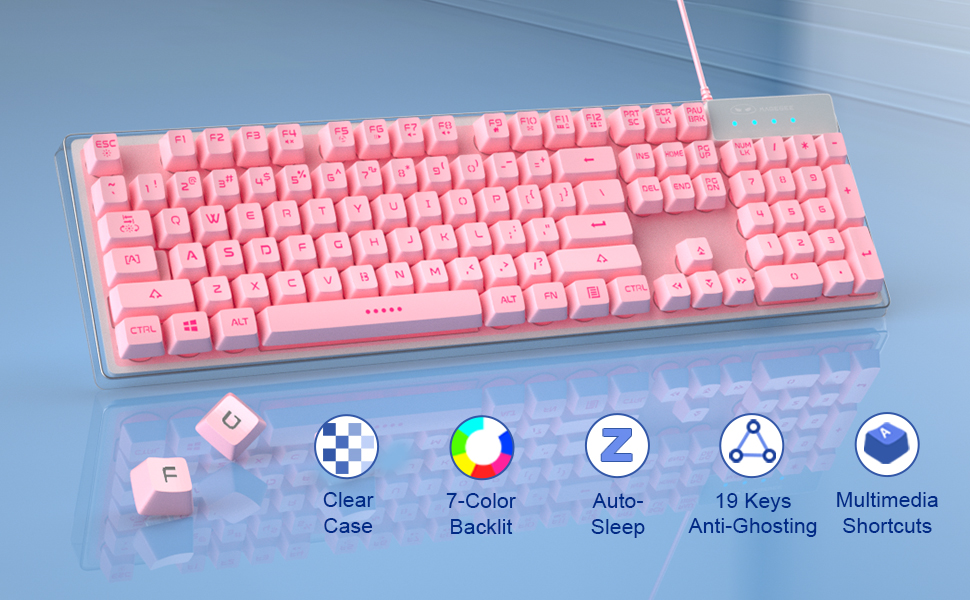
Image: The MageGee K1 keyboard with a diagram overlay showing the 'FN' key combined with F1-F12 for various multimedia functions like volume control, media playback, and application shortcuts.
3. 19-Key Anti-Ghosting
The keyboard supports 19-key rollover, allowing you to press multiple keys simultaneously without any input conflicts, crucial for fast-paced gaming.

Image: A visual representation of the MageGee K1 keyboard emphasizing the 19-key anti-ghosting capability, indicating simultaneous key presses are registered accurately.
4. WASD and Arrow Key Swap
For enhanced gaming, you can switch the functionality of the WASD keys with the arrow keys.
- Agħfas FN + W keys simultaneously to toggle between WASD and arrow key functions.
Manutenzjoni
Proper maintenance ensures the longevity and performance of your MageGee K1 keyboard.
- Tindif: The floating keycaps are removable, making them easy to clean. Use a soft brush or compressed air to remove dust and debris from between the keys. For surface cleaning, wipe with a damp drapp.
- Disinn li ma jgħaddix ilma minnu: The keyboard features a splash-proof design to prevent damage from spilled drinks. However, it is not fully waterproof; avoid submerging the keyboard in liquid.

Image: The MageGee K1 keyboard with water droplets on its surface, illustrating its splash-proof design to protect against accidental spills.
