
WENKEY E2
WENKEY E2 Bluetooth Earbuds User Manual
Mudell: E2
1. Nibdew
1.1 Kontenut tal-Pakkett
Jekk jogħġbok iċċekkja l-pakkett għall-oġġetti li ġejjin:
- WENKEY E2 Wireless Earbuds (Left and Right)
- Kawża tal-Iċċarġjar
- Cable tal-Iċċarġjar tal-USB
- Multiple Sizes of Ear Tips (XS, S, M, L, XL)
- Manwal għall-Utent
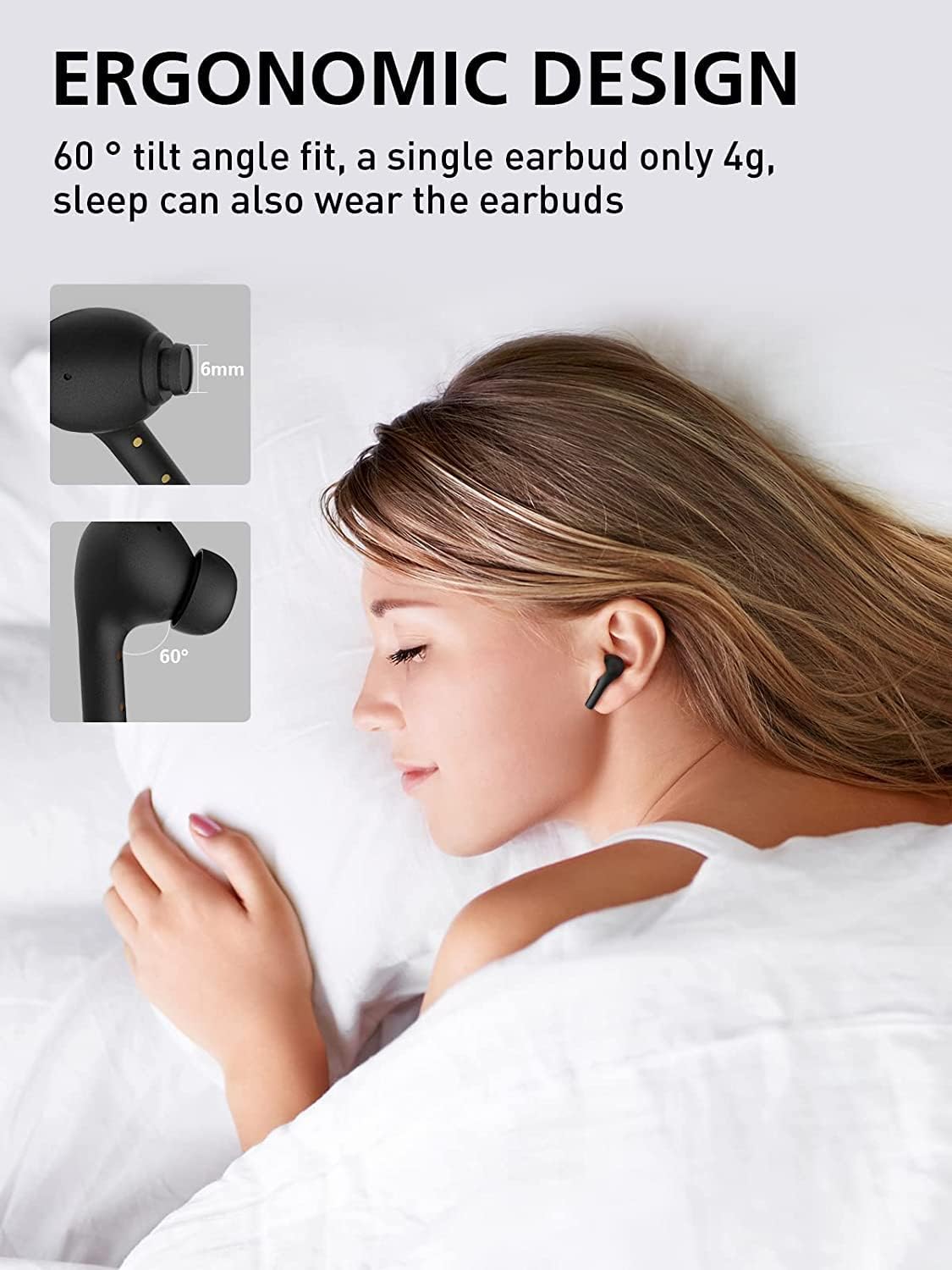
Image: All components included in the WENKEY E2 Earbuds package.
1.2 Iċċarġjar tal-Earbuds u l-Kaxxa
Before first use, fully charge the earbuds and the charging case. The charging case provides up to 5 full charges for the earbuds, extending total listening time to 30 hours.
- Poġġi l-earbuds fil-kaxxa tal-iċċarġjar. Kun żgur li huma mqiegħda sew; id-dwal indikatur fuq l-earbuds se jixegħlu.
- Qabbad il-kaxxa tal-iċċarġjar ma' sors ta' enerġija USB billi tuża l-kejbil USB provdut.
- The LED indicators on the charging case will show the charging status. Four lights indicate a full charge.

Image: WENKEY E2 Earbuds seated in their charging case, ready for charging.

Image: Visual representation of the charging case's LED indicators and their battery level meanings.
1.3 It-tqabbil mat-Tagħmir Tiegħek
The earbuds feature one-step pairing for convenience.
- Iftaħ il-kaxxa tal-iċċarġjar. Il-earbuds jinxtegħlu awtomatikament u jidħlu fil-modalità ta' tqabbil.
- Fuq l-apparat tiegħek (smartphone, tablet, laptop), attiva l-Bluetooth.
- Fittex għal "WENKEY E2" in the list of available Bluetooth devices and select it to connect.
- Ladarba tkun konness, tisma' ton ta' konferma, u l-earbuds ikunu lesti għall-użu.
The advanced Bluetooth 5.1 technology ensures a fast, stable connection with a range of up to 15 meters.
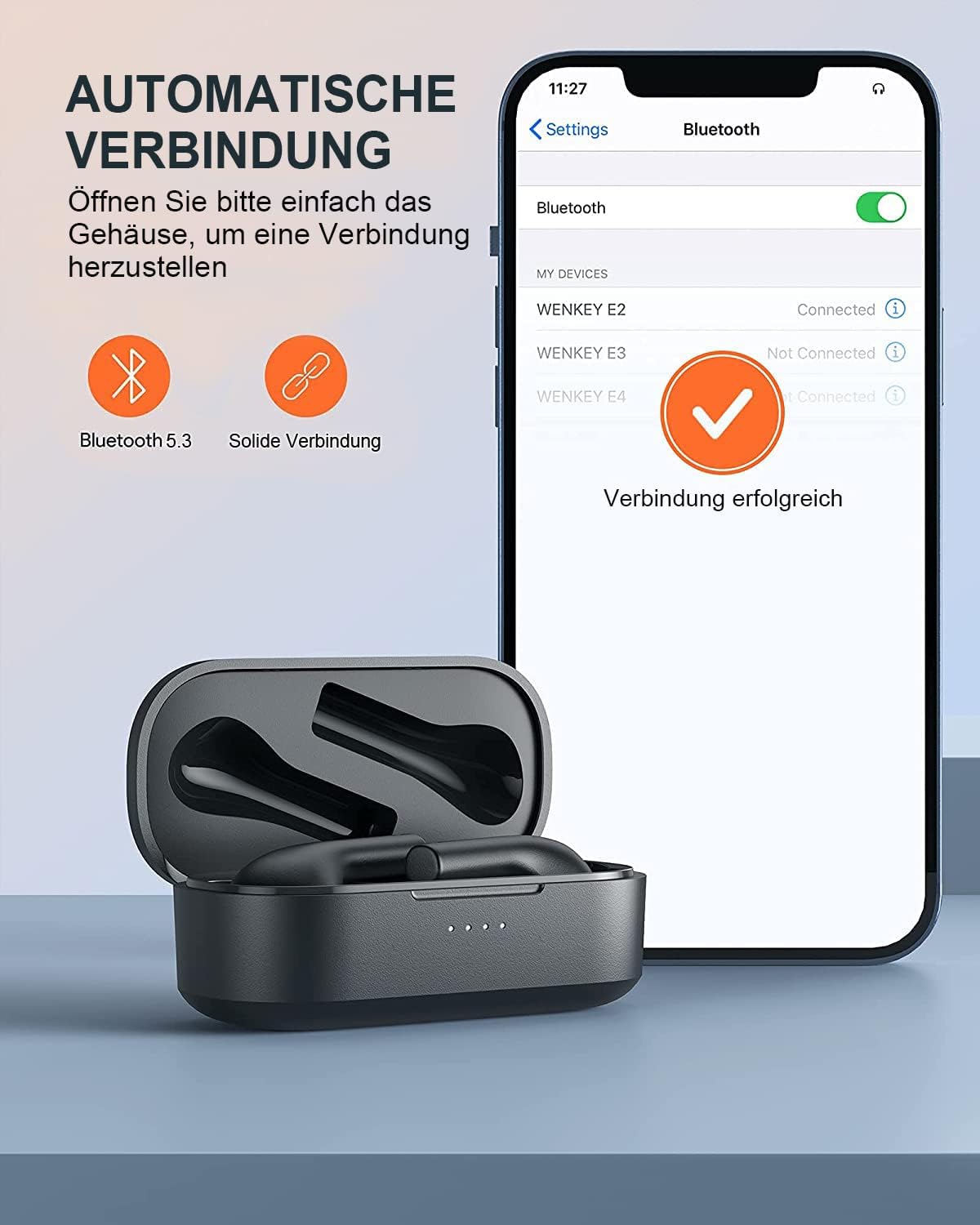
Image: Automatic pairing process shown on a smartphone's Bluetooth settings.
2. It-Tħaddim tal-Earbuds
2.1 L-Ilbies tal-Earbuds
The WENKEY E2 earbuds are designed with an ergonomic 60-degree tilt angle for a secure and comfortable fit. Choose the ear tips that best fit your ear canal for optimal sound quality and noise isolation.

Image: Ergonomic design of the earbuds for comfortable and secure wear.

Image: Selection of ear tip sizes for a customized and comfortable fit.
2.2 Kontrolli touch
The earbuds feature intuitive touch controls for managing media playback and calls.
| Funzjoni | Azzjoni |
|---|---|
| Play/Pawsa | Tektek darbtejn jew earbud |
| Track li jmiss | Tmiss u żomm il-earbud tal-lemin għal żewġ sekondi |
| Track Preċedenti | Touch and hold the left earbud for 2 seconds |
| Tweġiba/Tmiem Sejħa | Tektek darbtejn jew earbud |
| Irrifjuta Sejħa | Tmiss u żomm kwalunkwe earbud għal 2 sekondi |
| Assistent tal-Vuċi | Triple-tap either earbud |

Immaġni: Gwida viżwali għall-funzjonijiet tal-kontroll tat-touch fuq il-earbuds.
2.3 Call Functions and Audio Quality
The earbuds feature ENC (Environmental Noise Cancellation) microphones, ensuring clear calls even in noisy environments. Experience Hi-Fi stereo sound with enhanced bass for an immersive audio experience.

Image: Explanation of the noise-canceling microphone technology for clear calls.

Image: Internal structure of the earbud driver, emphasizing high-fidelity audio.
2.4 Użu ta' Earbud Uniku
Either earbud can be used independently as a mono Bluetooth headset, allowing you to stay aware of your surroundings while enjoying audio or making calls.

Image: Demonstrating the flexibility of using a single earbud.
3. Manutenzjoni
3.1 Tindif
Biex iżżomm prestazzjoni u iġjene ottimali, naddaf il-earbuds u l-kaxxa tal-iċċarġjar tiegħek regolarment.
- Uża drapp artab, niexef u mingħajr suf biex timsaħ il-earbuds u l-kaxxa tal-iċċarġjar.
- Neħħi bil-mod kwalunkwe xemgħa tal-widnejn jew debris mill-ponot tal-widnejn u mill-malja tal-ispiker billi tuża pinzell żgħir u nadif jew swab tal-qoton.
- Tużax prodotti tat-tindif li joborxu, alkoħol, jew solventi kimiċi.
3.2 Reżistenza għall-Ilma (IPX6)
The WENKEY E2 earbuds are IPX6 waterproof, meaning they are resistant to sweat, water splashes, and rain. They are suitable for sports and outdoor activities.
Note: The charging case is not waterproof. Do not expose the charging case to liquids.

Immaġni: Rappreżentazzjoni viżwali tar-reżistenza għall-ilma IPX6 tal-earbuds.
3.3 Ħażna
Meta ma tkunx qed tużahom, aħżen il-earbuds fil-kaxxa tal-iċċarġjar tagħhom biex tipproteġihom u tiżgura li jibqgħu ċċarġjati.
4 Issolvi l-problemi
If you encounter any issues with your WENKEY E2 earbuds, please refer to the following common solutions:
| Problema | Soluzzjoni Possibbli |
|---|---|
| Il-earbuds mhux qed jitqabbdu/jikkonnettjaw |
|
| L-ebda ħoss jew volum baxx |
|
| Intermittent connection/sound flickering |
|
| Earbuds ma jiċċarġjawx |
|
5. Speċifikazzjonijiet
| Karatteristika | Dettall |
|---|---|
| Numru tal-Mudell | E2 |
| Brand | WENKEY |
| Teknoloġija tal-Konnettività | Mingħajr fili (Bluetooth 5.1) |
| Teknoloġija tal-Komunikazzjoni mingħajr Fili | Bluetooth |
| Livell ta 'Reżistenza għall-Ilma | IPX6 (Sweatproof, Water-resistant) |
| Ħajja tal-Batterija (Earbuds) | Sa 5 sigħat fuq ħlas wieħed |
| Ħin Totali tal-Logħob bil-Kaxxa tal-Iċċarġjar | Sa 30 sigħat |
| Karatteristiċi Speċjali | Fast Charging, ENC Noise Cancellation, Hi-Fi Stereo Sound |
| Kulur | Iswed |
| Fattur tal-Formola | Fil-widnejn |
| Materjal | Plastik |

Image: Illustration of the extended battery life with the charging case.

Image: Compatibility of WENKEY E2 earbuds with various operating systems.
6. Garanzija u Appoġġ
6.1 Informazzjoni dwar Garanzija
Specific warranty details for the WENKEY E2 earbuds are not provided in the product data. Please refer to the warranty card included in your product packaging or contact the retailer/manufacturer directly for warranty terms and conditions.
6.2 Appoġġ għall-Klijent
For further assistance, technical support, or inquiries, please contact WENKEY customer service. Contact information is typically found on the product packaging, the official WENKEY webis-sit, jew permezz tal-pjattaforma tax-xiri tiegħek.
7. Vidjows Uffiċjali tal-Prodott
Ma nstab l-ebda vidjow uffiċjali tal-prodott mill-bejjiegħ fid-dejta pprovduta.
Ask a question about this manual
Ask about setup, troubleshooting, compatibility, parts, safety, or missing instructions. Manuals+ will review the question and use this page’s manual context to help answer it.