
VANKYO C751
Manwal tal-Utent tal-Headphones Ibridi VANKYO C751 li Jħassru l-Istorbju Attiv
Mudell: C751
1. Introduzzjoni
This manual provides essential instructions for the safe and effective use of your VANKYO C751 Hybrid Active Noise Cancelling Headphones. Please read this manual thoroughly before using the product and retain it for future reference.
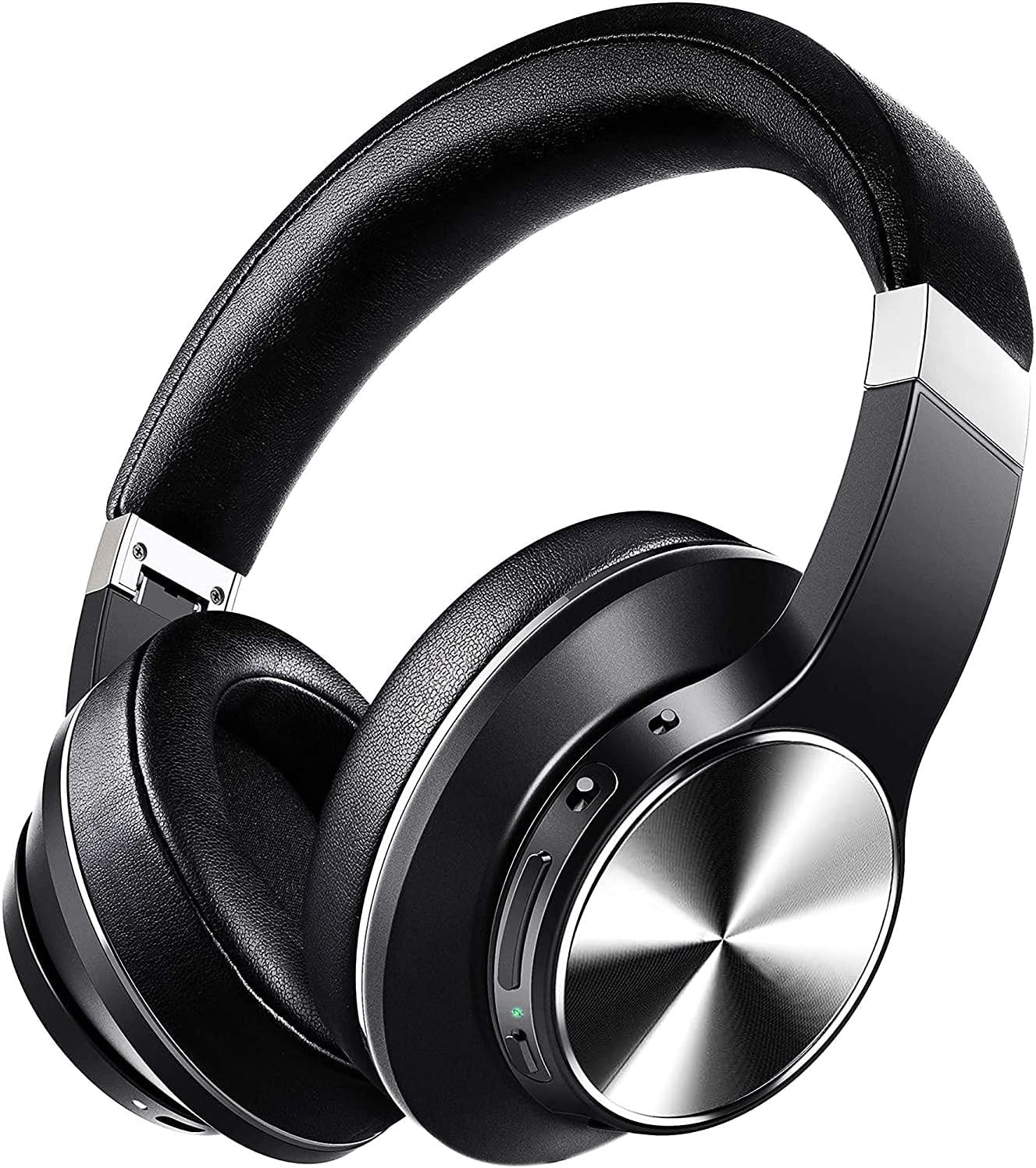
Image: The VANKYO C751 Hybrid Active Noise Cancelling Headphones, shown in black with silver accents, featuring over-ear cups and an adjustable headband.
2. Kontenut tal-Pakkett
Iċċekkja li l-oġġetti kollha elenkati hawn taħt huma preżenti fil-pakkett tiegħek:
- VANKYO C751 Hybrid Active Noise Cancelling Headphones
- Cable tal-Iċċarġjar tal-USB-C
- Cable Awdjo 3.5mm
- Kawża tal-Ġarr
- Manwal għall-Utent (dan id-dokument)

Image: The VANKYO C751 headphones, a hard carrying case, a USB-C charging cable, and a 3.5mm audio cable, laid out on a surface.
3. Prodott Aktarview
Iffamiljarizza ruħek mad-diversi komponenti u kontrolli tal-headphones tiegħek.
3.1 Kontrolli u Portijiet
- Buttuna tal-Qawwa: Agħfas u żomm biex tixgħel/itfi.
- Volum Up / Track Li jmiss: Agħfas qasir biex tgħolli l-volum, agħfas twil għat-trakka li jmiss.
- Volume Down / Track Preċedenti: Short press for volume down, long press for previous track. Double press to change EQ band.
- Buttuna b'ħafna funzjonijiet (MFB): Play/pause, answer/end calls.
- Swiċċ ANC: Ixgħel/itfi l-Kanċellazzjoni Attiva tal-Istorbju.
- Port tal-Iċċarġjar USB-C: Għall-iċċarġjar tal-headphones.
- Jack Awdjo 3.5mm: Għal konnessjoni bil-fili.
- Mikrofonu: Għal sejħiet u kmandi tal-vuċi.

Image: A woman wearing the VANKYO C751 headphones, with an inset showing a close-up of the control buttons on the earcup.
3.2 L-Ilbies tal-Headphones
Adjust the headband for a comfortable and secure fit. The earcups are designed with pressure-relieving memory-protein ear pads for extended wear.

Immaġni: Close-up view of the soft, black protein leather earpad of the VANKYO C751 headphones, highlighting its comfortable design.
4. Setup
4.1 Iċċarġjar tal-Headphones
- Qabbad il-kejbil tal-iċċarġjar USB-C mal-port tal-iċċarġjar tal-headphones.
- Qabbad it-tarf l-ieħor tal-kejbil ma' adapter tal-enerġija USB (mhux inkluż) jew mal-port USB tal-kompjuter.
- The LED indicator will show charging status. A full charge provides approximately 30 hours of playtime. A 10-minute quick charge provides up to 2 hours of listening.

Image: The VANKYO C751 headphones connected to a charging cable, with text indicating "30 Hours Playing Time" and "10 Mins USB-C turbo charging for 2 Hours use."
4.2 Tixgħel/Jitfi
- Biex Tixgħel: Press and hold the Power button for 2-3 seconds until the LED indicator flashes.
- Biex Tifi: Agħfas u żomm il-buttuna tal-Power għal 3-4 sekondi sakemm l-indikatur LED jintefa.
4.3 Tqabbil tal-Bluetooth
- Kun żgur li l-headphones huma mitfija.
- Press and hold the Power button for approximately 5 seconds until the LED indicator flashes red and blue alternately, indicating pairing mode.
- Ippermetti l-Bluetooth fuq it-tagħmir tiegħek (smartphone, tablet, kompjuter).
- Fittex għal "VANKYO C751" in the list of available Bluetooth devices and select it to connect.
- Ladarba konness, l-indikatur LED jteptep bil-mod bil-blu.
4.4 Konnessjoni bil-Fili
To use the headphones in wired mode, connect one end of the 3.5mm audio cable to the headphone's audio jack and the other end to your audio source. Bluetooth functionality will be disabled automatically when the audio cable is connected.

Image: A split image showing the VANKYO C751 headphones connected via a 3.5mm audio cable (Wired Mode) and a separate image of the headphones indicating wireless connectivity (Wireless Mode).
5. Istruzzjonijiet Operattivi
5.1 Kanċellazzjoni Attiva tal-Ħoss (ANC)
Toggle the ANC switch to activate or deactivate the Hybrid Active Noise Cancellation feature. This function reduces ambient noises by up to 90%, ideal for travel or noisy environments.

Image: A woman wearing the VANKYO C751 headphones, looking out a window, with text indicating "Advanced Active Noise Cancellation" and its ability to block out up to 90% of low and mid-range frequency noises.

Image: A graphic representation of sound waves, with one side showing a complex waveform and the other side showing a simplified waveform, illustrating the effect of active noise cancellation.
5.2 Daqq tal-Awdjo
- Play/Pawsa: Agħfas l-MFB darba.
- Volum 'il fuq: Agħfas fil-qosor il-buttuna Volume Up.
- Volum 'l isfel: Agħfas fil-qosor il-buttuna Volum 'l isfel.
- Track li jmiss: Agħfas fit-tul il-buttuna Volume Up.
- Track preċedenti: Agħfas fit-tul il-buttuna Volum 'l isfel.
5.3 Issettjar tal-Ekwilizzatur (EQ)
Double press the Volume Down button to cycle through different EQ bands for an amplified listening experience, such as Pop, Classic, Rock, Jazz, and Voice modes.

Image: A collage of five images representing different music genres or sound profiles: Pop, Classic, Rock, Jazz, and Voice, illustrating the EQ modes available on the VANKYO C751 headphones.
5.4 Telefonati
The integrated CVC 8.0 noise-cancelling microphone ensures clear hands-free calls.
- Tweġiba/Tmiem Sejħa: Agħfas l-MFB darba.
- Irrifjuta Sejħa: Agħfas u żomm l-MFB għal 2 sekondi.
- Isemmi mill-ġdid l-Aħħar Numru: Agħfas darbtejn l-MFB.

Image: A woman wearing the VANKYO C751 headphones while participating in a video conference call on a computer, illustrating the clear call quality provided by the CVC 8.0 microphone.
6. Manutenzjoni
6.1 Tindif
- Imsaħ il-headphones b'ċarruta ratba u niexfa.
- Tużax tindif jew solventi li joborxu.
- Evita li tidħol l-umdità fi kwalunkwe fetħiet.
6.2 Ħażna
When not in use, store the headphones in the provided carrying case to protect them from dust and damage. The foldable design allows for compact storage.
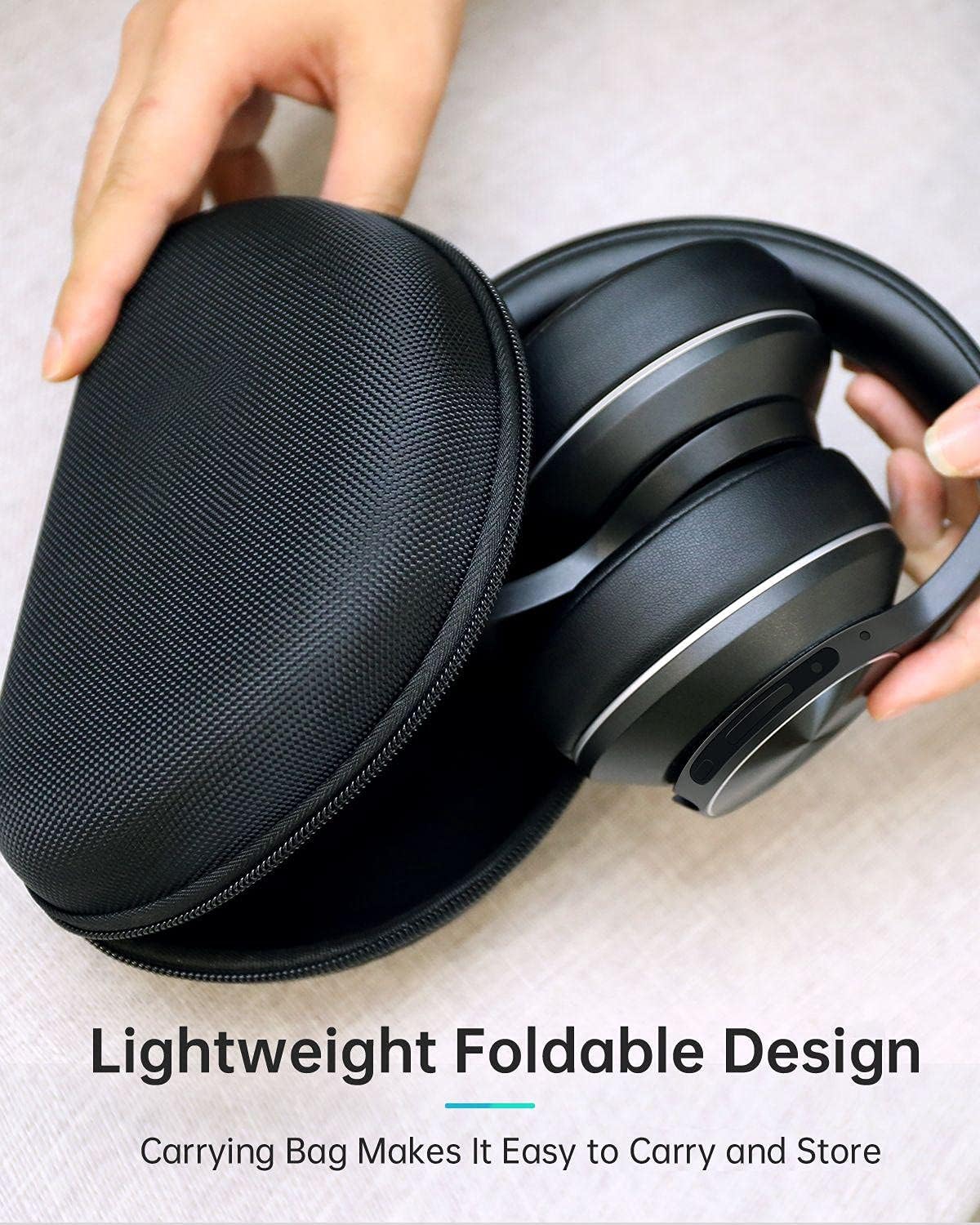
Image: The VANKYO C751 headphones, folded compactly, being placed into or removed from its black zippered carrying case, demonstrating its portable and protective design.
7 Issolvi l-problemi
- Ebda Qawwa: Kun żgur li l-headphones huma ċċarġjati. Qabbadhom ma' sors ta' enerġija billi tuża l-kejbil USB-C.
- Ma tistax tqabbad: Ensure the headphones are in pairing mode (LED flashing red and blue). Turn off and on your device's Bluetooth, then try pairing again. Ensure the headphones are not connected to another device.
- Ebda Ħsejjes: Check the volume level on both the headphones and your connected device. Ensure the headphones are properly paired or the 3.5mm audio cable is securely connected.
- Kwalità tal-Ħoss Fqira: Ersaq eqreb lejn l-apparat Bluetooth tiegħek biex tevita interferenza. Ipprova sors awdjo differenti jew file.
- L-ANC Mhux Taħdem b'Mod Effettiv: Ensure the ANC switch is in the 'On' position. ANC is most effective against low-frequency, constant noise.
8. Speċifikazzjonijiet
| Mudell | C751 |
| Konnettività | Bluetooth 5.0, Jack tal-Awdjo ta' 3.5mm |
| Kontroll tal-Ħoss | Kanċellazzjoni Ibrida tal-Ħoss Attiva |
| Mikrofonu | CVC 8.0 Noise Cancelling Mic |
| Sewwieqa | Dual 40mm Large-Aperture Drivers |
| Ħajja tal-batterija | Sa 30-il siegħa logħob |
| Port tal-Iċċarġjar | USB-C |
| Tqegħid tal-widnejn | Fuq il-widnejn |
| Dimensjonijiet tal-Prodott | 15 x 6 x 10 ċm |
| Piż | 718 g |
9. Informazzjoni dwar is-Sigurtà
- Tesponix il-headphones għal temperaturi jew umdità estremi.
- Evita li twaqqa’ l-headphones jew li tissottomettihom għal impatti qawwija.
- Żarmax jew tipprova ssewwi l-headphones lilek innifsek.
- Isma' b'volum moderat biex tevita ħsara fis-smigħ.
- Do not use headphones while driving or in situations where you need to hear your surroundings.
10. Garanzija u Appoġġ
For warranty information or technical support, please refer to the contact details provided with your purchase documentation or visit the official VANKYO websit. Żomm il-prova tax-xiri tiegħek għal talbiet ta' garanzija.
Ask a question about this manual
Ask about setup, troubleshooting, compatibility, parts, safety, or missing instructions. Manuals+ will review the question and use this page’s manual context to help answer it.