
Okaysou Apollo 630 Air Purifier
Okaysou Apollo 630 Air Purifier User Manual
Model: Apollo 630
Brand: Okaysou
Introduzzjoni
Thank you for choosing the Okaysou Apollo 630 Air Purifier. This manual provides important information regarding the setup, operation, maintenance, and troubleshooting of your new air purifier. Please read it thoroughly before use and keep it for future reference.
The Okaysou Apollo 630 is engineered to provide superior air purification for large spaces, effectively capturing airborne particles and odors to create a healthier indoor environment.

Image: The Okaysou Apollo 630 Air Purifier, a sleek white unit with a control panel on top and air intake vents on the sides.
Karatteristiċi Ewlenin
- H13 Filtrazzjoni HEPA vera: Jaqbad 99.97% tal-partiċelli fl-arja żgħar daqs 0.3 mikron, inkluż trab, polline, qxur tal-annimali domestiċi, u spori tal-moffa.
- Sistema ta' Filtrazzjoni 5 f'1: Features a washable pre-filter, True HEPA filter, Novel Blue filter, Honeycomb Activated Carbon filter, and Cold Catalyst filter for comprehensive air purification.
- Żona ta' Kopertura Wiesgħa: Designed to refresh air in rooms up to 1008 sq ft in one hour (1 ACH) or 504 sq ft in 30 minutes (2 ACH).
- Operazzjoni Ultra-Silenzjuża: Operates as quietly as 23dB in Sleep Mode, ensuring undisturbed rest.
- Ozone-Free: Produces no harmful ozone, ensuring safe operation for your family.
- Prestazzjoni Ċertifikata: Energy Star, CARB, ETL, and FCC certified for safety and efficiency.
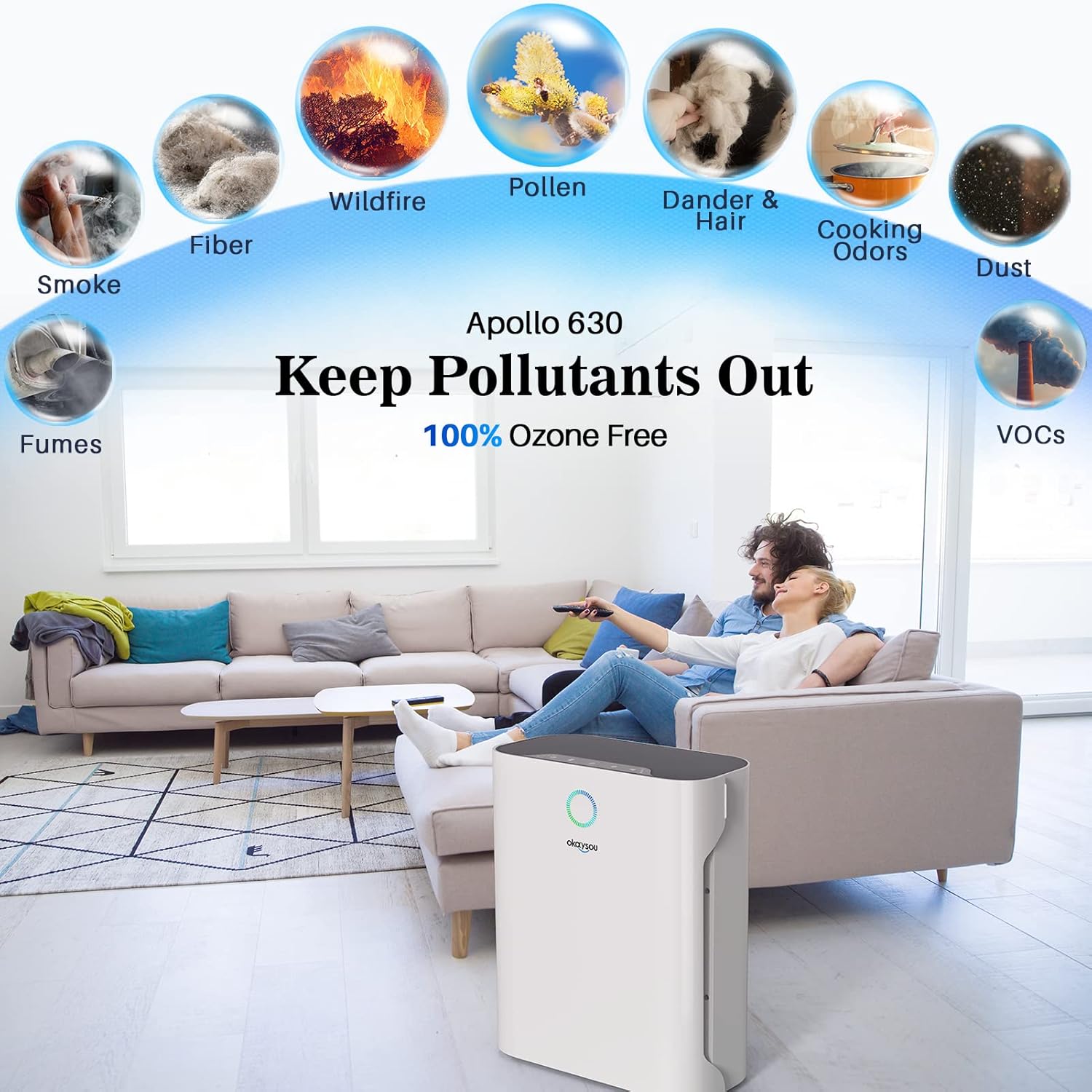
Image: Diagram illustrating the Okaysou Apollo 630's ability to remove various pollutants such as smoke, fumes, fiber, wildfire particles, pollen, dander & hair, cooking odors, dust, and VOCs, emphasizing its 100% ozone-free operation.

Immaġni: Sploda view of the Okaysou Apollo 630's powerful 5-layer filtration system, showing the washable pre-filter, True HEPA filter, Novel Blue filter, Honeycomb Activated Carbon filter, and Cold Catalyst filter, designed to keep pollutants out.
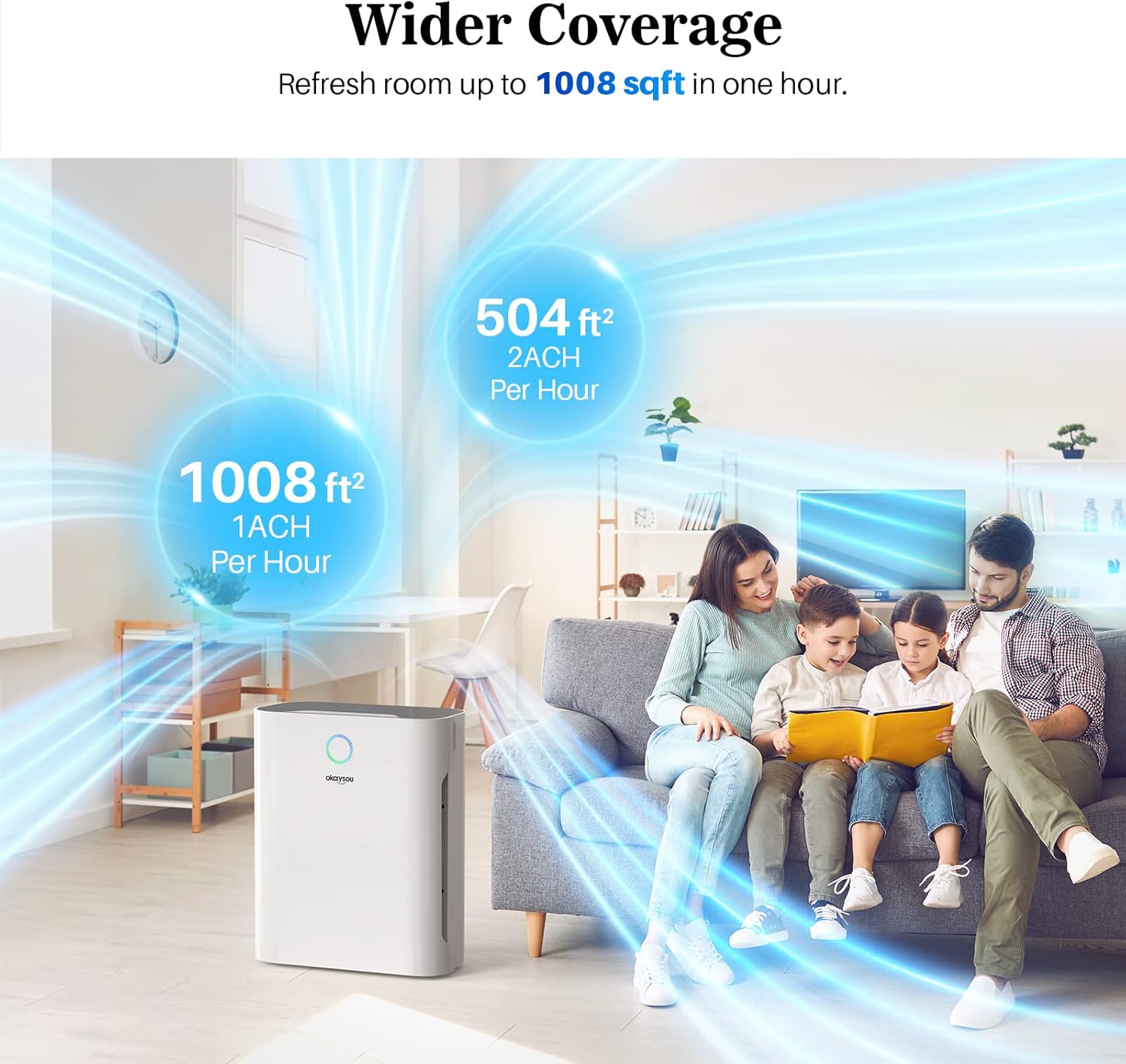
Image: Illustration demonstrating the Okaysou Apollo 630's wider coverage, capable of refreshing air in a 1008 sq ft room in one hour (1 ACH) or a 504 sq ft room in 30 minutes (2 ACH), depicted in a living room setting.
Gwida ta' Setup
Follow these steps to set up your Okaysou Apollo 630 Air Purifier:
- Ħoll l-Unità: Neħħi l-purifikatur tal-arja mill-imballaġġ tiegħu bir-reqqa. Żomm il-materjali kollha tal-imballaġġ għal trasport jew ħażna fil-futur.
- Neħħi l-Ippakkjar tal-Filtru: Before first use, open the filter compartment and remove all protective plastic packaging from the filters. The filters are typically stacked inside the unit.
- Installa Filtri: Place the filters back into the unit in the correct order. Ensure the washable pre-filter is on the outside, followed by the G-Defence Blue True HEPA Filter, and then the Toxin/Odor Remover Filter. Refer to the diagram below for proper orientation.
- Kompartiment Magħluq: Agħlaq l-għatu tal-kompartiment tal-filtru sew.
- Pożizzjona l-Purifikatur: Place the air purifier on a firm, level surface at least 15 inches (38 cm) away from walls or furniture to allow for optimal airflow.
- Qabbad l-Enerġija: Ipplaggja l-korda tad-dawl fi żbokk elettriku standard ta '120V AC.

Image: A diagram showing the contents of the box, including the product manual, warranty card, 3-stage filter, and the air purifier itself, with an exploded view illustrating how the filters (washable pre-filter, G-Defence Blue True HEPA Filter, Toxin/Odor Remover Filter) are installed into the unit.
Istruzzjonijiet Operattivi
Familiarize yourself with the control panel and functions:
- Power On/Off: Agħfas il-buttuna tal-enerġija biex tixgħel jew titfi l-unità.
- Veloċità tal-fann: Cycle through different fan speeds (Low, Medium, High, Turbo) by pressing the fan speed button. Higher speeds provide faster air purification.
- Modalità Sleep: Activate Sleep Mode for ultra-quiet operation. In this mode, the fan speed is set to the lowest setting, and display lights may dim or turn off.
- Funzjoni Timer: Set a timer for the purifier to operate for a specific duration (e.g., 2, 4, 8 hours) before automatically shutting off.
- Indikatur tar-Reset tal-Filtru: A light will illuminate when it's time to check or replace the filters. After replacing filters, press and hold the filter reset button to reset the indicator.

Image: An illustration depicting the Okaysou Apollo 630 operating in a bedroom at night, highlighting its ultra-silent operation at 23dB in Sleep Mode, significantly quieter than typical breathing (10dB) or a whisper (30dB).
Manutenzjoni
Manutenzjoni regolari tiżgura prestazzjoni ottimali u testendi l-ħajja tal-purifikatur tal-arja tiegħek.
Manutenzjoni tal-Filtru
- Pre-filtru li jista' jinħasel: The pre-filter can be washed with water to remove larger particles like dust and pet hair. Allow it to air dry completely before re-installing. Clean every 2-4 weeks depending on air quality.
- HEPA and Carbon Filters: These filters are not washable and should be replaced every 6-8 months, or sooner depending on usage and air quality. Refer to the filter reset indicator.
Tindif tal-Unità
- Dejjem aqla l-purifikatur tal-arja qabel it-tindif.
- Imsaħ il-barra tal-unità b'ċarruta ratba u niexfa. Tużax prodotti tat-tindif jew solventi li joborxu.
- Gently vacuum the air intake and outlet vents to remove any accumulated dust.
Issolvi l-problemi
Jekk tiltaqa' ma' problemi bil-purifikatur tal-arja tiegħek, irreferi għall-problemi u s-soluzzjonijiet komuni li ġejjin:
| Problema | Kawża Possibbli | Soluzzjoni |
|---|---|---|
| L-unità ma tixgħel | Power cord not securely plugged in; No power from outlet; Filters not installed correctly or packaging not removed. | Ensure power cord is firmly plugged into a working outlet. Check circuit breaker. Open filter compartment and ensure all filters are correctly installed and plastic packaging is removed. |
| Il-fluss tal-arja huwa dgħajjef | Filters are dirty or clogged; Air intake/outlet blocked. | Clean or replace filters. Ensure there are no obstructions around the air intake or outlet vents. |
| Ħoss mhux tas-soltu | Foreign object inside unit; Filters not seated properly. | Unplug the unit and check for any foreign objects. Re-seat the filters to ensure they are properly installed. |
| Riħa ġejja mill-unità | New filter odor; Filters need replacement. | A slight odor may be present with new filters, which will dissipate. If odor persists, replace the carbon filter. |
| Id-dawl indikatur tal-filtru jibqa' mixgħul wara s-sostituzzjoni | Il-buttuna tar-reset tal-filtru mhix ippressata. | After replacing filters, press and hold the filter reset button for 3-5 seconds until the light turns off. |
Speċifikazzjonijiet
| Speċifikazzjoni | Valur |
|---|---|
| Numru tal-Mudell | Apollo 630 Air Purifier |
| Dimensjonijiet (L x W x H) | 35 x 21.51 x 43.99 ċm (13.78 x 8.47 x 17.32 pulzieri) |
| Piż | 3.3 Kilogrammi (7.28 Liri) |
| Qawwa | 55 Watts |
| Voltage | 120 Volts (AC) |
| Livell ta' Storbju | 23 dB (minimu) |
| Żona ta' Kopertura | Up to 1008 sq ft (1 ACH) |
| Kulur | White (Jiaju42) |
| UPC | 609832853787, 609832853923 |

Image: A graphic displaying the Okaysou Apollo 630's performance data, including Clean Air Delivery Rate (CADR) for smoke (125 CFM), dust (134 CFM), and pollen (127 CFM), alongside logos for Energy Star, CARB, ETL, and FCC certifications, indicating trusted performance and safety.
Garanzija u Appoġġ
Okaysou products are manufactured to the highest quality standards. This product comes with a standard manufacturer's warranty. Please refer to the warranty card included in your product packaging for specific terms and conditions.
For technical support, troubleshooting assistance, or warranty claims, please contact Okaysou customer service. Contact information can typically be found on the official Okaysou webis-sit jew fuq il-karta tal-garanzija.
Riżorsi onlajn: For the most up-to-date information, FAQs, and support, visit the official Okaysou websit.
Ask a question about this manual
Ask about setup, troubleshooting, compatibility, parts, safety, or missing instructions. Manuals+ will review the question and use this page’s manual context to help answer it.