
1. Introduzzjoni
Thank you for choosing the Syntex 32-inch LED HD TV Model 32S610. This manual provides essential information for the safe and efficient use of your new television. Please read these instructions thoroughly before operating the device and retain them for future reference.
2. Informazzjoni dwar is-Sigurtà
Dejjem segwi l-prekawzjonijiet bażiċi ta’ sigurtà meta tuża dan it-televiżjoni biex tnaqqas ir-riskju ta’ nar, xokk elettriku, u korriment.
- Tesponix it-TV għax-xita jew l-umdità.
- Twaqqafx il-fetħiet tal-ventilazzjoni.
- Kun żgur li l-korda tad-dawl ma tkunx maqrusa jew mixi fuqu.
- Skonnettja t-TV waqt maltempati bis-sajjetti jew meta ma tużahx għal perjodi twal.
- Irreferi l-manutenzjoni kollha lil persunal tas-servizz kwalifikat.
3. Kontenut tal-Pakkett
Iċċekkja li l-oġġetti kollha huma inklużi fil-pakkett:
- Syntex 32-inch LED HD TV (Model 32S610)
- Kontroll mill-bogħod
- Batteriji għall-Kontroll mill-bogħod
- Stand tat-TV (Bażi u Viti)
- Manwal għall-Utent (dan id-dokument)
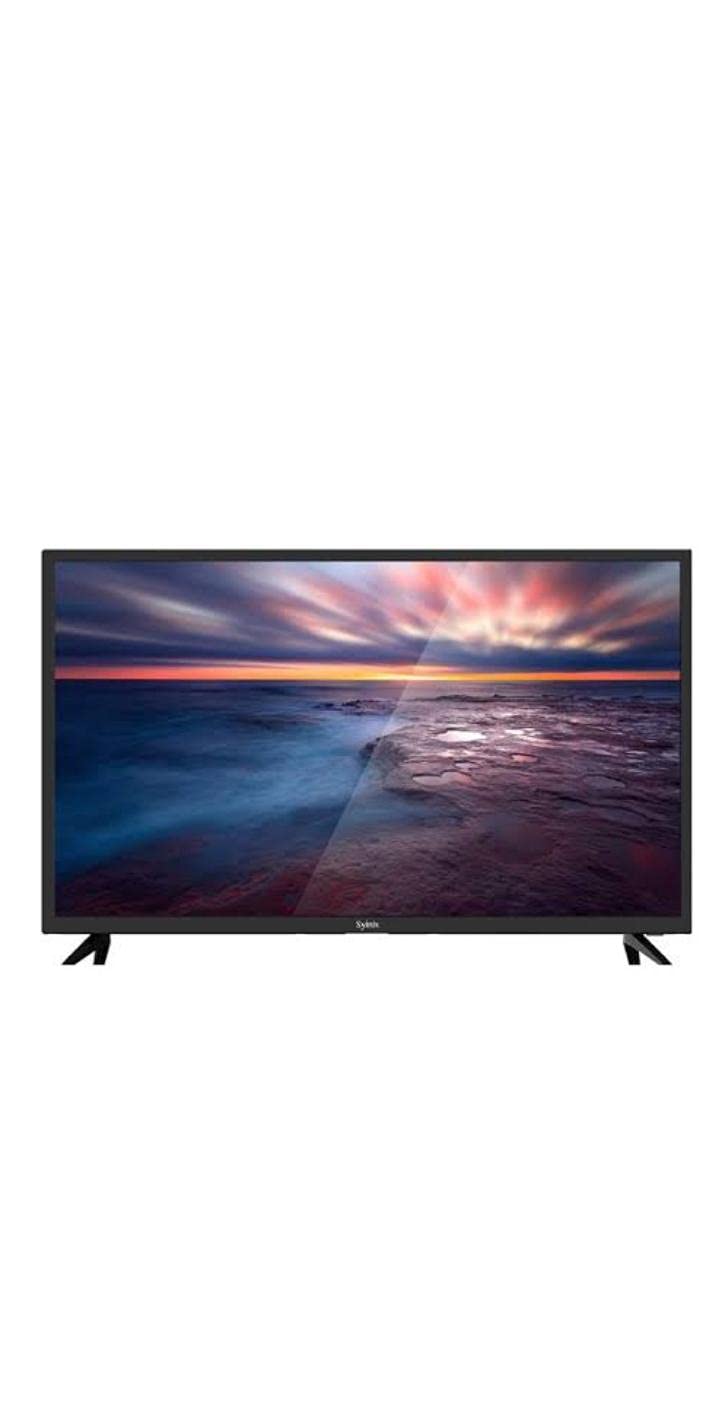
Image 3.1: Syntex 32-inch LED HD TV with included accessories.
4. Karatteristiċi tal-prodott
The Syntex 32S610 TV offers the following key features:
- 32-inch LED Display
- HD Resolution (1366x768 pixels)
- Built-in Digital Receiver (ATSC Tuner Technology)
- Multiple Connectivity Options (HDMI, USB)
- Kelliema Integrati
- Operazzjoni ta' Kontroll mill-bogħod
5. Setup
5.1 It-twaħħil tal-Istand
- Poġġi t-TV b'attenzjoni wiċċu 'l isfel fuq wiċċ artab u nadif biex tevita li l-iskrin isir ħsara.
- Allinja l-bażi tal-istand mat-toqob tal-immuntar fil-qiegħ tat-TV.
- Waħħal l-istand billi tuża l-viti pprovduti. Tissikkax iżżejjed.
- Poġġi t-TV fuq wiċċ stabbli u livellat.
5.2 Apparat li jgħaqqad
Ensure the TV is unplugged before making any connections.
- Qawwa: Qabbad il-korda tal-enerġija mad-dħul tal-enerġija tat-TV u mbagħad ma' sokit tal-ħajt.
- HDMI: For high-definition devices (e.g., Blu-ray player, game console), connect an HDMI cable from the device to an HDMI port on the TV.
- USB: Insert USB storage devices into the USB port for media playback.
- Antenna/Kejbil: Connect an antenna or cable TV feed to the ANT/CABLE input for over-the-air or cable channels.
5.3 Qawwa Inizjali
- Ipplaggja t-TV f'sokit tal-elettriku.
- Agħfas il-buttuna tal-Qawwa fuq il-kontroll remot jew fuq it-TV.
- Follow the on-screen instructions to select your language, country, and perform an automatic channel scan for the built-in receiver.
6. Istruzzjonijiet Operattivi
6.1 Kontroll mill-bogħod fuqview
The remote control allows you to access all TV functions. Insert the provided batteries, ensuring correct polarity.
6.2 Funzjonijiet Bażiċi
- Qawwa: Ixgħel jew jitfi t-TV.
- Volum (+/-): Jaġġusta l-livell tal-ħoss.
- Kanal (CH +/-): Tibdel il-kanal tat-TV.
- Siekta: Jissikket il-ħoss tat-TV.
- Input/Sors: Jagħżel is-sors tad-dħul (HDMI, USB, TV).
6.3 Navigazzjoni tal-Menu
Agħfas il- MENU button on the remote to access the main menu. Use the arrow keys to navigate through options and OK/IDĦAL biex tikkonferma l-għażliet. Agħfas EXIT/BACK to return to the previous menu or exit the menu entirely.
6.4 Built-in Receiver (Channel Scan)
If you did not perform a channel scan during initial setup, or if you connect a new antenna, you can do so via the menu:
- Agħfas MENU fuq il-bogħod.
- Navigate to the 'Channel' or 'Setup' section.
- Select 'Auto Scan' or 'Channel Search'.
- Confirm to start the scan. This may take several minutes.
7. Manutenzjoni
7.1 Tindif tat-TV
Dejjem aqla’ t-TV qabel ma tnaddaf.
- Skrin: Imsaħ l-iskrin bil-mod b'ċarruta ratba u mingħajr suf. Għal marki iebsa, uża prodott għat-tindif tal-iskrin iddisinjat speċifikament għat-televiżjonijiet, applikat fuq iċ-ċarruta, mhux direttament fuq l-iskrin.
- Kabinett: Wipe the cabinet and stand with a soft, dry cloth. Do not use abrasive cleaners or solvents.
7.2 Ħażna
If storing the TV for an extended period, unplug it, remove batteries from the remote, and cover it to protect from dust. Store in a cool, dry place.
8 Issolvi l-problemi
Qabel ma tikkuntattja l-appoġġ, ipprova dawn is-soluzzjonijiet komuni:
| Problema | Soluzzjoni Possibbli |
|---|---|
| Ebda qawwa | Check power cord connection. Ensure outlet is working. Try pressing power button on TV itself. |
| L-ebda stampa, iżda l-ħoss huwa preżenti | Check input source selection. Ensure external device is powered on and connected correctly. |
| L-ebda ħoss, iżda l-istampa hija preżenti | Check volume level. Ensure TV is not muted. Check audio settings. |
| Il-kontroll mill-bogħod ma jaħdimx | Ibdel il-batteriji. Kun żgur li ma jkunx hemm ostakli bejn ir-remote u t-TV. |
| Ma nistax insib kanali | Ensure antenna is connected. Perform a channel auto-scan. |
9. Speċifikazzjonijiet
| Numru tal-Mudell | 32S610 |
| Daqs tal-Iskrin | 32 pulzieri |
| Tip ta 'Wiri | LED |
| Riżoluzzjoni | 1366 x 768 (HD) |
| Proporzjon ta' l-aspett | 16:9 (1.77:1) |
| Teknoloġija Tuner | ATSC (Built-in Receiver) |
| Konnettività | HDMI, USB |
| Awdjo | Kelliema Inkorporati |
| Kulur | Iswed |
| Tip ta 'Immuntar | Mejda |
10. Garanzija u Appoġġ
For warranty information, please refer to the warranty card included with your product or contact your local Syntex dealer. Keep your purchase receipt as proof of purchase.
For technical support or service inquiries, please contact Syntex customer service through the contact information provided on the official Syntex website or your regional support channels.