
1. Introduzzjoni
Thank you for choosing the Volkano VX Gaming Artemis Series 3-in-1 Combo. This set includes a high-performance gaming keyboard, a precision gaming mouse, and a non-slip mousepad, designed to enhance your gaming experience. This manual provides essential information for setting up, operating, maintaining, and troubleshooting your new gaming peripherals.
Karatteristiċi ewlenin:
- Includes a keyboard, mouse, and non-slip mouse pad for a complete gaming setup.
- Artemis keyboard features 12 Keyboard Shortcut Keys and multi-coloured lighting.
- High-definition 3200 DPI mouse with rainbow color illumination, DPI switch, scroll wheel, and 6 buttons for precision and speed.
- Multicolor Lighting and 12 multimedia keys enhance the gaming experience.
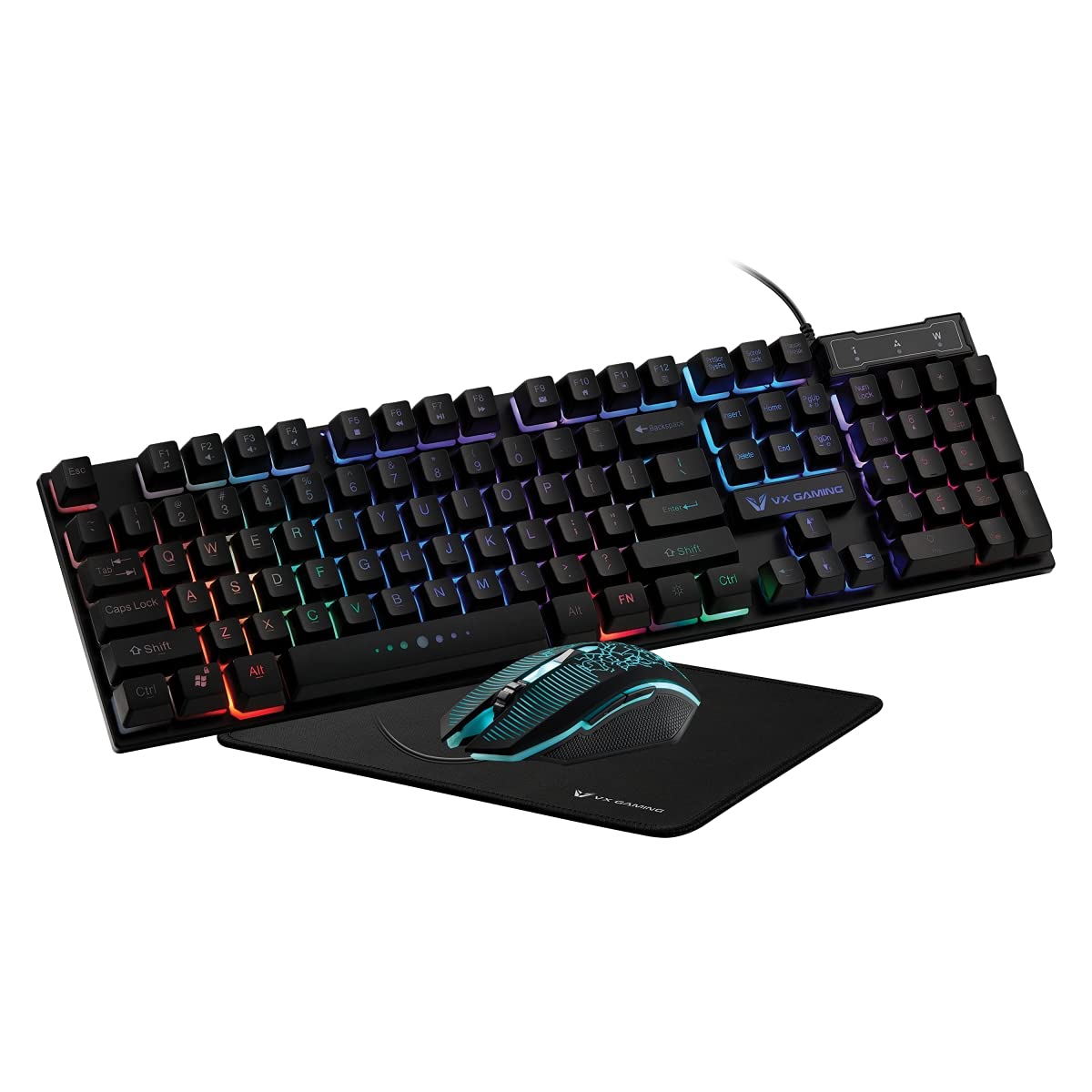
Image 1.1: Volkano VX Gaming Artemis Series 3-in-1 Combo Set packaging.
2. Gwida ta' Setup
Follow these steps to connect your Volkano VX Gaming Artemis Series 3-in-1 Combo to your computer.
2.1 Rekwiżiti tas-Sistema
- Operating System: Windows 10 or later.
- Compatible Devices: PC (Acer, Dell, HP, Mac, Samsung).
- Port USB disponibbli.
2.2 Konnessjoni tat-Tastiera u l-Maws
- Unpack the keyboard, mouse, and mousepad from the packaging.
- Place the non-slip mousepad on your desired surface.
- Connect the USB cable from the keyboard to an available USB port on your computer.
- Connect the USB cable from the mouse to another available USB port on your computer.
- Your computer should automatically detect and install the necessary drivers. No additional software installation is typically required.

Image 2.1: The Artemis Combo set connected and ready for use.
3. Istruzzjonijiet Operattivi
3.1 Funzjonijiet tat-Tastiera
The Artemis keyboard features a standard QWERTY layout with additional gaming-specific functionalities.
- Ċwievet Multimedia: The keyboard includes 12 dedicated multimedia keys for quick access to media controls (e.g., play, pause, volume). These are typically accessed via the Fn ċavetta flimkien mat-tasti F1-F12.
- Ċwievet tax-shortcut: 12 Keyboard Shortcut Keys provide quick access to various functions. Refer to the keycap legends for specific functions.
- Multi-colored Lighting: The keyboard features multi-colored rainbow illumination. The lighting mode can often be adjusted using specific key combinations (e.g., Fn + Skrollja Lock or similar, refer to keyboard markings).

Image 3.1: Artemis Keyboard with multi-colored lighting.
3.2 Funzjonijiet tal-Maws
The Artemis mouse is designed for precision and responsiveness in gaming.
- Swiċċ DPI: Cycle through different DPI settings (1200, 1600, 2000, 3200) using the dedicated DPI button, usually located below the scroll wheel. This allows for on-the-fly sensitivity adjustments.
- 6 Buttuni: The mouse features left-click, right-click, scroll wheel click, DPI switch, and two side buttons (typically for forward/backward navigation or custom assignments in games).
- Rainbow Color Illumination: The mouse features dynamic rainbow lighting.
- Rata tal-votazzjoni: The mouse operates at a 125 Hz polling rate for consistent input.

Image 3.2: Artemis Gaming Mouse.
3.3 Mousepad Usage
The non-slip mousepad provides a stable and consistent surface for optimal mouse tracking.
- Ensure the mousepad is placed on a flat, clean surface.
- The non-slip base prevents unwanted movement during intense gaming sessions.

Image 3.3: Artemis Non-Slip Mousepad.
4. Manutenzjoni
Proper care will extend the lifespan and performance of your gaming combo.
- Tindif tat-Tastiera: Use a soft, dry cloth to wipe down the keyboard. For deeper cleaning, use compressed air to remove debris from between keys. Avoid using harsh chemicals or abrasive materials.
- Tindif tal-Maws: Imsaħ il-wiċċ tal-maws b'ċarruta ratba u ħafifaamp cloth. Ensure the optical sensor on the bottom is clean and free of dust for accurate tracking.
- Cleaning the Mousepad: The mousepad can be gently wiped with a damp drapp u sapun ħafif jekk meħtieġ. Ħallih jinxef kompletament bl-arja qabel l-użu.
- Ħażna: When not in use, store the peripherals in a clean, dry environment away from direct sunlight and extreme temperatures.
5 Issolvi l-problemi
If you encounter issues with your Volkano VX Gaming Artemis Series 3-in-1 Combo, refer to the following common solutions:
5.1 It-Tastiera jew il-Maws Ma Jirrispondux
- Iċċekkja l-Konnessjoni tal-USB: Ensure both the keyboard and mouse USB cables are securely plugged into your computer's USB ports. Try different USB ports.
- Ibda mill-ġdid il-Kompjuter: Xi kultant, sempliċi bidu mill-ġdid tas-sistema jista' jsolvi l-problemi ta' konnettività.
- Test fuq Kompjuter Ieħor: If possible, test the keyboard and mouse on another computer to determine if the issue is with the peripherals or your system.
5.2 Lighting Not Working
- Iċċekkja l-Konnessjonijiet: Ensure the USB connections are firm.
- Dawl tat-Tastiera: Verify if any lighting control keys (e.g., Fn + Skrollja Lock) have been pressed to turn off or change the lighting mode.
- Provvista tal-Enerġija: Ensure your computer's USB ports are providing sufficient power.
5.3 Kwistjonijiet ta' Traċċar tal-Ġurdien
- Sensor Nadif: Kun żgur li s-senser ottiku fil-qiegħ tal-maws huwa nadif u ħieles mit-trab jew mill-fdalijiet.
- Mousepad Surface: Use the provided mousepad or a clean, uniform surface. Avoid highly reflective or uneven surfaces.
- Twaqqif DPI: Adjust the DPI setting using the DPI button to see if a different sensitivity resolves the issue.
6. Speċifikazzjonijiet
Technical details for the Volkano VX Gaming Artemis Series 3-in-1 Combo:
| Karatteristika | Dettall |
|---|---|
| Brand | Volkano |
| Numru tal-Mudell | VX-144-BK[V2] |
| Kulur | Iswed |
| Teknoloġija tal-Konnettività | USB (fili) |
| Tip ta' Tastiera | Membrane, QWERTY Layout |
| Karatteristiċi tat-Tastiera | 12 Multimedia Keys, 12 Shortcut Keys, Multi-colored Lighting |
| Settings tal-maws DPI | 1200, 1600, 2000, 3200 |
| Buttuni tal-ġurdien | 6 Buttons (Left, Right, Scroll Wheel, DPI, 2 Side Buttons) |
| Rata ta' Votazzjoni tal-Ġurdien | 125 Hz |
| Sejbien tal-Moviment | Ottiċi |
| Sors tal-Enerġija | Corded Electric (USB) |
| Batteriji Meħtieġa | Nru |
| Sistema Operattiva Kompatibbli | Windows 10 u ogħla |
| Manifattur | SMD Technologies LLC |
| Pajjiż ta' Oriġini | Iċ-Ċina |
7. Garanzija u Appoġġ
7.1 Informazzjoni dwar Garanzija
This Volkano VX Gaming Artemis Series 3-in-1 Combo is covered by a Garanzija Limitata ta' Sena mid-data tax-xiri. Din il-garanzija tkopri difetti fil-manifattura u abbilità taħt użu normali. Ma tkoprix ħsara kkawżata minn użu ħażin, inċidenti, modifiki mhux awtorizzati, jew xedd u kedd normali.
Jekk jogħġbok żomm il-prova tax-xiri tiegħek għal pretensjonijiet ta' garanzija.
7.2 Appoġġ għall-Klijent
For technical assistance, warranty claims, or further inquiries, please contact Volkano customer support. You can find contact information on the official Volkano websit jew permezz tal-bejjiegħ bl-imnut tiegħek.
Visit the official Volkano Store for more information: Volkano Store on Amazon