
1. Introduzzjoni
Thank you for choosing the VIOMI Smart Robot Vacuum V3 Max. This intelligent device is designed to provide a comprehensive cleaning solution for your home, combining sweeping, vacuuming, and mopping functionalities. Equipped with advanced Lidar navigation technology, it ensures efficient and thorough cleaning across various floor types. This manual provides essential information for setting up, operating, maintaining, and troubleshooting your robot vacuum to ensure optimal performance and longevity.

The VIOMI V3 Max Robot Vacuum and its smart app control interface.
2. Prodott Aktarview
The VIOMI V3 Max is a versatile 3-in-1 cleaning robot that sweeps, vacuums, and mops. Its advanced Lidar navigation system creates precise maps of your home, enabling efficient cleaning paths and smart zone management. The robot automatically adjusts suction power for different surfaces, including carpets, and operates quietly for minimal disturbance.
Karatteristiċi ewlenin:
- Tindif 3 f'1: Sweeping, Vacuuming, and Mopping capabilities for comprehensive floor care.
- Lidar Navigation: Advanced SLAM algorithm for fast and accurate mapping, ensuring efficient cleaning paths.
- Spinta Intelliġenti tat-Tapit: Automatically increases suction power on carpets for deeper cleaning.
- Smart Clean Settings: Define custom areas, no-go zones, and virtual walls via the app.
- Kontroll tal-App u l-Vuċi: Compatible with Mi Home App, Amazon Alexa, and Google Assistant for convenient control.
- Disinn Slim: 4.1-inch sleek design allows access to hard-to-clean areas under furniture.
- Operazzjoni kwieta: Operates at noise levels below 57 dB for a peaceful environment.
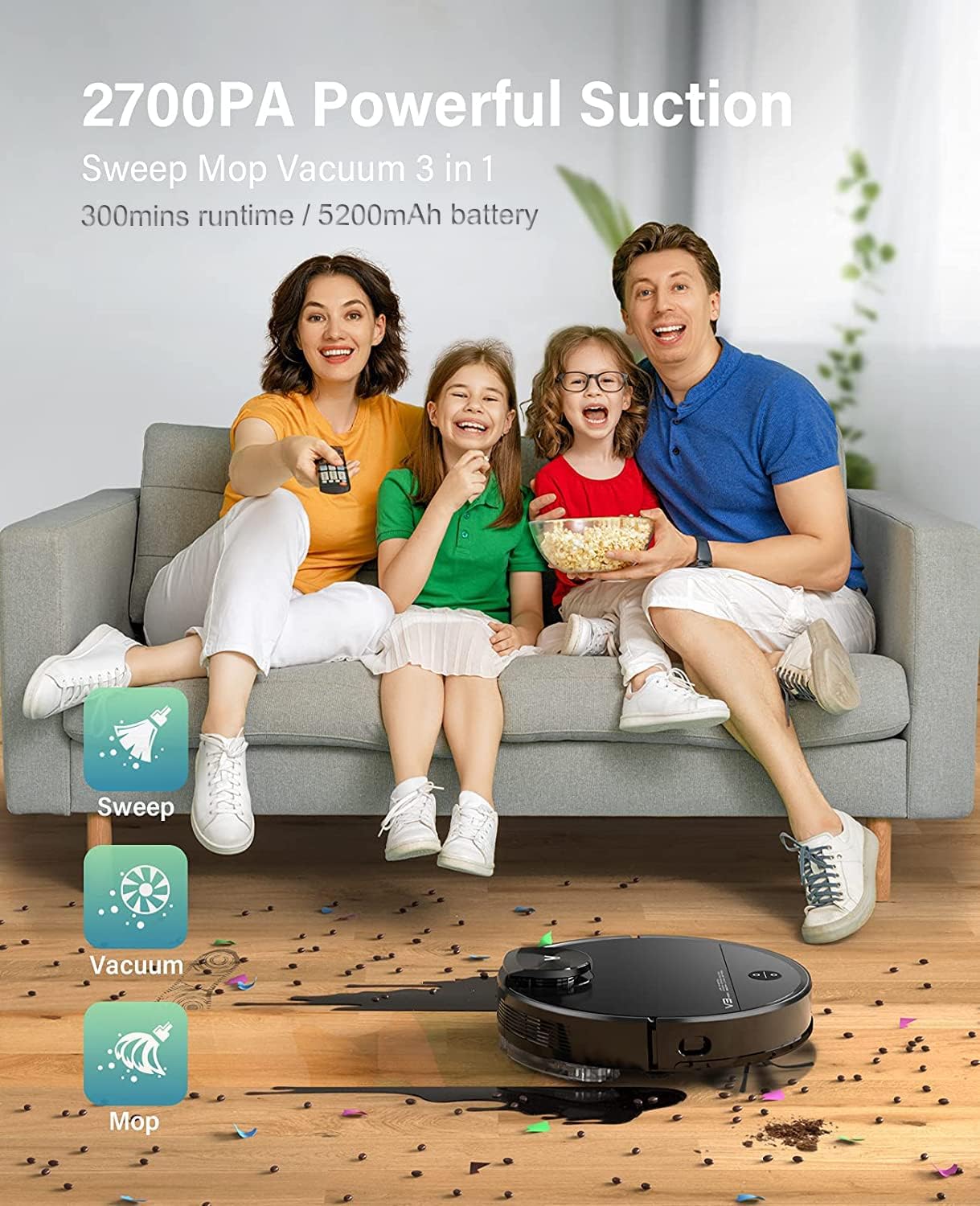
The VIOMI V3 Max offers 3-in-1 functionality for sweeping, vacuuming, and mopping.

Keenly SLAM Lidar Navigation for multi-level mapping and saving maps.

Smart Carpet Boost Mode for deep cleaning on carpets.

Quiet cleaning with noise levels below 57 dB.
3. Setup
Iċċarġjar inizjali:
Place the charging dock in an open area with good Wi-Fi signal. Ensure there is sufficient space around the dock for the robot to navigate. Connect the power adapter to the charging dock and plug it into a wall outlet. Place the robot vacuum on the charging dock to fully charge before first use.
Connecting to Mi Home App:
To unlock the full potential of your VIOMI V3 Max, connect it to the Mi Home App. This allows for remote control, scheduling, map management, and more.
Vidjow: How to connect the VIOMI V3 Max Robot Vacuum to the Mi Home App. This video demonstrates the step-by-step process of pairing your robot vacuum with the Mi Home application, including pressing the power and home buttons, signing into the app, searching for the device, selecting your Wi-Fi router, and confirming the device addition.
- Ipprepara r-Robot: Press and hold both the Power and Home buttons on the robot for 5 seconds until you hear the broadcast of "Network configured."
- Open Mi Home App: Download and open the Mi Home App on your smartphone. Sign up or log in with your Mi Home account.
- Żid Apparat: Tap the "+" icon on the top right corner of the app. Fittex għal "V3 Max" and select "VIOMI V3 Max."
- Ikkonferma l-Operazzjoni: Confirm the operation in the app and proceed to the next step.
- Select Router: Select your Wi-Fi router (ensure it's a 2.4GHz network, not 5GHz) and tap "NEXT."
- Qabbad Apparat: Bring your phone closer to the device to complete the connection. Once connected, tap "DONE."
- Select Room & Rename: Select the room where the robot will operate and optionally rename the device for easier identification.
Immappjar Inizjali:
For the first cleaning cycle, allow the robot to complete a full mapping of your home without interruption. This creates an accurate floor plan for future efficient cleaning.
Vidjow: Viomi Lidar Robot Vacuum and Mop Smart Navigation. This video highlights the superior mapping speed and cleaning path planning of Lidar navigation compared to VSLAM technology, demonstrating how the robot efficiently maps and cleans your home.
4. Istruzzjonijiet Operattivi
Tibda Ċiklu ta' Tindif:
- Permezz tar-Robot: Press the Power button on the robot to start a general cleaning cycle.
- Permezz tal-App: Open the Mi Home App, select your VIOMI V3 Max, and tap "Start" to begin cleaning. You can choose specific modes (Vacuum, Mop, Vacuum & Mop) and suction levels.
Smart Clean Settings (App Only):
Utilize the Mi Home App to customize your cleaning experience:
- Selective Room Cleaning: Choose specific rooms on your map for targeted cleaning.
- Żoni No-Go: Draw virtual boundaries on the map to prevent the robot from entering certain areas (e.g., pet bowls, delicate items).
- To-Go Zones: Define specific areas for the robot to clean intensively.
- Ħitan Virtwali: Create invisible barriers to restrict the robot's movement.

Lidar Navigation with Multi-Floor Smart Mapping allows for selective room cleaning, no-go zones, to-go zones, and quick mess spot cleaning.
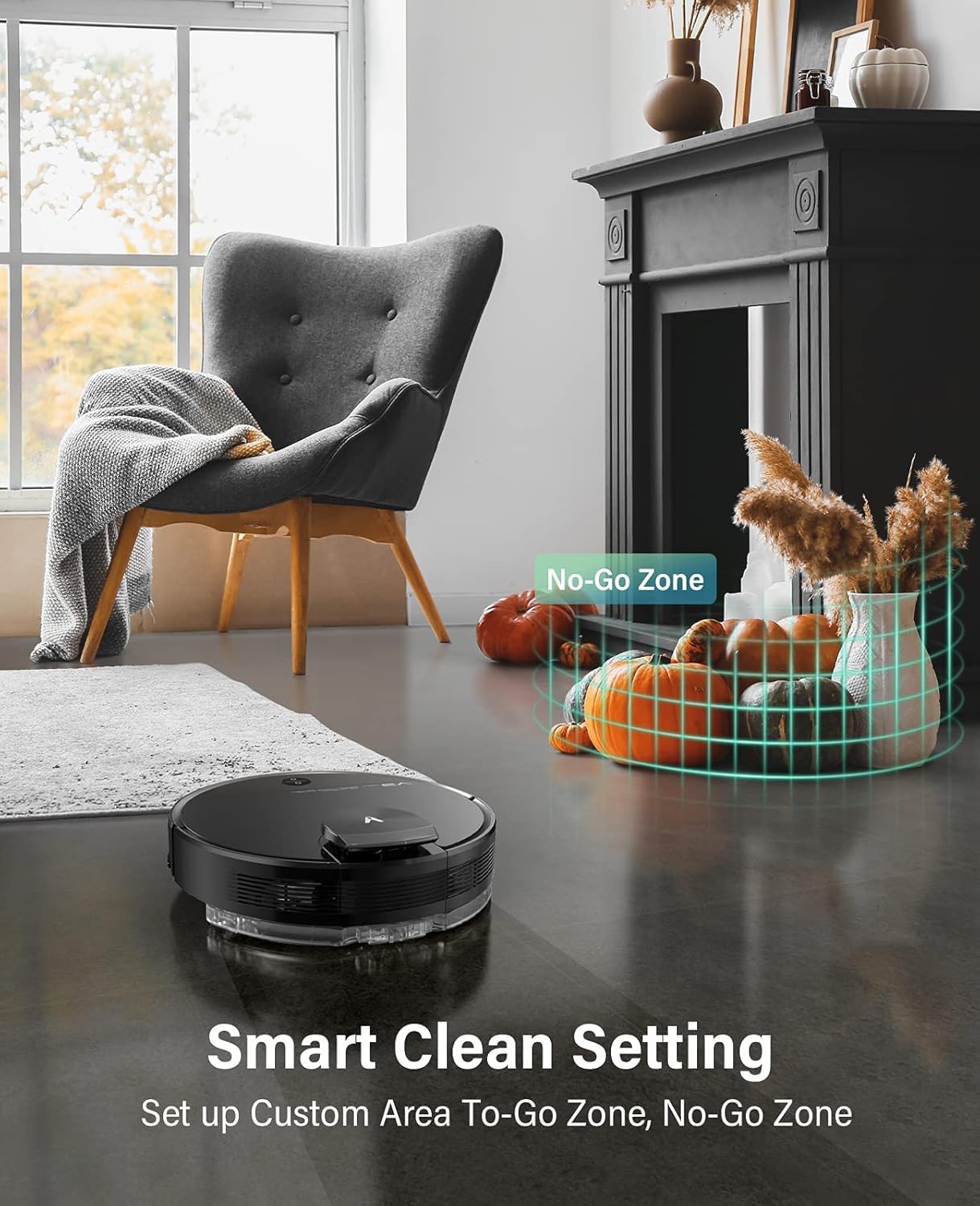
Set up custom areas and no-go zones using the Smart Clean Setting.
Kontroll tal-Vuċi:
Integrate your VIOMI V3 Max with Amazon Alexa or Google Assistant for hands-free control.
- Amazon Alexa: Enable the VIOMI skill in the Alexa app and link your Mi Home account. Then, use commands like "Alexa, ask V3 Max to start clean."
- Google Assistent: Link your Mi Home account in the Google Home app. Use commands like "Hey Google, start cleaning with V3 Max."

Start cleaning with voice commands or through the Mi Home App.
5. Manutenzjoni
Regular maintenance ensures your VIOMI V3 Max operates efficiently and extends its lifespan. Perform these tasks regularly:
Tbattil tal-Kaxxa tat-Trab:
The dust box should be emptied after each cleaning cycle or when full.
- Iftaħ l-għatu ta' fuq tar-robot.
- Remove the 2-in-1 dust compartment with the water tank.
- Open the dust box compartment and empty its contents into a trash bin.
Vidjow: VIOMI V3 Max cleaning hard floors and carpets. This video demonstrates the robot's ability to clean various surfaces and shows the process of emptying the dust box with a single click.
Cleaning Filters and Brushes:
- Iffiltra: Tap the filter to remove loose dirt. Do not rinse the filter with water. Replace the filter every 3-6 months depending on usage.
- Pinzell Prinċipali: Remove the main brush cover and clean any tangled hair or debris from the brush.
- Pinzell tal-Ġenb: Check the side brush for tangled hair or debris and clean as needed. Replace if worn.
Water Tank and Mop Pad:
- Wara li tnaddaf il-paviment, vojta kwalunkwe ilma li jifdal mit-tank.
- Remove and clean the mop pad. It is recommended to wash the mop pad after each use.
6 Issolvi l-problemi
If you encounter issues with your VIOMI V3 Max, refer to the following common solutions:
| Problema | Kawża Possibbli | Soluzzjoni |
|---|---|---|
| Robot mhux qed jixgħel | Batterija baxxa; Il-buttuna tal-qawwa mhux ippressata sew. | Poġġi fuq id-dock tal-iċċarġjar; Agħfas u żomm il-buttuna tal-qawwa għal 3 sekondi. |
| Robot imwaħħal jew mitluf | Obstacles; Complex environment. | Clear obstacles; Use no-go zones in app; Relocate robot to a clear area. |
| Prestazzjoni fqira tat-tindif | Full dust box; Clogged filter/brushes. | Empty dust box; Clean/replace filter and brushes. |
| Kwistjonijiet ta 'konnessjoni tal-app | Incorrect Wi-Fi; Robot not in pairing mode. | Ensure 2.4GHz Wi-Fi; Reset Wi-Fi on robot (hold Power & Home buttons); Re-pair in app. |
| Water tank removed error | It-tank tal-ilma mhux installat sew. | Ensure the 2-in-1 dust compartment with water tank is securely installed. |
7. Speċifikazzjonijiet
| Karatteristika | Dettall |
|---|---|
| Brand | VIOMI |
| Numru tal-Mudell | V-RVCLM27B |
| Karatteristika Speċjali | Bla borża |
| Dimensjonijiet tal-Prodott | 13.98"T x 13.98"W x 4.13"Għ |
| Komponenti Inklużi | Pinzell |
| Tip ta 'filtru | Skartoċċ |
| Kapaċità | 0.2 Liters (Dust Box) |
| Sors tal-Enerġija | Mħaddma bil-batterija |
| Metodu ta' Kontroll | Leħen |
| Apparati Kompatibbli | Amazon Echo, Google Assistant |
| Fattur tal-Formola | Robotika |
| Piż tal-oġġett | 10 liri |
8. Garanzija u Appoġġ
For detailed warranty information, product registration, and technical support, please refer to the official VIOMI webis-sit jew ikkuntattja lis-servizz tal-konsumatur tagħhom direttament. Żomm l-irċevuta tax-xiri tiegħek bħala prova tax-xiri għal talbiet ta' garanzija.
Riżorsi onlajn:
- Official VIOMI Websit: Visit the VIOMI Store on Amazon
- Gwida għall-Utent (PDF): Niżżel il-Gwida għall-Utent
- Manwal tal-Utent (PDF): Niżżel il-Manwal tal-Utent