
1. Introduzzjoni
This manual provides essential information for the safe and efficient operation of your AstroAI 20V MAX Li-ion Battery Charger. This charger is designed to provide quick and reliable power to compatible AstroAI 20V MAX Li-ion battery packs, ensuring optimal performance for your tools.
Jekk jogħġbok aqra dan il-manwal sew qabel l-użu u żommu għal referenza futura.
2. Informazzjoni Importanti dwar is-Sigurtà
WARNING: To reduce the risk of injury, please read the user manual carefully before use.
- Ċertifikat ETL: This charger is ETL certified, ensuring high quality, safety, and reliability.
- Protezzjonijiet Inkorporati: The charger features multiple safety mechanisms including Overheat Protection, Overcharge Protection, and Short-Circuit Protection to safeguard both the charger and the battery.
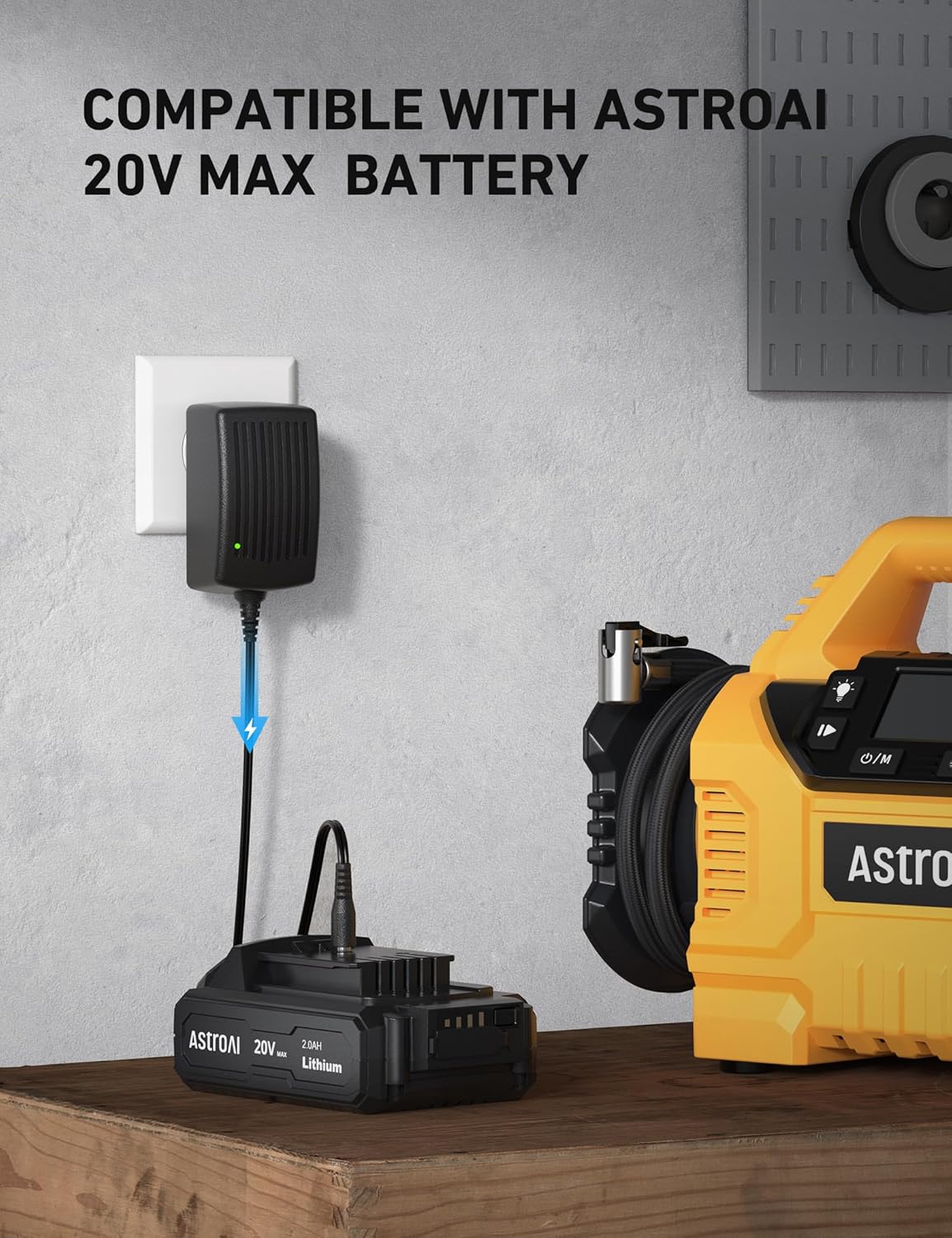
- Kompatibilità: This charger is compatible with AstroAI 20V MAX battery packs, AstroAI handheld battery-powered air compressors, and AstroAI multifunctional air pumps. It is le available for model LS40791(C1).
- Tesponix il-ċarġer għax-xita jew kundizzjonijiet imxarrbin.
- Tħaddimx il-ċarġer jekk ikun irċieva daqqa qawwija, waqa', jew ġarrab xi ħsara b'xi mod ieħor.
- Dejjem aqla’ l-ċarġer mill-plakka tal-elettriku qabel ma tipprova tagħmel xi tindif jew manutenzjoni.

3. Kontenut tal-Pakkett
Meta tiftaħ il-pakkett, jekk jogħġbok kun żgur li l-oġġetti kollha elenkati hawn taħt huma preżenti u f'kundizzjoni tajba:
- AstroAI 20V MAX Li-ion Battery Charger
- Manwal għall-Utent
- Grazzi Card

4. Karatteristiċi tal-prodott
- High Power + Fast Charging: Delivers 1.7A power and 21V voltage, allowing a full charge of the battery pack in approximately one hour.
- Indikaturi LED: Integrated LED indicators clearly display the current charging status of the battery.
- Disinn Durabbli: Features a US standard plug, oxidation-resistance connector, flexible PVC cable line, and an anti-bend cable tail for enhanced durability and longevity.

5. Setup
- Qabbad mal-Enerġija: Plug the AstroAI 20V MAX Battery Charger into a standard wall outlet. The LED indicator on the charger will illuminate to show it is receiving power.
- Qabbad il-batterija: Insert the compatible AstroAI 20V MAX Li-ion battery pack into the charging port of the charger. Ensure a secure connection.
6. Istruzzjonijiet Operattivi
Once the battery is connected to the charger and the charger is plugged into a power source, the charging process will begin automatically. The LED indicators on the battery pack will show the charging status:
- Iċċarġjar: The LED indicators will typically flash or light up sequentially to indicate that the battery is charging.
- Kompletament Iċċarġjat: All LED indicators will remain solid when the battery is fully charged.
A full charge for a depleted battery pack takes approximately one hour.

7. Manutenzjoni
- Tindif: Keep the charger and battery contacts clean and free of debris. Use a dry cloth to wipe down the surfaces.
- Ħażna: Store the charger and battery in a cool, dry place away from direct sunlight and extreme temperatures.
- Ħażna fit-Tul: If the battery will not be used for an extended period, remove it from the charger and store it with a partial charge. Recharge the battery every 3 months to maintain its lifespan.
8 Issolvi l-problemi
| Problema | Kawża Possibbli | Soluzzjoni |
|---|---|---|
| Charger LED indicators not lighting up. | No power to the charger or faulty connection. | Ensure the charger is securely plugged into a working power outlet. Check the power outlet with another device. |
| Il-batterija mhix qed tiċċarġja. | Battery not properly seated, battery is too hot/cold, or battery is faulty. | Ensure the battery is fully inserted into the charger. Allow the battery to reach room temperature before charging. If the issue persists, the battery may need replacement. |
| Charger stops charging prematurely. | Overheat protection activated or overcharge protection. | Allow the charger and battery to cool down. Ensure proper ventilation around the charger. The charger is designed to stop charging once the battery is full to prevent overcharging. |
| Unusual smell or smoke from charger. | Internal fault or short-circuit. | Immediately unplug the charger from the power outlet and disconnect the battery. Do not use the charger again. Contact AstroAI customer support. |
9. Speċifikazzjonijiet
- Ħruġ Voltage: 20 Volts
- Output tal-Enerġija: 1.7A
- Ħin tal-Iċċarġjar: Approximately 1 hour for a full charge
- Dimensjonijiet tal-pakkett: 4.69 x 3.27 x 2.4 pulzieri
- Piż tal-oġġett: 5.9 uqija (0.17 Kilogrammi)
- Kulur: Iswed
- Ċertifikazzjoni: ETL Ċertifikat
10. Garanzija u Appoġġ
AstroAI is committed to providing high-quality products and excellent customer service. If you have any questions, concerns, or require assistance with your AstroAI 20V MAX Li-ion Battery Charger, please do not hesitate to contact our customer support team.
For support, please visit the AstroAI webis-sit jew irreferi għall-informazzjoni ta' kuntatt ipprovduta fl-imballaġġ tal-prodott tiegħek.