
Introduzzjoni
Thank you for choosing the Cellularline CORE True Wireless Bluetooth Earphones. These earphones are designed to provide a seamless audio experience with advanced features such as a charging case with an LED display, touch controls, and automatic pairing. This manual will guide you through the setup, operation, and maintenance of your new earphones.
X'hemm fil-Kaxxa
- Cellularline CORE True Wireless Bluetooth Earphones (Left and Right)
- Kaxxa tal-Iċċarġjar b'Wiri LED
- Cable tal-Iċċarġjar tal-USB-C
- Manwal għall-Utent
Prodott Overview
The Cellularline CORE earphones feature a compact design and a charging case with an integrated LED display to show the remaining battery percentage. They offer up to 16 hours of total play time with the charging case.

Image: Cellularline CORE True Wireless Bluetooth Earphones and Charging Case. The earphones are white and sit in an open white charging case.

Image: A close-up of the Cellularline CORE charging case with an LED display showing '100', indicating full battery. The earphones are inside the case.
The LED display on the charging case provides real-time battery status, ensuring you are always aware of the remaining charge.
Setup
1. Iċċarġjar tal-Earphones u l-Kaxxa
- Poġġi ż-żewġ earphones fil-kaxxa tal-iċċarġjar. Kun żgur li huma mqiegħda sew fl-islott rispettiv tagħhom.
- Connect the provided USB-C cable to the charging port on the case and plug the other end into a USB power adapter (not included) or a computer's USB port.
- Id-displej LED fuq il-kaxxa tal-iċċarġjar se juri l-perċentwal attwali tal-batterijatage during charging. A full charge typically takes approximately 4 hours for the case and earphones.
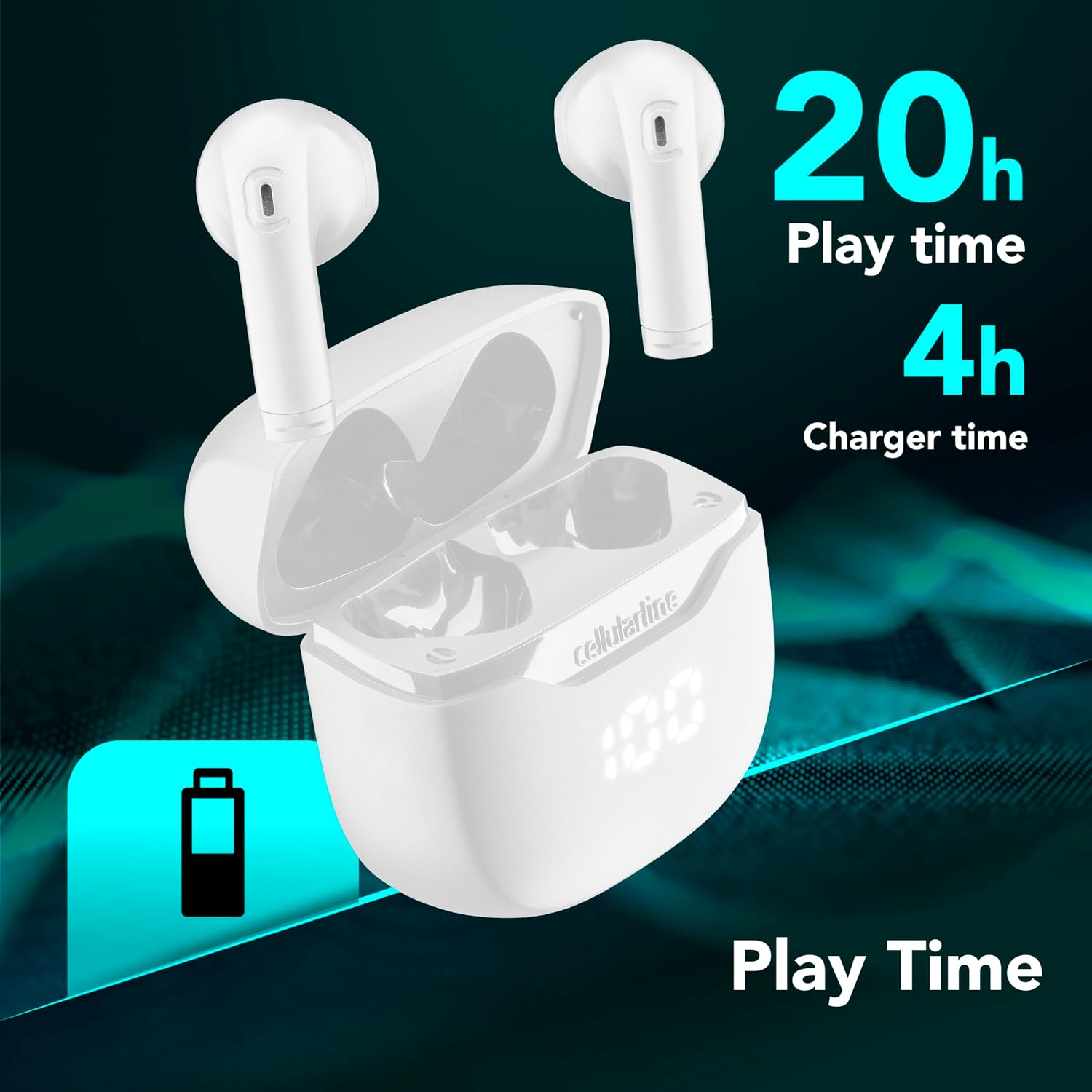
Image: The Cellularline CORE earphones and charging case, highlighting 20 hours of total play time and 4 hours of charging time for the case.
2. Initial Pairing (Autopairing)
- Kun żgur li l-earphones huma ċċarġjati.
- Iftaħ il-kaxxa tal-iċċarġjar. Il-earphones jixegħlu awtomatikament u jidħlu fil-modalità ta' tqabbil.
- Fuq l-ismartphone jew it-tagħmir tiegħek li jaħdem bil-Bluetooth, mur fis-settings tal-Bluetooth.
- Fittex għal available devices and select "Cellularline CORE" from the list.
- Once connected, you will hear an audible confirmation, and the earphones are ready for use.

Image: Cellularline CORE earphones and charging case next to a smartphone displaying a music application, with a Bluetooth icon indicating successful pairing.
The Autopairing function ensures that once paired, the earphones will automatically connect to your last paired device when removed from the case.
Istruzzjonijiet Operattivi
Touch Kontrolli
The Cellularline CORE earphones feature intuitive touch controls on each earbud for managing calls, music, and voice assistant functions.
| Funzjoni | Azzjoni |
|---|---|
| Ilgħab/Pawża Mużika | Tektek wieħed fuq kull earbud |
| Track li jmiss | Tektek darbtejn fuq il-earbud tal-lemin |
| Track Preċedenti | Tektek darbtejn fuq il-earbud tax-xellug |
| Tweġiba/Tmiem Sejħa | Tektek wieħed fuq kull earbud |
| Irrifjuta Sejħa | Agħfas u żomm kwalunkwe earbud għal 2 sekondi |
| Attiva l-Assistent tal-Vuċi | Tektek tliet darbiet fuq kull earbud |
| Volum Up | Press and hold the right earbud |
| Volum 'l isfel | Press and hold the left earbud |
Double Master Function
The Double Master function allows you to use either the left or right earbud independently for calls. Simply remove one earbud from the case, and it will automatically connect. You can answer calls by tapping the active earbud.
Manutenzjoni
Tindif
- Naddaf il-earphones u l-kaxxa tal-iċċarġjar regolarment b'ċarruta ratba, niexfa u mingħajr suf.
- Tużax prodotti tat-tindif li joborxu, solventi, jew sprejs tal-ajrusol.
- Kun żgur li l-kuntatti tal-iċċarġjar kemm fuq l-earphones kif ukoll fuq il-kaxxa huma nodfa u ħielsa minn debris biex iżżomm iċċarġjar xieraq.
Ħażna
- Meta ma tkunx qed tużahom, aħżen il-earphones fil-kaxxa tal-iċċarġjar tagħhom biex tipproteġihom u żżommhom iċċarġjati.
- Aħżen l-apparat f'post frisk u niexef, 'il bogħod minn temperaturi estremi u dawl tax-xemx dirett.

Image: A hand placing the compact Cellularline CORE charging case into the pocket of a pair of jeans, demonstrating its portable size.
Issolvi l-problemi
| Problema | Soluzzjoni Possibbli |
|---|---|
| Il-earphones ma jixegħlux. | Ensure the earphones and charging case are fully charged. Place earphones in the case and close it, then open it again. |
| Il-earphones ma jingħaqdux mat-tagħmir. | Make sure Bluetooth is enabled on your device. Forget the device in your Bluetooth settings and try pairing again. Ensure earphones are in pairing mode (LED indicator blinking). |
| Only one earphone is working. | Place both earphones back into the charging case, close the lid, wait a few seconds, then open it again. This should re-sync them. If the issue persists, try resetting the earphones (refer to manufacturer's web(is-sit għal struzzjonijiet speċifiċi ta' reset jekk ma jkunux fil-manwal). |
| Volum baxx jew kwalità ħażina tal-ħoss. | Adjust the volume on both your device and the earphones. Ensure the earphones are clean and properly seated in your ears. Check for any obstructions in the earbud speakers. |
| Charging case LED display is not working. | Ensure the charging cable is securely connected and the power source is active. If the issue persists, contact customer support. |
Speċifikazzjonijiet
- Isem tal-Mudell: BTCORETWSW
- Ditta: cellularline
- Kulur: Abjad
- Tqegħid tal-widnejn: Fil-widna
- Fattur tal-Formola: Fil-widna
- Teknoloġija tal-Konnettività: Wireless
- Teknoloġija bla fili: Bluetooth
- Verżjoni Bluetooth: 5.0
- Impedenza: 16 Ohm
- Kontroll tal-Ħsejjes: Iżolament tal-Ħoss
- Rispons tal-Frekwenza: 20 Hz - 20,000 Hz
- Sensittività: 100 dB
- Tip ta' Kontroll: Mess
- Tip ta' Sewwieq: Sewwieq Dinamika
- Materjal: Plastik
- Ħajja medja tal-batterija: 16 Siegħa (bil-kaxxa tal-iċċarġjar)
- Livell ta' Reżistenza għall-Ilma: Waterproof (Note: Refer to product packaging for specific IP rating if available)
- Karatteristiċi: True Wireless Technology, Automatic Pairing, Touch Controls, LED Display
- Apparati Kompatibbli: Apparat ppermettiet Bluetooth
- Pajjiż ta' Oriġini: Iċ-Ċina
Informazzjoni dwar Garanzija
The Cellularline CORE True Wireless Bluetooth Earphones come with a Garanzija ta' 2 snin mill-manifattur mid-data tax-xiri. Din il-garanzija tkopri difetti fil-materjali u l-abbilità taħt użu normali. Ma tkoprix ħsara kkawżata minn użu ħażin, inċidenti, modifiki mhux awtorizzati, jew xedd u kedd normali.
Please retain your proof of purchase for warranty claims. For detailed warranty terms and conditions, please visit the official Cellularline websit jew ikkuntattja l-appoġġ tal-klijent.
Appoġġ
For further assistance, technical support, or warranty inquiries, please contact Cellularline customer service through their official websit:
Websit: www.cellularline.com
You may also find FAQs and additional support resources on their websit.