
lifoarey RL-XE0B5DS-PB3A9F
Manwal tal-Istruzzjonijiet tal-Kamera tas-Sigurtà ta' Barra Lifoarey 5MP
Ditta: Lifoarey | Mudell: RL-XE0B5DS-PB3A9F
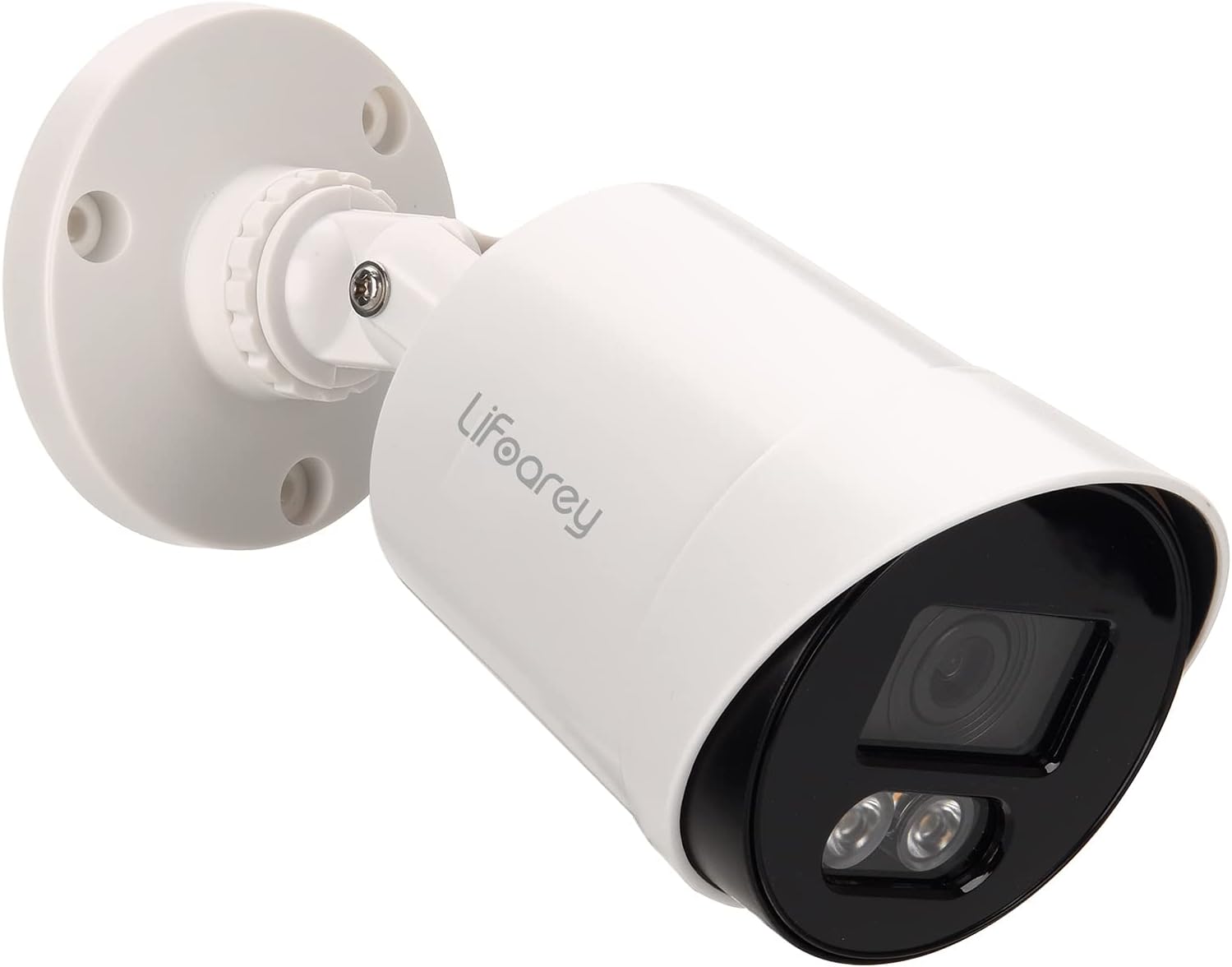
5MP Outdoor Security Camera, Full-time Color Wired Security Camera, Analog Surveillance CCTV Camera 4-in-1, TVI/CVI/AHD/CVBS, 24/7 Recording Add-On Camera with 100 ft Colorful Night Vision
1. Prodott Aktarview
The Lifoarey 5MP Outdoor Security Camera is a high-definition surveillance solution designed for comprehensive home and property monitoring. It delivers superior image clarity and vibrant color night vision, ensuring detailed footage madwar l-arloġġ.
Karatteristiċi ewlenin:
- Riżoluzzjoni Super HD ta' 5MP: Captures 2560 × 1920 pixel images, providing significantly more detail than 1080P cameras.
- 24/7 Colorful Night Vision: Equipped with 2 warm light LEDs, offering up to 50ft of full-color night vision, allowing for better identification of subjects and objects in low-light conditions.
- Multi-compatible 4-in-1: Supports 5MP TVI, 5MP CVI, 5MP AHD, and 960H CVBS video outputs, ensuring broad compatibility with various DVR systems.
- Disinn reżistenti għat-temp IP66: Built to withstand harsh weather conditions, suitable for both indoor and outdoor installation.
- Wiesgħa ViewIng Angolu: Features an 82.2° view angle with a 3.6mm lens.
2. X'hemm fil-Kaxxa
Malli tiftaħ il-pakkett, jekk jogħġbok ivverifika li l-komponenti kollha li ġejjin huma inklużi:
- 1 x Lifoarey 5MP Outdoor Security Camera
Note: This camera does not include a DVR, power adapter, or video power cable. These components must be purchased separately.
3. Gwida ta' Setup
Follow these steps to set up your Lifoarey 5MP Outdoor Security Camera system. For a visual guide, please refer to the setup video below.
3.1. Dijagramma tal-Konnessjoni
The following diagram illustrates the complete connection setup for the camera, DVR, monitor, and network components.

3.2. Installazzjoni Pass Pass
- Step 1: Power on DVR and Connect to Monitor
Power on your Digital Video Recorder (DVR) and connect it to a monitor using an HDMI cable. Ensure the monitor is powered on and set to the correct input source.
- Step 2: Connect Cameras to DVR with BNC Cables
Connect the cameras to the DVR using BNC cables. Power on the power splitters cable and connect it to the DC12VIN interface of the BNC cable. Then, connect the BNC cable to the VIDEO IN interface of the DVR. Finally, connect the cameras to the BNC cable.
- Step 3: Connect DVR to Router via Network Cable
For remote access and network features, connect the DVR to your router using a standard network (Ethernet) cable. This will enable online viewing and management of your security system.
3.3. Immuntar tal-Kamera
The camera features a 3-axis mounting bracket for flexible installation on walls or ceilings. This allows for precise angle adjustment and provides vandal-proof wire protection.

4. Istruzzjonijiet Operattivi
4.1. 24/7 Colorful Night Vision
This camera is designed to produce a colorful image even in extremely dimly lit environments. The two warm light LEDs activate automatically in low light, illuminating the area to capture more details such as car color, clothes color, and hair color. This feature significantly aids in identifying individuals or objects in darkness, enhancing security.

4.2. Video Output Modes (4-in-1)
The camera supports four different video output formats: 5MP TVI, 5MP CVI, 5MP AHD, and 960H CVBS. This allows for compatibility with a wide range of DVR systems. The camera's resolution must be equal to or lower than the DVR's resolution for proper functionality.
5. Manutenzjoni
5.1. Tindif tal-Kamera
To ensure optimal performance and clear image quality, periodically clean the camera lens and housing. Use a soft, lint-free cloth. For stubborn dirt, a slightly damp Jista' jintuża drapp, segwit minn drapp niexef. Evita li tuża kimiċi ħarxa jew materjali li joborxu.
5.2. Reżistenza għat-temp
The camera has an IP66 weatherproof rating, meaning it is protected against dust and powerful water jets. While designed for durability in various weather conditions, regular inspection for any physical damage or blockages (e.g., spiderwebs, debris) is recommended to maintain its effectiveness.

6 Issolvi l-problemi
This section addresses common questions and issues you might encounter with your security camera.
- Q: Does the camera come with a power supply or cable?
A: No, the camera does not come with a power supply or the cable that runs back to the DVR. These must be acquired separately.
- Q: What BNC cables are available?
A: A BNC is a standard coaxial cable. Note that you will still need to run a separate cable for power. Converters are available to allow the use of CAT network cable as well.
- Q: Does this camera support inserting a microSD card?
A: No, this is an analog camera designed to be run in a DVR using BNC cables with a power split. It does not support microSD cards for local storage.
- Q: Will this camera work with an older Samsung SDR-5102 DVR or Swann DVR 4-4400H?
A: This camera cannot work with 960H/720P DVRs because the camera's resolution is 5-Megapixel. In general, the resolution of the camera must be lower than or equal to the DVR's resolution for compatibility.
- Q: The product description states it can output CVI/AHD/CVBS, but it only outputs TVI.
A: While the product is advertised as 4-in-1 compatible, some users have reported that it may default to TVI format. Ensure your DVR is compatible with 5MP TVI. If you experience issues, contact customer support for assistance with mode switching or compatibility.
7. Speċifikazzjonijiet
| Attribut | Valur |
|---|---|
| Brand | lifoarey |
| Numru tal-Mudell | RL-XE0B5DS-PB3A9F |
| Riżoluzzjoni tal-Qbid tal-Vidjo | 5 MP |
| Teknoloġija tal-Konnettività | Bil-fili |
| Użu fuq ġewwa/barra | Ġewwa, Barra |
| Karatteristika Speċjali | HD Resolution: 5MP |
| Sors tal-Enerġija | DC (12 Volts) |
| ViewIng Angolu | 82.2 Grad |
| Medda tal-Viżjoni Lejl | 100 Feet (Colorful Night Vision) |
| Klassifikazzjoni tal-Protezzjoni Internazzjonali | IP66 |
| Materjal | Plastik |
| Dimensjonijiet tal-oġġett L x W x H | 6.1 x 2.8 x 2.8 pulzieri |
| Piż tal-oġġett | 9.6 uqija |
| Frame Rata | 20fps |
| Tip ta' Sors tad-Dawl | 2 pcs warm light LED |
| Apparati Kompatibbli | Reġistratur tal-Vidjo Diġitali |
| Użi Rakkomandati | For home security, garden security, garage security |
8. Garanzija u Appoġġ
Your Lifoarey 5MP Outdoor Security Camera comes with a comprehensive warranty and dedicated technical support to ensure your peace of mind.
- Garanzija: 2-Sena Garanzija
- Appoġġ Tekniku: Life-Time Tech Support
For any questions, technical assistance, or warranty claims, please contact our customer support team:
Email: support@lifoarey.com
Ask a question about this manual
Ask about setup, troubleshooting, compatibility, parts, safety, or missing instructions. Manuals+ will review the question and use this page’s manual context to help answer it.