
1. Prodott Aktarview
The XROUND AERO True Wireless Gaming Earbuds (Model XAW-01) are designed to provide a versatile audio experience for both gaming and music. Featuring 50ms ultra-low latency, XROUND Lite surround sound, and noise-reducing dual-microphones, these earbuds offer immersive sound and clear communication. They are compatible with Android, iOS, PS4, PS5, Switch, and PC, offering a seamless transition between various entertainment platforms.

Figure 1: XROUND AERO True Wireless Gaming Earbuds.
2. X'hemm fil-Kaxxa
Your XROUND AERO package includes the following items:
- AERO True Wireless Earbuds
- Kawża tal-Iċċarġjar bla Fili
- 15cm Type-C Charging Cable
- Manwal għall-Utent
- Spinfit Ear Tips (3 pairs: S/M/L Sizes)
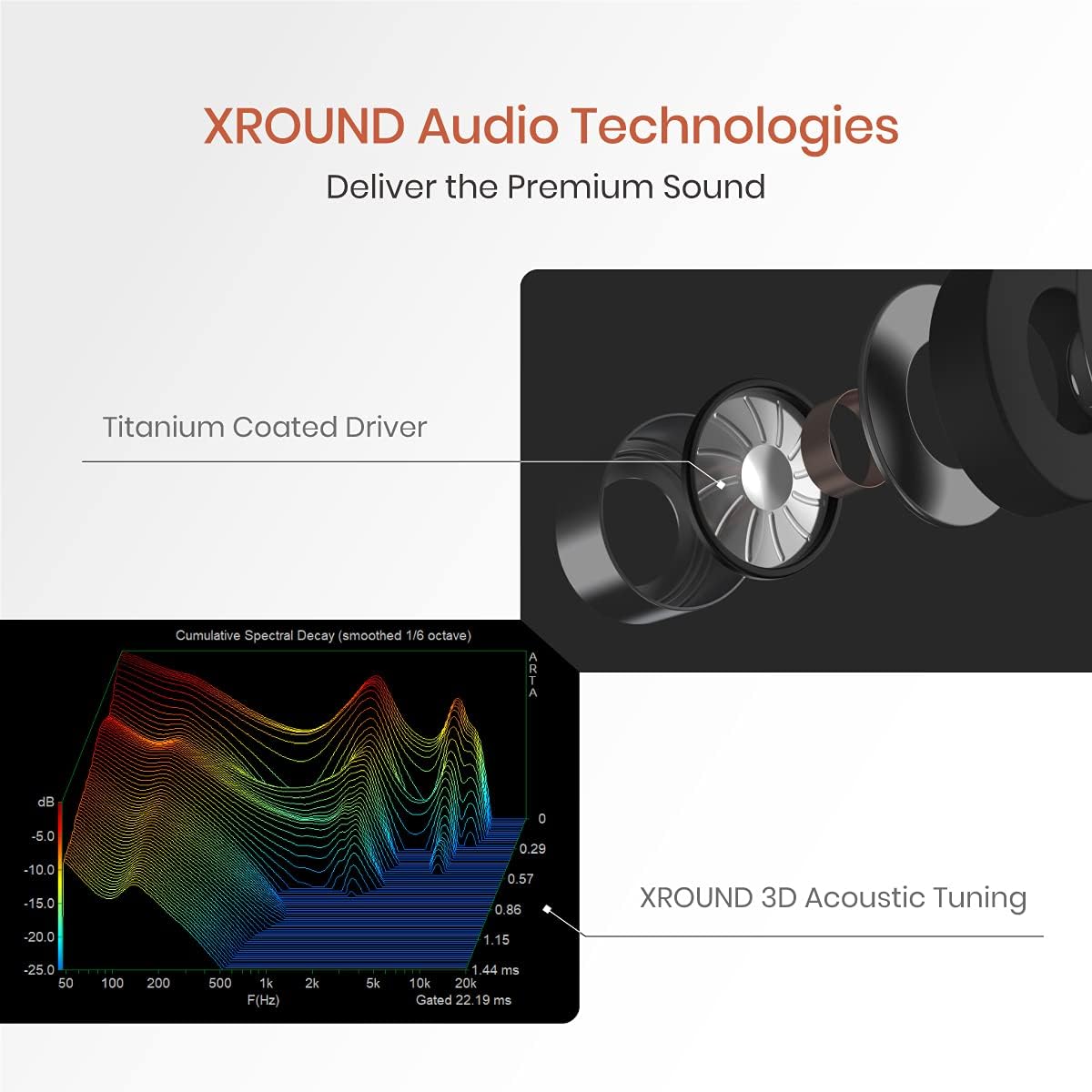
Figure 2: Included components: AERO earbuds, charging case, USB-C cable, and various ear tips.
3. Setup
3.1 Iċċarġjar inizjali
Before first use, fully charge your XROUND AERO earbuds and charging case. Connect the provided 15cm Type-C charging cable to the charging case and a compatible USB power source. The LED indicators on the case will show the charging status. A full charge provides up to 24 hours of total battery life with the charging case.
3.2 Għażla tal-Ponta tal-Widna
For optimal sound quality and comfort, select the ear tips that best fit your ears. The package includes three pairs of Spinfit ear tips (S/M/L sizes). Experiment with different sizes to find a secure and comfortable fit that provides good sound isolation.

Figure 3: Ergonomic design and various Spinfit ear tip sizes for a comfortable and secure fit.
3.3 Tqabbil ma' Apparati
The XROUND AERO earbuds utilize Bluetooth 5.0 for wireless connectivity.
- Għal Apparati Mobbli (Android/iOS): Open the charging case, and the earbuds will automatically enter pairing mode. On your device, go to Bluetooth settings and select "XROUND_AERO" from the list of available devices.
- For Gaming Consoles (PS4, PS5, Switch) and PC: Use the optional XROUND XT01 Bluetooth Transmitter (sold separately) for optimal low-latency performance. Plug the transmitter into a compatible USB port on your console or PC. The transmitter will enter pairing mode. Open the AERO charging case, and the earbuds will automatically connect to the transmitter.
3.4 Installazzjoni tal-App
Download the XROUND MyTune APP from your device's app store (Android or iOS). This app allows for full customization of EQ settings, gesture controls, and other features.
4. Istruzzjonijiet Operattivi
4.1 Power On/Off
- Qawwa Mixgħul: Iftaħ il-kaxxa tal-iċċarġjar, u l-earbuds jixegħlu awtomatikament u jippruvaw jikkonnettjaw mal-aħħar apparat imqabbad.
- Itfi: Poġġi l-earbuds lura fil-kaxxa tal-iċċarġjar u agħlaq l-għatu. Dawn se jiskonnettjaw u jintfew awtomatikament.
4.2 Kontrolli tal-Ġesti
The earbuds feature customizable touch controls. Default functions include:
- Play/Pawsa: Tektek darbtejn il-pannell tat-touch.
- Track li jmiss: Swipe the touch panel upward (Right earbud).
- Track preċedenti: Swipe the touch panel downward (Left earbud).
- Volum 'il fuq: Swipe the touch panel upward (Right earbud).
- Volum 'l isfel: Swipe the touch panel downward (Right earbud).
Customize these gestures via the XROUND MyTune APP.

Figure 4: Customize earbud gesture controls using the XROUND MyTune App.
4.3 Gaming Mode / Music Mode
Instantly switch between Gaming Mode and Music Mode using gesture control or the XROUND MyTune APP. Gaming Mode provides 50ms ultra-low latency audio, ideal for competitive gaming. Music Mode optimizes sound for a rich listening experience.

Figure 5: Seamlessly switch between Music Mode and 50ms ultra-low latency Gaming Mode.
4.4 XROUND Lite Surround Sound
The XROUND Lite surround sound system creates an immersive virtual reality 3D sound field, enhancing directional and distance audio cues in games. This feature can be toggled and adjusted (Level 1, Level 2) via the XROUND MyTune APP.
Video 1: XROUND Lite Surround Sound Test. Experience immersive 3D audio.
4.5 Funzjonijiet ta' Sejħa
The earbuds feature noise-reducing dual-microphones for clear voice calls. Use the touch controls to manage calls:
- Irrispondi Sejħa: Tektek darbtejn il-pannell tat-touch.
- Tmiem Sejħa: Tektek darbtejn il-pannell tat-touch.
- Irrifjuta Sejħa: Long-hold the touch panel for 2 seconds.

Figure 6: Dual-microphone array for effective noise reduction during calls.
4.6 EQ Customization & TailorID Hearing Test
The XROUND MyTune APP allows you to fully customize the equalizer settings to match your preferred music taste. Additionally, the TailorID Hearing Test feature personalizes your hearing profile for an optimized listening experience. You can also share your custom EQ profiles ma 'oħrajn.

Figure 7: Adjust your audio equalizer settings via the XROUND MyTune App.

Figure 8: Personalize your hearing profile with the TailorID Hearing Test in the app.
5. Manutenzjoni
5.1 Tindif
The XROUND AERO earbuds are IP54 water and dust resistant. To clean, gently wipe the earbuds with a soft, damp cloth. Do not submerge the earbuds in water or use harsh cleaning agents. Ensure the charging contacts on both the earbuds and the case are clean and dry before charging.
5.2 Ħażna
Meta ma tkunx qed tużahom, aħżen il-earbuds fil-kaxxa tal-iċċarġjar tagħhom biex tipproteġihom mit-trab, ħsara, u biex tiżgura li jibqgħu ċċarġjati.
6 Issolvi l-problemi
- Il-earbuds mhux qed jitqabbdu: Ensure both earbuds are in the charging case. Open the lid and check if the indicator lights are flashing, indicating pairing mode. If not, manually initiate pairing mode via the app or by following the instructions in the full user manual. Ensure Bluetooth is enabled on your device.
- L-ebda ħoss jew kwalità tal-ħoss fqira: Check the ear tip fit. An improper seal can significantly affect sound quality. Ensure the earbuds are charged and properly connected to your device. Adjust EQ settings in the XROUND MyTune APP.
- Problemi bil-mikrofonu: Ensure the dual-microphones are not obstructed. For console gaming, verify the external microphone (if using XT01 transmitter) is properly connected and selected as the input device in your console's audio settings.
- Batterija tisbat malajr: Ensure earbuds are fully seated in the charging case when not in use. Using Gaming Mode or high volume levels will consume battery faster.
7. Speċifikazzjonijiet
| Karatteristika | Speċifikazzjoni |
|---|---|
| Isem tal-Mudell | XAW-01 |
| Teknoloġija tal-Konnettività | Mingħajr fili (Bluetooth 5.0) |
| Latency tal-Awdjo | 50 Millisekondi (Modalità tal-Logħob) |
| Livell ta 'Reżistenza għall-Ilma | IP54 (Reżistenti għall-Ilma) |
| Ħajja tal-batterija | 24 Siegħa (bil-kaxxa tal-iċċarġjar) |
| Tip ta' Sewwieq Awdjo | Dynamic Driver (Titanium-coated) |
| Metodu ta' Kontroll | App (XROUND MyTune APP), Media Control (Gesture) |
| Apparati Kompatibbli | Android, iOS, PS4, PS5, Swiċċ, PC |
| Piż tal-oġġett | 1.9 uqija (54 Grammi) |
| Dimensjonijiet tal-Prodott | 2.17 x 2.17 x 0.98 pulzieri |
8. Vidjo Uffiċjali tal-Prodott
Ara l-filmat uffiċjali tal-prodott għal aktar minnview of the XROUND AERO True Wireless Gaming Earbuds.
Video 2: XROUND AERO True Wireless Gaming Earbuds Product Overview.