
Introduzzjoni
The Lenovo HT05 Wireless Earphones offer a high-quality audio experience with advanced features. Utilizing Bluetooth 5.0 technology, these in-ear earbuds provide stable connectivity, high-speed data transfer, and low power consumption. The True Wireless Stereo (TWS) design allows for independent use of each earbud. They come with a compact charging case for convenient storage and recharging. A built-in microphone ensures clear communication during calls. The earphones feature smart touch controls for easy management of audio playback and calls.

Image: Lenovo HT05 True Wireless Earphones showcasinkaratteristiċi ewlenin.

Image: Binaural design of the Lenovo HT05 earbuds in their charging case.
Kontenut tal-Pakkett
Jekk jogħġbok iċċekkja l-pakkett għall-oġġetti li ġejjin:
- Lenovo HT05 Wireless Earphones (Left and Right)
- Kawża tal-Iċċarġjar
- Kuxxini tal-widnejn (daqsijiet varji)
- Cable tal-Iċċarġjar tal-USB
- Manwal għall-Utent
Setup
1. Iċċarġjar tal-Earphones u l-Kaxxa
Before first use, fully charge the earphones and the charging case. Connect the provided USB charging cable to the charging port on the case and a power source. The indicator lights on the case will show the charging status. Once fully charged, the indicator lights will change or turn off.
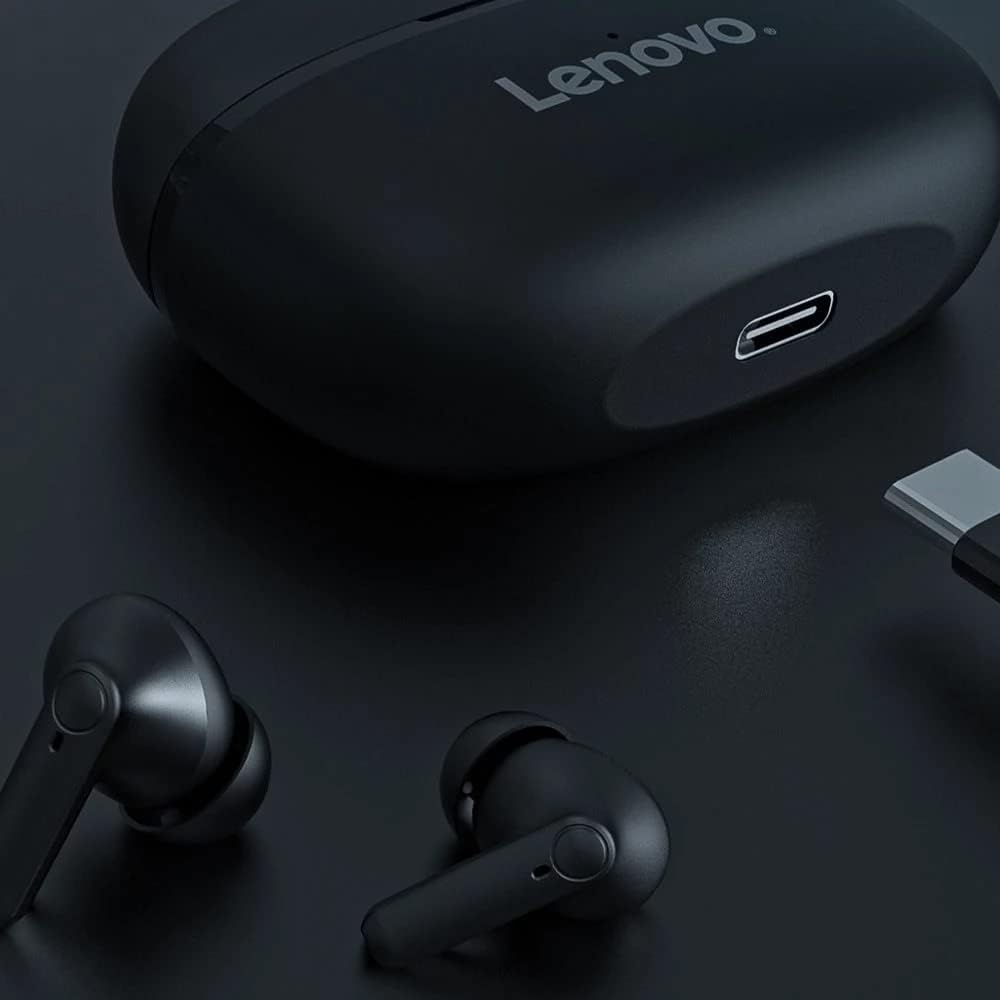
Image: Charging port on the Lenovo HT05 charging case.

Image: Battery and charging information for Lenovo HT05.
2. Tqabbil ma' Apparat
- Iftaħ il-kaxxa tal-iċċarġjar. Il-earphones jixegħlu awtomatikament u jidħlu fil-modalità ta' tqabbil.
- Fuq l-apparat tiegħek (smartphone, tablet, eċċ.), attiva l-Bluetooth.
- Fittex għal available Bluetooth devices and select "Lenovo HT05" from the list.
- Ladarba jkun konness, se tinstema' twissija bil-vuċi biex tikkonferma li l-akkoppjar sar b'suċċess.
Il-earphones jerġgħu jikkonnettjaw awtomatikament mal-aħħar apparat imqabbad meta joħorġu mill-kaxxa, jekk il-Bluetooth ikun attivat fuq l-apparat.
Istruzzjonijiet Operattivi
Qawwa mixgħul/mitfi
- Qawwa Mixgħul: Iftaħ il-każ tal-iċċarġjar, u l-earphones jinxtegħlu awtomatikament.
- Itfi: Poġġi l-earphones lura fil-kaxxa tal-iċċarġjar u agħlaq l-għatu. Dawn jintfew awtomatikament.
Kontrolli Smart Touch
The Lenovo HT05 earphones feature intuitive touch controls on each earbud. Refer to the diagram below for specific functions:
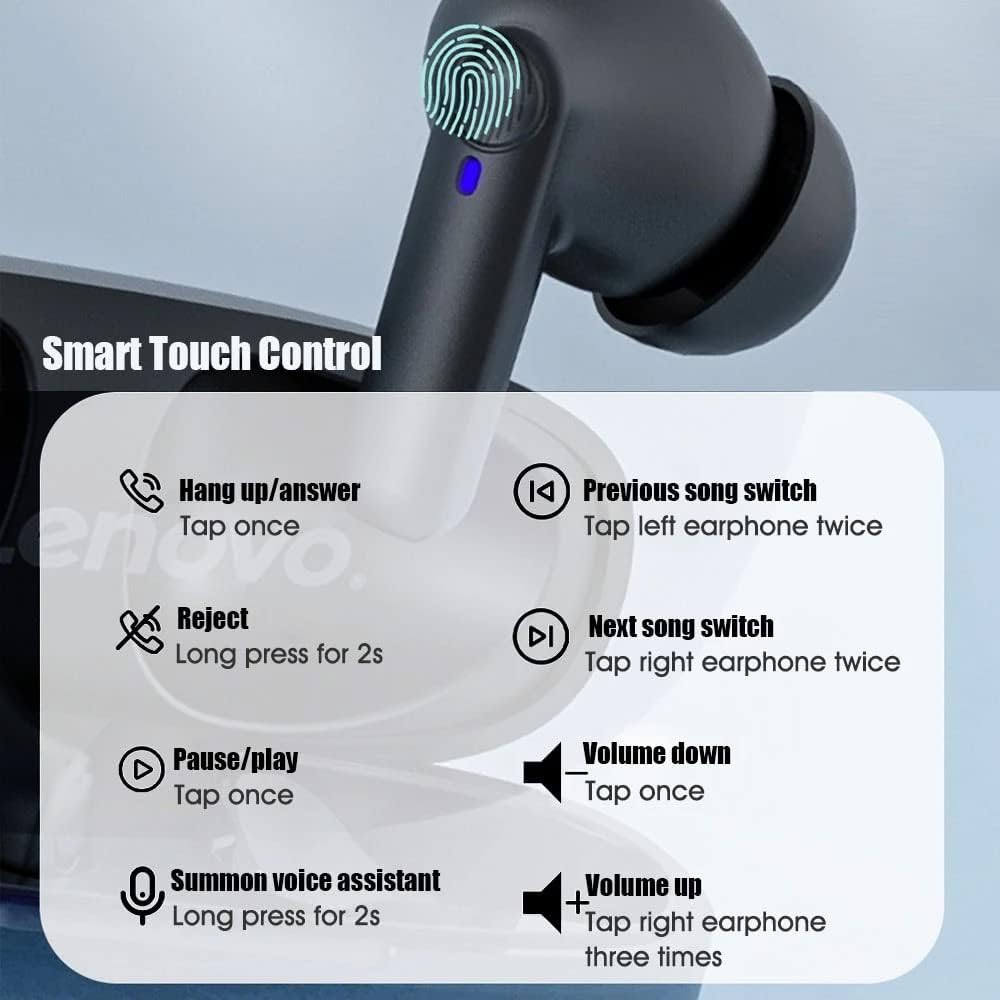
Image: Detailed Smart Touch Control functions.
- Tweġiba/Hang Up Call: Tektek darba fuq kull earbud.
- Irrifjuta Sejħa: Agħfas fit-tul għal żewġ sekondi fuq kull earbud.
- Ilgħab/Pawża Mużika: Tektek darba fuq kull earbud.
- Kanzunetta ta' qabel: Tektek il-earbud tax-xellug darbtejn.
- Kanzunetta li jmiss: Tektek il-earbud tal-lemin darbtejn.
- Volum 'l isfel: Tektek darba fuq il-widna tax-xellug.
- Volum 'il fuq: Tektek il-earbud tal-lemin tliet darbiet.
- Sejħa għall-Assistent tal-Vuċi: Agħfas fit-tul għal żewġ sekondi fuq kull earbud.

Image: Activating the voice assistant.
Modalità ta' Latenza Baxxa
The earphones are designed to provide low latency for synchronized audio and video, enhancing experiences like gaming and video playback.

Image: Low latency feature for gaming and video.
Manutenzjoni
- Keep the earphones and charging case clean and dry. Use a soft, dry cloth to wipe them.
- Avoid exposing the earphones to extreme temperatures, humidity, or corrosive substances.
- Do not attempt to disassemble or modify the earphones, as this will void the warranty.
- Aħżen il-earphones fil-kaxxa tal-iċċarġjar tagħhom meta ma tkunx qed tużahom biex tipproteġihom u żżommhom iċċarġjati.
Issolvi l-problemi
Il-earphones mhux qed jitqabbdu jew jikkonnettjaw:
- Kun żgur li ż-żewġ earphones huma ċċarġjati.
- Itfi l-Bluetooth fuq l-apparat tiegħek u erġa' ixgħelu.
- Delete "Lenovo HT05" from your device's Bluetooth list and attempt to pair again.
- Place the earphones back in the charging case, close the lid, wait a few seconds, then open it again to reset.
Earphone wieħed biss jaħdem:
- Kun żgur li ż-żewġ earphones huma ċċarġjati.
- Place both earphones back into the charging case, close the lid, and then open it again. This often re-syncs them.
- Try resetting the earphones and re-pairing them with your device.
Il-earphones mhux qed jiċċarġjaw:
- Kun żgur li l-kejbil tal-iċċarġjar huwa konness sew kemm mal-kaxxa kif ukoll mas-sors tal-enerġija.
- Iċċekkja jekk il-port tal-iċċarġjar fuq il-kaxxa huwiex nadif u ħieles minn debris.
- Ivverifika li s-sors tal-enerġija qed jaħdem sew.
- Ensure the earphones are properly seated in the charging case, making good contact with the charging pins.
Speċifikazzjonijiet
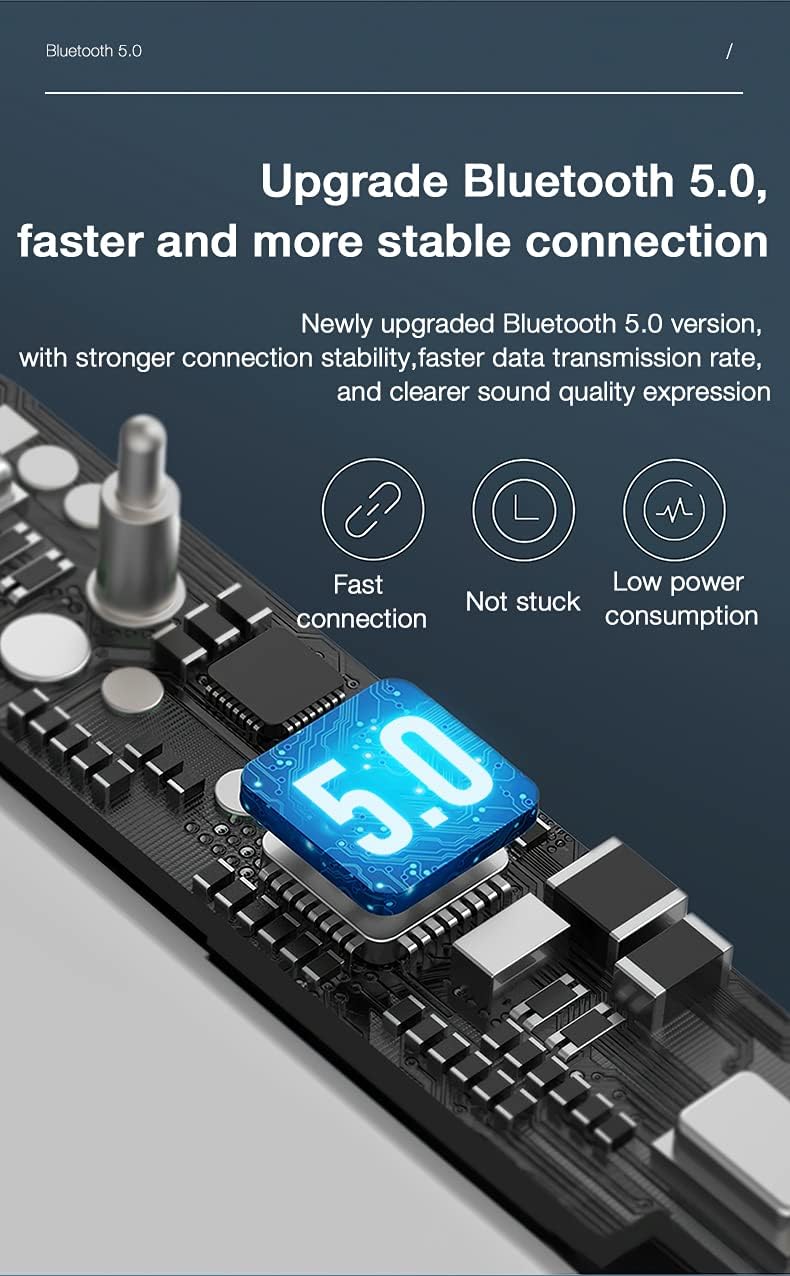
Image: Bluetooth 5.0 technology for enhanced connectivity.
| Karatteristika | Dettall |
|---|---|
| Isem tal-Mudell | HT05 |
| Teknoloġija tal-Konnettività | Mingħajr fili (Bluetooth 5.0) |
| Teknoloġija tal-Komunikazzjoni mingħajr Fili | Bluetooth |
| Tqegħid tal-widnejn | Fil-widnejn |
| Fattur tal-Formola | In Ear, Bud |
| Metodu ta' Kontroll | Mess |
| Format tal-Mikrofonu | Mibnija fil- |
| Karatteristiċi Speċjali | Sweatproof |
| Livell ta 'Reżistenza għall-Ilma | Reżistenti għall-Ilma (IPX5) |
| Piż tal-oġġett | 50 Gramm |
| Materjal | Plastik |
| Kawża tal-Iċċarġjar Kapaċità tal-Batterija | 250mAh |
| Ħin tas-Smigħ | Madwar sagħtejn |
| Ħin tal-Iċċarġjar | Madwar sagħtejn |
| Komponenti Inklużi | Kuxxini tal-widnejn |
| Kulur | Iswed |
Informazzjoni dwar Garanzija
The Lenovo HT05 Wireless Earphones typically come with a 6-month limited warranty from the date of purchase. This warranty covers manufacturing defects. Please retain your proof of purchase for warranty claims. The warranty does not cover damage caused by misuse, accidents, unauthorized modifications, or normal wear and tear.
Appoġġ
For further assistance, technical support, or warranty claims, please refer to the official Lenovo support channels or contact your retailer. You may find additional resources on the official Lenovo websit.