Introduzzjoni
Thank you for choosing the D18 Smartwatch. This manual provides essential information for the proper setup, operation, and maintenance of your device. Please read it carefully to ensure optimal performance and longevity of your smartwatch.
Kontenut tal-Pakkett
Ivverifika li l-pakkett tiegħek fih l-oġġetti li ġejjin:
- D18 Smartwatch
- Manwal għall-Utent (dan id-dokument)
Setup
1. Iċċarġjar tal-Ismartwatch
Before initial use, fully charge your D18 Smartwatch. The device features an integrated USB charging port.
- Carefully remove one side of the watch strap to expose the USB charging connector.
- Daħħal il-konnettur USB f'port USB-A standard (eż., kompjuter, adapter tal-ħajt USB).
- The watch screen will display a charging indicator. Allow approximately 2-3 hours for a full charge.
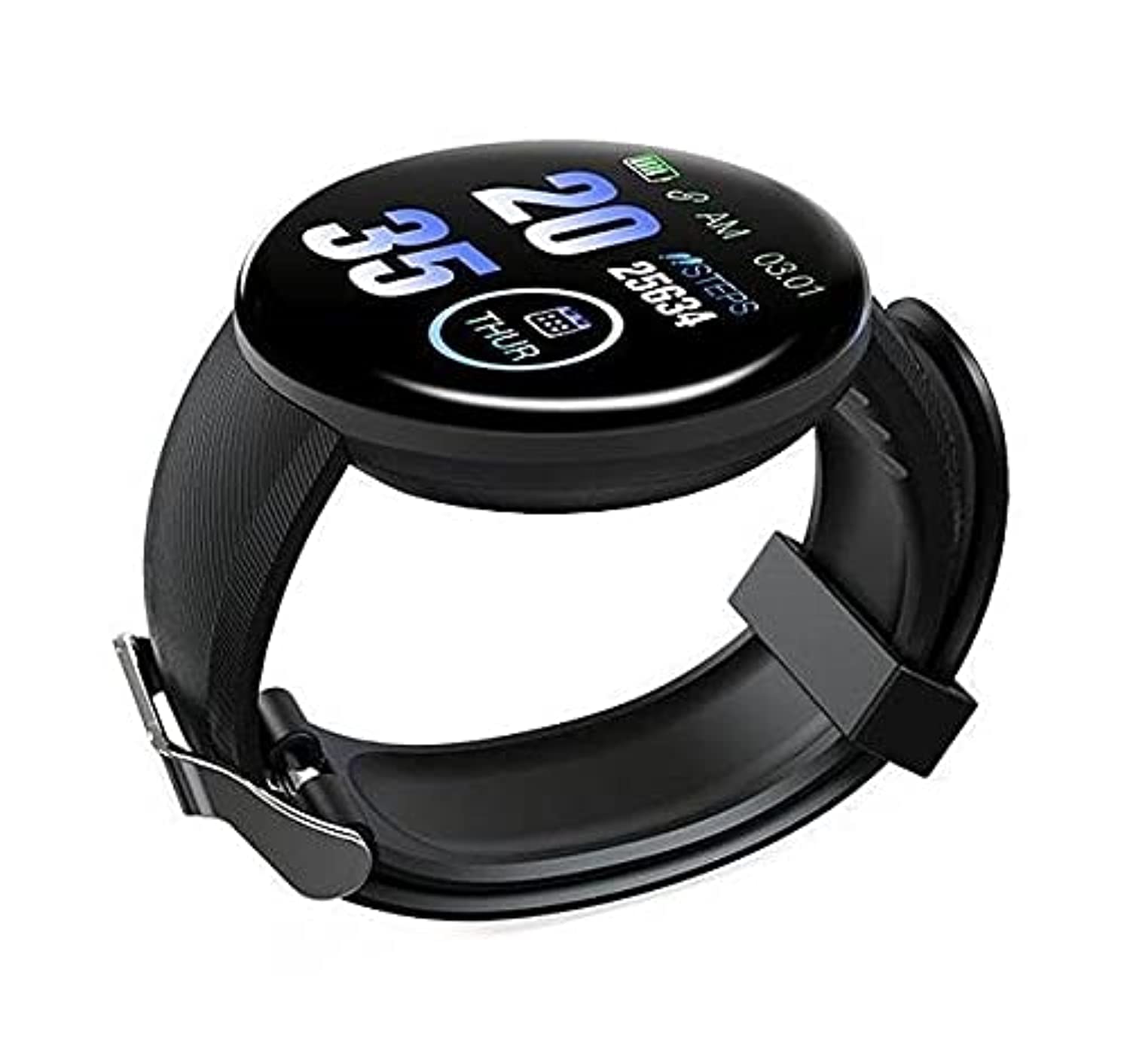
Image: Instructions for USB charging and power button location. The left image shows the strap removed to reveal the USB charging port. The right image shows the watch face and indicates a long press to turn on.
2. Power On/Off
- Biex Tixgħel: Long press the touch button located at the bottom of the screen until the device vibrates and the screen lights up.
- Biex Tifi: Navigate to the 'Power Off' option in the watch menu (usually found by swiping or tapping through modes) and long press to confirm.
3. App Installation (FitPro)
To access all features and synchronize data, download and install the FitPro application on your smartphone.
- Scan the QR code provided in the watch's packaging or search for "FitPro" in your smartphone's app store (Google Play Store for Android, Apple App Store for iOS).
- Installa l-applikazzjoni u agħti l-permessi meħtieġa.
4. Tqabbil tal-Apparat
Pair your D18 Smartwatch with the FitPro app via Bluetooth.
- Kun żgur li l-Bluetooth huwa attivat fuq l-ismartphone tiegħek.
- Open the FitPro app.
- Navigate to the 'Device' or 'Bind Device' section within the app.
- The app will search for available devices. Select 'D18' or a similar device name from the list to connect.
- Once connected, the watch time and date will synchronize with your phone.
Tħaddim tal-Ismartwatch
1. Navigazzjoni Bażika
The D18 Smartwatch operates using a single touch-sensitive area at the bottom of the screen.
- Tektek Uniku: Short press to cycle through different functions or screens.
- Stampa Twila: Press and hold to select an option, enter a sub-menu, or confirm an action.
2. Karatteristiċi ewlenin
The D18 Smartwatch offers several health and fitness tracking features:
- Monitoraġġ tar-Rata tal-Qalb:
Navigate to the heart rate interface on the watch. The watch will automatically start measuring your heart rate. Ensure the watch is snug on your wrist for accurate readings. Data can be viewed in the FitPro app.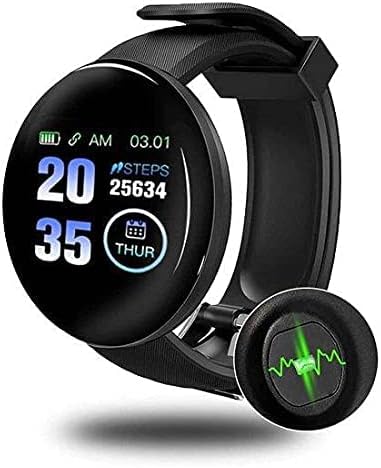
Image: The D18 Smartwatch showing a digital watch face with steps count and a magnified view of the green light from the heart rate sensor on the back of the watch.
- Monitoraġġ tal-Ossiġnu tad-Demm:
Similar to heart rate, navigate to the blood oxygen interface. The watch will begin measurement. Keep your arm still during the process. - Step Tracking (Pedometer):
The watch automatically tracks your daily steps, distance, and calories burned. This data is displayed on the watch face and synchronized with the FitPro app.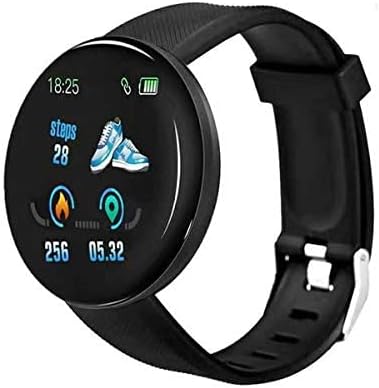
Image: The D18 Smartwatch displaying a watch face with current time, battery status, steps count, and icons for activity tracking (fire for calories, pin for distance).
- Notifiki:
Once paired with the FitPro app, the smartwatch can receive notifications for calls, SMS, and various social media applications. Enable specific app notifications within the FitPro app settings. - Monitoraġġ tal-irqad:
Wear the smartwatch to bed, and it will automatically monitor your sleep patterns, including deep sleep and light sleep duration. View detailed analysis in the FitPro app. - Tifkira Sedentarja:
Set sedentary reminders in the FitPro app to prompt you to move after periods of inactivity.
Manutenzjoni
1. Tindif
Regularly clean your smartwatch to maintain hygiene and performance.
- Imsaħ l-iskrin u ċ-ċinga b'ċarruta ratba uamp drapp.
- Evita li tuża kimiċi ħarxa jew materjali li joborxu.
- Kun żgur li l-kuntatti tal-iċċarġjar huma nodfa u niexfa qabel ma tiċċarġja.
2. Kura tal-batterija
- Evita li tesponi l-apparat għal temperaturi estremi (sħan jew kesħin).
- Tħallix il-batterija tiċċarġja kompletament għal perjodi twal.
- Iċċarġja l-apparat regolarment, anke jekk ma jintużax ta' spiss.
Issolvi l-problemi
If you encounter issues with your D18 Smartwatch, refer to the following common solutions:
- Apparat mhux qed jixgħel: Ensure the watch is fully charged. Long press the touch button for several seconds.
- Mhux qed jingħaqad mat-telefon: Check if Bluetooth is enabled on your phone. Ensure the FitPro app has location permissions. Restart both the watch and your phone, then try pairing again.
- Inaccurate readings (Heart Rate/Blood Oxygen): Ensure the watch is worn snugly on your wrist, not too loose or too tight. Keep your arm still during measurements.
- Notifiki mhux riċevuti: Verify that notifications are enabled in the FitPro app for specific applications. Check your phone's system settings to ensure the FitPro app has permission to display notifications.
- L-iskrin ma jirrispondix: Try restarting the watch by long-pressing the touch button. If unresponsive, allow the battery to fully drain and then recharge.
Speċifikazzjonijiet
| Karatteristika | Dettall |
|---|---|
| Isem tal-Mudell | D18 |
| Brand | Ġeneriċi |
| Tip ta 'Wiri | Diġitali |
| Daqs tal-Iskrin | 34 mm |
| Teknoloġija tal-Konnettività | Bluetooth |
| Kompatibilità | Android, iOS |
| Kapaċità tal-Ħżin tal-Memorja | 128 MB |
| Karatteristiċi Speċjali | Lightweight, Heart Rate Monitor, Blood Oxygen Monitor, Step Tracker, Notifications |
| Forma tal-oġġett | Round |
| GPS | Nru |
| Dimensjonijiet tat-Tbaħħir | 7.6 x 7.4 x 4.6 ċm; 200 gramma |
Garanzija u Appoġġ
For warranty information or technical support, please refer to the documentation provided at the point of purchase or contact the seller directly. Keep your purchase receipt as proof of purchase.