
Robosen K1 Pro
Robosen Interstellar Scout K1 PRO User Manual
The Ultimate Robot for Learning and Fun
1. Introduzzjoni
Welcome to the world of Robosen Interstellar Scout K1 PRO! This advanced humanoid robot is designed to provide an engaging and educational experience for users of all ages. With its 17 high-precision servo motors, voice control capabilities, and intuitive app integration, the K1 PRO offers a dynamic platform for learning about robotics, programming, and artificial intelligence. This manual will guide you through the setup, operation, and maintenance of your K1 PRO robot.

Figure 1: The Robosen Interstellar Scout K1 PRO robot in its standard standing pose.
2. X'inhu Inkluż
Please verify that all components are present in your K1 PRO package:
- Robosen Interstellar Scout K1 PRO Robot
- Ċarġer tal
- USB Cable (for programming by computer)
- Manwal għall-Utent (dan id-dokument)
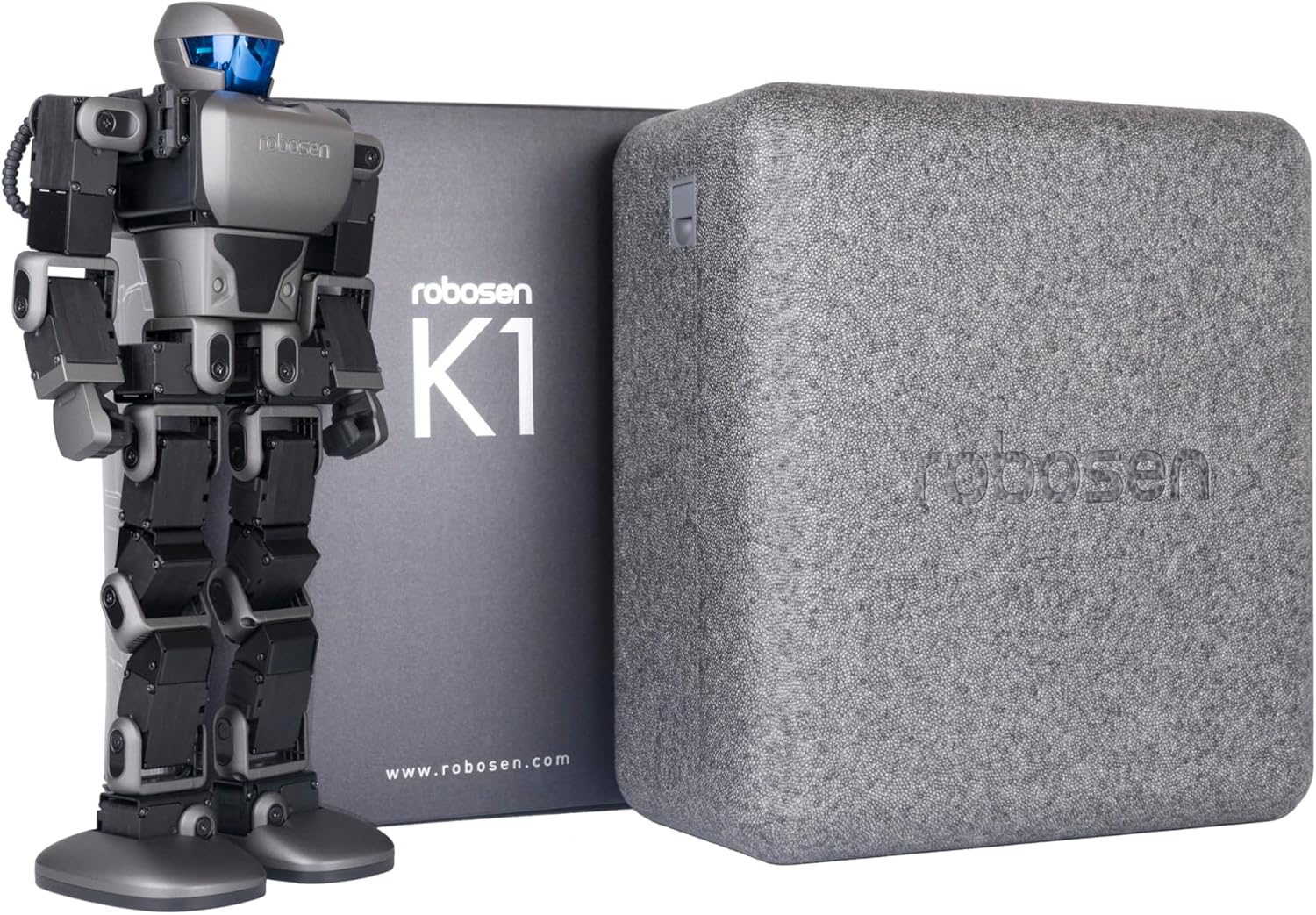
Figure 2: The K1 PRO robot alongside its retail packaging, indicating included items.
3. Setup Inizjali
3.1 Iċċarġjar tar-Robot
Before first use, fully charge your K1 PRO robot. Connect the provided charger to the robot's charging port, typically located on its back. The LED indicator on the robot will show charging status (e.g., red for charging, green for fully charged). A full charge may take several hours.

Figure 3: The back of the K1 PRO robot, highlighting the charging port and other rear features.
3.2 Niżżel l-App
The Robosen K1 PRO is primarily controlled via a dedicated mobile application. Fittex għal the "Robosen" app on your device's app store (iOS App Store or Google Play Store) and install it. Ensure your device meets the minimum system requirements for optimal performance.
3.3 First Power On and Connection
Once charged, press and hold the power button on the robot until it powers on. Open the Robosen app on your mobile device and follow the on-screen instructions to connect to your K1 PRO via Bluetooth. Ensure Bluetooth is enabled on your device.
4. Operating Your K1 PRO
4.1 Kontroll tal-Vuċi
The K1 PRO responds to over 80 pre-installed voice commands. Speak clearly and directly to the robot's dual front microphones. Examples of commands include "Hey K1, Right Punch" or "Hey K1, Showtime." Refer to the app for a complete list of voice commands.

Figure 4: Demonstrating the intelligent voice control feature of the K1 PRO robot.
4.2 App Control
The Robosen app provides comprehensive control over the K1 PRO. You can control its movements, trigger pre-set actions, and access various interactive features. The app allows for precise manipulation and offers an engaging way to interact with your robot.

Figure 5: The Robosen app offers a fun and educational interface for controlling the K1 PRO.
4.3 Modi ta' Programmazzjoni
The K1 PRO supports both manual programming and block-based programming, making it an excellent tool for learning coding. The app provides an intuitive interface for dragging and dropping code blocks to create custom sequences of movements and actions. This feature fosters critical thinking and problem-solving skills.

Figure 6: The K1 PRO is a programmable robot, supporting various coding methods for educational play.
4.4 Prodott Fuqview Video
Vidjo 1: Uffiċjal fuqview of the Robosen K1 Interstellar Scout, highlighting its programmable features and interactive capabilities.
5. Manutenzjoni
Proper maintenance ensures the longevity and optimal performance of your K1 PRO robot:
- Tindif: Use a soft, dry cloth to wipe down the robot's exterior. Avoid using harsh chemicals or abrasive materials.
- Ħażna: Store the robot in a cool, dry place away from direct sunlight and extreme temperatures.
- Kura tal-batterija: For long-term storage, ensure the battery is charged to approximately 50%. Avoid fully discharging the battery for extended periods.
- Ġonot: The 17 servo motors are designed for durability. Avoid forcing joints beyond their natural range of motion.
6 Issolvi l-problemi
If you encounter issues with your K1 PRO, refer to the table below for common problems and solutions:
| Problema | Kawża Possibbli | Soluzzjoni |
|---|---|---|
| Ir-robot ma jixgħelx | Batterija baxxa; Il-buttuna tal-qawwa mhux ippressata sew | Charge the robot fully; Press and hold the power button for 3 seconds |
| Cannot connect via app | Bluetooth off; App not updated; Robot not in pairing mode | Ensure Bluetooth is on; Update app; Restart robot and app |
| Kmandi bil-vuċi mhux rikonoxxuti | Background noise; Incorrect command; Robot too far | Reduce noise; Speak clearly; Move closer to robot; Check app for command list |
| Robot movements are jerky or unresponsive | Low battery; Obstruction; Software glitch | Recharge robot; Clear path; Restart robot and app |
7. Speċifikazzjonijiet Tekniċi
| Karatteristika | Dettall |
|---|---|
| Dimensjonijiet tal-Prodott | 3.9 x 13.7 x 6.9 pulzieri |
| Piż tal-oġġett | 4.64 liri |
| Numru tal-Mudell tal-Oġġett | K1 Pro |
| Manifattur | Robosen |
| Età Rakkomandata mill-Manifattur | 5 - 5 snin |
| Servo Muturi | 17 |
| Kmandi tal-Vuċi | 82+ pre-installed words |

Figure 7: Detailed specifications and key features of the K1 PRO robot, including its dimensions and internal components.
8. Garanzija u Appoġġ
Robosen products are manufactured with high-quality standards. For information regarding your product's warranty, please refer to the warranty card included in your package or visit the official Robosen website. For technical support, troubleshooting assistance, or spare parts, please contact Robosen customer service through their official channels. You can also visit the Robosen Store on Amazon għal aktar riżorsi u informazzjoni dwar il-prodott.
Ask a question about this manual
Ask about setup, troubleshooting, compatibility, parts, safety, or missing instructions. Manuals+ will review the question and use this page’s manual context to help answer it.