
1. Introduzzjoni
Thank you for choosing the HBN Digital Timer Plug. This device is designed to automatically control the power supply to your indoor appliances, helping you save energy and enhance convenience. It features weekly programming with up to 8 ON/OFF programs per day and a random function for added security. Please read this manual carefully before use to ensure proper operation and safety.
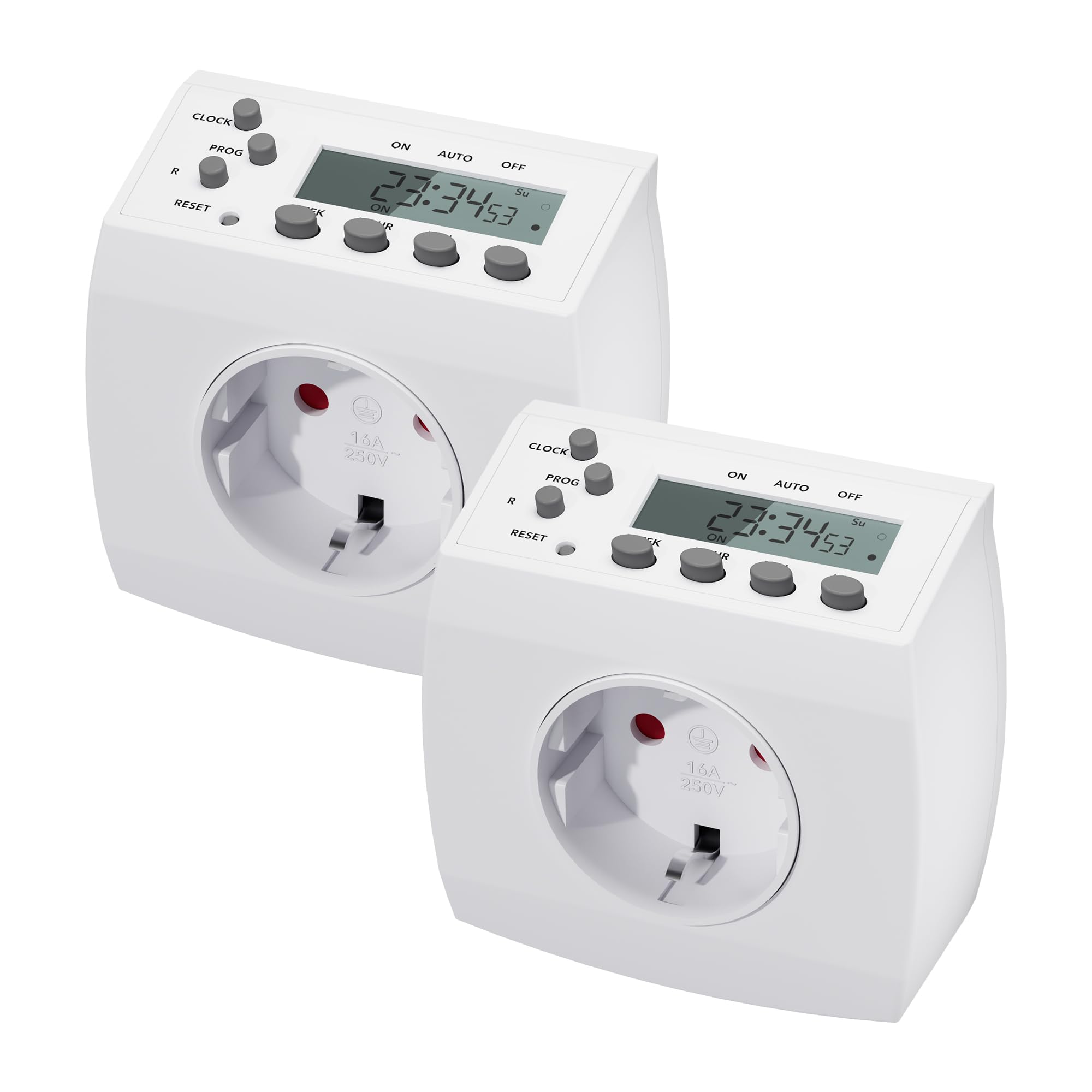
Image 1.1: HBN Digital Timer Plug in use with a coffee machine, highlighting key features.
2. Istruzzjonijiet tas-Sigurtà
- For indoor use only. Do not expose to moisture or extreme temperatures.
- Teċċedix it-tagħbija massima ta' 16A / 3680W.
- Ensure the timer is fully inserted into the wall socket.
- Do not connect multiple timers in series.
- Dejjem aqla’ t-tajmer mis-sokit tal-ħajt qabel ma tnaddaf.
- Żomm fejn ma jintlaħaqx mit-tfal.
3. Prodott Aktarview
3.1 Komponenti u Wiri
The HBN Digital Timer Plug features a clear LCD display and intuitive buttons for easy programming. The device is compact and designed for discreet integration into your home.

Immaġni 3.1: Minn quddiem u mill-ġenb view of the timer, highlighting buttons and display.
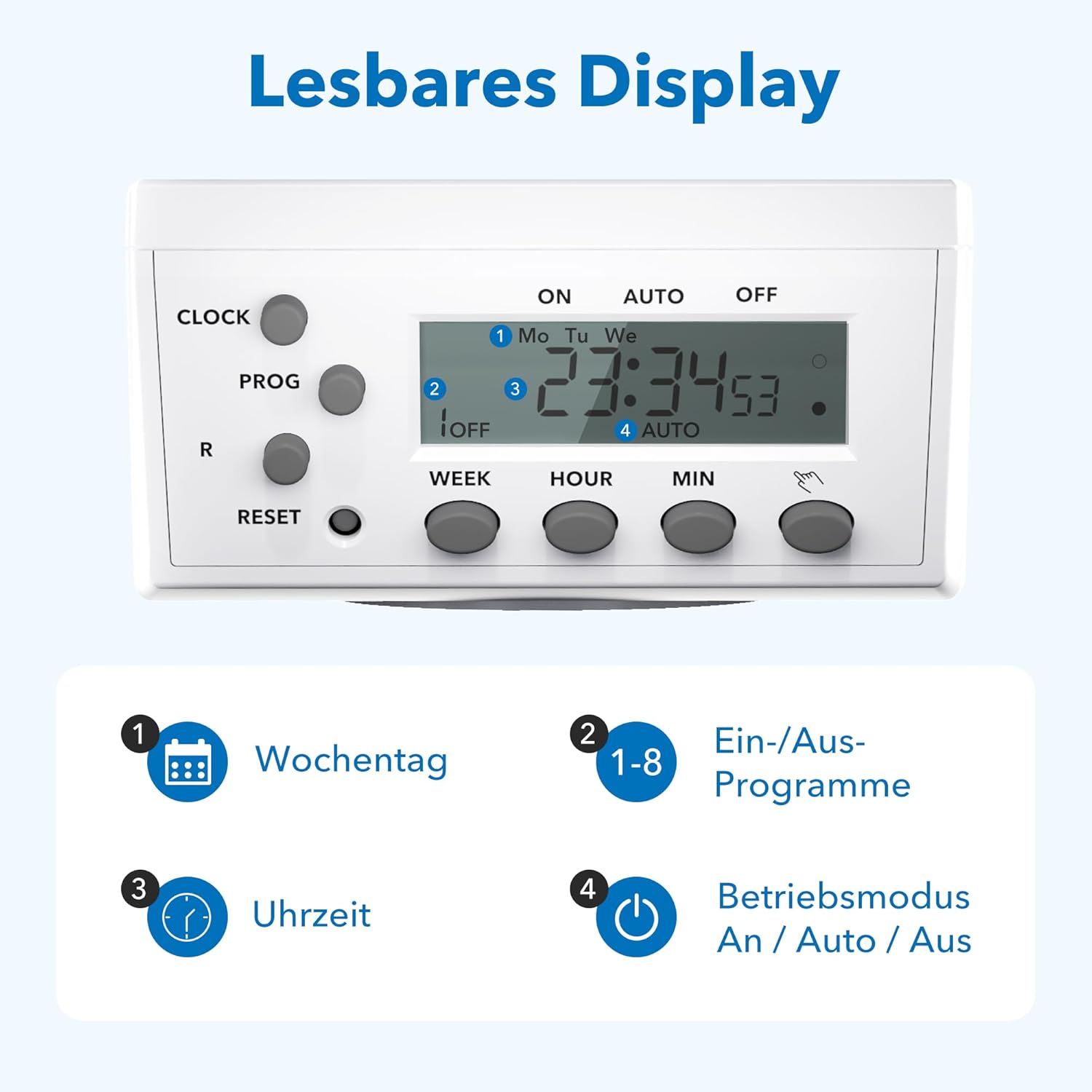
Immaġni 3.2: Dettaljata view of the readable display, showing weekday, program, time, and mode indicators.
3.2 Technical Data and Dimensions

Image 3.3: Technical specifications and dimensions of the timer.
- Dimensjonijiet: Approximately 7.5cm x 7.5cm x 8cm
- Max. Programs: 8 ON/OFF programs per day
- Weekly Combinations: 15 different weekly settings
- Max. Tagħbija: 3680W / 16A
- Min. Switching Time: 1 minuta
- Karatteristiċi: Manual ON/OFF, Summer/Winter time, Power failure memory
4. Setup
4.1 Is-Setup Inizjali u l-Iċċarġjar
- Plug the timer into a wall socket for at least 30 minutes to charge the internal battery. This battery maintains settings during power outages.
- Agħfas il- RESET button with a pointed object (e.g., a pen tip) to clear all previous settings. The display will show "0:00" and all segments will flash.
4.2 Issettjar tal-Ħin Kurrenti
- Agħfas il- ARLOĠĠ button and hold it.
- Waqt li żżomm ARLOĠĠ, agħfas il- ĠIMGĦA button repeatedly to select the current day of the week (Mo, Tu, We, Th, Fr, Sa, Su).
- Waqt li żżomm ARLOĠĠ, agħfas il- SIEGĦA button repeatedly to set the current hour (0-23).
- Waqt li żżomm ARLOĠĠ, agħfas il- MIN button repeatedly to set the current minute (0-59).
- Irrilaxxa l- ARLOĠĠ button. The current time is now set.
5. Istruzzjonijiet Operattivi
5.1 Programmazzjoni tal-Ħinijiet ON/OFF
The timer allows for up to 8 ON/OFF programs. Each program can be set for specific days or combinations of days.
- Agħfas il- PROGRAMM button once. The display will show "1 ON" and the time will flash.
- Agħfas ĠIMGĦA to select the desired day(s) for the first ON program. Options include individual days, weekdays, weekends, or all days.
- Agħfas SIEGĦA u MIN biex tissettja l-ħin mixtieq tax-XGĦUL.
- Agħfas PROGRAMM again. The display will show "1 OFF" and the time will flash.
- Agħfas ĠIMGĦA to select the desired day(s) for the first OFF program (usually the same as the ON program).
- Agħfas SIEGĦA u MIN biex tissettja l-ħin mixtieq għat-tifi.
- Repeat steps 1-6 for programs 2 through 8.
- Wara li tissettja l-programmi mixtieqa kollha, agħfas il-buttuna ARLOĠĠ buttuna biex terġa' lura għall-wiri tal-ħin attwali.
5.2 Manual Override (ON/AUTO/OFF)
Agħfas il- MANWAL button (often labeled with a hand icon or similar) to cycle through the operating modes:
- FUQ: L-apparat imqabbad jibqa' mixgħul kontinwament, u jieħu preċedenza fuq il-programmi kollha.
- AUTO: The timer will operate according to the programmed ON/OFF times.
- MITFI: L-apparat imqabbad jibqa' MITFI kontinwament, u jieħu preċedenza fuq il-programmi kollha.
5.3 Random Function
The random function can simulate presence in your home by turning appliances ON and OFF at irregular intervals, typically between 6:00 PM and 6:00 AM. This feature is useful for deterring potential intruders when you are away.
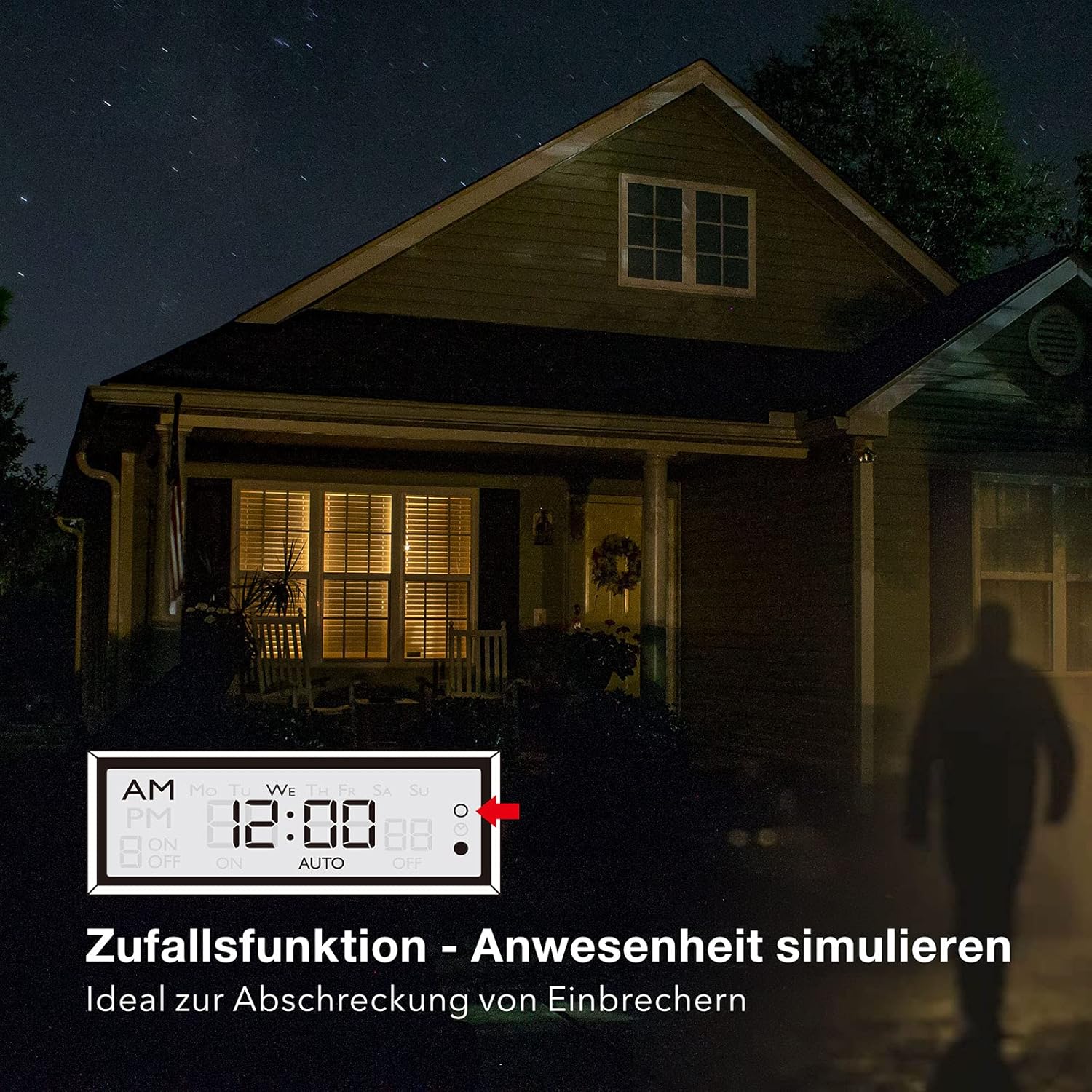
Image 5.1: Random function simulating presence for security.
- To activate the random function, press the R (Random) button. The display will show "R" or a similar indicator.
- Biex tiddiżattiva, agħfas il-buttuna R buttuna għal darb'oħra.
6. Manutenzjoni
The HBN Digital Timer Plug requires minimal maintenance.
- Ensure the timer is unplugged from the power outlet before cleaning.
- Imsaħ il-barra b'ċarruta ratba u niexfa. Tużax prodotti tat-tindif jew solventi li joborxu.
- Aħżen f'post frisk u niexef meta ma tkunx qed tuża.

Image 6.1: The timer operates silently, suitable for bedrooms.

Image 6.2: Versatile applications for the HBN Digital Timer Plug.
7 Issolvi l-problemi
- Il-wiri huwa vojt: Ensure the timer is plugged into a live socket. If it has been unplugged for a long time, the internal battery might be depleted. Plug it in for 30 minutes to charge.
- Appliance does not turn ON/OFF as programmed:
- Check if the timer is in "AUTO" mode.
- Verify that the ON/OFF programs are set correctly for the desired days and times.
- Ensure the appliance itself is switched ON.
- Check if the random function is accidentally activated.
- Timer is unresponsive: Agħfas il- RESET button with a pointed object to restore factory settings. You will need to reprogram the time and schedules.
8. Speċifikazzjonijiet
| Speċifikazzjoni | Valur |
|---|---|
| Numru tal-Mudell | 2xBND-50/SG3-VC |
| Voltage | 230V ~ 50Hz |
| Max. Kurrenti | 16(3)A |
| Max. Qawwa | 3680W |
| Numru ta' Programmi | 8 programmi ON/OFF |
| Ħin ta' Twaqqif Minimu | 1 Minuta |
| Kulur | Abjad |
| Piż tal-Prodott | 150 Gramm |
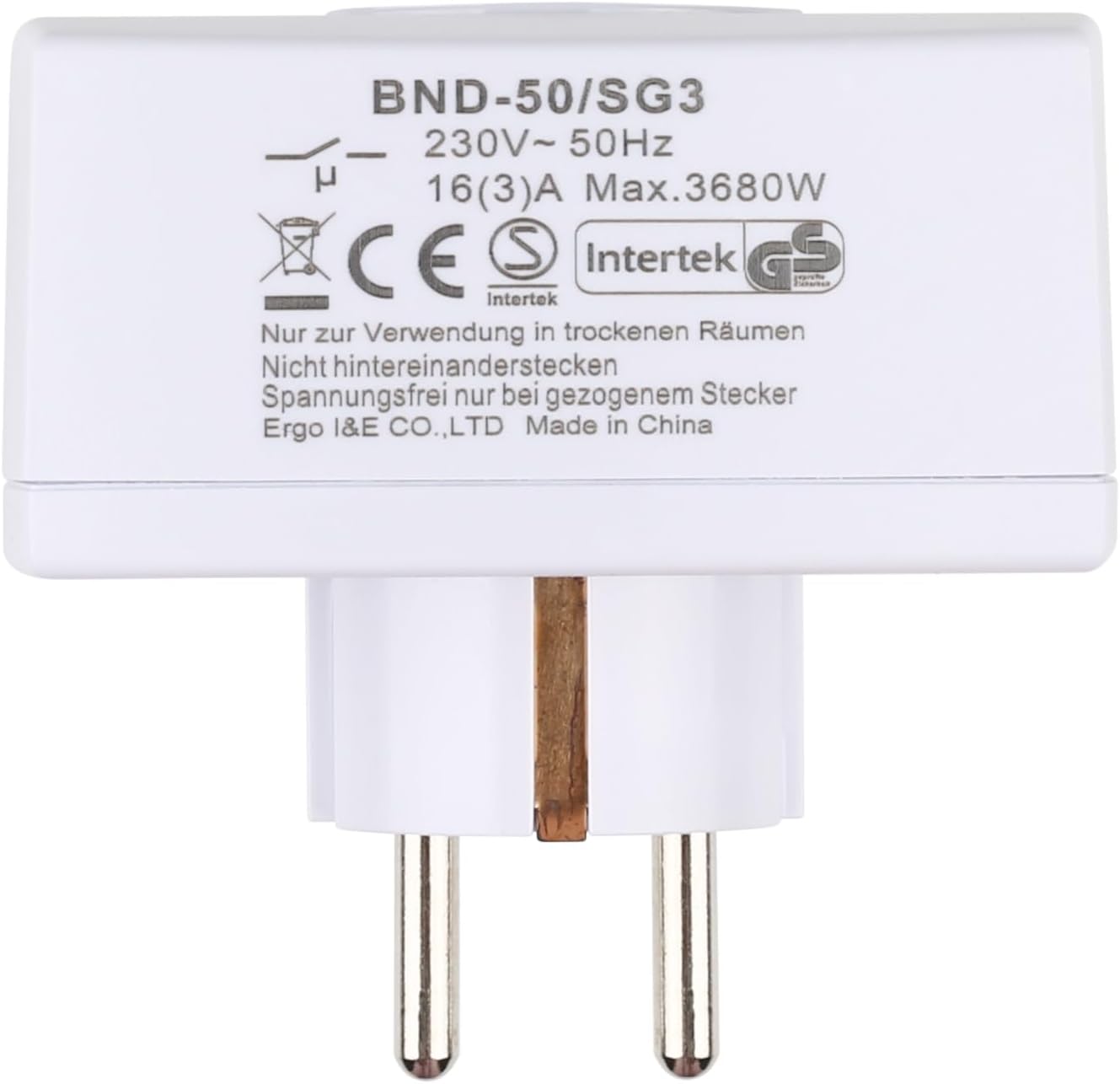
Stampa 8.1: Wara view of the timer with electrical specifications and certifications.
9. Garanzija u Appoġġ
HBN products are designed for reliability and performance. For warranty information or technical support, please refer to the contact details provided with your purchase or visit the official HBN websit. Żomm l-irċevuta tax-xiri tiegħek bħala prova tax-xiri.