
1. Introduzzjoni
The Sygonix SY-4599778 is a robust, surface-mounted code lock designed for secure access control. This device features a durable metal, vandal-resistant housing and is IP66 rated for weather resistance, making it suitable for both indoor and outdoor environments. Access can be granted via RFID card or a user-defined PIN code.
2. Informazzjoni dwar is-Sigurtà
Sigurtà Ġenerali
- Aqra l-istruzzjonijiet kollha bir-reqqa qabel l-installazzjoni u t-tħaddim.
- Żomm dan il-manwal għal referenza futura.
- Do not attempt to modify or repair the device yourself. Refer all servicing to qualified personnel.
- Ensure the device is used within its specified operating conditions.
Sigurtà Elettrika
- The device operates on 18V/DC. Ensure the power supply matches this requirement.
- Disconnect power before performing any installation or wiring work.
- Wiring should be performed by a qualified electrician to prevent electrical hazards.
- Kun żgur li l-konnessjonijiet kollha huma siguri u iżolati biex jipprevjenu short circuits.
Konsiderazzjonijiet Ambjentali
- The device has an IP66 rating, providing protection against dust ingress and powerful water jets.
- While weather-resistant, avoid submerging the device in water.
- Tesponix l-apparat għal temperaturi estremi barra mill-medda operattiva speċifikata tiegħu.
3. Prodott Aktarview
Karatteristiċi
- Vandal-resistant metal housing for enhanced security.
- IP66 weather resistance for outdoor installation.
- Multiple access methods: RFID card or PIN code.
- Integrated keypad for code entry.
Komponenti
Il-pakkett tipikament jinkludi l-komponenti li ġejjin:
- Sygonix SY-4599778 Code Lock Unit (Keypad)
- Viti tal-Immuntar u Plugs tal-Ħajt
- Allen Key for secure mounting
- Diode (for electrical protection)
- Wiring Cable (integrated)
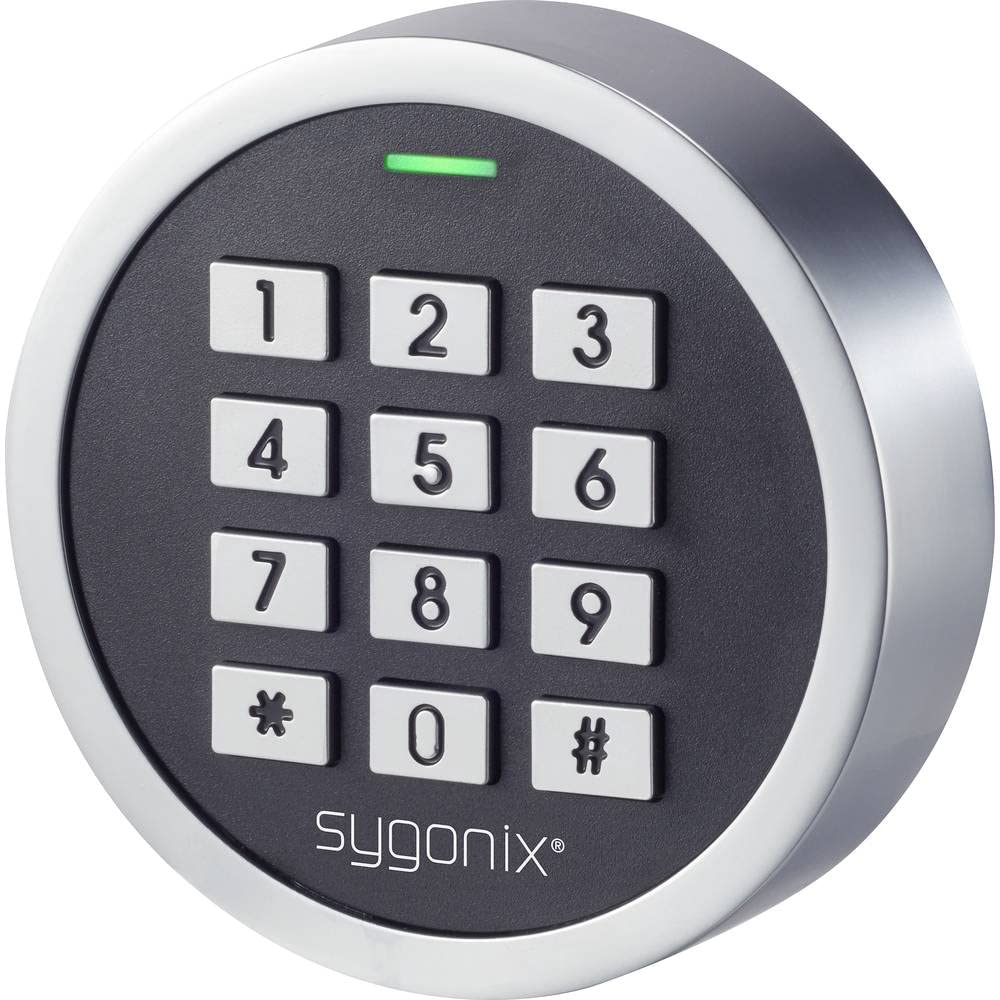
Figura 1: Quddiem view of the Sygonix SY-4599778 Code Lock, showing the numeric keypad and brand logo.
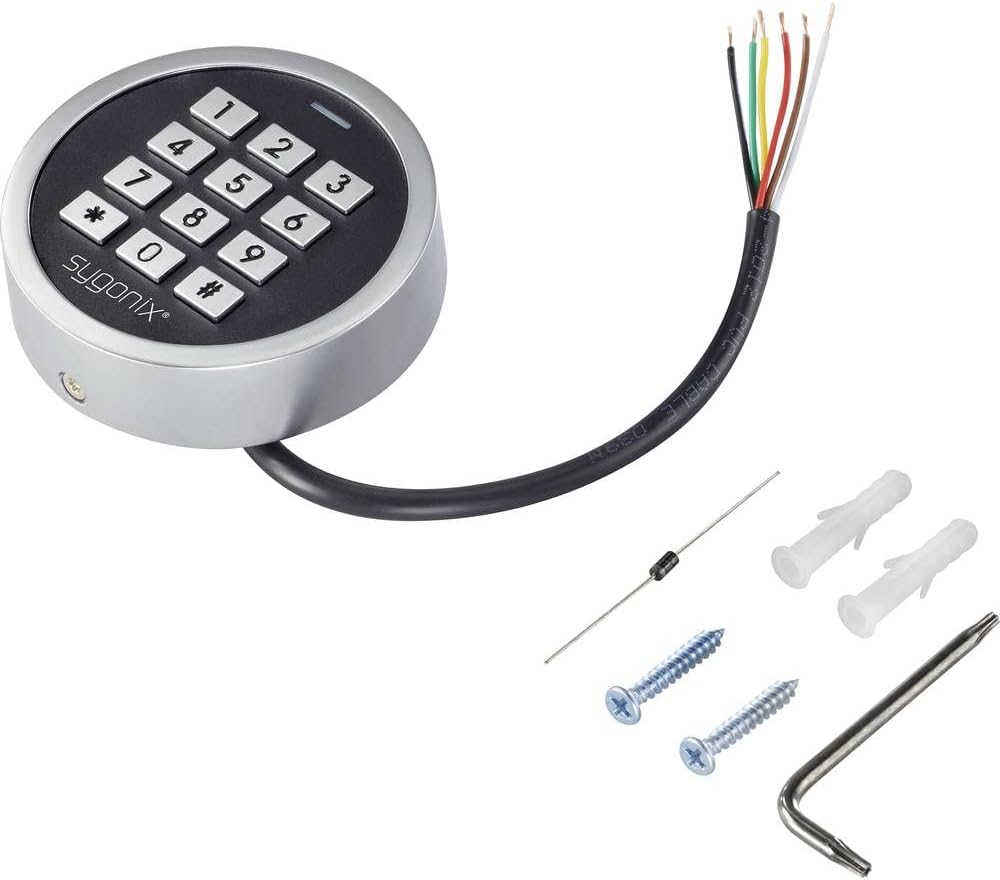
Figure 2: The Sygonix SY-4599778 Code Lock unit, displaying the integrated wiring cable, mounting screws, wall plugs, and a diode.
4. Setup u Installazzjoni
Immuntar tal-Unità
- Choose a suitable surface for mounting, ensuring it is flat and stable.
- Use the back plate of the unit as a template to mark the drilling points for the mounting screws.
- Drill holes at the marked positions and insert the provided wall plugs.
- Secure the back plate to the wall using the mounting screws.
- Attach the main unit to the secured back plate, ensuring a snug fit. Use the Allen key to tighten any security screws if present.
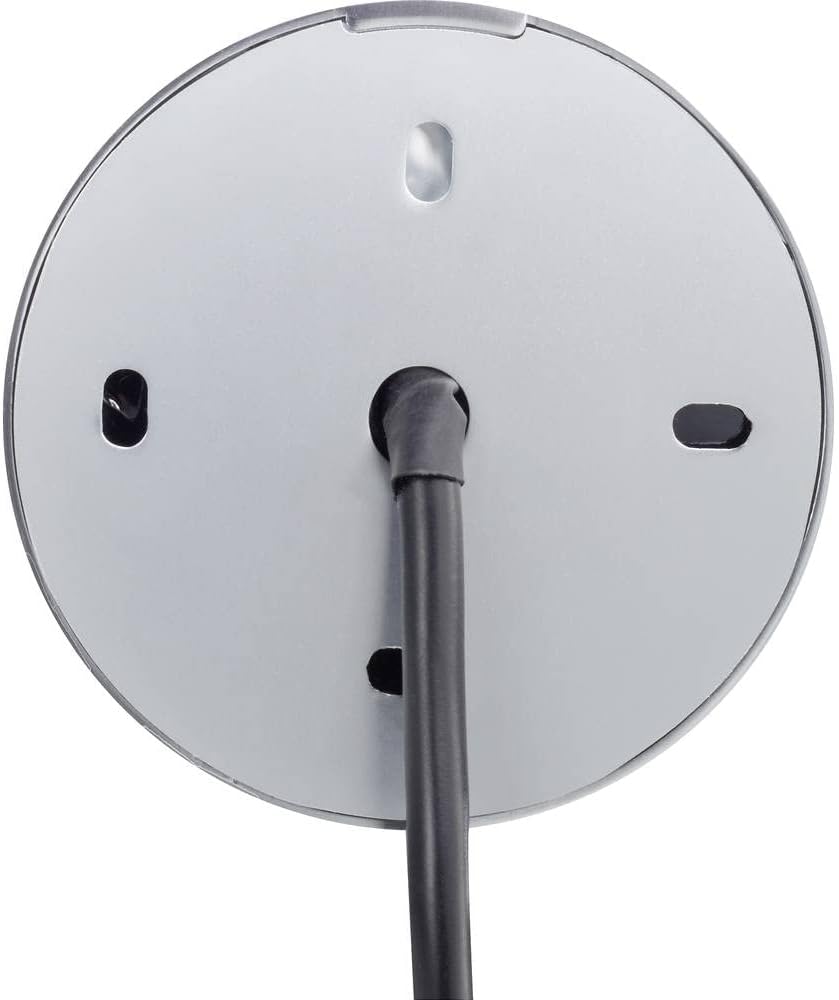
Figura 3: Wara view of the code lock, illustrating the mounting points and the integrated wiring cable.
Konnessjonijiet tal-Wiring
The device requires an 18V/DC power supply. Connect the integrated wiring cable according to the following general guidelines. It is highly recommended that a qualified electrician performs the wiring.
- Identifika l-wajers tad-dħul tal-enerġija (tipikament aħmar għall-pożittiv, iswed għan-negattiv).
- Connect the provided diode to the power line as instructed in the detailed wiring diagram (not provided in this general manual, refer to product-specific diagram). The diode helps protect the circuit from reverse polarity.
- Connect the output wires (e.g., for electric strike, alarm) to the corresponding terminals of your access control system.
- Kun żgur li l-konnessjonijiet kollha huma iżolati u protetti minn fatturi ambjentali.
- After wiring, restore power to the unit. The unit should power on, indicated by an LED or audible signal.
5. Istruzzjonijiet Operattivi
This section outlines the basic operation and programming of the Sygonix SY-4599778 code lock. Specific programming steps may vary slightly; always refer to the detailed programming guide included with your product for precise instructions.
Initial Setup and Master Code
- Upon first power-up, the device will be in a default state.
- Enter the default master programming code (refer to your product's specific manual for this code, often a sequence like `*123456#`).
- Change the default master code immediately for security purposes. Follow the prompts or specific key sequences to set a new master code.
Adding User PIN Codes
- Enter the master programming code to enter programming mode.
- Select the option to add a new user code (e.g., press `1` or a specific key).
- Enter the desired new PIN code (typically 4-6 digits) and confirm it.
- Ħruġ mill-mod ta 'programmazzjoni.
Adding RFID Cards
- Enter the master programming code to enter programming mode.
- Select the option to add a new RFID card (e.g., press `2` or a specific key).
- Present the RFID card to the reader area on the keypad. The unit will typically beep or flash to confirm registration.
- Ħruġ mill-mod ta 'programmazzjoni.
Aċċess għas-Serratura
Biex tikseb aċċess:
- Using a PIN Code: Enter your valid PIN code followed by the `#` key. The lock will activate (e.g., unlock an electric strike) for a set duration.
- Using an RFID Card: Present your registered RFID card to the reader area on the keypad. The lock will activate for a set duration.

Figure 4: The code lock keypad with a green indicator light, typically indicating successful operation or entry into programming mode.
6. Manutenzjoni
Tindif
- Naddaf il-wiċċ tat-tastiera b'ċarruta ratba u damp drapp.
- Tużax prodotti tat-tindif li joborxu, solventi, jew kimiċi ħarxa, għax dawn jistgħu jagħmlu ħsara lill-finitura jew lill-komponenti elettroniċi.
- Kun żgur li l-ebda likwidu ma jidħol fil-komponenti interni tal-apparat.
Spezzjoni
- Periodically inspect the unit for any signs of physical damage or wear.
- Check the mounting screws to ensure the unit remains securely attached to the surface.
- Verify that all wiring connections are intact and free from corrosion or damage.
7 Issolvi l-problemi
If you encounter issues with your Sygonix SY-4599778 code lock, refer to the following common problems and solutions:
| Problema | Kawża Possibbli | Soluzzjoni |
|---|---|---|
| L-unità ma tixgħelx. | L-ebda provvista tal-enerġija jew wajers mhux korretti. | Check the 18V/DC power supply connection. Ensure wiring is correct and secure. |
| PIN code not recognized. | Incorrect PIN entered or PIN not programmed. | Verify the PIN code. Re-program the PIN if necessary. Ensure the '#' key is pressed after the PIN. |
| RFID card not working. | Card not programmed or not presented correctly. | Ensure the RFID card is registered. Present the card directly to the reader area. |
| Lock does not activate after valid entry. | Wiring issue to the electric strike/lock mechanism. | Check the output wiring from the code lock to the connected locking device. Ensure the locking device is functional. |
| Unit is unresponsive. | Ħsara elettronika temporanja. | Disconnect power for a few seconds, then reconnect to perform a power cycle. |
Jekk il-problema tippersisti wara li tipprova dawn is-soluzzjonijiet, jekk jogħġbok ikkuntattja l-appoġġ għall-klijenti jew tekniku kwalifikat.
8. Speċifikazzjonijiet
| Numru tal-Mudell: | SY-4599778 |
| Ditta: | Sygonix |
| Provvista tal-Enerġija: | 18V/DC |
| Klassifikazzjoni tal-Protezzjoni: | IP66 (Reżistenti għat-trab, protetta kontra ġettijiet qawwija tal-ilma) |
| Metodi ta' Aċċess: | PIN Code, RFID Card |
| Materjal: | Metal (Vandal-resistant housing) |
| Dimensjonijiet (L x W x H): | 20 x 73 x 73 mm |
| Piż: | 199 gramma |
| Użu Rakkomandat: | Outdoor environments, weather-exposed areas |
9. Garanzija u Appoġġ
Informazzjoni dwar Garanzija
The availability of spare parts for this product is typically 1 year from the date of purchase. For specific warranty terms and conditions, please refer to the documentation provided at the time of purchase or contact your retailer.
Appoġġ għall-Klijent
For technical assistance, troubleshooting beyond this manual, or warranty claims, please contact your point of purchase or the official Sygonix customer support channels. Contact information can usually be found on the product packaging or the manufacturer's official websit.