
1. Prodott Aktarview
The Tzumi Aura LED Cosmic Speaker is a portable wireless speaker designed to deliver HD sound with a unique visual experience. It features a shimmering, multifaceted LED display with customizable colors and patterns, making it suitable for various environments. This speaker connects wirelessly via Bluetooth 5.0 and is powered by a rechargeable lithium battery.
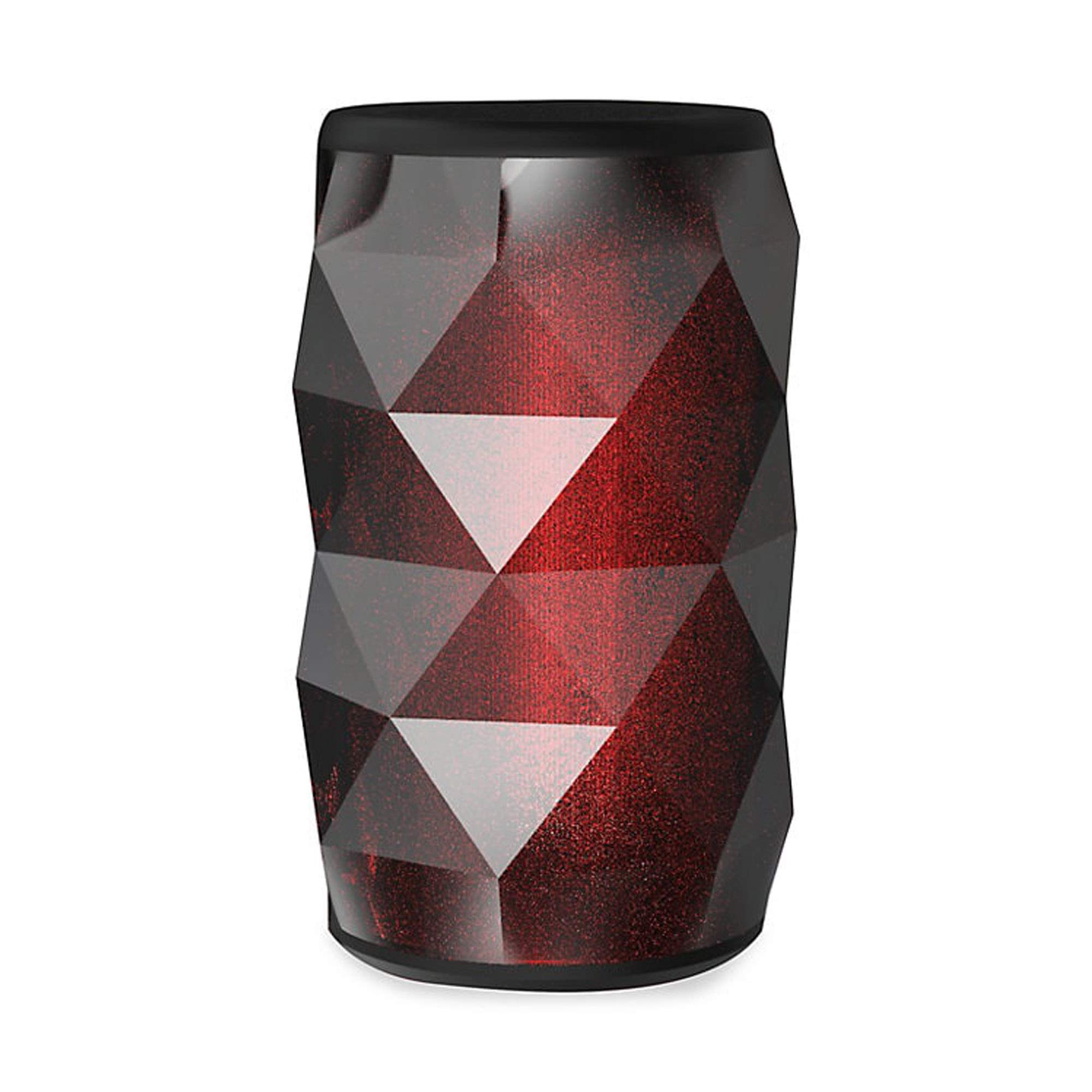
Image 1.1: The Tzumi Aura LED Cosmic Speaker shown alongside its retail packaging, highlighting its design and key features.
Karatteristiċi ewlenin:
- Konnettività Bluetooth 5.0: Ensures stable and efficient wireless connection with compatible devices.
- 360° Powerful HD Sound: Delivers clear and robust audio from all directions.
- Dwal LED personalizzabbli: Choose from 6 distinct colors and 4 dynamic glowing patterns to match your mood or environment.
- Disinn portabbli: Kompatt u ħfief għal trasport faċli.
- Batterija rikarikabbli: Provides up to 3 hours of play time on a single charge.
- Ħruġ tal-Ħoss: 3 watt.
2. Setup
2.1 Tneħħija tal-kaxxa u Spezzjoni Inizjali
Carefully remove the speaker and all accessories from the packaging. Verify that all components are present: the Aura LED Cosmic Speaker and a USB charging cable. Inspect the speaker for any signs of damage.
2.2 Iċċarġjar tal-Ispeaker
Before first use, fully charge the speaker. Locate the charging port, typically a micro-USB port, on the device. Connect the provided USB charging cable to the speaker and plug the other end into a standard USB power adapter (not included) or a computer's USB port. The LED indicator will typically show charging status (e.g., red for charging, off or blue for fully charged). A full charge provides approximately 3 hours of play time.
2.3 Tixgħel/Jitfi
- Biex Tixgħel: Press and hold the Power button (usually marked with a power symbol) for a few seconds until you hear an audible prompt or see the LED lights activate.
- Biex Tifi: Agħfas u żomm il-buttuna tal-Power mill-ġdid għal ftit sekondi sakemm l-ispiker jintefa.
2.4 Tqabbil tal-Bluetooth
Once powered on, the speaker will automatically enter Bluetooth pairing mode, indicated by a flashing LED light. Follow these steps to connect:
- Ensure Bluetooth is enabled on your smartphone, tablet, or other audio device.
- Mur fis-settings tal-Bluetooth tat-tagħmir tiegħek u fittex apparati disponibbli.
- Select "Aura LED Cosmic Speaker" (or similar name) from the list.
- Once connected, the speaker will provide an audible confirmation, and the LED light will typically stop flashing and remain solid or display a pattern.
The speaker will attempt to reconnect to the last paired device automatically when powered on, if that device is within range and has Bluetooth enabled.
3. It-Tħaddim tal-Ispeaker
3.1 Daqq tal-Awdjo
After successful Bluetooth pairing, you can play audio from your connected device. Use your device's media player controls to play, pause, skip tracks, and adjust volume. The speaker may also have dedicated buttons for these functions.
3.2 Kontroll tal-Volum
Volume can be adjusted directly from your connected Bluetooth device. Some speakers may also feature volume up (+) and volume down (-) buttons on the unit itself. Press these buttons to increase or decrease the speaker's output volume.
3.3 Kontroll tad-Dawl LED
The Aura LED Cosmic Speaker features customizable LED lights. Look for a dedicated 'Light Mode' or 'LED' button on the speaker. Pressing this button will cycle through the available 6 colors and 4 glowing patterns. Continue pressing until you find your desired light effect.

Immaġni 3.1: Close-up view of the Tzumi Aura LED Cosmic Speaker, showcasing its dynamic LED lighting effects in blue and green hues.
4. Manutenzjoni
4.1 Tindif
To clean the speaker, use a soft, dry, lint-free cloth. Do not use abrasive cleaners, solvents, or strong chemicals, as these can damage the surface or internal components. Avoid getting moisture into any openings.
4.2 Ħażna
Meta ma tkunx qed tużah għal perjodi twal, aħżen il-kelliem f'post frisk u niexef 'il bogħod mix-xemx diretta u minn temperaturi estremi. Huwa rakkomandat li l-batterija tiġi ċċarġjata perjodikament (eż., kull 3-6 xhur) biex tinżamm f'saħħitha.
4.3 Kura tal-Batterija
To prolong the life of the rechargeable lithium battery:
- Evita li tiċċarġja l-batterija kompletament ta' spiss.
- Tesponix l-ispiker għal sħana jew kesħa estremi.
- Use only the provided or a certified USB charging cable.
5 Issolvi l-problemi
5.1 Speaker Does Not Power On
- Kun żgur li l-batterija hija ċċarġjata. Qabbad l-ispiker ma' sors ta' enerġija u ħallih jiċċarġja għal mill-inqas 30 minuta qabel ma tipprova tixgħelu mill-ġdid.
- Press and hold the Power button firmly for several seconds.
5.2 Cannot Pair with Bluetooth Device
- Ensure the speaker is in pairing mode (flashing LED). If not, power it off and on again.
- Make sure Bluetooth is enabled on your device and it is within 30 feet (10 meters) of the speaker.
- Forget or remove the speaker from your device's Bluetooth list and try pairing again.
- Erġa' ibda kemm l-ispiker kif ukoll l-apparat Bluetooth tiegħek.
5.3 Ebda Ħoss
- Iċċekkja l-livelli tal-volum kemm fuq l-ispiker kif ukoll fuq l-apparat konness tiegħek.
- Kun żgur li l-ispiker huwa mqabbad u konness b'suċċess mat-tagħmir tiegħek.
- Ipprova daqq l-awdjo minn applikazzjoni jew sors differenti fuq l-apparat tiegħek.
5.4 LED Lights Not Working Correctly
- Kun żgur li l-kelliem ikun mixgħul.
- Press the 'Light Mode' or 'LED' button to cycle through patterns and colors.
- If the issue persists, power cycle the speaker (turn off and on).
6. Speċifikazzjonijiet
| Karatteristika | Speċifikazzjoni |
|---|---|
| Numru tal-Mudell | 5939-9 |
| Teknoloġija tal-Konnettività | Bluetooth 5.0 |
| Output tal-Ħoss | 3 Watts |
| Ħin tal-logħob | Sa 3 sigħat |
| Sors tal-Enerġija | Battery Powered (Rechargeable Lithium) |
| Temi LED | 6 Colors, 4 Glowing Patterns |
| Dimensjonijiet (Pakkett) | 7.05 x 4.29 x 4.09 pulzieri |
| Piż tal-oġġett | 13.7 uqija |
| Manifattur | Tzumi |
7. Garanzija u Appoġġ
Għal informazzjoni dwar il-garanzija jew appoġġ tekniku, jekk jogħġbok irreferi għad-dokumentazzjoni inkluża max-xiri tiegħek jew żur is-sit uffiċjali ta' Tzumi. websit. Żomm il-prova tax-xiri tiegħek għal talbiet ta' garanzija.