
KESIEME AXLOIE S6
User Manual: AXLOIE S6 Wireless Earbuds
Model: AXLOIE S6 | Brand: KESIEME
Prodott Overview
The AXLOIE S6 Wireless Earbuds are designed for active lifestyles, featuring advanced Bluetooth 5.2 technology, real-time heart rate monitoring, and clear call quality with cVc 8.0 noise reduction. These earbuds offer an immersive audio experience and extended battery life, making them suitable for workouts, gym sessions, and daily use.

Image: AXLOIE S6 Wireless Earbuds and their charging case. The earbuds feature an ear-hook design for a secure fit.
Kontenut tal-Pakkett
Malli tiftaħ il-pakkett, kun żgur li l-komponenti kollha huma preżenti:
- AXLOIE S6 Wireless Earbuds (Left and Right)
- Kawża tal-Iċċarġjar
- Cable tal-Iċċarġjar tal-USB-C
- Multiple Sizes of Ear Tips (XS, S, M, L)
- Manwal għall-Utent (dan id-dokument)

Image: All items included in the AXLOIE S6 package: earbuds, charging case, USB-C cable, various ear tip sizes, and the user manual.
Gwida ta' Setup
1. Ħlas Inizjali
Before first use, fully charge the earbuds and the charging case. Connect the provided USB-C cable to the charging case and a compatible power source. The indicator lights on the case will show charging status. A 10-minute charge provides up to 60 minutes of playtime.

Image: The quick charge feature, illustrating that a 10-minute charge provides 60 minutes of playback time.
2. It-tqabbil mat-Tagħmir Tiegħek
- Kun żgur li l-earbuds huma ċċarġjati u mqiegħda ġewwa l-kaxxa tal-iċċarġjar.
- Iftaħ il-kaxxa tal-iċċarġjar. Il-earbuds jidħlu awtomatikament fil-modalità ta' tqabbil.
- Fuq l-apparat tiegħek (smartphone, tablet, eċċ.), attiva l-Bluetooth.
- Fittex għal "AXLOIE S6" in the list of available Bluetooth devices and select it to connect.
- Ladarba jkun konness, se tinstema' twissija bil-vuċi biex tikkonferma li l-akkoppjar sar b'suċċess.

Immaġni: Close-up view of the Qualcomm QCC3040 Bluetooth 5.2 chip, highlighting the advanced connectivity technology.
3. App Installation (Optional but Recommended)
For full functionality, including heart rate monitoring and equalizer settings, download the dedicated AXLOIE app from your device's app store. Follow the in-app instructions to set up your profile and connect your earbuds.

Image: Screenshot of the customized fitness app interface, showing metrics like heart rate, calories, route tracking, distance, pedometer, and time.
Istruzzjonijiet Operattivi
Kontrolli Bażiċi
| Funzjoni | Azzjoni |
|---|---|
| Qawwa mixgħul/mitfi | Hold the multi-function button for 2-3 seconds. |
| Play/Pawsa | Tektek darba waħda l-buttuna multi-funzjoni fuq kwalunkwe earbud. |
| Track li jmiss | Tektek darbtejn il-earbud tal-lemin. |
| Track Preċedenti | Tektek darbtejn il-earbud tax-xellug. |
| Volum Up | Taptap trippla l-earbud tal-lemin. |
| Volum 'l isfel | Ittajpja trippla fuq il-widna tax-xellug. |
| Tweġiba/Tmiem Sejħa | Single tap the multi-function button during a call. |
| Irrifjuta Sejħa | Hold the multi-function button for 2 seconds during an incoming call. |
| Attiva l-Assistent tal-Vuċi | Hold the multi-function button for 2 seconds (when not on a call). |
Monitoraġġ tar-rata tal-qalb
The earbuds feature a sensitive heart rate sensor for continuous real-time monitoring during dynamic activities. Ensure the earbuds are properly seated in your ears for accurate readings. Data can be viewed and tracked via the AXLOIE app.

Image: A person running with the earbuds, illustrating the real-time heart rate monitoring feature which helps in knowing workout intensity and preventing overtraining.
Audio Quality and Noise Reduction
Equipped with Qualcomm chipset and 10mm composite drivers, the earbuds deliver rich audio with aptX, AAC, and SBC support. The cVc 8.0 noise reduction technology with 4 built-in microphones ensures crystal-clear calls by filtering out environmental noise.

Image: An exploded diagram showing the 10mm driver unit and components responsible for premium sound and rich bass, with aptX lossless audio support.
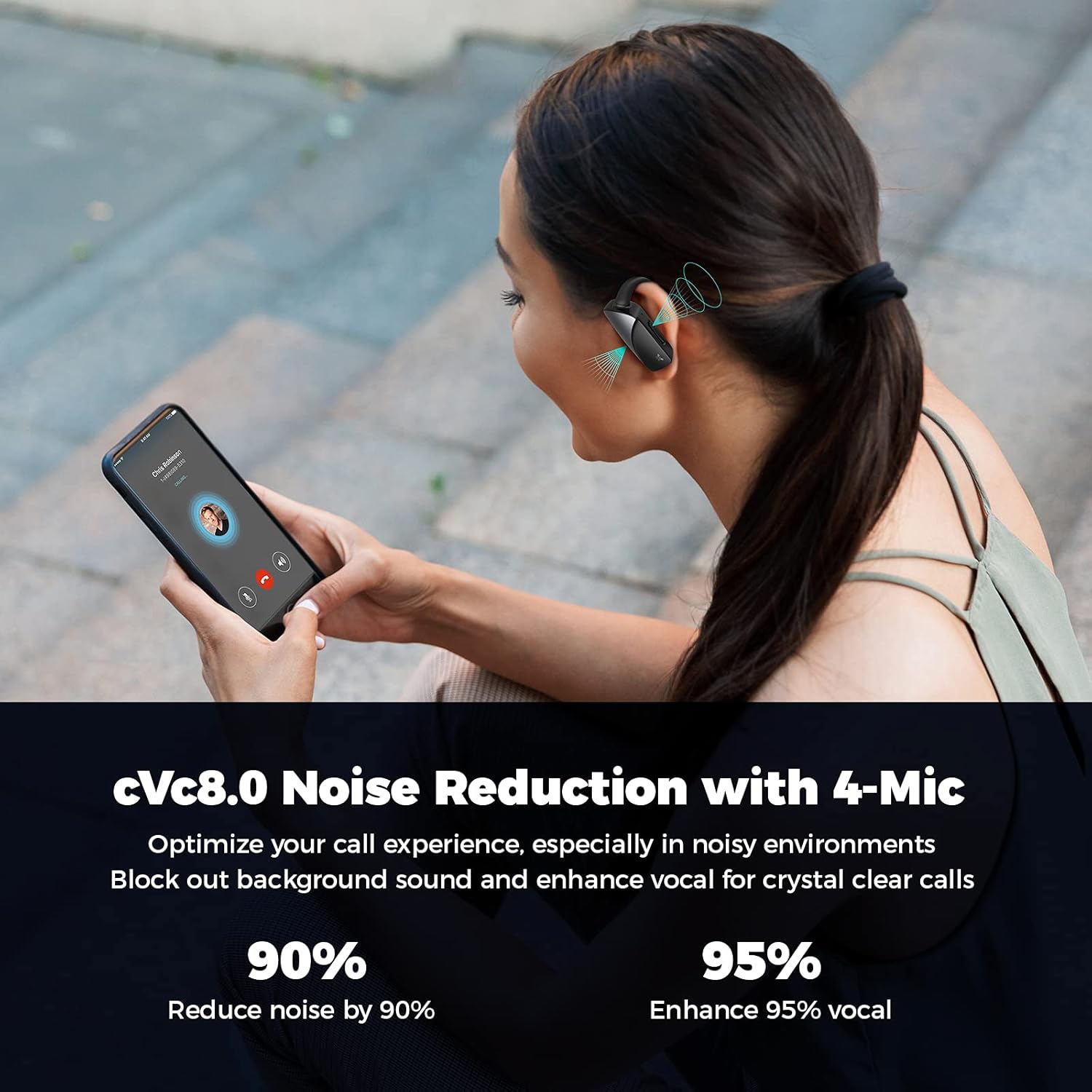
Image: A person on a phone call, demonstrating the cVc 8.0 noise reduction technology with 4 microphones that optimize call experience by blocking background sound and enhancing vocal clarity.
Manutenzjoni
Tindif
Regularly clean your earbuds and charging case with a soft, dry cloth. For ear tips, remove them and clean with mild soap and water, then dry thoroughly before reattaching. Avoid using harsh chemicals or abrasive materials.
Ħażna
When not in use, store the earbuds in their charging case to protect them and ensure they remain charged. Store in a cool, dry place away from extreme temperatures and direct sunlight.
Reżistenza għall-Ilma
The earbuds are waterproof. However, prolonged submersion or exposure to saltwater/chlorinated water is not recommended. Always dry the earbuds completely before placing them back in the charging case to prevent damage.

Image: Close-up of the earbuds with water droplets, indicating their waterproof design suitable for active use.

Image: Three individuals engaged in various exercises (running, cycling, stretching) while wearing the earbuds, demonstrating their suitability for sports and active lifestyles.
Issolvi l-problemi
Kwistjonijiet Komuni u Soluzzjonijiet
- Il-earbuds mhux qed jitqabbdu:
- Kun żgur li l-earbuds huma ċċarġjati kompletament.
- Itfi u ixgħel il-Bluetooth tat-tagħmir tiegħek.
- Forget "AXLOIE S6" from your device's Bluetooth list and try pairing again.
- Place earbuds back in the case, close, wait 5 seconds, then open to reset pairing mode.
- L-ebda ħoss jew volum baxx:
- Iċċekkja l-volum tal-apparat u l-volum tal-earbuds.
- Kun żgur li l-earbuds huma konnessi sew mat-tagħmir tiegħek.
- Clean ear tips and earbud mesh to remove any obstructions.
- Heart rate reading inaccurate:
- Ensure earbuds are securely and correctly placed in your ears.
- Ipprova ponot tal-widnejn ta’ daqsijiet differenti għal tajbin aħjar.
- Ensure the heart rate sensor area on the earbud is clean.
- Kwistjonijiet dwar il-kwalità tas-sejħiet:
- Kun żgur li l-earbuds huma ċċarġjati kompletament.
- Iċċekkja għal konnessjoni Bluetooth b'saħħitha.
- Avoid noisy environments where possible, as extreme noise may still affect clarity.
Speċifikazzjonijiet
| Karatteristika | Dettall |
|---|---|
| Isem tal-Mudell | AXLOIE S6 |
| Brand | KESIEME |
| Teknoloġija tal-Konnettività | Wireless, Bluetooth 5.2 |
| Verżjoni Bluetooth | 5.2 |
| Tip ta' Sewwieq Awdjo | Dynamic Driver (10mm composite drivers) |
| Ħajja tal-Batterija (Earbuds) | Sa 8 sigħat fuq ħlas wieħed |
| Ħin Totali tal-Logħob (bil-Kaxxa) | Sa 32 sigħat |
| Ħlas ta 'malajr | 10 minutes charge for 60 minutes playtime |
| Mikrofoni | 4 (2 per earbud) with cVc 8.0 Noise Reduction |
| Monitoraġġ tar-rata tal-qalb | Yes, real-time monitoring |
| Livell ta 'Reżistenza għall-Ilma | Waterproof |
| Materjal | Silikon, plastik |
| Tip ta' Kontroll | Media Control (buttons on earbuds) |
| Medda ta' Frekwenzi | 20Hz - 20,000Hz |
Vidjo Uffiċjali tal-Prodott
Vidjo: Wirja uffiċjali tal-vidjo tal-prodottasing the features and usage of the AXLOIE S6 wireless earbuds.
Garanzija u Appoġġ
Specific warranty information for the KESIEME AXLOIE S6 Wireless Earbuds is not provided in the product details. Please refer to the included user manual or contact KESIEME customer support for warranty details and technical assistance.
Għal aktar għajnuna, tista' tirreferi wkoll għall- Manwal għall-Utent (PDF).
Ask a question about this manual
Ask about setup, troubleshooting, compatibility, parts, safety, or missing instructions. Manuals+ will review the question and use this page’s manual context to help answer it.