
1. Introduzzjoni
The iBaby M8 2K Smart Baby Monitor provides advanced monitoring capabilities for your child's nursery. Featuring 2K video resolution, pan, tilt, and zoom functions, two-way audio, and various alerts, it helps you stay connected and informed. This manual provides essential information for setting up, operating, and maintaining your iBaby M8 monitor.
2. Informazzjoni dwar is-Sigurtà
- Keep the monitor and its power adapter out of reach of children.
- Do not place the monitor or cables within 3 feet of the crib or playpen to prevent strangulation hazards.
- Uża biss l-adapter tal-enerġija pprovdut. L-użu ta' adapters mhux awtorizzati jista' jagħmel ħsara lill-apparat u jannulla l-garanzija.
- Ensure proper ventilation around the monitor. Do not cover it with clothes or other materials.
- Avoid exposing the monitor to extreme temperatures, direct sunlight, or moisture.
- This product is not a medical device and should not be used as a substitute for adult supervision.
3. Kontenut tal-Pakkett
Verify that all items are present in your iBaby M8 package:
- iBaby M8 2K Smart Baby Monitor Camera
- Kitt tal-Immuntar fuq il-Ħajt
- Adapter tal-Enerġija
- Gwida ta' Bidu Mgħaġġel (Manwal tal-Utent)

Image: The iBaby M8 monitor, power adapter, wall mount, and quick start guide included in the package.
Video: An unboxing video demonstrating the contents of the iBaby M8 Smart Baby Monitor package.
4. Prodott Aktarview
The iBaby M8 monitor is designed with a spherical body and an adjustable camera lens. It features:
- 2K HD Video: Provides clear and detailed live streaming.
- Pan & Mejjel: Aġġusta l-kamera mill-bogħod viewangolu ta' ing (pan 355°, tilt 110°).
- Żum diġitali: Agħmel zoom fuq it-tarbija tiegħek għal ħarsa aktar mill-qrib.
- Taħdita f'żewġ direzzjonijiet: Communicate with your baby or caregiver through the monitor.
- Moonlight Projector: Projects soothing images onto the ceiling.
- Magna tal-Ħoss: Access over 1000 lullabies and white noise sounds.
- Sensuri Ambjentali: Monitors room temperature and humidity.
- Twissijiet Intelliġenti: Notifies you of crying, motion, and environmental changes.
- Wi-Fi bi Faxxa Doppja: Supports both 2.4GHz and 5GHz Wi-Fi networks for flexible connectivity.
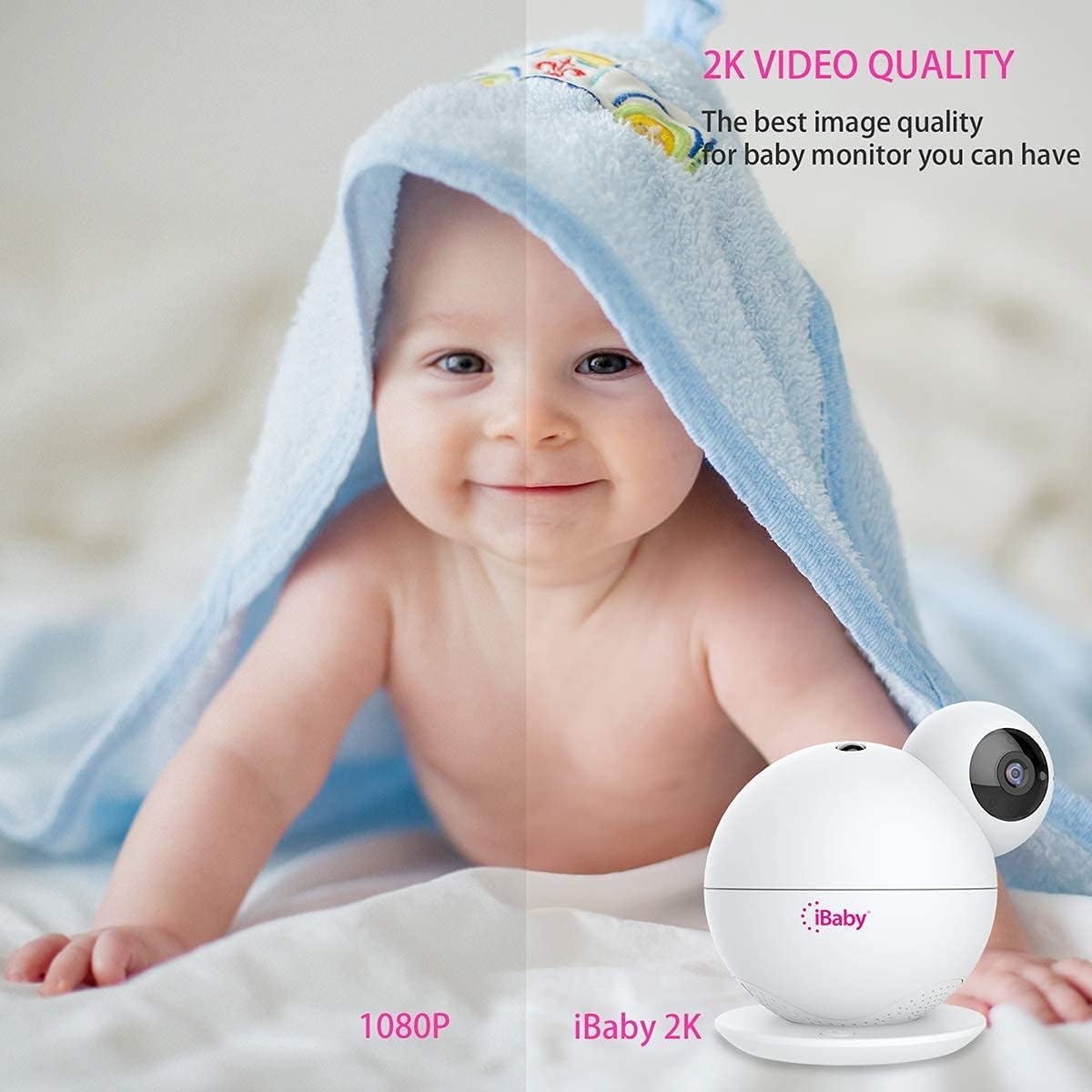
Image: A visual comparison highlighting the superior 2K video quality of the iBaby M8 monitor compared to 1080P.
5. Gwida ta' Setup
5.1 Setup Inizjali
- Qawwa Mixgħul: Connect the provided power adapter to the iBaby M8 monitor and plug it into a power outlet. The monitor will take approximately one minute to power on.
- Niżżel l-App: Download the 'iBaby Care' app from the Apple App Store or Google Play Store on your smartphone.
- Qabbad mal-Wi-Fi: Ensure your mobile device is connected to a 2.4GHz or 5GHz Wi-Fi network.
- Open App & Select Monitor: Open the iBaby Care app, select 'iBaby M8' from the installation list, and follow the on-screen prompts.
- Daħħal Wi-Fi Password: Meta tintalab, daħħal il-password tan-netwerk Wi-Fi tiegħek.
- Skennja l-Kodiċi QR: The app will generate a QR code. Hold your smartphone screen in front of the iBaby M8 camera lens (approximately 6-8 inches away) until you hear a confirmation sound indicating the QR code has been scanned successfully.
- Tqabbil: The monitor will then connect to your Wi-Fi network. This process may take a few moments. Once connected, you can begin using your iBaby M8 monitor.
Video: A step-by-step guide on how to install and set up the iBaby M8 monitor using the iBaby Care app.
5.2 Għażliet ta 'Immuntar
The iBaby M8 comes with a wall mount kit for flexible placement. You can place the monitor on a flat surface or mount it to a wall for an optimal view of the nursery.

Image: The iBaby M8 monitor shown with its included wall mount kit, illustrating various mounting possibilities.
6. Istruzzjonijiet Operattivi
6.1 Ħaj View and Camera Control
- Open the iBaby Care app on your smartphone to access the live video feed.
- Use the on-screen controls to pan (move horizontally), tilt (move vertically), and digitally zoom the camera to get the desired view.
6.2 Diskussjoni f'żewġ direzzjonijiet
- Tap the microphone icon in the app to speak through the monitor to your baby or a caregiver in the room.
- The monitor's built-in speaker will transmit your voice.

Image: A baby in a crib with a speech bubble, illustrating the two-way audio communication feature of the iBaby M8 monitor.
6.3 Moonlight Projector & Sound Machine
- Activate the moonlight projector feature via the app to display soothing images on the nursery ceiling.
- Access the sound machine feature in the app to play lullabies, white noise, or other calming sounds.

Image: A sleeping baby in a crib with the iBaby M8 monitor nearby, indicating the sound machine feature playing lullabies.
6.4 Twissijiet u Notifiki
- The iBaby M8 can send alerts for crying, motion detection, and changes in room temperature or humidity.
- Configure alert settings within the iBaby Care app to receive notifications on your smartphone, even when the screen is off.

Image: A crying baby in a crib with the iBaby M8 monitor and a smartphone displaying a crying alert notification.
7. Manutenzjoni
- Tindif: Use a soft, dry cloth to clean the monitor's surface. Do not use liquid or aerosol cleaners.
- Kura tal-Lenti: Gently wipe the camera lens with a microfiber cloth to ensure clear image quality.
- Ħażna: If storing the monitor for an extended period, ensure it is clean, dry, and stored in a safe place away from extreme temperatures.
8 Issolvi l-problemi
8.1 Kwistjonijiet u Soluzzjonijiet Komuni
| Ħruġ | Soluzzjoni Possibbli |
|---|---|
| Monitor not connecting to Wi-Fi | Ensure your Wi-Fi network is 2.4GHz or 5GHz. Check your Wi-Fi password. Restart your router and the monitor. Make sure the monitor is within range of your Wi-Fi router. |
| Kwalità fqira tal-vidjo | Check your internet connection speed. Ensure the camera lens is clean. Adjust the camera's position for better lighting. |
| L-ebda awdjo mill-monitor | Check the volume settings in the app. Ensure your phone's volume is up. Restart the app and the monitor. |
| Alerts not working | Verify alert settings in the iBaby Care app. Ensure app notifications are enabled on your smartphone. Check the monitor's sensitivity settings. |
If you encounter persistent issues, please refer to the support section for further assistance.
9. Speċifikazzjonijiet
| Karatteristika | Dettall |
|---|---|
| Mudell | M8 |
| Riżoluzzjoni tal-vidjo | 2K (2 times higher HD than 1080P) |
| Angolu Pan | 355° |
| Angolu Mejjel | 110° |
| Konnettività | Wi-Fi ta' 2.4GHz u 5GHz |
| Taħdita b'żewġ direzzjonijiet | Iva |
| Moonlight Projector | Iva |
| Magna tal-Ħoss | 1000+ lullabies and white noise |
| Twissijiet | Crying, Motion, Temperature, Humidity |
| Materjal | Plastik |
| Kulur | Abjad |
| Batterija | Built-in, non-replaceable |
| Kompatibilità tad-Dar Intelliġenti | Iva |
10. Garanzija u Appoġġ
iBaby is committed to providing quality products and excellent customer service. If you have any questions or encounter issues with your iBaby M8 monitor, our support team is ready to assist you.
- Garanzija: Please refer to the product packaging or the official iBaby websit għal informazzjoni dettaljata dwar il-garanzija.
- Ritorni: iBaby supports a no-questions-asked return within 30 days if the product fails to satisfy you.
- Ikkuntattja l-Appoġġ: For technical assistance or customer service, visit the official iBaby websit: www.ibabylabs.com.