
Coredy R580
Manwal tal-Utent tar-Robot Vacuum Cleaner Coredy R580
Mudell: R580
1. Introduzzjoni
This manual provides essential information for the safe operation, maintenance, and troubleshooting of your Coredy R580 Robot Vacuum Cleaner. Please read this manual thoroughly before using the product and retain it for future reference.
The Coredy R580 is a versatile robotic vacuum cleaner designed to simplify your cleaning routine. It features powerful 2000Pa suction, Wi-Fi connectivity for app control, and compatibility with voice assistants like Amazon Alexa and Google Assistant. It supports both sweeping and mopping functions (water tank and mop cloth sold separately) and can transition seamlessly from hard floors to carpets, automatically boosting suction when needed. Its slim design allows it to clean under furniture, and it supports virtual boundaries (strips sold separately) to define cleaning areas.
2. Istruzzjonijiet tas-Sigurtà
- Aqra l-istruzzjonijiet kollha qabel ma tħaddem l-apparat.
- Tħallix lit-tfal jilagħbu bir-robot. Issorvelja lit-tfal u l-annimali domestiċi meta r-robot ikun qed jaħdem.
- Uża biss l-adapter tal-enerġija oriġinali pprovdut mill-manifattur.
- Tużax ir-robot f'ambjenti b'fjammi mikxufa jew oġġetti fraġli.
- Kun żgur li r-robot ikun mitfi u skonnettjat qabel ma tnaddaf jew tagħmel manutenzjoni.
- Do not immerse the robot or its charging dock in water.
- Evita li tuża r-robot fuq uċuħ imxarrbin jew f'żoni b'ilma wieqaf.
- Remove power cords, small objects, and loose rugs from the floor before operation to prevent entanglement.
3. Kontenut tal-Pakkett
Malli tiftaħ il-pakkett, jekk jogħġbok ivverifika li l-oġġetti kollha elenkati hawn taħt huma inklużi u f'kundizzjoni tajba:
- Coredy R580 Robot Vacuum Cleaner
- Baċir tal-Iċċarġjar
- Adapter tal-Enerġija
- Xkupilji tal-ġenb (4x)
- High Efficiency Filter (1x extra)
- Kontroll mill-bogħod
- Pinzell tat-tindif
Note: The 300ML water tank, cleaning mop cloth, and boundary strips are sold separately and are not included in the standard package.
4. Prodott Aktarview

Figura 4.1: Fuq view of the Coredy R580 Robot Vacuum Cleaner with an accompanying smartphone displaying the control application. The robot is black with bronze accents and features a central power button and home button.
Komponenti Robot
- Panel ta 'Fuq: Power/Clean button, Home/Recharge button, Wi-Fi indicator.
- Bumper ta' quddiem: Sensuri tal-ħabtiet.
- Xkupilji tal-ġenb: Żewġ xkupilji li jduru għat-tindif tat-truf u l-kantunieri.
- Trab tat-trab: Collects debris.
- Pinzell Prinċipali: Pinzell ċentrali għal tindif fil-fond.
- Roti tas-Sewqan: Għall-moviment fuq diversi uċuħ.
- Kuntatti tal-Iċċarġjar: For automatic charging with the dock.
- Sensuri tal-irdum: Jidentifika waqgħat biex jipprevjeni li wieħed jaqa' mit-taraġ.
5. Setup
5.1 Iċċarġjar tar-Robot
Before first use, fully charge the robot. Place the charging dock against a wall in an open, uncluttered area. Ensure there is at least 1 meter (3 feet) of clear space to the front and 0.5 meters (1.5 feet) to each side of the charging dock. Connect the power adapter to the charging dock and plug it into a wall outlet. Place the robot on the charging dock, ensuring the charging contacts align. The indicator light on the robot will show charging status.
5.2 Installazzjoni ta' Xkupilji tal-Ġenb
Attach the side brushes by pressing them onto the square posts at the bottom of the robot until they click into place. Ensure the brushes are securely fastened.
5.3 Konnessjoni mal-Wi-Fi u Setup tal-App
To utilize smart features, download the Coredy app from your smartphone's app store. Follow the in-app instructions to connect your R580 to your home Wi-Fi network. Note that the robot supports 2.4 GHz Wi-Fi networks only.

Figure 5.1: The Coredy smartphone application allows users to control cleaning, monitor status, schedule cleaning, and access support.
6. It-tħaddim tal-Vacuum cleaner robotiku
6.1 Tibda/Twaqqaf it-Tindif
- Bidu Manwali: Press the Power/Clean button on the robot or the remote control.
- Bidu tal-App: Use the Coredy app to initiate cleaning.
- Kmand tal-Vuċi: If connected to Alexa or Google Assistant, use voice commands like "Alexa, ask Coredy to start cleaning."
- To pause cleaning, press the Power/Clean button again. To send the robot back to the charging dock, press the Home/Recharge button.
6.2 Modi tat-Tindif
- Tindif Awtomatiku: The robot automatically cleans in a systematic pattern.
- Tindif tal-Post: The robot cleans a specific area in a spiral pattern.
- Tindif tax-Xfer: Ir-robot inaddaf tul il-ħitan u t-truf tal-għamara.
6.3 L-Użu tal-Kontroll bil-Vuċi
The Coredy R580 is compatible with Amazon Alexa and Google Assistant. Once connected through the Coredy app, you can use simple voice commands to start or stop cleaning.

Figure 6.1: The Coredy R580 can be controlled via voice commands through Amazon Alexa or Google Assistant for hands-free operation.
6.4 Virtual Boundary (Sold Separately)
The R580 supports virtual boundary strips to restrict the robot from entering certain areas. Place the boundary strips on the floor to create invisible barriers. The robot's specialized sensors will detect these strips and avoid crossing them.

Figure 6.2: Virtual boundary strips (sold separately) allow you to define specific areas where the robot vacuum should not clean.
6.5 Sweep and Mop Function (Accessories Sold Separately)
The R580 can perform wet-dry mopping when equipped with the optional 300ML water tank and cleaning mop cloth. Attach the water tank with the mop cloth to the robot for comprehensive cleaning on hard surface floors.
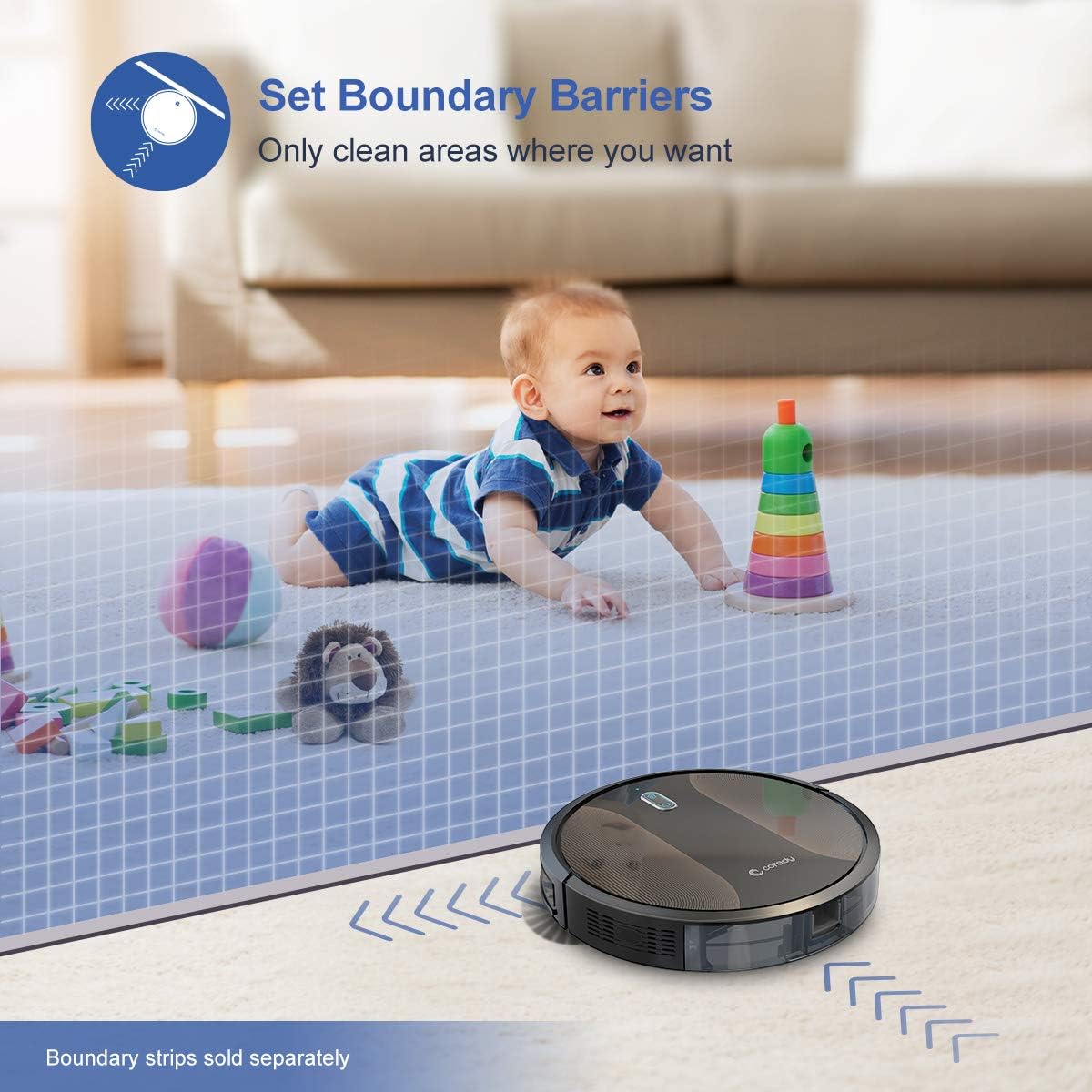
Figure 6.3: The Coredy R580 can be converted for mopping by attaching the optional water tank and mop cloth.
6.6 Boost-Intellect Technology
The robot is equipped with Boost-Intellect Technology, which automatically increases suction power when it detects carpeted surfaces, ensuring a deeper clean across different floor types.

Figure 6.4: Boost-Intellect Technology automatically adjusts suction power when the robot moves from hard floors to carpets.

Figure 6.5: The Coredy R580 provides strong suction power to effectively clean various types of debris from hard floors.
7. Manutenzjoni
Regular maintenance is crucial for optimal performance and longevity of your robot vacuum. Perform the following cleaning procedures regularly:
7.1 Tbattil tal-landa taż-żibel
Press the dustbin release button and pull out the dustbin. Open the dustbin cover and empty its contents into a trash can. It is recommended to empty the dustbin after each cleaning cycle.
7.2 Tindif tal-Pinzell Prinċipali
Remove the main brush cover and lift out the main brush. Use the provided cleaning tool or a pair of scissors to remove any hair or debris tangled around the brush. Reinstall the main brush and cover.
7.3 Tindif tal-Pniezel tal-Ġenb
Periodically check the side brushes for tangled hair or debris. Gently pull them off their posts to clean. If they are worn or damaged, replace them with new ones. Push them back onto the posts until they click.
7.4 Tindif tal-Filtru
Remove the filter from the dustbin. Tap the filter against a trash can to remove dust. Do not wash the filter with water, as this can damage it. Replace the filter every 2-3 months, or more frequently depending on usage.
7.5 Tindif tas-Sensuri u l-Kuntatti tal-Iċċarġjar
Wipe the cliff sensors (located on the bottom of the robot) and the charging contacts (on the robot and charging dock) with a clean, dry cloth. Keeping these clean ensures proper navigation and charging.
8 Issolvi l-problemi
If your Coredy R580 encounters issues, refer to the following table for common problems and solutions:
| Problema | Kawża Possibbli | Soluzzjoni |
|---|---|---|
| Robot ma jixgħelx | Batterija baxxa; Swiċċ tal-enerġija mitfi | Iċċarġja r-robot; Ixgħel is-swiċċ prinċipali tal-enerġija. |
| Robot ma jiċċarġjax | Kuntatti tal-iċċarġjar maħmuġin; Id-dock tal-iċċarġjar mhux imħaddem | Clean charging contacts on robot and dock; Ensure charging dock is plugged in. |
| Ir-robot jeħel spiss | Obstacles (cables, rugs); Cliff sensors dirty | Neħħi l-ostakli mill-mogħdija tat-tindif; Naddaf is-sensuri tal-irdum. |
| Prestazzjoni fqira tat-tindif | Bin tal-iskart mimli; Xkupilji mħabbla; Filtru mblukkat | Vojta l-kontenitur tat-trab; Naddaf ix-xkupilji prinċipali u tal-ġenb; Naddaf jew ibdel il-filtru. |
| Kwistjonijiet ta 'konnessjoni Wi-Fi | Password tal-Wi-Fi mhux korretta; Router 'il bogħod wisq; Netwerk ta' 5GHz | Re-enter password; Move robot closer to router; Ensure 2.4GHz network is used. |
If the problem persists after trying the above solutions, please contact Coredy customer support for further assistance.
9. Speċifikazzjonijiet
| Karatteristika | Dettall |
|---|---|
| Brand | Coredy |
| Mudell | R580 |
| Karatteristika Speċjali | HEPA Filtration, Pet Tools, Vacuums |
| Kulur | Iswed |
| Tip ta 'filtru | Skartoċċ |
| Kapaċità ta 'Dustbin | 0.3 Litri |
| Sors tal-Enerġija | Li jaħdem bil-batterija (batterija tal-jone tal-litju inkluża) |
| Metodu ta' Kontroll | Remote, Voice (Alexa, Google Home), App |
| Fattur tal-Formola | Robotika |
| Dimensjonijiet (L x W x H) | 16.89 x 13.66 x 4.57 pulzieri |
| Piż tal-oġġett | 8.91 liri |
| Qawwa tal-ġbid | Sa 2000Pa |
| Livell ta' Storbju | Taħt il-65dB |
10. Garanzija u Appoġġ
10.1 Informazzjoni dwar Garanzija
Coredy products are manufactured to the highest quality standards. For specific warranty details regarding your R580 Robot Vacuum Cleaner, please refer to the warranty card included in your product packaging or visit the official Coredy websit. Il-garanzija tipikament tkopri difetti fil-materjali u l-abbilità taħt użu normali.
10.2 Appoġġ għall-Klijent
If you have any questions, require technical assistance, or need to report an issue with your Coredy R580, please contact Coredy customer support. Contact information can usually be found on the official Coredy website or on the product packaging. Please have your model number (R580) and purchase information ready when contacting support.
Ask a question about this manual
Ask about setup, troubleshooting, compatibility, parts, safety, or missing instructions. Manuals+ will review the question and use this page’s manual context to help answer it.