
Introduzzjoni
Thank you for choosing the MEDION E11909 (MD 20059) 19-inch HD TV. This television features an integrated DVD player, a 12V car adapter for mobile use, and a triple tuner for receiving cable, satellite, or DVB-T2 HD signals. This manual provides essential information for the safe and efficient use of your new device. Please read it thoroughly before operation and keep it for future reference.
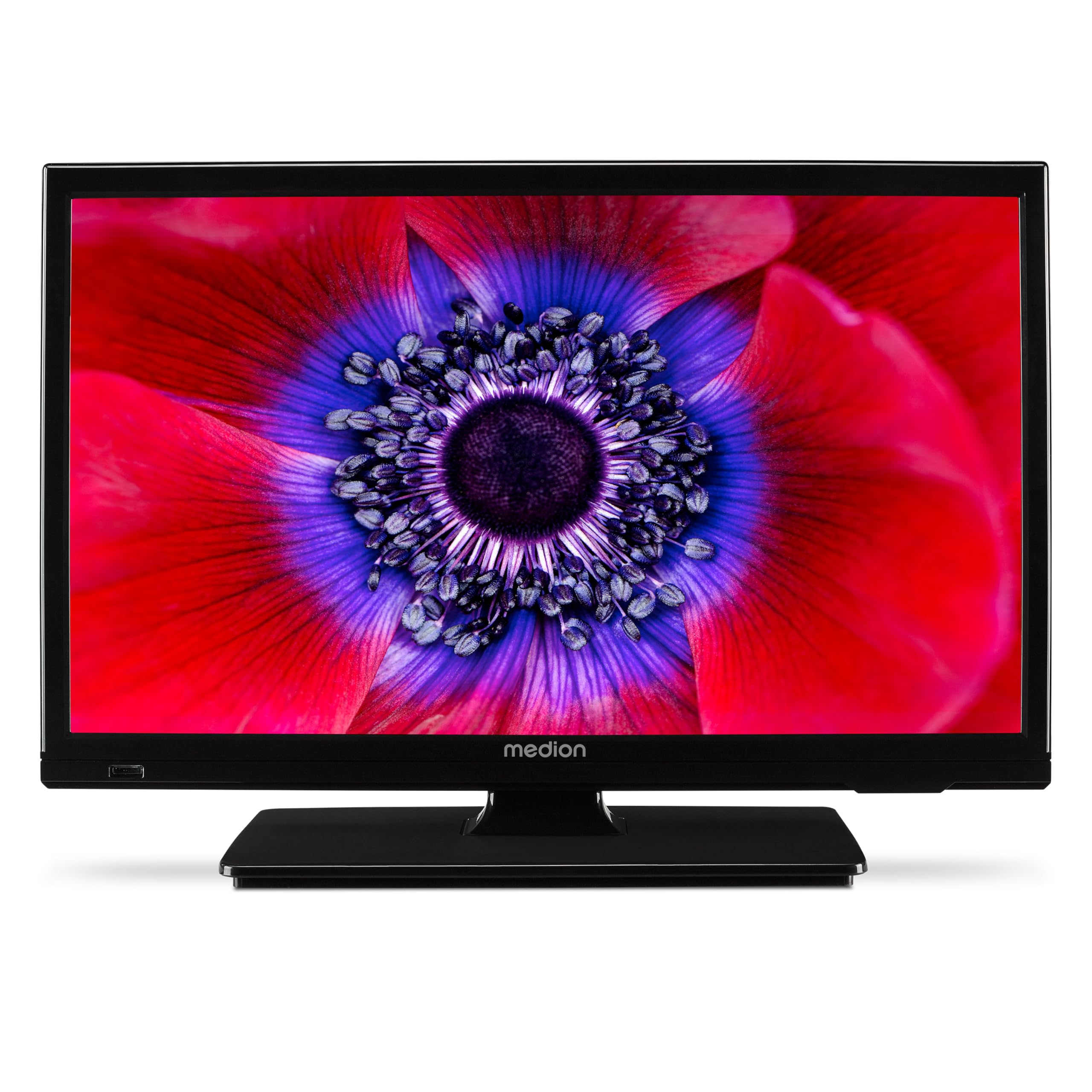
Figura 1: MEDION E11909 19-inch HD TV. This image shows the front view of the television, highlighting its compact design suitable for various environments.
Informazzjoni dwar is-Sigurtà
Please observe the following safety instructions to prevent damage to the device or injury to yourself:
- Tesponix it-TV għax-xita jew l-umdità.
- Kun żgur li jkollok ventilazzjoni xierqa; timblokkax il-fetħiet tal-ventilazzjoni.
- Uża biss l-adapter tal-enerġija fornut mal-apparat.
- Tiftaħx it-TV casing; irreferi s-servizz kollu lil persunal kwalifikat.
- Żomm it-TV 'il bogħod minn sorsi ta' sħana u dawl tax-xemx dirett.
- When using the 12V car adapter, ensure the vehicle's power outlet is clean and provides stable power.
Kontenut tal-Pakkett
Jekk jogħġbok iċċekkja li l-oġġetti kollha huma preżenti fil-pakkett:
- MEDION E11909 MD20059 LCD TV
- Remote control with batteries (AAA)
- Adapter tal-enerġija esterna
- Car adapter (12V)
- Antenna DVB-T
- adapter AV
- Stand bil-viti
- Manwal għall-utent
- Ktejjeb tal-garanzija
Setup
1. Twaħħil tal-Istand
- Carefully place the TV screen-down on a soft, clean surface.
- Allinja l-istand mat-toqob tal-immuntar fil-qiegħ tat-TV.
- Żgura l-istand billi tuża l-viti pprovduti.
2. Qawwa tal-Konnessjoni
- Għall-Użu fid-Dar: Connect the external power adapter to the TV's DC IN port and then plug it into a standard wall outlet.
- For Mobile Use (Car/Caravan): Connect the 12V car adapter to the TV's DC IN port and then plug it into your vehicle's 12V DC power socket.
3. Connecting Antennas and External Devices
Refer to the connection diagram below for port locations.

Figura 2: Rear panel connections. This image illustrates the various input and output ports on the back of the television, including HDMI, USB, SCART, VGA, AV In, YPbPr, PC Audio In, Headphone Jack, Digital Audio Out, and the 12V DC power input.
- Antenna/Kejbil: Connect your DVB-T antenna (included), cable, or satellite dish to the appropriate RF IN port.
- Apparati HDMI: Connect devices like Blu-ray players or game consoles to the HDMI ports.
- Apparat USB: Insert USB drives for media playback into the USB port.
- Older Devices: Use the SCART, VGA, or AV IN ports for older equipment.
4. Setup Inizjali
After connecting power and turning on the TV for the first time, an initial setup wizard will guide you through language selection, country, and channel scanning. Follow the on-screen instructions.
Operazzjoni
1. Power On/Off
Agħfas il- QAWWA buttuna fuq il-kontroll remot jew fuq it-TV biex tixgħel jew titfi l-unità.
2. Funzjonijiet ta 'Kontroll mill-bogħod
The remote control allows you to navigate menus, change channels, adjust volume, and select input sources. Refer to the remote control diagram in your separate warranty booklet for specific button functions.
3. Channel Selection and Volume
- Uża l- CH +/- buttuni biex jibdlu l-kanali.
- Uża l- VOL +/- buttuni biex taġġusta l-volum.
4. Għażla tas-Sors tal-Input
Agħfas il- SORS button on the remote control to cycle through available input sources (TV, HDMI1, HDMI2, AV, USB, DVD).
5. Using the Integrated DVD Player
- Insert a DVD disc into the disc slot on the side of the TV.
- It-TV għandu jaqleb awtomatikament għall-modalità DVD. Jekk le, agħfas il-buttuna SORS button and select DVD.
- Uża l-buttuni tal-plejbek tal-kontroll remot (DAQQA', PAWŻA, WAQQAF, AVVANZAT, REW) biex tikkontrolla d-daqq tad-DVD.

Figura 3: TV with integrated DVD player. This image shows the television screen displaying high-definition content, with a DVD disc partially visible, indicating the integrated DVD player functionality.
6. Using the Media Player (USB)
- Daħħal apparat tal-ħażna USB fil-port USB.
- Agħfas il- SORS button and select USB.
- Innaviga permezz tiegħek files (photos, music, videos) using the remote control and press OK biex tilgħab.

Figura 4: Easy playback of photos, videos, and more. This image highlights the USB port on the TV's side and icons representing music, photos, and video files, indicating the TV's multimedia playback capabilities.
Manutenzjoni
1. Tindif tal-Iskrin
Imsaħ l-iskrin bil-mod b'ċarruta ratba u mingħajr suf. Għal marki persistenti, nixxef ftit.ampLaħlaħ id-drapp bl-ilma jew b'prodott speċjalizzat għat-tindif tal-iskrin. Tisprejjax likwidu direttament fuq l-iskrin.
2. Tindif tal-Unità
Imsaħ it-TV casinNaddaf b'ċarruta ratba u niexfa. Evita li tuża prodotti tat-tindif jew solventi li joborxu.
3. Ħażna
If storing the TV for an extended period, disconnect it from power, remove batteries from the remote, and store it in a cool, dry place, preferably in its original packaging.
Issolvi l-problemi
If you encounter problems with your TV, please refer to the following common issues and solutions:
- Ebda Qawwa:
- Check if the power adapter is securely connected to both the TV and the power outlet.
- Ensure the power outlet is functional. - Ebda Stampa/Ħoss:
- Verify that the correct input source is selected (e.g., HDMI1, TV, DVD).
- Check all cable connections (antenna, HDMI, AV).
- Perform a channel scan if using TV mode. - DVD Not Playing:
- Ensure the disc is inserted correctly with the label facing up.
- Check if the disc is clean and free from scratches.
- Try a different DVD to rule out disc issues. - Il-Kontroll mill-bogħod Mhux Jaħdem:
- Replace the batteries (AAA).
- Ensure there are no obstructions between the remote and the TV's IR sensor.
Jekk il-problema tippersisti wara li tipprova dawn is-soluzzjonijiet, jekk jogħġbok ikkuntattja l-appoġġ għall-klijenti.
Speċifikazzjonijiet
- Ditta: MEDION
- Mudell: E11909 (MD 20059)
- Daqs tal-iskrin: 18.5 Pulzier (47 ċm)
- Teknoloġija tal-Wiri: LED-LCD
- Riżoluzzjoni: 768p (HD)
- Rata ta' Aġġornar: 60 Hz
- Proporzjon tal-aspett: 1.77:1
- Teknoloġija tal-Konnettività: HDMI, USB
- Karatteristiċi Speċjali: Built-in DVD player, 12V Car Adapter, Triple Tuner for HD reception (Cable, Satellite, DVB-T2)
- Komponenti Inklużi: LCD TV (MD 20059)
- Dimensjonijiet tal-Prodott: 16D x 44W x 31H ċm
- Output Awdjo: 2 x 3 W RMS Stereo Speakers
Garanzija u Appoġġ
Your MEDION E11909 (MD 20059) TV comes with a manufacturer's warranty. Please refer to the included warranty booklet for detailed terms and conditions, including the warranty period and coverage.
For technical support, service, or further inquiries, please visit the official MEDION website or contact their customer service department. Contact information can typically be found in your warranty booklet or on the MEDION support page.