
1. Introduzzjoni
This manual provides detailed instructions for the Delton 10X Bluetooth Computer Headset. This wireless headset is designed for clear communication and extended use, featuring Bluetooth 5.0 connectivity, a noise-canceling microphone, and a USB dongle for versatile compatibility. Please read this manual thoroughly to ensure proper setup and operation of your device.

Stampa 1.1: The Delton 10X Bluetooth Computer Headset and its accompanying USB dongle. This image displays the headset's over-the-head design, single ear cup, adjustable microphone boom, and the compact USB dongle.
2. Kontenut tal-Pakkett
Ivverifika li l-oġġetti kollha huma preżenti fil-pakkett tiegħek:
- Delton 10X Bluetooth Headset
- USB Dongle
- Iċċarġjar Cable
- Manwal għall-Utent (dan id-dokument)
3. Karatteristiċi tal-prodott
The Delton 10X headset offers a range of features designed for optimal performance and user comfort:
- Konnettività Bluetooth 5.0: Ensures stable and efficient wireless connection up to 30 feet.
- Mikrofonu li jikkanċella l-istorbju: Reduces background noise for clear voice transmission.
- Mikrofonu li jista' jdur 270°: Allows for flexible positioning and use on either ear.
- Ħajja Estiża tal-Batterija: Up to 15 hours talk time, 18 hours play time, and 160 hours standby time.
- Iċċarġjar malajr: Iċċarġja kompletament f'madwar sagħtejn.
- Adjustable Headband & Plush Ear Cushion: Provides comfort for prolonged wear.
- Ear Gripper T-Pad: Ensures secure fit during movement.
- Kompatibilità Universali: Works with smartphones, tablets, desktop PCs, laptops, and supports iOS and Windows platforms.

Stampa 3.1: A visual summary of the Delton 10X headset's key features, including 15 hours talk time, Bluetooth 5.0, adjustable headband, high fidelity sound, noise-canceling mic, rotatable mic, long battery backup, voice assistant support, and plush cushions.
3.1 Prestazzjoni tal-batterija
The Delton 10X headset is equipped with a long-lasting battery to support your daily communication needs.
- Ħin tat-Taħdit: Sa 15 sigħat
- Ħin tal-logħob: Sa 18 sigħat
- Ħin ta' Standby: Sa 160 sigħat
- Ħin tal-Iċċarġjar: Madwar sagħtejn
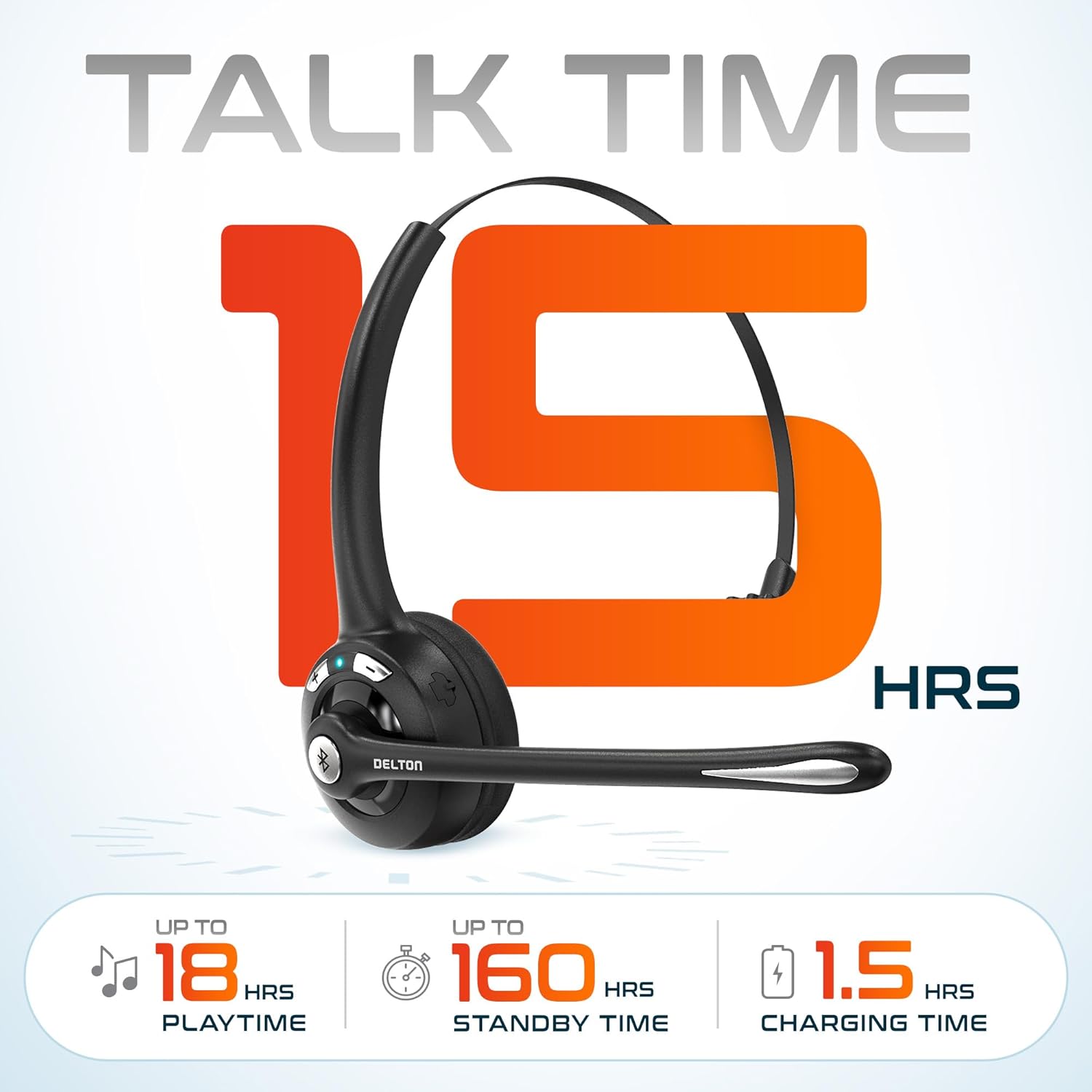
Stampa 3.2: An infographic detailing the battery performance of the Delton 10X headset, highlighting 15 hours of talk time, 18 hours of play time, 160 hours of standby time, and a 1.5-hour charging time.
3.2 Advanced Technology
The headset incorporates an advanced chipset for seamless connectivity and improved power efficiency.

Stampa 3.3: A close-up view of the headset's internal components, illustrating the advanced Bluetooth 5.0 chipset. This image emphasizes the technology that reduces outside noise, improves power efficiency, and provides seamless connectivity up to 30 feet.
4. Setup
4.1 Iċċarġjar tal-Headset
- Connect the provided charging cable to the charging port on the headset.
- Plug the other end of the cable into a USB power source (e.g., computer USB port, wall adapter).
- L-indikatur LED juri l-istatus tal-iċċarġjar. Iċċarġjar sħiħ jieħu madwar 1.5 sigħat.
4.2 Power On/Off
- Biex Tixgħel: Press and hold the Multi-Function Button (MFB) until the LED indicator flashes blue.
- Biex Tifi: Press and hold the MFB until the LED indicator flashes red and then turns off.
4.3 Bluetooth Pairing (Direct)
To connect the headset directly to a Bluetooth-enabled device (e.g., smartphone, tablet):
- Kun żgur li l-widna hija mitfija.
- Agħfas u żomm l-MFB għal madwar 5-7 sekondi sakemm l-indikatur LED jteptep aħmar u blu alternattivament, u dan jindika l-modalità ta' tqabbil.
- Fuq it-tagħmir tiegħek, ippermetti l-Bluetooth u fittex tagħmir disponibbli.
- Select "Delton 10X" from the list of found devices.
- Ladarba tkun konnessa, l-indikatur LED fuq il-headset se jteptep blu bil-mod.
4.4 USB Dongle Connection
For computers without native Bluetooth or for a more stable connection, use the included USB dongle. The dongle provides instant auto-pairing.
- Plug the USB dongle into an available USB port on your computer. The dongle's LED will blink.
- Power on your Delton 10X headset.
- The headset and dongle will automatically pair. The dongle's LED will turn solid blue, and the headset's LED will flash blue slowly once connected.
- Ensure the Delton 10X is selected as the audio input and output device in your computer's sound settings.

Stampa 4.1: A visual representation of the USB dongle being inserted into a laptop's USB port. The image highlights the 'Auto-Pair USB Dongle' feature and 'Plug & Play' functionality, indicating no driver installation is required.
4.5 Kompatibilità
The Delton 10X headset is designed for broad compatibility:
- Apparati: Smartphones, Tablets, Desktop PCs, Laptops.
- Sistemi Operattivi: iOS, Windows, Linux, Mac.
- Applikazzjonijiet: MS Teams, Zoom, Google Meet, Slack, Skype.

Stampa 4.2: Illustrazzjoni li turiasing the wide compatibility of the Delton 10X headset with various devices, including phones, tablets, iOS & Windows laptops, and desktop computers/iMacs. This emphasizes its versatility across different platforms.
5. Istruzzjonijiet Operattivi
5.1 Kontrolli tal-Headset
The headset features intuitive controls for managing calls and audio playback:
- Buttuna Multi-Funzjoni (MFB):
- Agħfas darba biex Twieġeb/Ttemm is-Sejħa.
- Press and hold for 2 seconds to Redial.
- Agħfas darba biex Tilgħab/Twaqqaf il-mużika.
- Buttuna li Tgħolli l-Volum (+):
- Agħfas darba biex iżżid il-volum.
- Press and hold for 2 seconds for Next Track.
- Buttuna biex Tnaqqas il-Volum (-):
- Agħfas darba biex tnaqqas il-volum.
- Press and hold for 2 seconds for Previous Track.

Stampa 5.1: A detailed diagram of the Delton 10X headset's controls, showing the Volume Down (-), Volume Up (+), and Multi-Function Button (MFB) with their respective functions for call management, track control, and power.
5.2 Użu tal-Mikrofonu
The microphone is designed for clear voice pickup and can be adjusted for optimal positioning.
- L-aġġustament tal-mikrofonu: The microphone boom can rotate 270 degrees. Position the microphone approximately 1-2 inches from your mouth for best voice clarity.
- Kanċellazzjoni tal-Ħoss: The integrated noise-canceling technology helps filter out ambient sounds, ensuring your voice is heard clearly by others.
5.3 L-Ilbies tal-Headset
The Delton 10X headset is designed for comfort and can be worn on either ear.
- Faxxa tar-ras aġġustabbli: Extend or retract the headband to fit your head size comfortably.
- Ear Gripper T-Pad: This feature helps secure the headset in place.
- Left or Right Ear: Rotate the microphone boom to position the ear cup on your preferred ear.

Stampa 5.2: An image illustrating the comfort and adjustability features of the Delton 10X headset. It shows the adjustable headband, the Ear Gripper T-Pad, the plush ear cushion, and the 270° rotation of the flexible microphone, demonstrating its usability on both left and right ears.
6. Manutenzjoni
Manutenzjoni xierqa tiżgura l-lonġevità u l-prestazzjoni ottimali tal-headset tiegħek.
- Tindif: Uża drapp artab u niexef biex tnaddaf il-headset. Għall-kuxxinetti tal-widnejn, drapp ħafif.amp Drapp jista' jintuża, iżda kun żgur li jkunu niexfa għalkollox qabel l-użu. Evita kimiċi ħarxa jew materjali li joborxu.
- Ħażna: Aħżen il-headset f'post frisk u niexef 'il bogħod mix-xemx diretta u minn temperaturi estremi.
- Kura tal-batterija: Biex ittawwal il-ħajja tal-batterija, evita li tiċċarġja l-headset kompletament ta' spiss. Iċċarġjah regolarment, anke jekk ma jkunx qed jintuża għal perjodi twal.
- Evita l-Ilma: The headset is not water-resistant. Avoid exposure to liquids.
7 Issolvi l-problemi
If you encounter issues with your Delton 10X headset, refer to the following common solutions:
| Problema | Kawża Possibbli | Soluzzjoni |
|---|---|---|
| Il-headset ma jixgħelx. | Batterija baxxa jew xejn ċarġ. | Iċċarġja l-headset għal mill-inqas sagħtejn. |
| Ma tistax tqabbad mat-tagħmir. | Il-headset mhux fil-modalità ta' tqabbil; il-Bluetooth mitfi fuq l-apparat; l-apparat wisq 'il bogħod. | Ensure headset is in pairing mode (flashing red/blue). Turn on device Bluetooth. Move headset closer to device (within 30 feet). Try using the USB dongle. |
| Poor microphone audio quality (others cannot hear me clearly). | Microphone position; computer audio settings; environmental noise. | Adjust the microphone closer to your mouth (1-2 inches). Check your computer's sound settings to ensure the Delton 10X is selected as the input device and microphone volume is adequate. Ensure the noise-canceling mic is facing the correct direction. |
| No sound or low sound from headset. | Headset volume too low; device volume too low; incorrect audio output device. | Increase headset volume using the '+' button. Increase volume on your connected device. Verify that the Delton 10X is selected as the audio output device in your computer's sound settings. |
| Il-konnessjoni tinqata’ ta’ spiss. | Barra mill-firxa; interferenza. | Ensure you are within 30 feet of the connected device or USB dongle. Minimize obstacles between the headset and device. |
8. Speċifikazzjonijiet
Detailed technical specifications for the Delton 10X Bluetooth Computer Headset:
| Karatteristika | Speċifikazzjoni |
|---|---|
| Isem tal-Mudell | 10X Monoaural Headset + Dongle |
| Teknoloġija tal-Konnettività | Mingħajr fili (Bluetooth 5.0) |
| Medda Bluetooth | Sa 30 pied |
| Kontroll tal-Ħoss | Sound Isolation (Noise-Canceling Mic) |
| Rispons ta' Frekwenza | 20 Hz - 20,000 Hz |
| Ħajja tal-Batterija (Ħin tat-Taħdit) | Sa 15-il Siegħa |
| Ħajja tal-Batterija (Ħin tal-Logħob) | Sa 18-il Siegħa |
| Ħajja tal-batterija (Standby) | Sa 160-il Siegħa |
| Ħin tal-Iċċarġjar | 1.5 Sigħat |
| Headphones Jack | USB (għall-iċċarġjar) |
| Tip ta' Kontroll | Call Control, Volume Control, Track Control |
| Piż tal-oġġett | 1.5 uqija |
| Dimensjonijiet tal-Prodott | 6 x 6 x 2 pulzieri |
| Materjal | Plastik |
| Tqegħid tal-widnejn | Over Ear (Monoaural) |
9. Garanzija u Appoġġ
For warranty information or technical assistance, please contact Delton customer support. Details can typically be found on the official Delton website or through your purchase documentation. Please retain your proof of purchase for warranty claims.