
Introduzzjoni
The CyberpowerPC Spectre 01 is a wired adjustable stereo gaming headset designed for comfort and high-quality audio. This manual provides essential information for setting up, operating, maintaining, and troubleshooting your headset to ensure an optimal gaming and audio experience across various platforms.
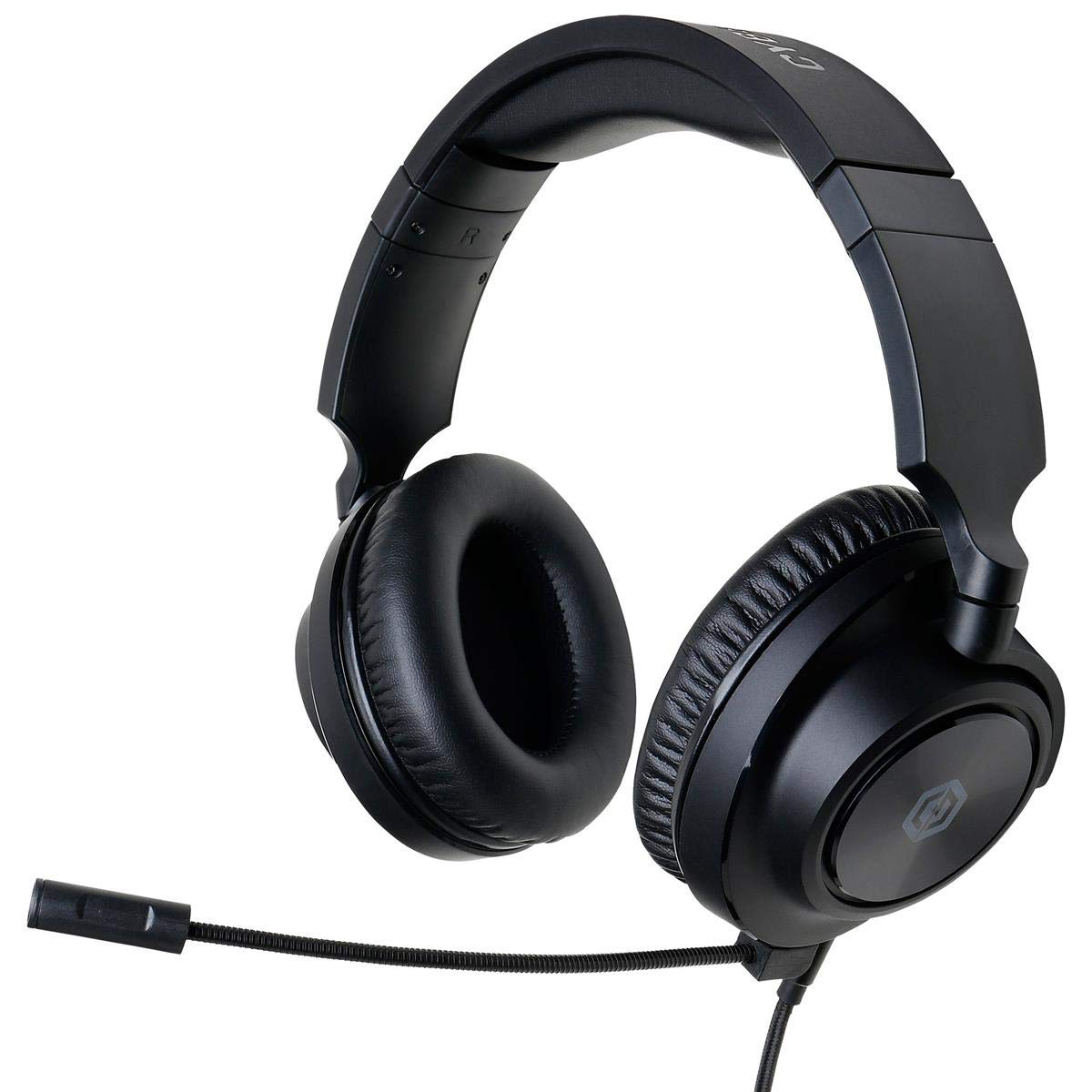
Figure 1: CyberpowerPC Spectre 01 Gaming Headset
Kontenut tal-Pakkett
Ivverifika li l-oġġetti kollha huma preżenti fil-pakkett tiegħek:
- Spectre Gaming Headset
- Cable Awdjo
- Mikrofonu li jinqala'
- PC Splitter (Y-cable)
- Gwida Quick Start
Setup
1. It-twaħħil tal-Mikrofonu
Locate the microphone input port on the left earcup. Align the microphone's connector with the port and gently push until it clicks into place. Ensure it is securely attached for proper function.
2. Tqabbad il-Headset
The Spectre 01 headset uses a standard 3.5mm jack for audio and microphone connectivity.
- For devices with a single 3.5mm combo jack (e.g., most laptops, PS4, Xbox One, Switch, mobile phones): Plug the headset's 3.5mm audio cable directly into the device's audio port.
- For devices with separate audio and microphone jacks (e.g., most desktop PCs): Use the included PC splitter. Connect the headset's 3.5mm cable to the female end of the splitter. Then, plug the green-tipped male connector of the splitter into your computer's audio output jack (usually green), and the pink-tipped male connector into your computer's microphone input jack (usually pink).
3. Aġġustament għall-Kumdità
The headset features an adjustable headband and flexible earcups. Extend or retract the headband to fit your head size. The earcups can pivot and tilt to conform to your ear shape, reducing pressure during extended use.

Figure 2: Headset Adjustments for Optimal Fit
Istruzzjonijiet Operattivi
1. Kontrolli Awdjo
The headset features inline audio controls on the cable. Use the volume wheel to adjust the listening volume. A microphone mute switch is also present, allowing you to quickly toggle your microphone on or off.
2. Użu tal-mikrofonu
Position the flexible boom microphone close to your mouth for clear voice capture. Ensure the microphone is not muted via the inline control or your device's settings.
3. Kompatibilità tal-Pjattaforma
The Spectre 01 headset is compatible with a wide range of devices:
- PC/Mac: Connect using the 3.5mm jack, utilizing the PC splitter for separate audio/mic ports if necessary.
- PlayStation 4 (PS4): Plug directly into the controller's 3.5mm port. Adjust audio settings in the PS4 system menu.
- Xbox One: Plug directly into the controller's 3.5mm port. An Xbox One Stereo Headset Adapter (sold separately) may be required for older controllers without a 3.5mm jack.
- Nintendo Switch: Plug directly into the console's 3.5mm port.
- Apparat mobbli: Plug directly into the 3.5mm audio jack of your smartphone or tablet.

Figure 3: Earcup Flexibility for Enhanced Comfort
Manutenzjoni
To ensure the longevity and performance of your CyberpowerPC Spectre 01 headset, follow these maintenance guidelines:
- Tindif: Uża drapp artab u niexef biex timsaħ il-earcups u l-headband. Għal ħmieġ iebes, neħħi ftit.amp Ċarruta tista' tintuża, iżda evita umdità eċċessiva. Tużax kimiċi ħarxa jew prodotti tat-tindif li joborxu.
- Ħażna: Store the headset in a clean, dry place away from extreme temperatures and direct sunlight. Avoid coiling the cable tightly to prevent damage.
- Immaniġġjar: Always grasp the plug when disconnecting the cable, rather than pulling on the cable itself. Avoid dropping the headset or subjecting it to strong impacts.
Issolvi l-problemi
If you encounter issues with your Spectre 01 headset, refer to the following common solutions:
- Ebda Ħsejjes jew Volum Baxx:
- Kun żgur li l-jack ta' 3.5mm huwa mdaħħal kompletament fl-apparat.
- Iċċekkja l-kontroll tal-volum inline fuq il-kejbil tal-headset u żid il-volum.
- Verify your device's audio output settings and volume levels.
- If using the PC splitter, ensure both green and pink connectors are correctly plugged into the corresponding ports on your PC.
- Ittestja l-headset b'apparat ieħor biex teskludi problema speċifika għall-apparat.
- Mikrofonu Mhux Jaħdem:
- Kun żgur li l-mikrofonu huwa mwaħħal sew mal-headset.
- Check the inline microphone mute switch on the cable and ensure it is in the 'unmuted' position.
- Verify your device's microphone input settings and ensure the Spectre 01 is selected as the default input device.
- If using the PC splitter, ensure the pink connector is correctly plugged into your PC's microphone input.
- Ittestja l-mikrofonu b'apparat jew applikazzjoni oħra.
- Sound Distortion or Static:
- Kun żgur li l-konnessjonijiet kollha huma siguri u ħielsa minn debris.
- Try connecting the headset to a different audio port or device to check if the issue persists.
- Reduce the volume on both the headset and the device to see if distortion lessens.
Speċifikazzjonijiet
| Brand | CyberpowerPC |
| Numru tal-Mudell | CPS01H200 |
| Isem tal-Mudell | Spectre |
| Kulur | Iswed |
| Tqegħid tal-widnejn | Fuq il-widnejn |
| Fattur tal-Formola | Fuq il-widnejn |
| Impedenza | 32 Ohms |
| Medda ta' Frekwenzi | 20Hz sa 20KHz |
| Daqs tas-Sewwieq | 50mm Neodimju |
| Teknoloġija tal-Konnettività | Bil-fili |
| Jack tal-headphone | 3.5 mm Jack |
| Karatteristiċi tal-Cable | Jinqala' |
| Materjal | Ġilda Falza, Plastik |
| Karatteristiċi Addizzjonali | Lightweight, Microphone Included, Inline Audio Controls |
Informazzjoni dwar Garanzija
The CyberpowerPC Spectre 01 Gaming Headset is covered by a Garanzija Limitata ta' 1 Snin from the date of purchase. This warranty covers defects in materials and workmanship under normal use. It does not cover damage caused by accident, misuse, abuse, neglect, unauthorized modification, or improper installation. Please retain your proof of purchase for warranty claims.
Appoġġ
For further assistance, technical support, or warranty inquiries, please visit the official CyberpowerPC website or contact their customer service department. Refer to the contact information provided in your Quick Start Guide or on the CyberpowerPC websit.