
1. Introduzzjoni
Thank you for choosing the SCHWAIGER DAB400 513 Digital Radio. This device offers a superior audio experience with both digital DAB+ and analog FM radio reception. It features a vibrant color LCD display, Bluetooth connectivity for wireless audio streaming, and a convenient alarm clock function. This manual provides essential information for setting up, operating, and maintaining your radio to ensure optimal performance and longevity.
2. Informazzjoni dwar is-Sigurtà
- Sors tal-Enerġija: Uża biss l-adapter tal-enerġija pprovdut. Kun żgur li l-volumtage taqbel mal-provvista tal-enerġija lokali tiegħek.
- Ilma u Umdità: Do not expose the device to water, rain, or high humidity. Avoid placing liquid-filled objects on or near the radio.
- Ventilazzjoni: Ensure adequate ventilation around the device. Do not block ventilation openings.
- Sħana: Żomm ir-radju 'l bogħod minn sorsi ta' sħana bħal radjaturi, reġistri tas-sħana, stufi, jew apparati oħra li jipproduċu s-sħana.
- Batteriji: If using batteries, ensure correct polarity. Do not mix old and new batteries, or different types of batteries. Remove batteries if the device will not be used for an extended period.
- Tindif: Disconnect the power adapter before cleaning. Use a soft, dry cloth. Do not use liquid cleaners or aerosol sprays.
- Servizzi: Tippruvax isservi dan il-prodott int stess. Irreferi l-manutenzjoni kollha lil persunal tas-servizz kwalifikat.
3. Kontenut tal-Pakkett
Jekk jogħġbok iċċekkja l-pakkett għall-oġġetti li ġejjin:
- SCHWAIGER DAB400 513 Digital DAB+/FM Radio
- Adapter tal-Enerġija
- Manwal ta' Istruzzjoni
Jekk xi oġġetti huma nieqsa jew bil-ħsara, jekk jogħġbok ikkuntattja lill-bejjiegħ tiegħek.
4. Prodott Aktarview
Familiarize yourself with the various parts and controls of your SCHWAIGER DAB400 513 Digital Radio.

Figura 4.1: Quddiem view of the SCHWAIGER DAB400 513 Digital Radio with dimensions. The radio measures approximately 210mm in width, 120mm in height, and 80mm in depth.
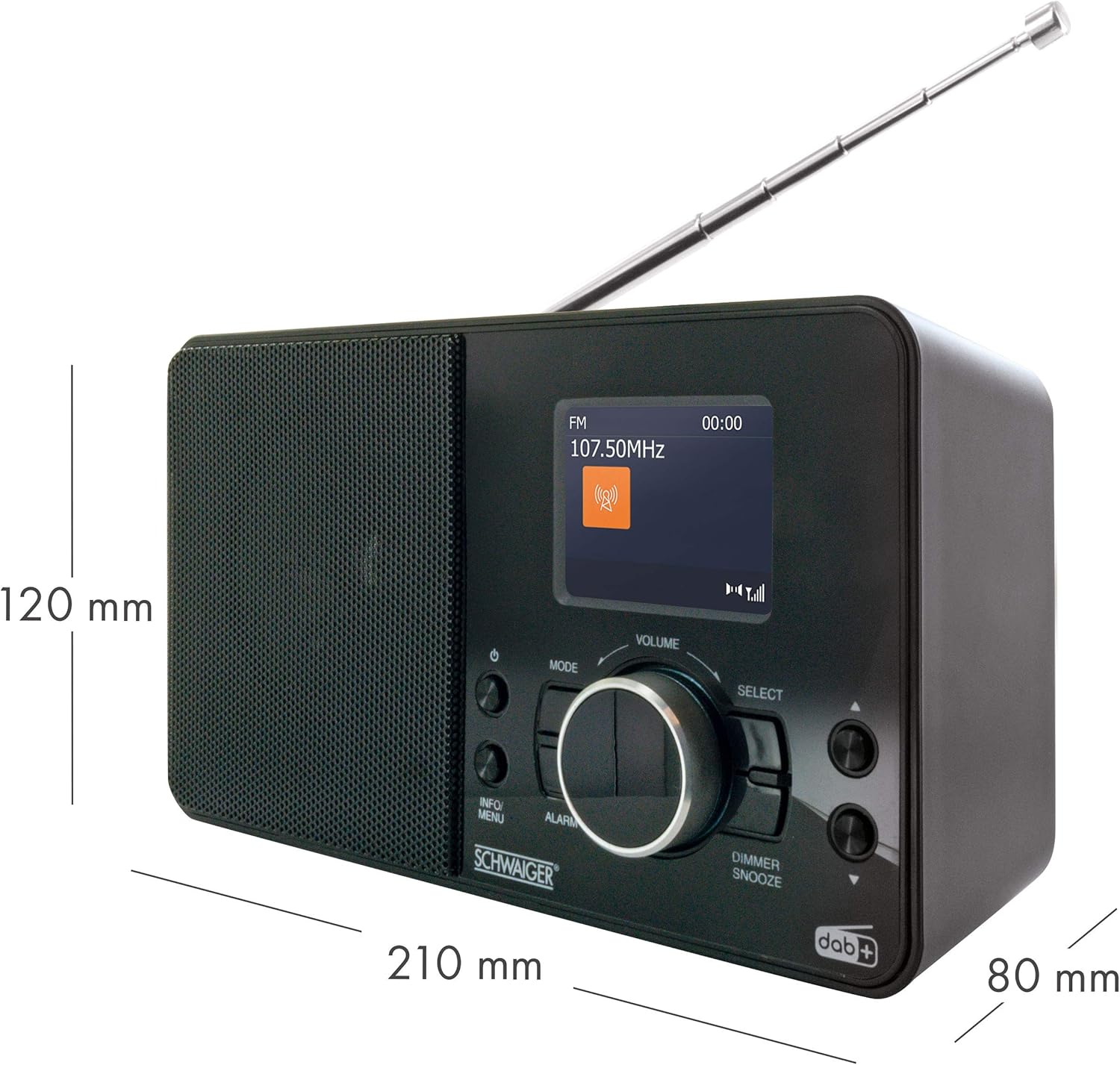
Figure 4.2: Front panel features including the 2.4" LCD color display, radio reception indicator, and wake-up function controls.

Figura 4.3: Dettaljat view of the control panel. Key controls include Power, Mode, Info/Menu, Alarm, Volume knob, Select button, and Dimmer/Snooze button.

Figure 4.4: Top panel showing the preset buttons (1-8+) for quick access to your favorite stations.

Figure 4.5: Rear panel with extendable antenna, battery compartment, headphone jack, and DC IN power port.
5. Setup
5.1 Konnessjoni tal-Enerġija
The radio can be powered by the included AC adapter or by batteries.
Bl-użu tal-AC Adapter:
- Connect the small end of the power adapter to the DC IN port on the rear of the radio.
- Ipplaggja t-tarf l-ieħor tal-adapter tal-enerġija f'sokit standard tal-ħajt.
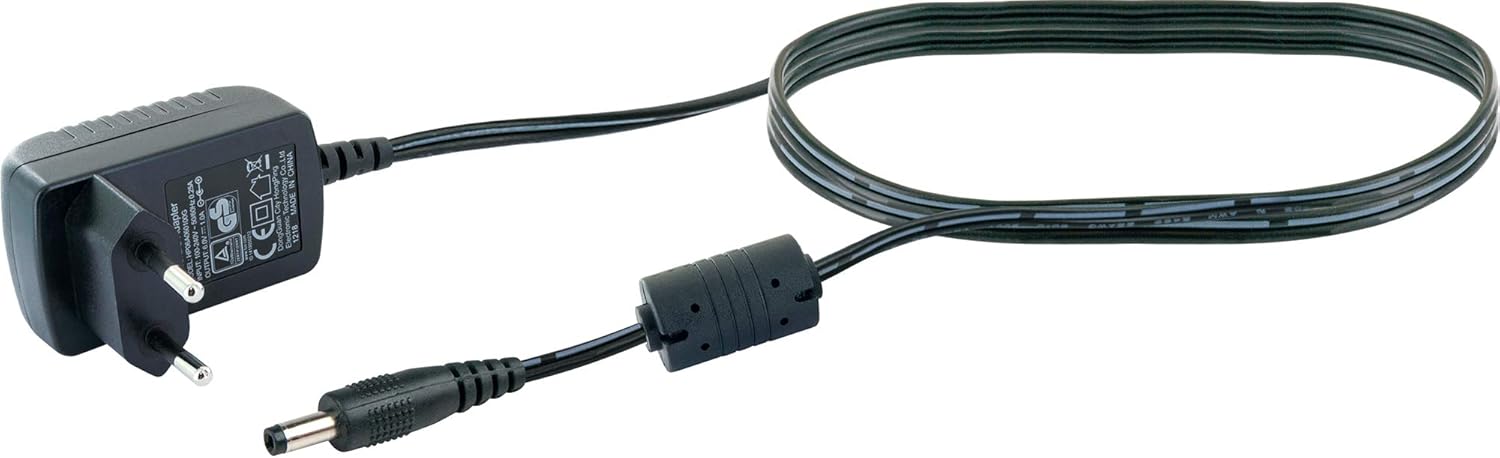
Figure 5.1: The included power adapter for mains operation.
Użu ta' Batteriji:
For portable use, the radio requires 4 x LR06 (AA) 1.5V batteries (not included).
- Open the battery compartment cover on the rear of the radio (refer to Figure 4.5).
- Daħħal 4 batteriji AA, waqt li tiżgura l-polarità korretta (+/-) kif indikat ġewwa l-kompartiment.
- Agħlaq l-għatu tal-kompartiment tal-batterija sew.
5.2 Aġġustament tal-Antenna
For optimal radio reception, fully extend the telescopic antenna located on the rear of the unit. Adjust its position for the best signal quality.
5.3 L-Ewwel Tixgħil u l-Ewwel Setup
- Agħfas il- Qawwa buttuna biex tixgħel ir-radju.
- Upon first use, the radio will typically initiate an automatic scan for DAB+ stations. This process may take a few minutes.
- Once the scan is complete, the radio will display the first available DAB+ station.
- Set the current time and date if prompted, using the Agħżel pum u Info/Menu buttuna.
6. Istruzzjonijiet Operattivi
6.1 Power On/Off
- Agħfas il- Qawwa buttuna biex tixgħel jew titfi r-radju.
6.2 Għażla tal-Modalità
- Agħfas il- Modalità button repeatedly to switch between DAB+, FM, and Bluetooth modes. The current mode will be displayed on the LCD screen.
6.3 Tħaddim tar-Radju DAB+
Skennjar għal Stazzjonijiet:
- In DAB+ mode, if no stations are found or you wish to rescan, press and hold the Info/Menu buttuna biex taċċessa l-menu.
- Dawwar il- Agħżel knob to navigate to "Full Scan" and press the Agħżel knob to confirm. The radio will scan for available DAB+ stations.
L-Għażla tal-Istazzjonijiet:
- Dawwar il- Agħżel knob to browse through the available DAB+ stations.
- Agħfas il- Agħżel pum biex tikkonferma l-għażla tiegħek.
Presetting DAB+ Stations:
- Sintonizza fuq l-istazzjon DAB+ mixtieq.
- Press and hold one of the numbered preset buttons (1-8+) on the top of the radio until "Preset Saved" appears on the display.
- To recall a preset station, simply press the corresponding numbered preset button.
6.4 Tħaddim tar-Radju FM
Skennjar għal Stazzjonijiet:
- Fil-modalità FM, agħfas u żomm il- Agħżel knob to initiate an automatic scan for FM stations. The radio will stop on the next strong signal.
- Inkella, dawwar il- Agħżel pum biex tirfina l-frekwenza manwalment.
Presetting FM Stations:
- Intuna fuq l-istazzjon FM mixtieq.
- Press and hold one of the numbered preset buttons (1-8+) on the top of the radio until "Preset Saved" appears on the display.
- To recall a preset station, simply press the corresponding numbered preset button.
6.5 Operazzjoni Bluetooth
Tqabbil ma' Apparat Bluetooth:
- Agħfas il- Modalità button to select Bluetooth mode. The display will show "Bluetooth Pairing" or similar, indicating it's ready to connect.
- Ippermetti l-Bluetooth fuq l-ismartphone tiegħek jew apparat awdjo ieħor.
- Fittex għal "SCHWAIGER DAB400 513" (or similar device name) in your device's Bluetooth settings and select it to pair.
- Ladarba jkun imqabbad, ir-radju jikkonferma l-konnessjoni, u issa tista' tixxandar l-awdjo mingħajr fili.
6.6 Funzjoni ta 'allarm
L-issettjar ta' Allarm:
- Agħfas il- Allarm button to enter the alarm settings.
- Dawwar il- Agħżel knob to adjust the alarm time (hour and minute), and press Agħżel biex tikkonferma kull setting.
- Choose the alarm source (Buzzer, DAB+, or FM) and desired volume level.
- Confirm to activate the alarm. An alarm icon will appear on the display.
Snooze and Dimmer:
- Meta l-allarm jinstema ', agħfas il-buttuna Dimmer/Snooze button to temporarily silence the alarm for a set period (e.g., 9 minutes).
- Agħfas u żomm il- Dimmer/Snooze button to adjust the display brightness.

Figure 6.1: The radio displaying time and date on its color LCD screen.
7. Manutenzjoni
7.1 Tindif
- Dejjem aqla’ r-radju mill-plagg tal-elettriku qabel ma tnaddaf.
- Uża drapp artab, niexef u mingħajr suf biex timsaħ l-uċuħ ta’ barra.
- Tużax prodotti tat-tindif, xama', jew solventi li joborxu għax jistgħu jagħmlu ħsara lill-finitura.
7.2 Sostituzzjoni tal-batterija
- When the battery indicator shows low power, replace all 4 AA batteries simultaneously.
- Kun żgur li l-polarità hija korretta meta ddaħħal batteriji ġodda.
- Armi l-batteriji użati b'mod responsabbli skont ir-regolamenti lokali.
7.3 Ħażna
- Jekk taħżen ir-radju għal perjodu estiż, neħħi l-batteriji biex tevita t-tnixxija.
- Aħżen ir-radju f'post frisk u niexef, 'il bogħod mix-xemx diretta u minn temperaturi estremi.
8 Issolvi l-problemi
| Problema | Kawża Possibbli | Soluzzjoni |
|---|---|---|
| Ebda qawwa | L-adapter tal-enerġija mhux imqabbad; Il-batteriji m'għadhomx jintużaw jew imdaħħla sew. | Check power adapter connection; Replace batteries, ensuring correct polarity. |
| Riċeviment tar-radju fqir (DAB+/FM) | Antenna mhux estiża jew pożizzjonata ħażin; Żona b'sinjal dgħajjef. | Fully extend and adjust the telescopic antenna; Try moving the radio to a different location. |
| Il-Bluetooth mhux qed jgħaqqad | Radio not in Bluetooth mode; Device not in pairing mode; Device too far. | Switch radio to Bluetooth mode; Ensure your device's Bluetooth is on and in pairing mode; Move devices closer. |
| L-allarm ma jiddoqqx | L-allarm mhux attivat; Il-volum huwa baxx wisq. | Check alarm settings and ensure it is enabled; Increase alarm volume. |
| Id-displej huwa vojt jew mudlam | Dimmer setting too low; Power issue. | Adjust display brightness using the Dimmer/Snooze button; Check power connection. |
9. Speċifikazzjonijiet
| Brand | SCHWAIGER |
| Numru tal-Mudell | DAB400 513 |
| Kulur | Digital Radio (Black) |
| Teknoloġija tal-Konnettività | Awżiljarju, Bluetooth |
| Karatteristiċi Speċjali | Integrated Clock, Alarm Function, Color LCD Display |
| Apparati Kompatibbli | Smartphone, Mobile Playback Devices |
| Dimensjonijiet tal-Prodott | 21 ċm (L) x 8 ċm (W) x 12 ċm (H) |
| Teknoloġija tal-Irfinar | DAB+ |
| Frekwenzi tar-Radju Appoġġjati | DAB+ (174 - 240 MHz), FM (87.5 - 108 MHz) |
| Sors tal-Enerġija | Electric Cable (DC 6V = 1A) or 4 x LR06 (AA) 1.5V Batteries |
| Komponenti Inklużi | Digital DAB+/FM Radio, Power Adapter, Instruction Manual |
10. Garanzija u Appoġġ
Warranty information for your SCHWAIGER DAB400 513 Digital Radio is typically provided with your purchase documentation or can be found on the official SCHWAIGER websit. Jekk jogħġbok żomm il-prova tax-xiri tiegħek għal talbiet ta' garanzija.
For further support, technical assistance, or to download the latest version of this manual, please visit the official SCHWAIGER websit jew ikkuntattja lid-dipartiment tas-servizz tal-konsumatur tagħhom.
Manifattur: Schwaiger GmbH
Websit: www.schwaiger.de