
1. Introduzzjoni
The Yottamaster DF5U3 is a 5-bay external hard drive enclosure designed for both 2.5-inch and 3.5-inch SATA HDD/SSDs. It supports a total capacity of up to 90TB (5 x 18TB drives) and features a USB 3.0 interface for data transfer speeds up to 6Gbps. This enclosure is built with an aluminum alloy frame and includes an 80mm RGB silent fan for efficient cooling. This manual provides detailed instructions for the proper setup, operation, and maintenance of your Yottamaster DF5U3 enclosure.
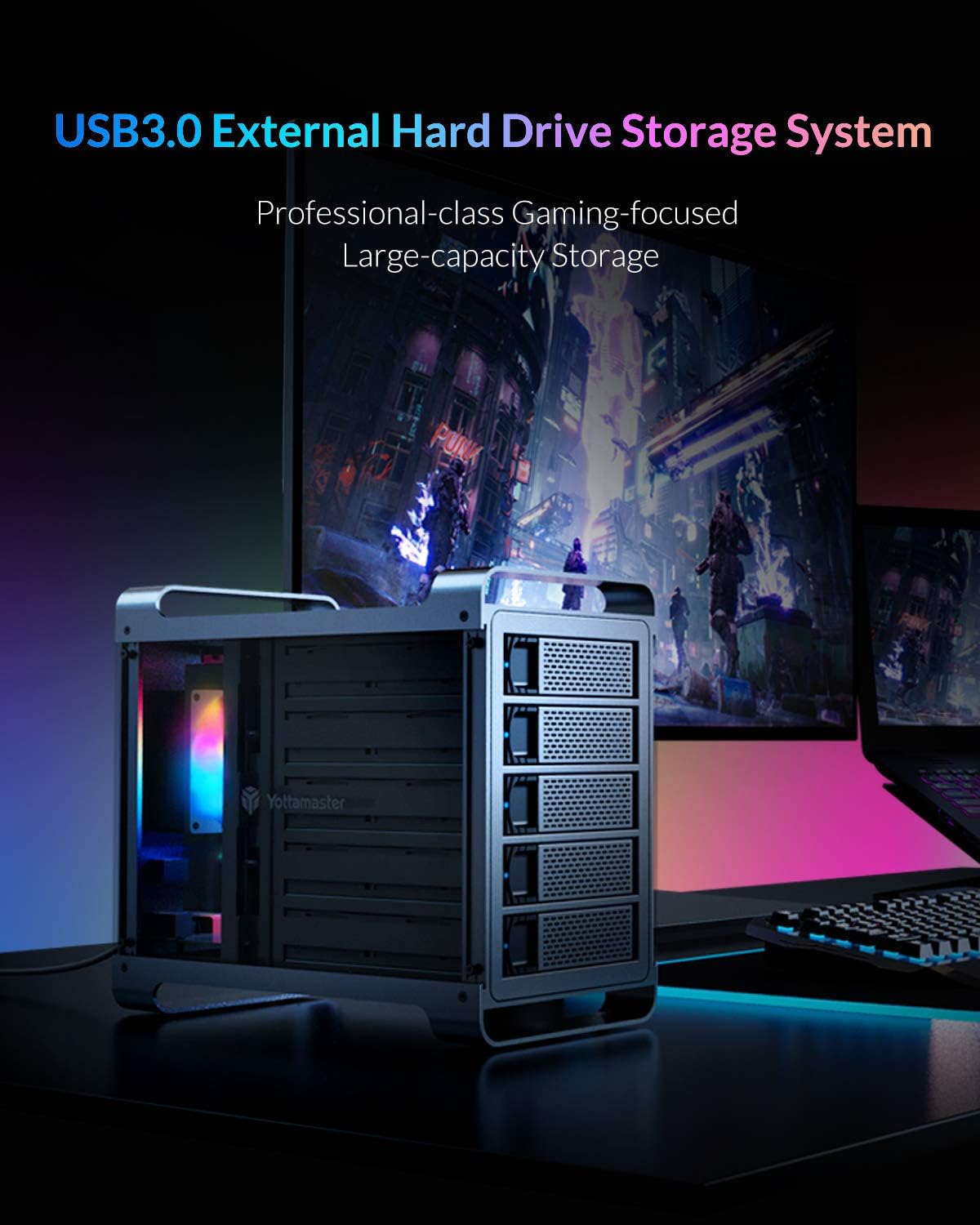
Figure 1: Yottamaster 5-Bay USB 3.0 Hard Drive Enclosure (DF5U3)
2. Kontenut tal-Pakkett
Jekk jogħġbok ivverifika li l-oġġetti kollha huma preżenti fil-pakkett tiegħek:
- Yottamaster 5-Bay USB 3.0 Hard Drive Enclosure (DF5U3)
- USB 3.0 Type-B Data Cable
- Adapter tal-Enerġija (150W)
- Screws for Drive Installation
- Tornavit
- Manwal għall-Utent
3. Karatteristiċi ewlenin
- Kapaċità Għolja: Supports up to 90TB total storage (5 x 18TB drives).
- Kompatibilità tas-sewqan: Designed for both 2.5-inch and 3.5-inch SATA I/II/III HDD/SSDs.
- Fast Transfer Speed: USB 3.0 interface provides data transfer rates up to 6Gbps.
- Tkessiħ Effiċjenti: Features an 80mm RGB silent fan to maintain optimal drive temperatures.
- Kostruzzjoni Durabbli: Built with a robust aluminum alloy frame.
- Plug-and-Play: Driverless installation for ease of use.
- Non-RAID Version: This model does not support hardware RAID. Software RAID can be configured using your operating system's tools.
4. Gwida ta' Setup
4.1 Installazzjoni tad-Drajv
- Gently pull the lever on the front of an empty drive bay to release and slide out the drive tray.
- Place your 2.5-inch or 3.5-inch SATA HDD/SSD onto the drive tray. Align the screw holes on the drive with those on the tray.
- Waħħal id-drajv mat-trej billi tuża l-viti u t-tornavit provduti.
- Żerżaq it-trej tad-drajv mgħobbi lura fl-enclosure sakemm tikklikkja sew f'postu.
- Repeat for all desired drives.

Figure 2: Inserting a drive into the tray

Figure 3: Drive trays ready for installation
4.2 Connecting the Enclosure
- Connect the power adapter to the AC-in port on the rear of the enclosure and then to a power outlet.
- Connect one end of the USB 3.0 Type-B data cable to the USB 3.0 port on the rear of the enclosure.
- Connect the other end of the USB 3.0 data cable to an available USB 3.0 port on your computer.
- Press the power switch on the rear of the enclosure to the "ON" position. The enclosure will power on, and the RGB fan will illuminate.

Figure 4: Rear panel connections
5. Istruzzjonijiet Operattivi
5.1 Initializing and Formatting Drives
For new hard drives, or if you wish to erase existing data, you will need to initialize and format them. This process creates partitions and prepares the drives for use with your operating system.
Video 1: Guide on how to format a hard drive partition in Windows or Mac OS. This video demonstrates the steps to initialize and format your drives for first-time use.
5.2 Adjusting/Disabling Sleep Mode
The enclosure may enter a sleep mode after a period of inactivity to conserve power and reduce wear on the drives. You can adjust or disable this feature if needed.
Video 2: Instructions on how to cancel the sleep mode for Yottamaster multi-bay HDD enclosures.
Video 3: A step-by-step guide to adjust or disable the sleep mode on the enclosure, providing detailed visual instructions.
6. Manutenzjoni
To ensure the longevity and optimal performance of your Yottamaster DF5U3 enclosure, follow these maintenance guidelines:
- Tindif: Regularly clean the exterior of the enclosure with a soft, dry cloth. Ensure the fan vents are free from dust accumulation to maintain proper airflow.
- Ambjent: Operate the enclosure in a well-ventilated area, away from direct sunlight, heat sources, and excessive moisture.
- Tneħħija Sikura: Always safely eject the enclosure from your operating system before disconnecting the USB cable or power to prevent data corruption.
- Aġġornamenti tal-Firmware: Iċċekkja l-uffiċjal ta' Yottamaster website periodically for any available firmware updates that may improve performance or address issues.
7 Issolvi l-problemi
If you encounter issues with your Yottamaster DF5U3 enclosure, please refer to the following common solutions:
- Drives Not Recognized:
- Kun żgur li l-kejbils kollha (USB u tal-enerġija) huma konnessi sew.
- Verify that the enclosure is powered on.
- Check Disk Management (Windows) or Disk Utility (Mac) to see if the drives are detected but uninitialized/unformatted. Refer to the formatting video in Section 5.1.
- Try connecting the enclosure to a different USB port or computer.
- Ensure the drives are properly seated in their trays and secured with screws.
- Enclosure Goes to Sleep Unexpectedly:
- Refer to the videos in Section 5.2 for instructions on how to adjust or disable the sleep timer function.
- Check your operating system's power management settings, as they can also influence drive sleep behavior.
- Veloċitajiet ta' Trasferiment Baxxi:
- Ensure you are using a USB 3.0 port on your computer. Connecting to a USB 2.0 port will result in slower speeds.
- Verify the quality of your USB 3.0 cable.
- Performance can be affected by the speed of the installed hard drives themselves.
- Storbju Eċċessiv tal-Fann:
- Ensure the enclosure is placed on a stable, flat surface to prevent vibrations.
- Check for any obstructions in the fan or vents.
If these steps do not resolve your issue, please contact Yottamaster customer support.
8. Speċifikazzjonijiet
| Karatteristika | Dettall |
|---|---|
| Numru tal-Mudell | DF5U3 |
| Brand | Yottamaster |
| Drive Bays | 5 |
| Kapaċità Max | 90 TB (5 x 18TB) |
| Sewwieq Kompatibbli | 2.5" & 3.5" SATA I/II/III HDD/SSD |
| Interface | USB 3.0 Tip-B |
| Rata ta' Trasferiment tad-Data | Sa 6Gbps |
| Tkessiħ | 80mm RGB Silent Fan |
| Materjal | Liga tal-Aluminju |
| OS kompatibbli | Windows, Mac, Linux |
| Provvista tal-Enerġija | Adapter tal-Enerġija Esterna ta' 150W |
9. Garanzija u Appoġġ
9.1 Informazzjoni dwar Garanzija
Yottamaster products come with a standard manufacturer's warranty. Please refer to the warranty card included in your package or visit the official Yottamaster websit għal termini u kundizzjonijiet dettaljati tal-garanzija speċifiċi għar-reġjun tiegħek.
9.2 Appoġġ għall-Klijent
For technical assistance, troubleshooting, or any product-related inquiries, please contact Yottamaster customer support through their official channels:
- Uffiċjali Websit: www.yottamaster.com
- Paġna ta' Appoġġ: Visit the 'Support' or 'Downloads' section on the official websit għal FAQs, sewwieqa, u aġġornamenti tal-firmware.