
1. Introduzzjoni
Thank you for choosing the Joyroom JR-X1 Bluetooth Wireless Earphones. These earphones are designed to provide a comfortable and high-quality audio experience with bone conduction technology, allowing you to enjoy sound without blocking your ears. This manual will guide you through the setup, operation, and maintenance of your new earphones.

Figure 1: Joyroom JR-X1 Bluetooth Wireless Earphones, showcasing id-disinn eleganti tagħhom.
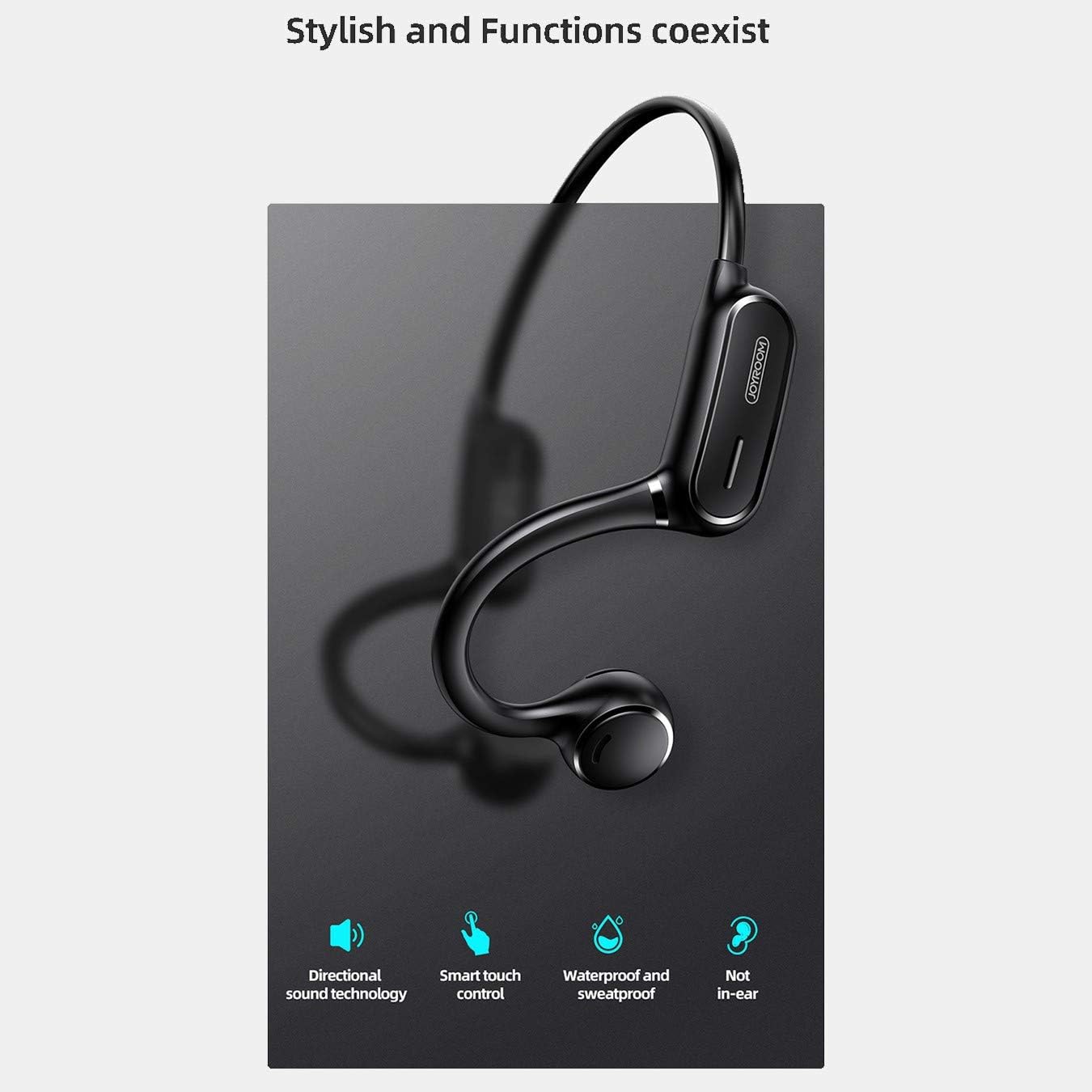
Figure 2: Key features of the JR-X1, including directional sound technology, smart touch control, waterproof and sweatproof design, and non-in-ear wearing style.
2. Setup
2.1. Iċċarġjar tal-Earphones
Before first use, fully charge your JR-X1 earphones. Connect the charging cable to the charging port on the earphones and a compatible USB power source (5V/1A). The indicator light will show the charging status and turn off or change color once fully charged. A full charge takes approximately 2 hours.
2.2. Tixgħil / Mitfi
- Qawwa Mixgħul: Press and hold the multi-function button for a few seconds until the indicator light flashes and you hear a power-on prompt.
- Itfi: Press and hold the multi-function button for a few seconds until the indicator light turns off and you hear a power-off prompt.
2.3. Tqabbil tal-Bluetooth
- Kun żgur li l-earphones huma mitfija.
- Press and hold the multi-function button until the indicator light flashes red and blue alternately, indicating pairing mode.
- Fuq l-apparat tiegħek (smartphone, tablet, eċċ.), attiva l-Bluetooth u fittex apparati disponibbli.
- Select "JR-X1" from the list of found devices.
- Once connected, the indicator light will stop flashing and you will hear a connection confirmation.
The earphones will automatically power off after 5 minutes if not connected to a device.

Figure 3: The JR-X1 earphones are designed for comfortable, non-in-ear wearing, utilizing bone conduction technology.
3. Istruzzjonijiet Operattivi
3.1. Daqq tal-mużika
- Play/Pawsa: Tap the multi-function button once.
- Track li jmiss: Agħfas darbtejn il-buttuna multifunzjonali.
- Track preċedenti: Agħfas tliet darbiet il-buttuna multi-funzjoni.
3.2. Kontroll tal-Volum
The JR-X1 features volume control. Refer to the specific buttons or touch areas on your earphones for volume adjustment. Typically, there are dedicated volume up (+) and volume down (-) buttons or touch gestures.
3.3. Ġestjoni tas-Sejħiet
- Tweġiba/Tmiem Sejħa: Tap the multi-function button once.
- Irrifjuta Sejħa: Agħfas u żomm il-buttuna multi-funzjoni għal 2 sekondi.
- Assistent tal-Vuċi (Siri/Assistent tal-Google): Tap the multi-function button three times to activate your device's voice assistant.

Figure 4: The JR-X1 features smart touch controls for easy operation, including managing calls and music playback.
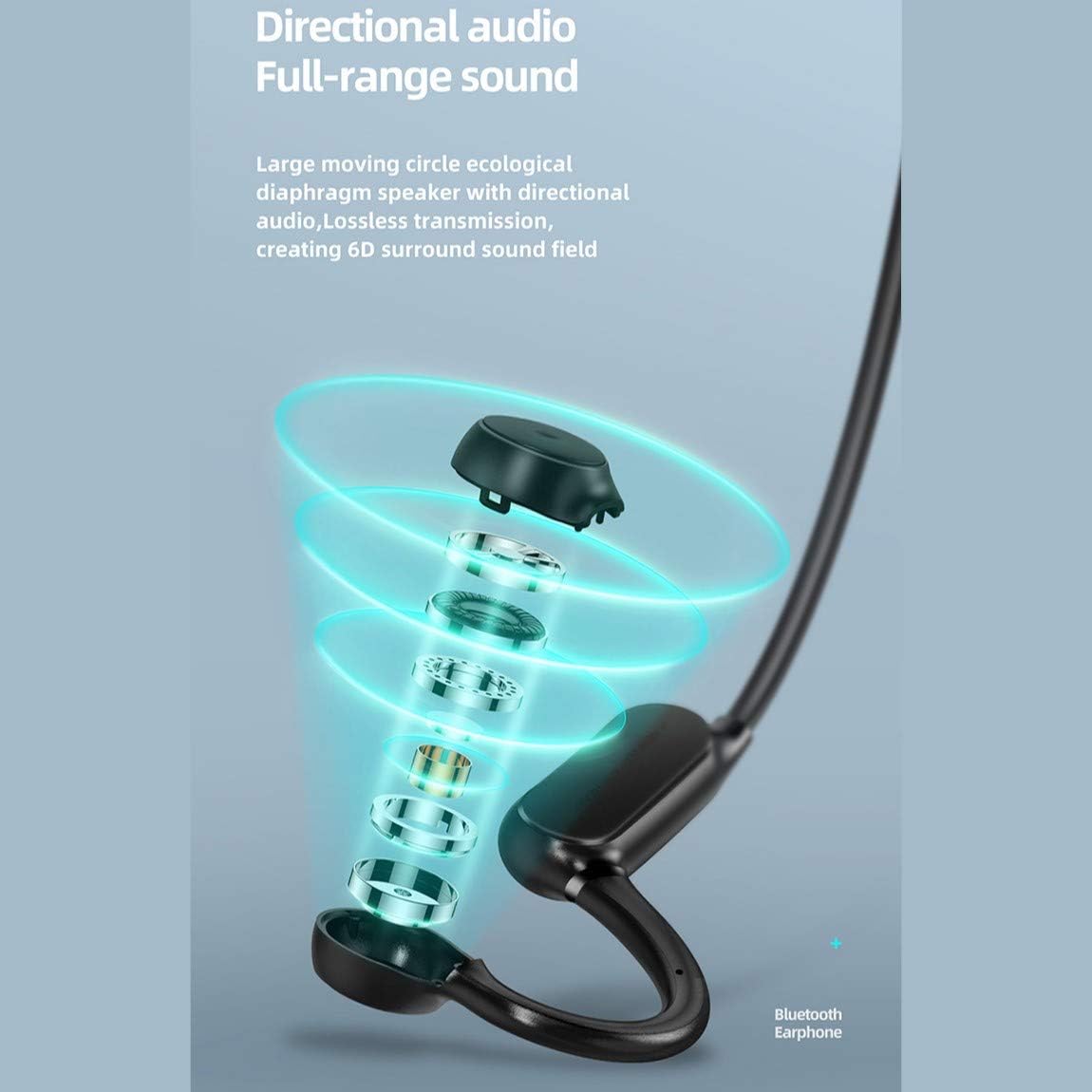
Figure 5: The directional audio technology provides full-range sound through a large moving circle ecological diaphragm speaker, ensuring lossless transmission and a 6D surround sound field.
4. Manutenzjoni
4.1. Tindif
Regularly clean your earphones to ensure optimal performance and hygiene. Use a soft, dry, lint-free cloth to wipe the surfaces. Do not use harsh chemicals, cleaning solvents, or strong detergents.
4.2. Ħażna
When not in use, store the earphones in a cool, dry place, away from direct sunlight and extreme temperatures. Avoid placing heavy objects on them or storing them in a tangled state.
4.3. Reżistenza għall-Ilma
The JR-X1 earphones are designed to be waterproof and sweatproof. However, they are not intended for submersion in water. Avoid prolonged exposure to heavy rain or swimming. After exposure to sweat or light rain, wipe them dry before charging.
5 Issolvi l-problemi
5.1. Earphones Not Powering On
- Kun żgur li l-earphones huma ċċarġjati kompletament. Qabbadhom ma' sors tal-enerġija u ċċekkja l-indikatur tal-iċċarġjar.
- Press and hold the power button for a longer duration (5-7 seconds) to ensure it's not a brief press.
5.2. Ma tistax tikkoinċidi mat-tagħmir
- Make sure the earphones are in pairing mode (indicator flashing red and blue alternately).
- Kun żgur li l-Bluetooth huwa attivat fuq l-apparat tiegħek u li jinsab fil-medda (tipikament 10 metri).
- Itfi u ixgħel il-Bluetooth tat-tagħmir tiegħek.
- If previously paired, try forgetting "JR-X1" from your device's Bluetooth settings and re-pairing.
- Ensure no other devices are currently connected to the earphones.
5.3. Ebda Ħoss jew Volum Baxx
- Iċċekkja l-livelli tal-volum kemm fuq il-earphones kif ukoll fuq l-apparat konness tiegħek.
- Kun żgur li l-earphones huma konnessi sew mat-tagħmir tiegħek.
- Ipprova daqq sorsi awdjo differenti biex teskludi problema bil-midja file.
5.4. Konnessjoni Intermittenti
- Ersaq eqreb lejn l-apparat konness tiegħek biex tnaqqas l-interferenza.
- Avoid environments with strong Wi-Fi signals or other Bluetooth devices that might cause interference.
- Kun żgur li l-earphones huma ċċarġjati kompletament.
6. Speċifikazzjonijiet
| Karatteristika | Speċifikazzjoni |
|---|---|
| Brand | Joyroom |
| Numru tal-Mudell | JR-X1 |
| Tip | Wireless Earphones (Bone Conduction) |
| Kulur | Abjad |
| Materjali | ABS + silikonju |
| Verżjoni Bluetooth | 5.0 |
| Sensittività | 84 ± 3 dB |
| Firxa ta' Rispons ta' Frekwenza | 20 Hz - 20 kHz |
| Sensittività tal-mikrofonu | -38 dB |
| Kapaċità tal-Batterija tal-Earphone | 230 mAh |
| Impedenza | 10 Ohm ± 15% (800 Hz) |
| Qawwa Rated | 1 Watt |
| Ħin tal-logħob | Approx. 6 hours (70-80% volume) |
| Ħin tat-Tkellem | Appross. 6 sigħat |
| Ħin ta' Standby | Appross. 10 ijiem |
| Auto Power Mitfi | 5 minutes if not connected |
| Input tal-Iċċarġjar | 5V/1A |
| Ħin tal-Iċċarġjar | Appross. 2 sigħat |
| Karatteristiċi Speċjali | Lightweight, Microphone Included, Waterproof, Sweatproof |
| Metodu ta' Kontroll | Kontroll tal-Mess, Kontroll tal-Volum |
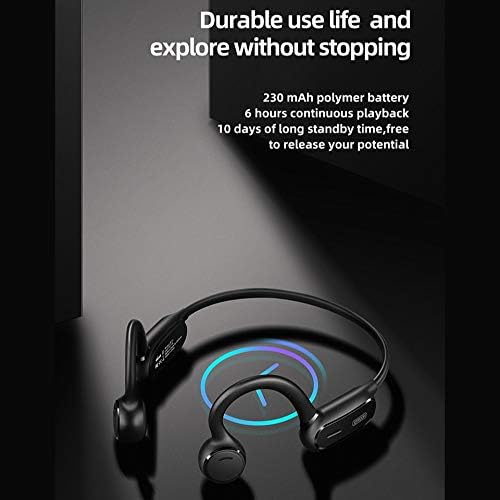
Figure 6: The JR-X1 features a 230 mAh polymer battery, offering approximately 6 hours of continuous playback and up to 10 days of standby time.

Figure 7: Equipped with Bluetooth 5.0 and a QCC master chip, the JR-X1 ensures fast, stable connection, low latency, and efficient power consumption.
7. Garanzija u Appoġġ
7.1. Informazzjoni dwar Garanzija
The Joyroom JR-X1 Bluetooth Wireless Earphones come with a standard manufacturer's warranty. Please refer to the warranty card included in your product packaging for specific terms, conditions, and duration. Keep your purchase receipt as proof of purchase for warranty claims.
7.2. Appoġġ għall-Klijent
For any technical assistance, troubleshooting not covered in this manual, or warranty inquiries, please contact Joyroom customer support. Contact details can typically be found on the official Joyroom webis-sit jew fuq l-imballaġġ tal-prodott.