
1. Introduzzjoni
Grazzi tax-xiriasing the Monitor Audio Bronze W10 6G Series Subwoofer. This manual provides essential information for the safe and optimal operation of your new subwoofer. Please read these instructions thoroughly before installation and use, and retain them for future reference.
2. Informazzjoni dwar is-Sigurtà
Dejjem osserva l-prekawzjonijiet ta' sigurtà li ġejjin biex tevita xokk elettriku, nar, jew ħsara lill-unità:
- Tesponix l-unità għax-xita jew l-umdità.
- Tiftaħx is-casing. Irreferi s-servizz kollu lil persunal kwalifikat.
- Aċċerta ruħek li jkun hemm ventilazzjoni xierqa. Timblokkax il-fetħiet tal-ventilazzjoni.
- Skonnettja l-korda tal-enerġija mis-sokit tal-ħajt jekk l-unità se ma tintużax għal perjodu twil ta’ żmien.
- Use only the power cord supplied or specified by the manufacturer.
- Evita li tpoġġi l-unità ħdejn sorsi ta’ sħana jew fid-dawl tax-xemx dirett.
3. Kontenut tal-Pakkett
Iċċekkja li l-oġġetti kollha huma preżenti fl-imballaġġ:
- Monitor Audio Bronze W10 6G Series Subwoofer
- Korda tal-Enerġija
- Manwal għall-Utent (dan id-dokument)
4. Prodott Aktarview
4.1 Karatteristiċi ewlenin
- Long-throw 10" driver featuring 'dished' C-CAM cone for powerful bass.
- 10" flat panel Auxiliary Bass Radiator (ABR) positioned underneath the unit for enhanced low-frequency extension.
- Klassi D amplifier with high current Switch Mode Power Supply (SMPSU) for efficient power delivery.
- Amplifier Output: 220 Watts RMS.
- Power Consumption: Maximum 300 W, Standby <0.5 W (ErP compliance).
4.2 Subwoofer Components
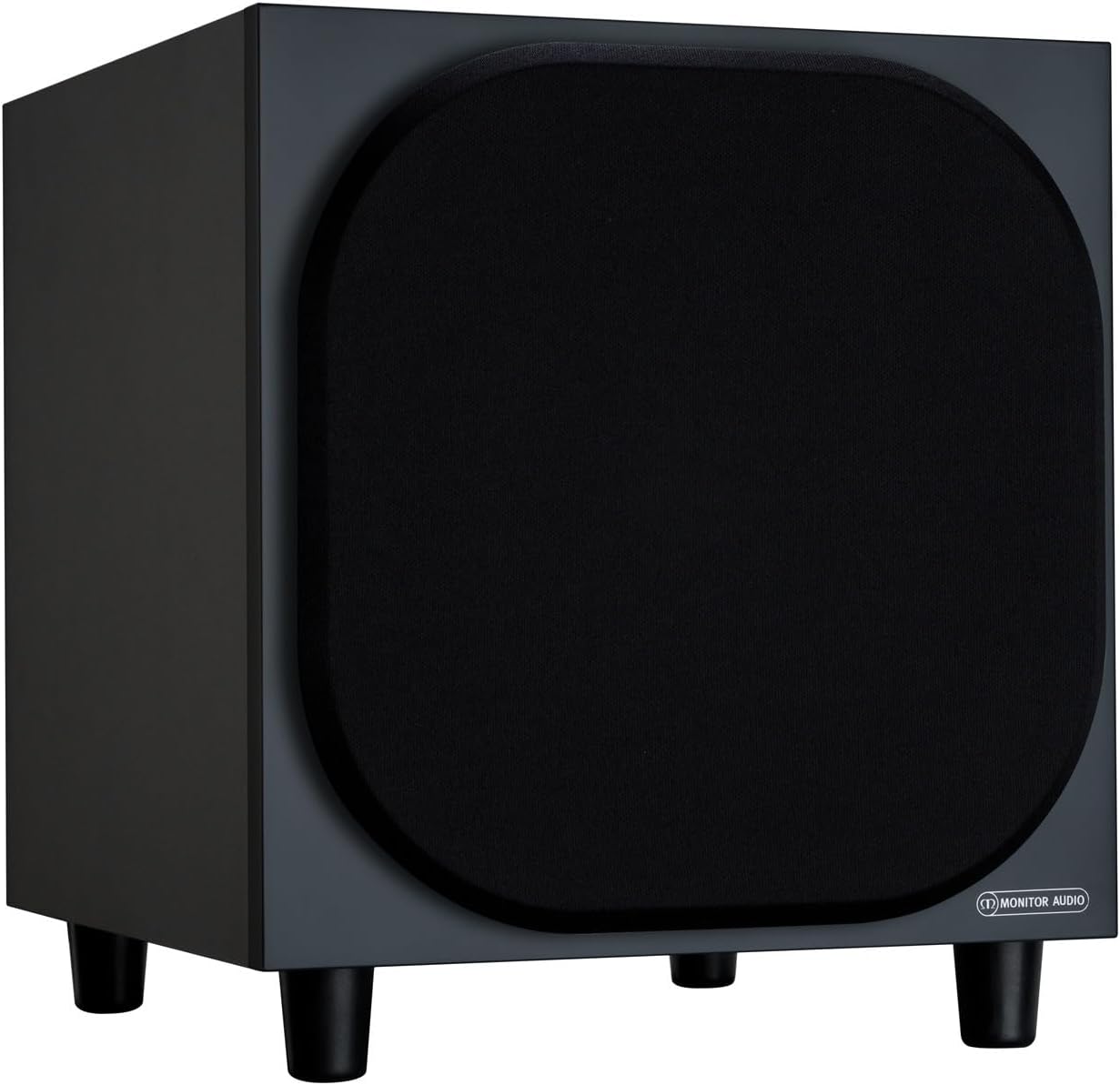
Figura 4.2.1: Quddiem View of the Monitor Audio Bronze W10 Subwoofer. This image displays the front of the subwoofer with its protective grille, showcasing the compact and elegant design.

Figura 4.2.2: Angolat View of the Monitor Audio Bronze W10 Subwoofer. This image provides an angled perspective, highlighting the overall form factor and the four sturdy feet.

Figure 4.2.3: Rear Panel of the Monitor Audio Bronze W10 Subwoofer. This image details the rear panel, showing all input/output connections, control knobs for frequency, volume, and phase, and the power switch.
5. Setup
5.1 Tqegħid
Optimal placement of the subwoofer is crucial for sound quality. Experiment with different positions in your listening room. Generally, placing the subwoofer in a corner can enhance bass output, while placing it along a wall can provide a more balanced response. Avoid placing it directly against a wall if possible, as this can lead to boomy bass.
5.2 Konnessjonijiet
- Input Awdjo: Qabbad is-subwoofer mar-riċevitur AV tiegħek jew amplifier's LFE (Low-Frequency Effects) or Subwoofer output using an RCA cable. The Bronze W10 features both LFE and stereo RCA inputs.
- Konnessjoni tal-Enerġija: Ensure the subwoofer's power switch is in the 'Off' position. Connect the supplied power cord to the subwoofer's AC inlet and then to a suitable wall outlet. The unit supports AC 110-120V or 220-240V, selectable via a switch on the rear panel.
- 12V Trigger (Optional): If your AV receiver or amplifier has a 12V trigger output, connect it to the subwoofer's 12V Trigger input. This allows the subwoofer to power on/off automatically with your main system.
5.3 Qawwa Inizjali
After making all connections, switch the subwoofer's power to 'On'. The power indicator light should illuminate. If using the 12V trigger, ensure your main system is powered on.
6. Istruzzjonijiet Operattivi
6.1 Kontrolli
The rear panel of the Bronze W10 features several controls for fine-tuning its performance:
- Volum: Adjusts the overall output level of the subwoofer. Start with a low setting and gradually increase until it blends seamlessly with your main speakers.
- Frekwenza (Crossover): Sets the upper frequency limit for the subwoofer. This should typically be set to match the low-frequency extension of your main speakers. Common settings range from 80Hz to 120Hz.
- Fażi: Allows you to adjust the phase of the subwoofer's output relative to your main speakers (0° or 180°). This helps ensure that the subwoofer's sound waves are in sync with the main speakers, preventing cancellation or reinforcement at the crossover point. Experiment with both settings to find the one that produces the most coherent bass.
- Modalità: Selects the power mode (On, Auto, 12V Trigger). 'Auto' mode will put the subwoofer into standby when no audio signal is detected and power it on when a signal is present.
- Modalità Bass: (Refer to Figure 4.2.3) This switch allows selection between different bass characteristics, such as 'Music' or 'Movie' modes, or a 'Bass Boost' setting, to optimize performance for various content.
6.2 Konnettività bla fili (Bluetooth)
The Bronze W10 features Bluetooth connectivity for wireless control or audio input (check specific model features for audio input capability). Refer to your source device's manual for pairing instructions. The Bluetooth range is approximately 10 meters.
7. Manutenzjoni
7.1 Tindif
To clean the subwoofer, use a soft, dry, lint-free cloth. Do not use abrasive cleaners, waxes, or solvents, as these can damage the finish. For stubborn marks, a slightly damp Jista' jintuża drapp, segwit minn drapp niexef.
7.2 Kura
- Avoid exposing the subwoofer to extreme temperatures or humidity.
- Tpoġġix oġġetti tqal fuq l-unità.
- Kun żgur li jkun hemm fluss tal-arja adegwat madwar l-unità biex tevita li tissaħħan iżżejjed.
8 Issolvi l-problemi
| Problema | Kawża Possibbli | Soluzzjoni |
|---|---|---|
| Ebda Ħoss |
|
|
| Ħoss Mgħawġ |
|
|
| Ħoss ta' Taħriġ |
|
|
9. Speċifikazzjonijiet
| Karatteristika | Dettall |
|---|---|
| Isem tal-Mudell | SB6GW10B |
| Tip ta' Kelliem | Subwoofer |
| Dijametru tas-Subwoofer | 10 Pulzier |
| Amplifier Output (RMS) | 220 Watts |
| Speaker Maximum Output Power (Peak) | 600 Watts |
| Rispons tal-Frekwenza (Limitu Inferjuri) | 25 Hz |
| Konsum tal-Enerġija (Mass) | 300 W |
| Konsum tal-Enerġija (Standby) | <0.5 W (ErP compliance) |
| Teknoloġija tal-Konnettività | Auxiliary, RCA, Wireless (Bluetooth) |
| Teknoloġija tal-Komunikazzjoni mingħajr Fili | Bluetooth |
| Medda Bluetooth | 10 Meters |
| Metodu ta' Kontroll | Manual Knobs, Remote (if applicable) |
| Dimensjonijiet tal-Prodott (P x W x H) | 14.33"D x 12.64"W x 14.33"H |
| Piż tal-oġġett | 34.7 liri (15.74 kg) |
| Tip ta 'Immuntar | Immonta fuq il-mejda |
| Kulur | Iswed |
10. Informazzjoni dwar Garanzija
Monitor Audio products are designed and manufactured to the highest quality standards. This product is covered by a Limited Warranty. For specific warranty terms and conditions, please refer to the warranty card included with your product or visit the official Monitor Audio websit. Jekk jogħġbok żomm il-prova tax-xiri tiegħek għal talbiet ta' garanzija.
11. Appoġġ
For further assistance, technical support, or service inquiries, please contact your authorized Monitor Audio dealer or visit the official Monitor Audio websit:
Websit: www.monitoraudio.com
Address: Monitor Audio Ltd, 24 Brook Road, Rayleigh, Essex, SS6 7XJ, United Kingdom