
1. Introduzzjoni
The ANCEL BD310 is a versatile 2-in-1 diagnostic tool that functions as both an OBD2 code reader and an automotive trip computer. It offers the flexibility of a handheld device and wireless Bluetooth connectivity, transforming your iOS or Android device into a comprehensive diagnostic and performance monitoring system. This manual provides detailed instructions for its setup, operation, and maintenance.

Image 1.1: The ANCEL BD310 device, showing its display and control buttons, with the OBD2 connector cable.
2. X'inhu Inkluż
Upon unboxing your ANCEL BD310, verify that all components are present:
- 1 x ANCEL BD310 OBD2 Scanner
- 1 x EVA Protective Storage Bag
- 1 x USB Charging Cable (for device updates, not for operation)
- 1 x Manwal għall-Utent
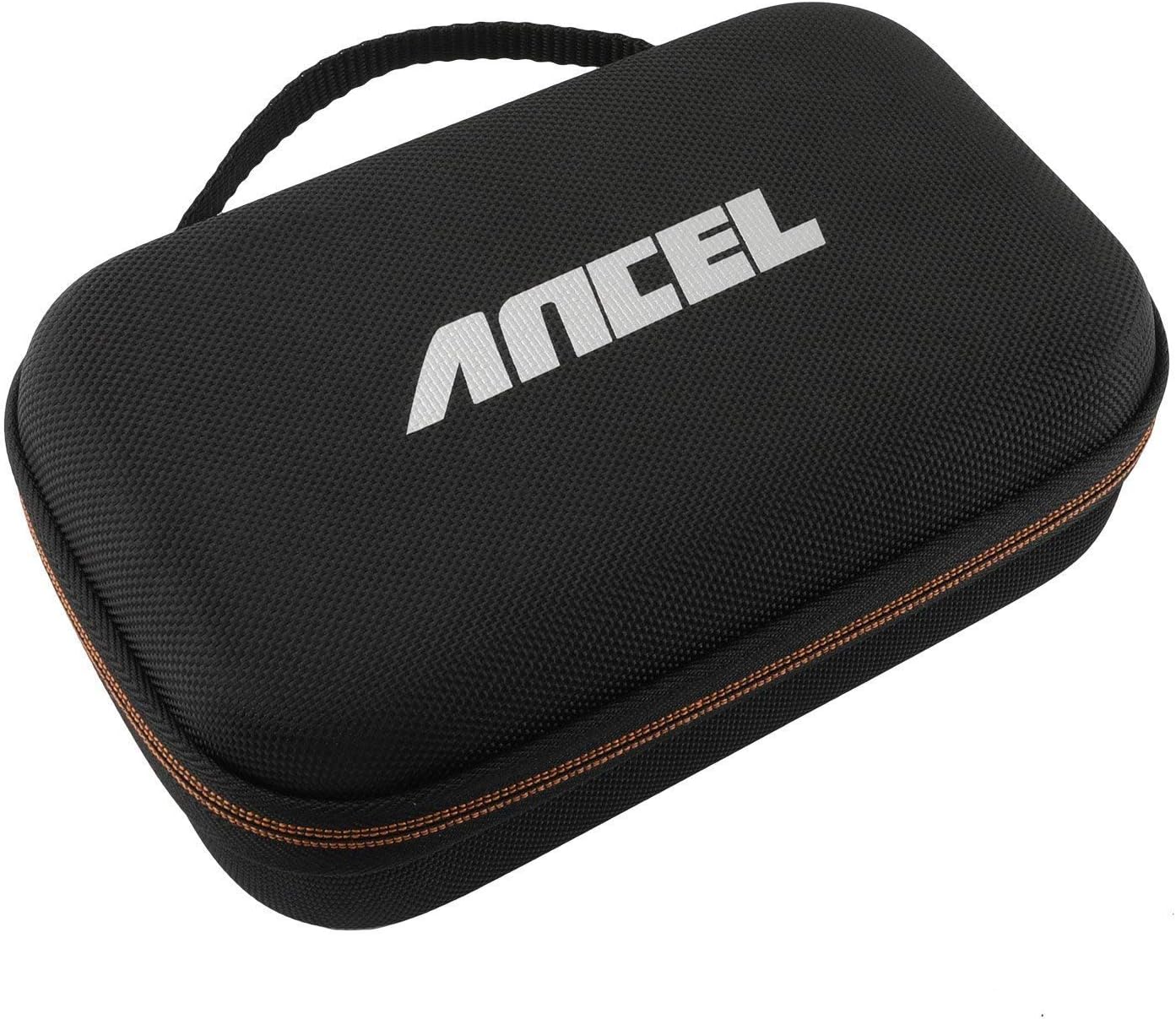
Image 2.1: The ANCEL protective EVA hard case, designed to store and protect the BD310 scanner and accessories.
3. Setup
3.1 Connecting the Device to Your Vehicle
- Locate the OBD2 port in your vehicle. This port is typically found under the dashboard on the driver's side, often near the steering column.
- Kun żgur li l-ignition tal-vettura tkun fil-pożizzjoni "OFF".
- Plug the ANCEL BD310's OBD2 connector firmly into the vehicle's OBD2 port.
- Turn the vehicle's ignition to the "ON" position (engine can be off or running, depending on the desired diagnostic function). The BD310 device will power on automatically.
3.2 Bluetooth Connection (for App Functionality)
To utilize the advanced features of the ANCEL app, connect the BD310 via Bluetooth:
- Download the official ANCEL app from the Apple App Store (for iOS devices) or Google Play Store (for Android devices).
- Kun żgur li l-Bluetooth huwa attivat fuq it-tagħmir mobbli tiegħek.
- On the BD310 device, navigate to the Bluetooth mode or press the designated button to activate Bluetooth pairing.
- Open the ANCEL app on your mobile device and follow the on-screen instructions to connect to the BD310. The app will typically detect the device automatically.
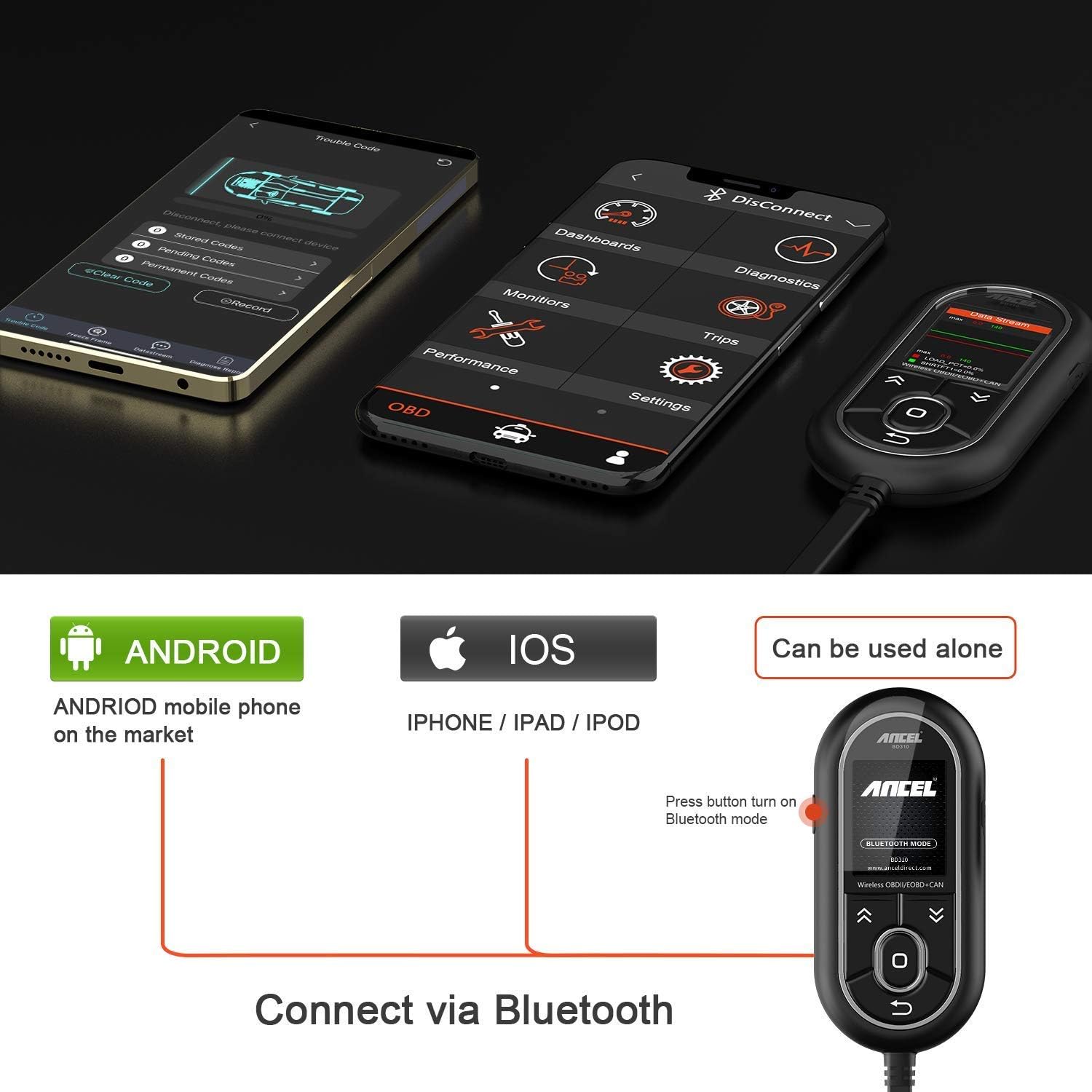
Image 3.1: A diagram illustrating how to connect the ANCEL BD310 to a mobile device via Bluetooth, showing compatibility with Android and iOS.
4. Istruzzjonijiet Operattivi
The ANCEL BD310 offers two primary operating modes: handheld and Bluetooth (via the ANCEL app).
4.1 Handheld Mode Operation
Use the physical buttons on the device to navigate menus and select functions. The main screen displays options such as OBDII, Meter, I/M, and Settings.
- Buttuni tan-Navigazzjoni: Use the up/down arrows to scroll through menu options.
- Enter Button (O): Press to select a highlighted option or confirm an action.
- Back Button (U-turn arrow): Press to return to the previous screen or exit a function.
4.1.1 Diagnostic Menu (Handheld)
From the main menu, select "OBDII" to access diagnostic functions:
- Aqra Kodiċijiet: Displays current, pending, and permanent Diagnostic Trouble Codes (DTCs) stored in the vehicle's computer.
- Ħassar Kodiċijiet: Iħassar id-DTCs u jitfi l-Indikatur tal-Ħsara Lamp (MIL). Attenzjoni: Only erase codes after addressing the underlying issue.
- Lest I / M: Checks the status of emission-related monitoring systems to determine if they are ready for an inspection.
- Fluss tad-Dejta: Displays real-time data parameters from the vehicle's sensors, such as engine RPM, coolant temperature, vehicle speed, and more. Data can be viewed numerically or graphically.
- Iffriżar qafas: Records a snapshot of vehicle operating conditions at the moment an emission-related fault occurred.
- Test tas-Sistema tal-Evaporazzjoni: Jibda test tas-Sistema ta' Kontroll tal-Emissjonijiet Evaporattivi.
- Informazzjoni dwar il-Vettura: Jikseb in-numru ta' identifikazzjoni tal-vettura (VIN), l-ID tal-kalibrazzjoni (CALID), u n-numru ta' verifika tal-kalibrazzjoni (CVN).
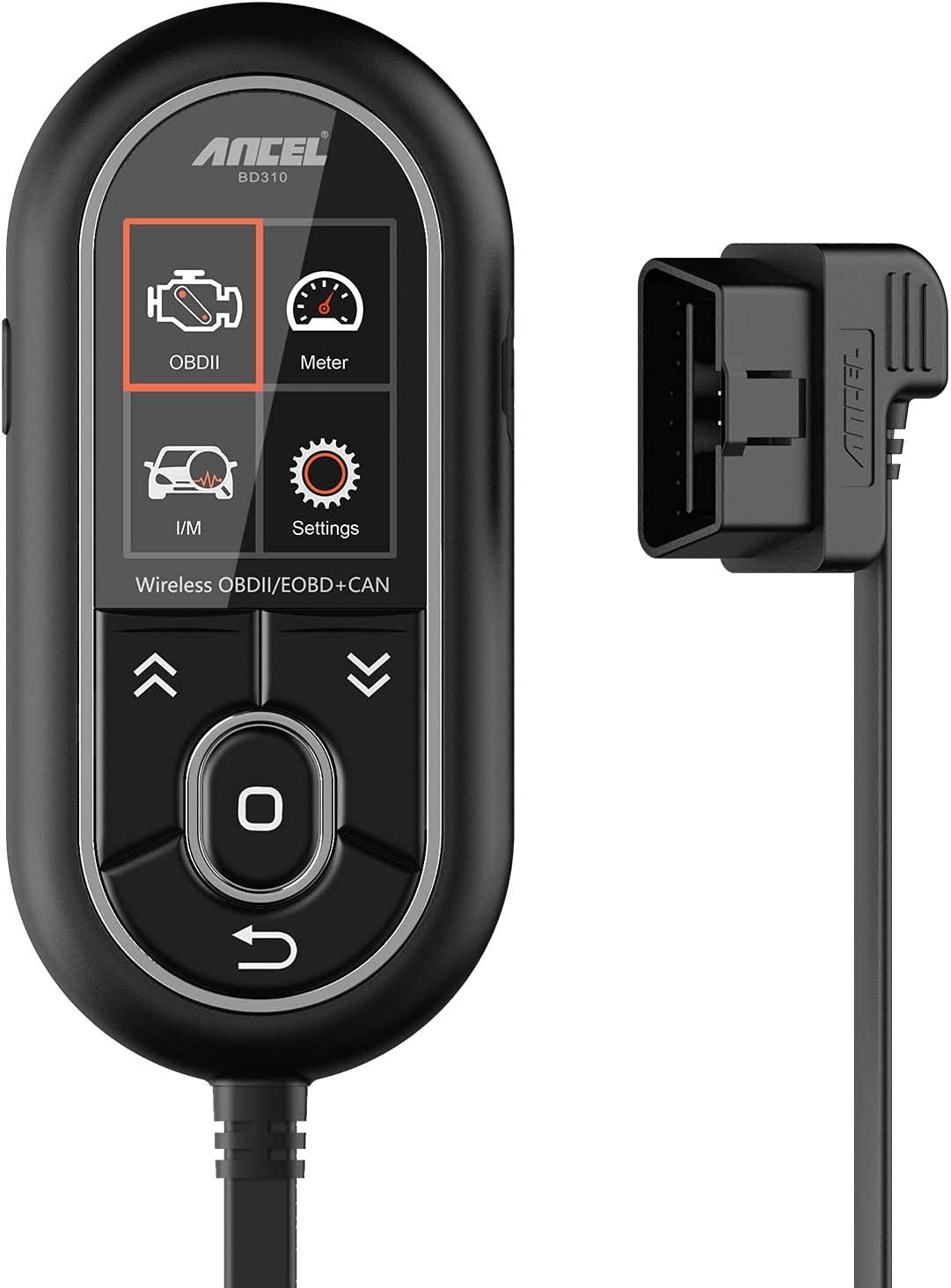
Image 4.1: The ANCEL BD310 handheld device displaying its diagnostic menu options, including Read Codes, Erase Codes, and Data Stream.
4.2 Bluetooth Mode Operation (ANCEL App)
The ANCEL app provides an enhanced user interface and additional features for diagnostics and monitoring.
4.2.1 Karatteristiċi tal-App
- Vehicle Self-Check: Performs a comprehensive scan of the vehicle's systems.
- Kodiċi tal-Inkwiet: Similar to handheld mode, allows reading and clearing of DTCs.
- Datastream: Provides detailed real-time data, often with graphical representations, for various sensors and parameters (e.g., engine RPM, coolant temperature, fuel consumption, intake air temperature, voltagu).
- Dashboard: Customizable gauges to monitor real-time performance metrics.
- Iffriżar qafas: Accesses recorded vehicle conditions at the time of a fault.
- O2 Sensors: Jimmonitorja l-qari tas-sensor tal-ossiġnu.
- Test ta' Monitoraġġ Abbord: Checks the operation of emission control systems.
- Informazzjoni dwar il-Vettura: Displays VIN and other vehicle details.
- Test tal-Prestazzjoni: Measures vehicle performance metrics like acceleration and braking.
- Kompjuter tal-Vjaġġ: Monitors trip-related data such as distance, average speed, and fuel consumption.
- Verifika tal-BAT: Provides battery health status.

Image 4.2: Screenshots of the ANCEL app interface, demonstrating features like Dashboard, Trouble Code, Performance Test, and PID Chart, accessible via Bluetooth connection.
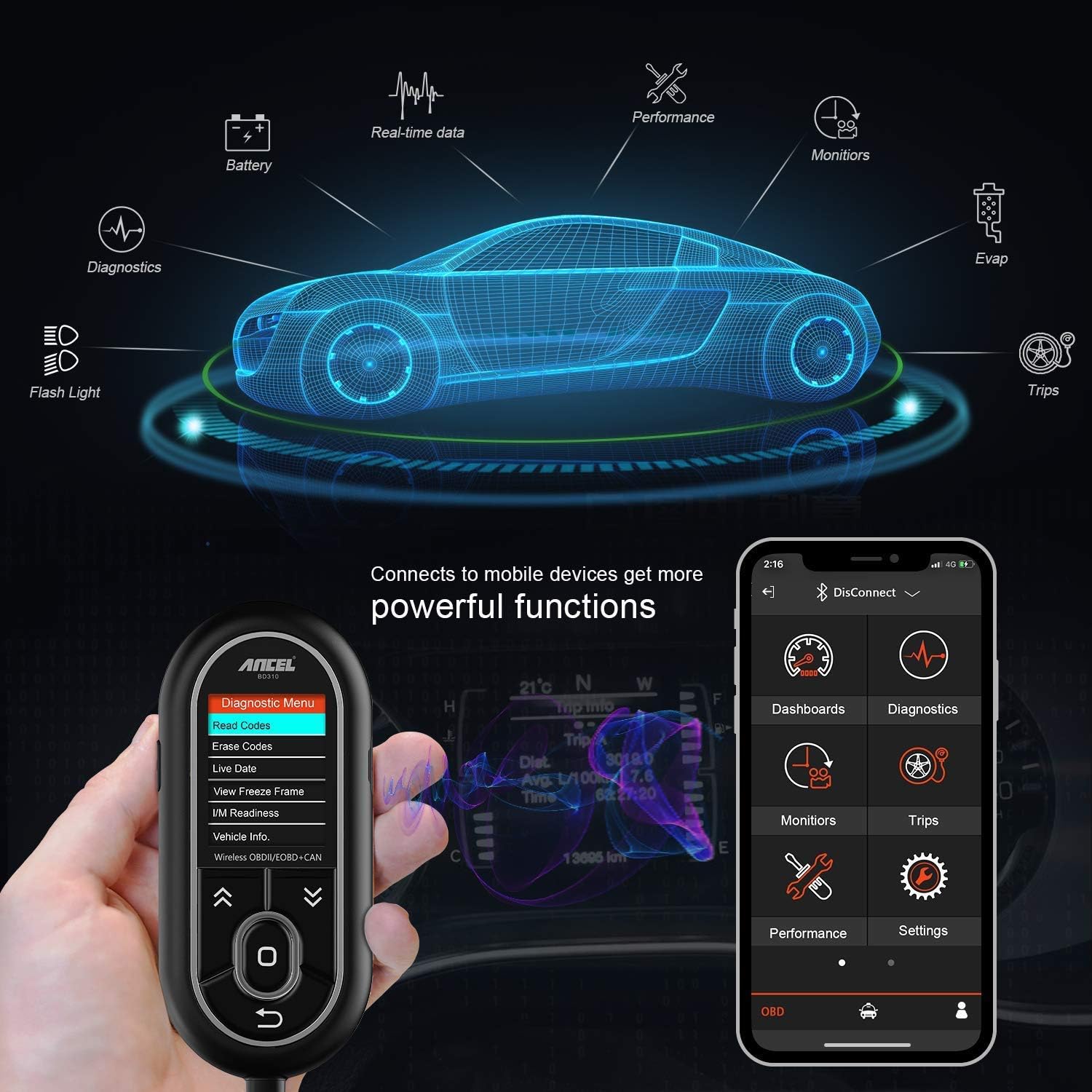
Image 4.3: A visual representation of the ANCEL BD310 connected to a mobile device, highlighting the expanded diagnostic and monitoring capabilities available through the app, such as real-time data, battery check, and trip information.
5. Manutenzjoni
Proper maintenance ensures the longevity and reliable operation of your ANCEL BD310.
- Tindif: Use a soft, dry cloth to clean the device. Avoid abrasive cleaners or solvents that could damage the screen or casing.
- Ħażna: When not in use, store the BD310 in its protective EVA case in a dry, cool environment, away from direct sunlight and extreme temperatures.
- Aġġornamenti tas-Software: Regularly check for and install software updates for both the BD310 device (via USB connection to a computer) and the ANCEL mobile app to ensure optimal performance and compatibility with new vehicle models.
- Kura tal-Cable: Inspect the OBD2 cable for any signs of damage (fraying, cuts) before each use. Do not use the device if the cable is damaged.
6 Issolvi l-problemi
If you encounter issues with your ANCEL BD310, refer to the following common troubleshooting steps:
| Problema | Kawża Possibbli | Soluzzjoni |
|---|---|---|
| L-apparat ma jixgħelx. | Loose OBD2 connection; vehicle ignition off; vehicle battery low. | Ensure the OBD2 connector is securely plugged in. Turn vehicle ignition to "ON". Check vehicle battery voltage. |
| Ma nistax nikkonnettja permezz tal-Bluetooth. | Bluetooth not enabled on mobile device; BD310 not in Bluetooth mode; app not updated. | Enable Bluetooth on your phone. Activate Bluetooth mode on BD310. Update the ANCEL app. Restart both devices. |
| L-ebda komunikazzjoni mal-vettura. | Incorrect OBD2 port connection; vehicle not OBD2 compliant (pre-1996); faulty vehicle ECU. | Verify secure connection. Confirm vehicle is 1996 or newer. Consult a professional mechanic if ECU issues are suspected. |
| Error message "Link Error". | Communication protocol issue; loose connection. | Check OBD2 connection. Try on a different OBD2 compliant vehicle to rule out device fault. |
7. Speċifikazzjonijiet
Key technical specifications for the ANCEL BD310:
| Karatteristika | Dettall |
|---|---|
| Brand | ANĊEL |
| Mudell | BD310 |
| Sors tal-Enerġija | Vehicle OBD2 Port (Handheld) |
| Daqs tal-Iskrin | 2 Pulzier |
| Konnettività | Wired (OBD2), Wireless (Bluetooth for iOS/Android App) |
| Protokolli Appoġġjati | OBDII/EOBD+CAN (compatible with most 1996 and newer vehicles) |
| Modi Operattivi | Handheld Diagnostic, Bluetooth App Monitoring |
8. Garanzija u Appoġġ
For specific warranty information and technical support, please refer to the warranty card included with your product or visit the official ANCEL websit. Żomm l-irċevuta tax-xiri tiegħek bħala prova tax-xiri għal talbiet ta' garanzija.
If you encounter any issues not covered in this manual, please contact ANCEL customer support for assistance.