
LEXIN ET COM
LEXIN ET-COM Bluetooth Motorcycle Intercom System User Manual
Model: ET COM | Brand: LEXIN
1. Introduzzjoni
The LEXIN ET-COM is a Bluetooth motorcycle communication system designed to enhance your riding experience. It allows for two-way intercom communication between riders, hands-free phone calls, music streaming, and FM radio reception. This system incorporates advanced DSP and CVC noise cancellation technologies for clear audio, even at high speeds.
Il-karatteristiċi ewlenin jinkludu:
- Intercom f'żewġ direzzjonijiet: Communicate with up to 2 riders within a 1200-meter range.
- Bluetooth V5.0: Jiżgura konnettività mingħajr fili stabbli u effiċjenti.
- DSP & CVC Noise Cancellation: Reduces external noise for clear audio quality.
- Ħajja twila tal-batterija: 800mAh battery provides up to 15 hours of music playback, 8 hours of talk time, and 300 hours of standby.
- Radju FM: Built-in FM radio for entertainment on the go.
- Appoġġ għall-Assistent tal-Vuċi: Access Siri and S Voice for hands-free control.
- Reżistenza għall-Ilma IP67: Iddisinjat biex jiflaħ diversi kundizzjonijiet tat-temp.
- Interchangeable Face Plates: Customize the unit's appearance with different colored housings.

Image: The LEXIN ET-COM unit securely mounted on the side of a motorcycle helmet.

Image: A visual representation of DSP and CVC advanced noise cancellation technology, showing how external noise is copied and canceled for improved audio clarity.
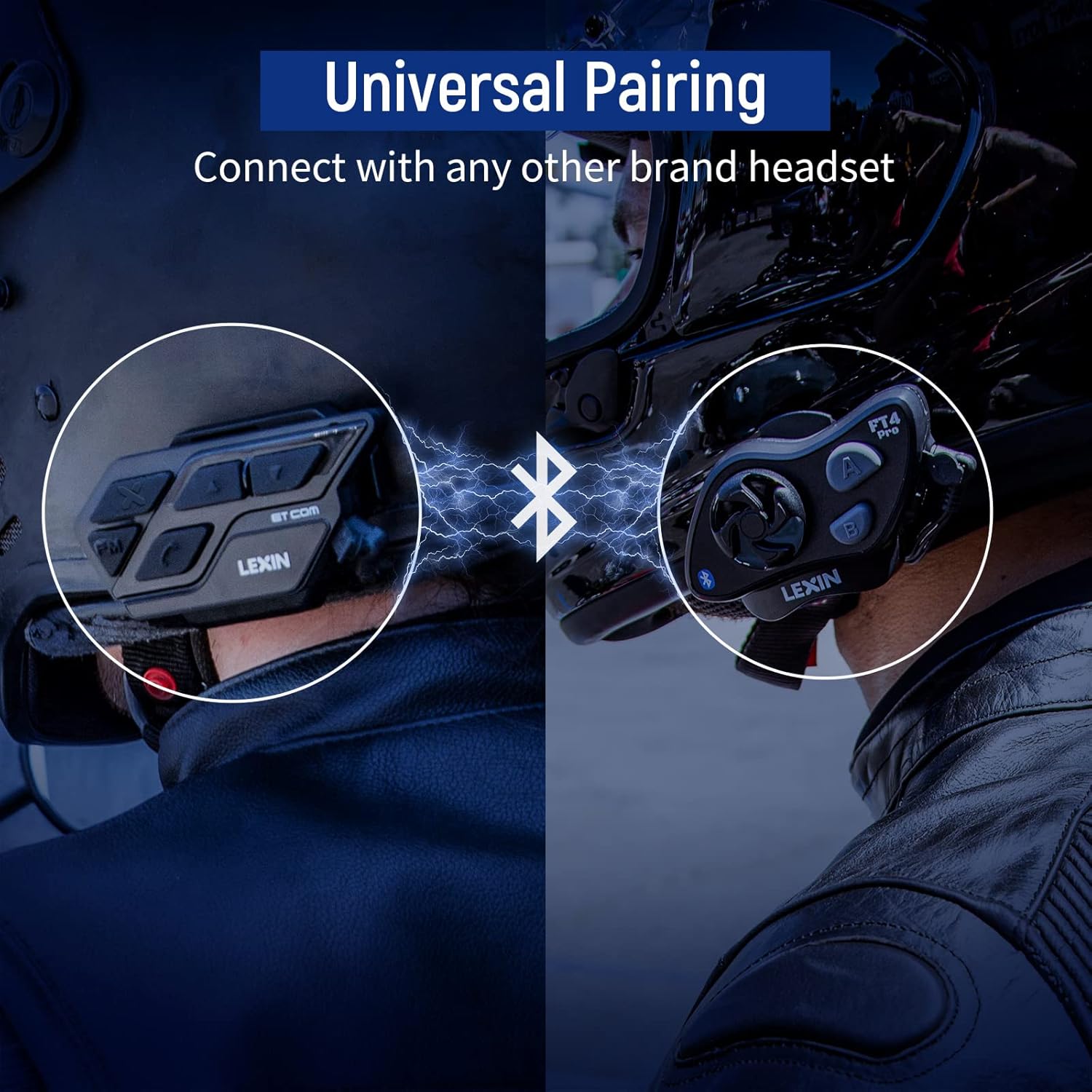
Image: A motorcycle helmet with the LEXIN ET-COM unit shown in rainy conditions, highlighting its IP67 water resistance for all-weather use.

Image: The LEXIN ET-COM unit displaying its 800mAh battery capacity, indicating 300 hours of standby time, 15 hours of music playback, and 1.5 hours of charging time.
2. Kontenut tal-Pakkett
Jekk jogħġbok ivverifika li l-oġġetti kollha huma preżenti fil-pakkett tiegħek:
- LEXIN ET-COM Main Unit
- Microphone (Boom or Button type)
- Steel Needle (for housing removal)
- Ċavetta Allen
- Viti tal-Immuntar
- Microphone Fixing Piece
- Pads tal-Kelliem
- Clip tal-metall
- Bażi Adeżiva 3M
- Gwida għall-Utent
- Kejbil tad-Data USB tat-Tip Ċ
- 5 Additional Decorative Color Housings

Image: A comprehensive diagram illustrating all components included in the LEXIN ET-COM package, along with a visual guide for helmet installation.
3. Setup u Installazzjoni
3.1 Iċċarġjar tal-Unità
Before first use, fully charge the ET-COM unit. Connect the provided Type-C USB data cable to the charging port on the unit and to a USB power source. The LED indicator will show charging status and turn off when fully charged.
3.2 Immuntar mal-Elmu
The ET-COM unit can be mounted to your helmet using either the metal clip or the 3M adhesive base. Choose the method that best suits your helmet type and preference.
- Clip Mount: Slide the metal clip between the helmet shell and the inner padding. Secure the ET-COM unit to the clip.
- Muntaġġ li jwaħħal: Clean the desired mounting area on the helmet surface. Peel off the protective film from the 3M adhesive base and firmly press the ET-COM unit onto the helmet. Hold for 30 seconds to ensure a strong bond.
3.3 Speaker and Microphone Installation
Install the speakers and microphone inside your helmet:
- Attach the speaker pads to the inside of the helmet, aligning them with your ears.
- Place the speakers into the pads.
- Position the microphone in front of your mouth, ensuring it is close but not touching. Use the microphone fixing piece if necessary.
- Connect the speaker and microphone cables to the corresponding ports on the ET-COM unit.
3.4 Tqabbil Bluetooth mat-Telefon
To pair your ET-COM with your mobile phone:
- Ensure the ET-COM unit is off.
- Press and hold the Power button until the LED indicator flashes red and blue alternately, indicating pairing mode.
- Fuq it-telefon tiegħek, attiva l-Bluetooth u fittex apparati ġodda.
- Select "LEXIN ET-COM" from the list of available devices.
- Once paired, the LED indicator will flash blue slowly.
3.5 Intercom Pairing (Unit-to-Unit)
To pair two ET-COM units for intercom communication:
- Ensure both ET-COM units are off.
- On both units, press and hold the Intercom button until the LED indicators flash red and blue alternately.
- Briefly press the Intercom button on one of the units. The units will search for each other.
- Once paired, the LED indicators on both units will flash blue slowly.

Image: An illustration demonstrating the universal pairing capability of the LEXIN ET-COM, connecting with another brand's headset via Bluetooth.
4. Istruzzjonijiet Operattivi
4.1 Power On/Off
- Qawwa Mixgħul: Press and hold the Power button for approximately 3 seconds until the LED flashes blue.
- Itfi: Press and hold the Power button for approximately 3 seconds until the LED flashes red and then turns off.
4.2 Kontroll tal-Volum
- Żid il-Volum: Agħfas il-buttuna 'l fuq tal-Volum (+).
- Naqqas il-Volum: Agħfas il-buttuna 'l isfel tal-Volum (-).
4.3 Daqq tal-Mużika
- Play/Pawsa: Press the Multi-function button (often the central button).
- Track li jmiss: Press the Volume Up button (+) for 2 seconds.
- Track preċedenti: Press the Volume Down button (-) for 2 seconds.
4.4 Radju FM
- Ixgħel/Itfi r-Radju FM: Agħfas il-buttuna FM.
- Stazzjonijiet tal-Iskennjar: Press the Volume Up (+) or Volume Down (-) button briefly to change stations.
4.5 Intercom Communication
- Ibda l-Intercom: Briefly press the Intercom button.
- Tmiem l-Intercom: Briefly press the Intercom button again.
4.6 Telefonati
- Irrispondi Sejħa: Agħfas fil-qosor il-buttuna Multi-funzjoni.
- Tmiem Sejħa: Agħfas fil-qosor il-buttuna Multi-funzjoni.
- Irrifjuta Sejħa: Agħfas u żomm il-buttuna Multi-funzjoni għal 2-il sekonda.
- Isemmi mill-ġdid l-Aħħar Numru: Agħfas darbtejn il-buttuna Multi-funzjoni.
4.7 Assistent tal-Vuċi
- Activate Voice Assistant (Siri/S Voice): Press and hold the Multi-function button for 2 seconds (when not on a call or intercom).
Immaġni: Dettaljata view of the LEXIN ET-COM unit, highlighting the various control buttons for power, volume, FM, and intercom functions.
5. Manutenzjoni
5.1 Tindif
Imsaħ l-unità b'artab, damp cloth. Do not use harsh chemicals or abrasive cleaners. Ensure the charging port cover is securely closed to maintain water resistance.
5.2 Kura tal-Batterija
Biex ittawwal il-ħajja tal-batterija:
- Charge the unit fully before long periods of storage.
- Evita li tesponi l-unità għal temperaturi estremi.
- Recharge the unit at least once every three months if not in regular use.
5.3 Changing Face Plates
The ET-COM unit features interchangeable decorative face plates:
- Carefully insert the steel needle into the small slot on the side of the unit to release the current face plate.
- Gently pry off the old face plate.
- Align the new face plate with the unit and press firmly until it clicks into place.

Image: A step-by-step guide demonstrating how to remove and replace the interchangeable 6-color face plates on the LEXIN ET-COM unit.
6 Issolvi l-problemi
| Problema | Kawża Possibbli | Soluzzjoni |
|---|---|---|
| L-unità ma tixgħelx | Batterija baxxa; Unità ffriżata | Charge the unit fully; Perform a reset by pressing and holding the Power button for 10 seconds. |
| L-ebda ħoss mill-kelliema | Volume too low; Speakers not connected properly; Faulty speakers | Increase volume; Check speaker connections; Test with another audio source or contact support. |
| Ma nistax nqabbad mat-telefon/intercom | Unit not in pairing mode; Bluetooth interference; Already paired to max devices | Ensure unit is in pairing mode (flashing red/blue); Move away from other Bluetooth devices; Clear previous pairings and try again. |
| Intercom range is short or connection is unstable | Obstructions (buildings, terrain); Weather conditions; Too many paired devices | Ensure clear line of sight; Reduce distance between units; Try re-pairing. |
| Poor audio quality / static | Microphone placement; Speaker placement; Environmental noise | Adjust microphone closer to mouth; Ensure speakers are centered over ears; DSP/CVC should mitigate noise, but extreme conditions may affect quality. |
7. Speċifikazzjonijiet
- Isem tal-Mudell: ET COM
- Verżjoni Bluetooth: V5.0
- Teknoloġija tal-Konnettività: Wireless
- Medda Intercom: Up to 1200 meters (0.7 miles) for 2 riders
- Tip ta 'batterija: Lithium-ion
- Kapaċità tal-batterija: 800 mAh
- Ħin tad-daqq tal-mużika: Sa 15 sigħat
- Ħin tat-Taħdit: Sa 8 sigħat
- Ħin ta' Standby: Sa 300 sigħat
- Ħin tal-Iċċarġjar: Madwar sagħtejn
- Livell ta' Reżistenza għall-Ilma: IP67 (Impermeable)
- Kanċellazzjoni tal-Istorbju: DSP u CVC
- Tip ta' Kontroll: Kontroll tal-Vuċi
- Jack tal-headphone: USB
- Fattur tal-Formola: Circum-Auricular
- Deskrizzjoni tal-firxa ta' l-età: Adulti
8. Garanzija u Appoġġ
For warranty information and technical support, please refer to the official LEXIN webis-sit jew ikkuntattja lill-bejjiegħ tiegħek. Żomm il-prova tax-xiri tiegħek għal kwalunkwe talba ta' garanzija.
If you encounter issues not covered in this manual, please reach out to LEXIN customer service for assistance.
Ask a question about this manual
Ask about setup, troubleshooting, compatibility, parts, safety, or missing instructions. Manuals+ will review the question and use this page’s manual context to help answer it.