
Vgate icar 2 Bluetooth BLE4.0
Vgate iCar 2 BLE4.0 OBD2 Adapter User Manual
Model: iCar 2 Bluetooth BLE4.0 | Brand: Vgate
1. Introduzzjoni u Fuqview
The Vgate iCar 2 BLE4.0 OBD2 Adapter is a powerful and compact diagnostic tool designed to provide real-time vehicle data and assist in troubleshooting engine issues. It connects to your vehicle's On-Board Diagnostics (OBD-II) port and communicates wirelessly via Bluetooth 4.0 with your smartphone or tablet. This device is engineered for energy efficiency, featuring an automatic sleep/wake function that protects your car's battery.
Il-karatteristiċi ewlenin jinkludu:
- Full compatibility with all OBD2 protocols.
- Ability to read and clear generic and manufacturer-specific fault codes.
- Real-time monitoring of engine sensor data (RPM, fuel system status, coolant temperature, etc.).
- Support for various third-party applications on iOS, Android, and Windows.
- Automatic sleep/wake function to prevent battery drain.

2. Gwida ta' Setup
Follow these steps to set up your Vgate iCar 2 BLE4.0 OBD2 Adapter:
- Sib il-Port tal-OBD-II: The OBD-II port is usually located under the dashboard on the driver's side, though its exact position can vary by vehicle model. Refer to your vehicle's owner's manual if you cannot find it.
- Ipplaggja l-Adapter: Firmly insert the Vgate iCar 2 BLE4.0 adapter into the vehicle's OBD-II port. Ensure it is securely connected.

- Ixgħel l-Ignition tal-Vettura: Turn your vehicle's ignition to the 'ON' position (do not start the engine unless required by your diagnostic app). The adapter's indicator lights should illuminate.
- Niżżel App Kompatibbli: Download a compatible OBD2 diagnostic application from your device's app store (e.g., Torque Lite/Pro for Android, OBD Fusion or OBD Auto Doctor for iOS).
- Par via Bluetooth:
- Għal Android: Go to your device's Bluetooth settings, search for 'Vgate' or 'iCar', and pair with it. The pairing code is usually '1234' or '0000'.
- Għall-iOS: Do NOT pair via iOS Bluetooth settings. Open your chosen OBD2 app, and the app will handle the Bluetooth connection directly.
- Connect within the App: Open the diagnostic app and navigate to its settings to select the Vgate iCar 2 BLE4.0 as your OBD2 adapter. The app should then establish a connection with the device and your vehicle's ECU.
3. Istruzzjonijiet Operattivi
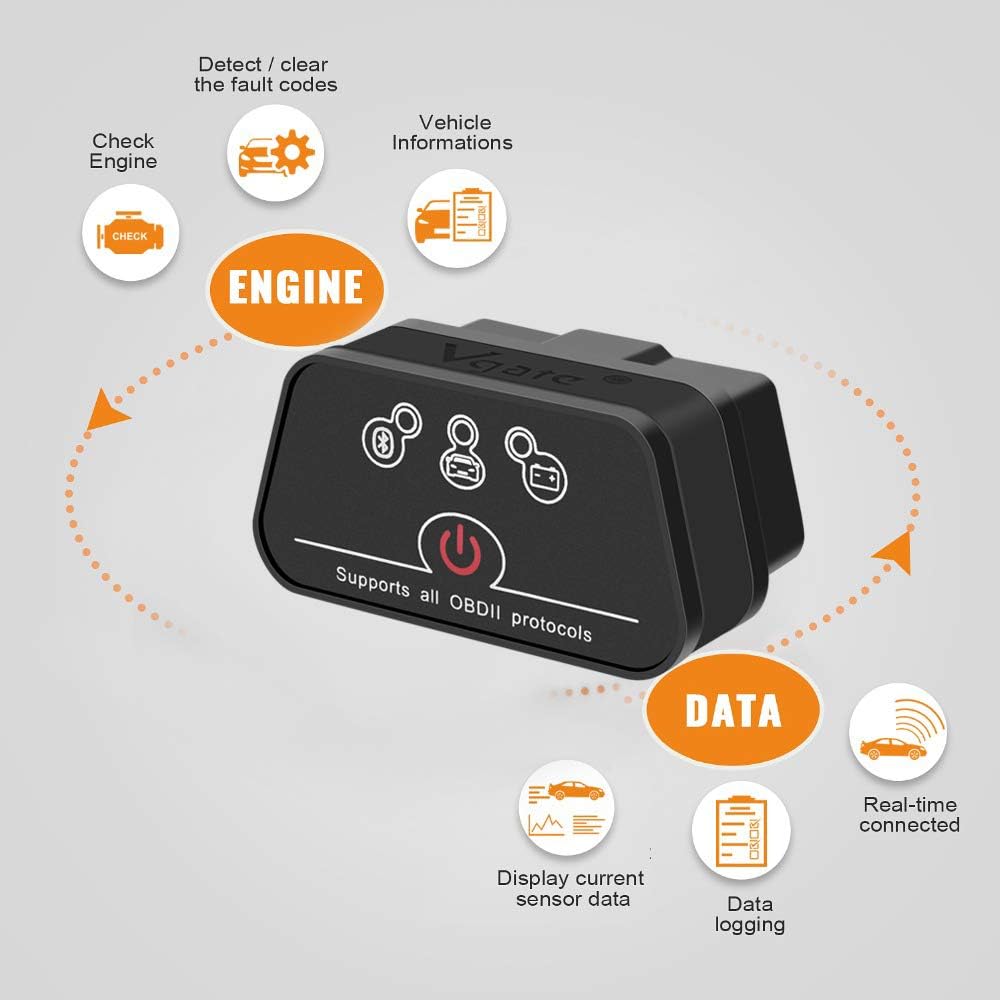
Once connected, the Vgate iCar 2 BLE4.0 adapter allows you to perform various diagnostic functions through your chosen OBD2 application:
- Aqra u Ħassar il-Kodiċijiet tal-Ħsarat: Access the 'Read Codes' or 'DTCs' section in your app to view diagnostic trouble codes. Use the 'Clear Codes' function to turn off the Check Engine Light (MIL) after addressing the underlying issue.
- View Dejta Live: Monitor real-time engine sensor data such as engine RPM, vehicle speed, coolant temperature, fuel system status, oxygen sensor voltages, and more. This data can be displayed in various formats, including gauges, graphs, or raw numbers.
- I/M Readiness Monitors: Check the status of your vehicle's emission control systems to ensure they are ready for an emissions test.
- Iffriżar tad-Dejta tal-Qafas: When a fault code is triggered, the ECU stores a 'freeze frame' of sensor data at that moment. This data can help diagnose the conditions under which the fault occurred.


4. Manutenzjoni
The Vgate iCar 2 BLE4.0 OBD2 Adapter requires minimal maintenance. Its automatic sleep/wake function ensures that it does not drain your vehicle's battery when not in use. To restart the device after it has entered sleep mode, simply press the power button located on the adapter. Keep the device clean and free from dust and moisture. Do not attempt to disassemble the unit, as this will void the warranty.
5 Issolvi l-problemi
If you encounter issues with your Vgate iCar 2 BLE4.0 adapter, consider the following common solutions:
- Apparat Mhux Qed Jikkonnettja:
- Ensure the adapter is firmly plugged into the OBD-II port and your vehicle's ignition is on.
- Press the power button on the adapter to wake it up if it has entered sleep mode.
- Ivverifika li l-Bluetooth huwa attivat fuq it-tagħmir mobbli tiegħek.
- For iOS devices, remember to connect directly through the app, not via the phone's Bluetooth settings.
- Try restarting your mobile device and the diagnostic app.
- Ebda Dejta jew Qari Mhux Korrett:
- Ensure your vehicle is OBD-II compliant (most gasoline vehicles from 2001 and diesel vehicles from 2003/2004 in Europe).
- Confirm that the diagnostic app is correctly configured to use the Vgate iCar 2 BLE4.0 adapter.
- Some parameters may not be supported by all vehicles or apps.
- Kwistjonijiet ta' Kompatibbiltà:
- This is a Bluetooth version and does not support Wi-Fi connections.
- The device is not compatible with 24V heavy diesel vehicles (e.g., semi-trucks, tractors). It is designed for 12V passenger vehicles.
Jekk il-problemi jippersistu, irreferi għat-taqsima 'Garanzija u Appoġġ' għal informazzjoni ta' kuntatt.
6. Speċifikazzjonijiet
| Mudell | iCar 2 Bluetooth BLE4.0 |
| Brand | Vgate |
| Dimensjonijiet (L x W x H) | 12 x 7 x 3.5 ċm |
| Piż | 60 gramma |
| Tip ta' Konnessjoni | Bluetooth 4.0 (BLE) |
| Sistemi Operattivi Appoġġjati | iOS, Android, Windows |
| Supported OBD-II Protocols | CAN, KWP2000, ISO9141-2, J1850 |
| Ċertifikazzjonijiet tas-Sigurtà | FCC, CE, RoHS |
7. Garanzija u Appoġġ
The Vgate iCar 2 BLE4.0 OBD2 Adapter comes with a garanzija ta 'sena mid-data tax-xiri. Din il-garanzija tkopri difetti fil-manifattura u tiżgura li l-prodott jiffunzjona kif deskritt taħt użu normali.
In addition to the warranty, Vgate provides:
- Lifetime Firmware Updates: Ensure your device always has the latest features and compatibility improvements.
- Ongoing Technical Support: If you encounter any issues, such as device connection failure, or have questions regarding its operation, the VgateDirect support team is available to provide prompt assistance.
For technical support or warranty claims, please contact VgateDirect through the platform where you purchased the product or refer to the contact information provided in the product packaging.
Ask a question about this manual
Ask about setup, troubleshooting, compatibility, parts, safety, or missing instructions. Manuals+ will review the question and use this page’s manual context to help answer it.