
1. Introduzzjoni
Grazzi tax-xiriasing the Kaiser MSA-7908RSL 8-inch Wireless Bluetooth Speaker. This manual provides essential information for the safe and efficient operation of your device. Please read it thoroughly before use and retain it for future reference.
2. Informazzjoni dwar is-Sigurtà
- Periklu ta' Xokk Elettriku: Tiftaħx l-ispiker casing. Ġewwa m'hemm l-ebda partijiet li jistgħu jiġu rranġati mill-utent. Irreferi għal kull manutenzjoni f'idejn persunal kwalifikat.
- Ilma u Umdità: Do not expose the speaker to rain, moisture, or any liquids. This product is not waterproof.
- Sorsi tas-Sħana: Żomm l-ispiker 'il bogħod minn sorsi ta' sħana bħal radjaturi, reġistri tas-sħana, stufi, jew apparat ieħor (inkluż amplifiers) li jipproduċu sħana.
- Ventilazzjoni: Aċċerta ruħek li jkun hemm ventilazzjoni xierqa. Timblokkax xi fetħiet tal-ventilazzjoni.
- Tindif: Unplug the speaker from the power source before cleaning. Use a dry cloth only.
- Provvista tal-Enerġija: Uża biss l-adapter tal-enerġija fornut mal-unità.
Warning: The back panel of the speaker indicates "PELIGRO RIESGO DE CHOQUE ELÉCTRICO NO ABRIR" (DANGER RISK OF ELECTRIC SHOCK DO NOT OPEN). Adhere strictly to this warning.
3. Kontenut tal-Pakkett
Ivverifika li l-oġġetti kollha huma preżenti fil-pakkett:
- Kaiser MSA-7908RSL Wireless Bluetooth Speaker
- Mikrofonu bil-fili
- Kontroll mill-bogħod
- Power Adapter (not explicitly listed in product data, but implied for battery charging)
4. Prodott Aktarview
Iffamiljarizza ruħek mal-komponenti u l-kontrolli tal-ispiker.
4.1 Quddiem View
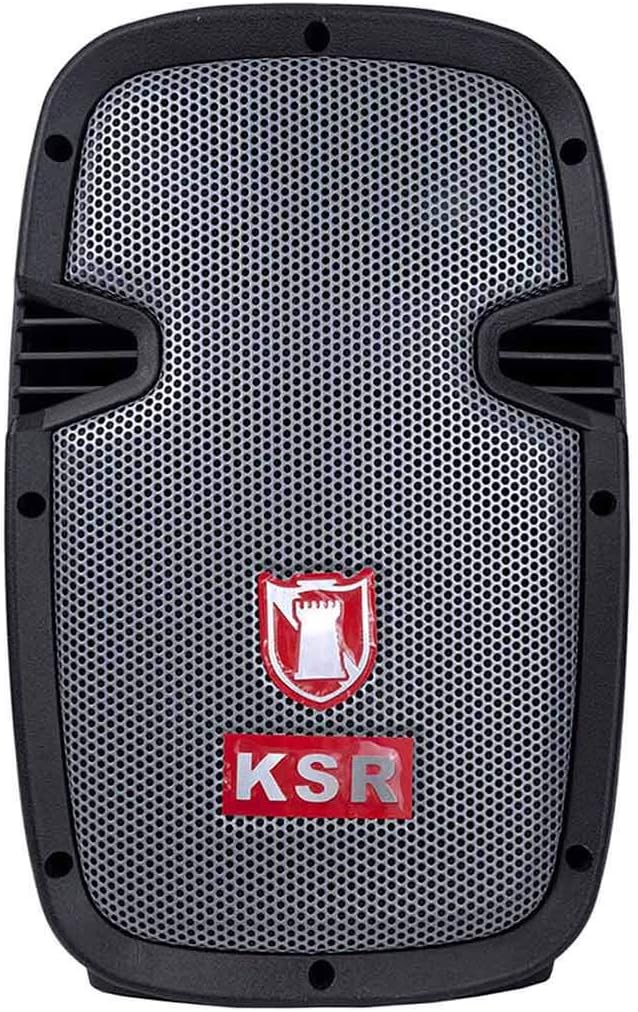
Immaġni: Quddiem view of the Kaiser MSA-7908RSL wireless speaker, showing the speaker grille and KSR logo.
4.2 Ġenb View
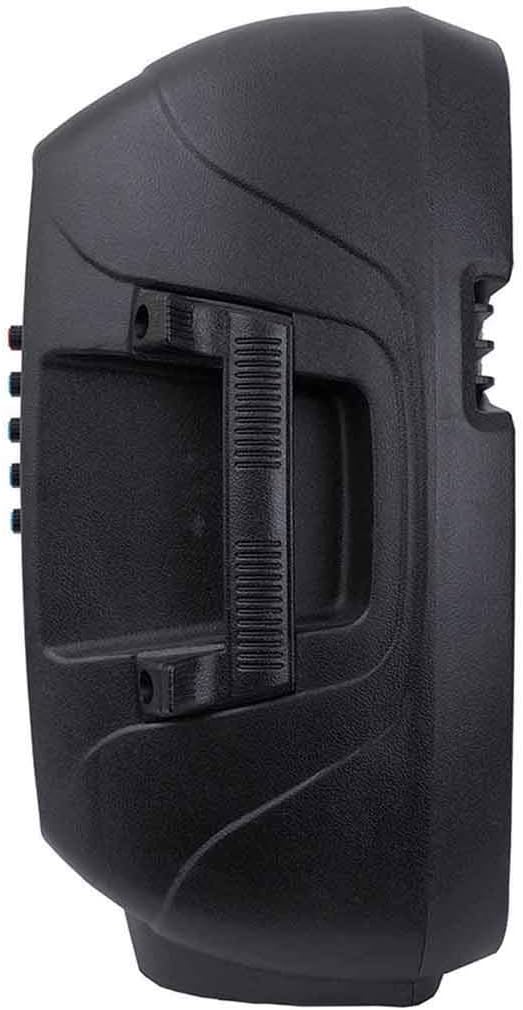
Immaġni: Ġenb view of the Kaiser MSA-7908RSL speaker, highlighting the integrated carrying handle for portability.
4.3 Back Panel Controls and Ports

Immaġni: Dettaljata view of the back panel of the Kaiser MSA-7908RSL speaker, showing various inputs, outputs, and control knobs.
- MP3/FM/USB/SD/MMC Card Player: Digital media playback and FM radio controls.
- VOL- / SCAN / VOL+: Buttons for volume adjustment, track navigation, and FM scanning.
- MODALITÀ: Button to switch between input modes (Bluetooth, AUX, USB/SD, FM).
- AUX Input (L/R): Ġakki RCA għall-konnessjoni ta' apparati awdjo esterni.
- Input MIC 1: 6.3mm jack for microphone connection.
- Input MIC 2: 6.3mm jack for a second microphone connection.
- VOLUMEN (Master Volume): Rotary knob to adjust the overall speaker volume.
- GRAVES (Bass): Rotary knob to adjust the bass level.
- AGUDOS (Treble): Rotary knob to adjust the treble level.
- ECO MIC (Microphone Echo): Rotary knob to adjust the echo effect for microphones.
- VOL MIC (Microphone Volume): Rotary knob to adjust the volume of the connected microphones.
- LED CARGA (Charge LED): Indicator light for battery charging status.
- ON/OFF (Power Switch): Swiċċ prinċipali tal-qawwa għall-ispiker.
- ENTRADA 15V (DC 15V Input): Power input for charging the speaker's internal battery.
4.4 Aċċessorji Inklużi

Image: The wired microphone accessory, featuring an ON/OFF switch and a 6.3mm jack connector.
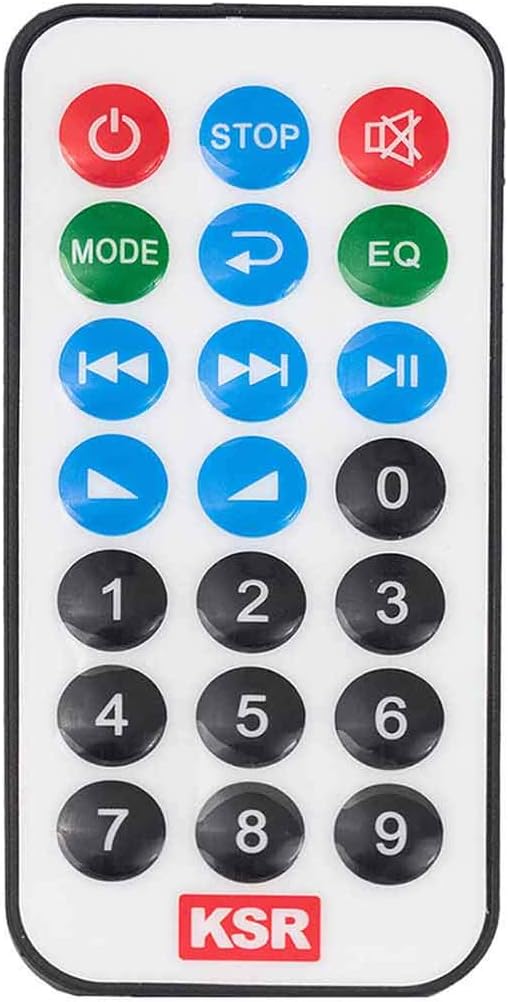
Image: The remote control for the Kaiser MSA-7908RSL speaker, showing various buttons for power, mode, playback, volume, and EQ.
5. Setup
5.1 Iċċarġjar tal-Ispeaker
- Qabbad l-adapter tal-enerġija pprovdut mal- DAĦLA 15V port on the back panel of the speaker.
- Ipplaggja l-adapter fi żbokk tad-dawl adattat.
- Il- LED CARGA indicator will illuminate to show that the battery is charging.
- Allow the speaker to charge fully before first use for optimal battery life.
5.2 Qawwa Inizjali
Aqleb il- ON/OFF switch on the back panel to the 'ON' position. The speaker will power on and typically enter Bluetooth pairing mode by default.
6. Istruzzjonijiet Operattivi
6.1 Għażla tal-Modalità
Agħfas il- MODALITÀ button on the back panel or remote control to cycle through available input modes: Bluetooth, AUX, USB/SD, and FM Radio.
6.2 Konnessjoni Bluetooth
- Ensure the speaker is powered on and in Bluetooth mode (the display will show 'BLUE' or a similar indicator).
- Ippermetti l-Bluetooth fuq l-ismartphone, it-tablet, jew apparat ieħor kompatibbli tiegħek.
- Fittex għal available devices and select "MSA-7908RSL" from the list.
- Once connected, the speaker will emit a confirmation sound.
LINK Technology (TWS)
The MSA-7908RSL features LINK technology, allowing you to connect two MSA-7908RSL speakers wirelessly for a stereo sound experience. To use this feature:
- Kun żgur li ż-żewġ kelliema huma mixgħula u fil-modalità Bluetooth, iżda għadhom mhumiex konnessi ma' xi apparat.
- On one of the speakers, press and hold the 'MODE' button for a few seconds until you hear a pairing sound. The two speakers will automatically connect to each other.
- Once linked, connect your Bluetooth device to one of the speakers as described above. Audio will now play through both speakers in stereo.
6.3 Input AUX
To play audio from devices without Bluetooth:
- Connect an audio cable (not included) from your external device's audio output to the Input AUX (L/R) jacks on the speaker's back panel.
- Agħfas il- MODALITÀ button until 'AUX' is displayed.
- Control playback and volume from your connected device and the speaker's VOLUMEN pum.
6.4 Daqq tal-Karta USB/SD
To play music directly from a USB drive or SD/MMC card:
- Insert a USB flash drive into the USB port or an SD/MMC card into the card slot on the MP3 player section.
- Agħfas il- MODALITÀ button until the display shows 'USB' or 'SD'.
- L-ispiker jibda jdoqq l-awdjo awtomatikament files. Uża l- VOL- / SCAN / VOL+ buttons to navigate tracks and adjust volume.
6.5 Tħaddim tar-Radju FM
Biex tuża r-radju FM integrat:
- Agħfas il- MODALITÀ Agħfas il-buttuna sakemm tidher 'FM'.
- Agħfas u żomm il- SKANJA button (usually the play/pause button) to automatically scan and save available FM stations.
- Uża l- VOL- / VOL+ buttuni biex tinnaviga bejn l-istazzjonijiet salvati.
6.6 Użu tal-Mikrofonu
Connect the wired microphone to either the MIC 1 or MIC 2 jack tad-dħul.
- Aġġusta l-volum tal-mikrofonu billi tuża l- VOL MIC pum.
- Add an echo effect using the ECO MIC pum.
- Kun żgur li s-swiċċ ON/OFF tal-mikrofonu jkun fil-pożizzjoni 'ON'.
6.7 Funzjonijiet ta' Kontroll mill-bogħod
Il-kontroll remot jipprovdi aċċess konvenjenti għal diversi funzjonijiet:
- Buttuna tal-Qawwa: Ixgħel jew jitfi l-kelliem.
- MODALITÀ: Switches input modes.
- Play/Pawsa: Jikkontrolla l-plejbek tal-midja.
- Preċedenti/Li jmiss: Navigates tracks or FM stations.
- Volum 'il fuq/Niżżel: Jaġġusta l-volum prinċipali.
- EQ: Iċċikla bejn il-presets tal-ekwalizzatur.
- Buttuni tan-Numru: For direct track selection or FM station input (if supported).
7. Manutenzjoni
- Tindif: Uża drapp artab u niexef biex tnaddaf il-barra tal-ispiker. Tużax prodotti tat-tindif, xama', jew solventi li joborxu.
- Ħażna: Meta ma tkunx qed tużah għal perjodi twal, aħżen l-ispiker f'post frisk u niexef, 'il bogħod mix-xemx diretta u minn temperaturi estremi.
- Kura tal-batterija: Biex ittawwal il-ħajja tal-batterija, evita li tiċċarġja kompletament il-batterija ta' spiss. Iċċarġja l-ispiker regolarment, anke jekk ma jkunx qed jintuża, biex iżżomm il-batterija f'saħħitha.
8 Issolvi l-problemi
| Problema | Kawża Possibbli | Soluzzjoni |
|---|---|---|
| L-ispiker ma jixgħelx. | Il-batterija hija eżawrita. Is-swiċċ tal-enerġija huwa mitfi. | Connect the speaker to power and charge the battery. Ensure the ON/OFF switch is in the 'ON' position. |
| L-ebda ħoss mill-kelliem. | Il-volum huwa baxx wisq. Mod ta' input mhux korrett magħżul. L-apparat mhux imqabbad sew. | Żid il- VOLUMEN knob. Press MODALITÀ to select the correct input. Reconnect your audio source. |
| L-apparat Bluetooth ma jistax jikkonnettja. | Speaker not in Bluetooth mode. Device too far. Interference. | Ensure speaker is in Bluetooth mode. Move device closer to speaker. Turn off other Bluetooth devices. |
| Il-mikrofonu mhux qed jaħdem. | Microphone switch is off. VOL MIC is too low. Microphone not fully inserted. | Ensure microphone's ON/OFF switch is 'ON'. Increase VOL MIC. Ensure microphone cable is fully inserted into the jack. |
9. Speċifikazzjonijiet
| Karatteristika | Speċifikazzjoni |
|---|---|
| Isem tal-Mudell | MSA-7908RSL |
| Tip ta' Kelliem | Woofer |
| Dijametru tas-Subwoofer | 8 Pulzier |
| Qawwa Massima tal-Ħruġ tal-Ispeaker | 3200 Watt (PMPO) |
| Teknoloġija tal-Konnettività | Bluetooth |
| Teknoloġija tal-Komunikazzjoni mingħajr Fili | Bluetooth |
| Metodu ta' Kontroll | Mess |
| Sors tal-Enerġija | Batterija |
| Speaker AmpTip ta' lifikazzjoni | Attiva |
| Modalità tal-Ħruġ tal-Awdjo | Mono |
| Apparati Kompatibbli | Laptop, Smartphone, Tablet, Televiżjoni |
| Użu Rakkomandat | Għall-plejers tal-mużika |
| Huwa Waterproof | Nru |
| Dimensjonijiet tal-Pakkett | 60 x 39 x 33 ċm |
| Piż tal-oġġett | 6.05 kg |
10. Garanzija u Appoġġ
Kaiser products are manufactured to high-quality standards. For warranty information, technical support, or service inquiries, please refer to the warranty card included with your purchase or visit the official Kaiser websit. Żomm il-prova tax-xiri tiegħek għal talbiet ta' garanzija.