Introduzzjoni
This manual provides essential instructions for the safe and efficient use of your Redmi 10000mAh Power Bank (Model PB100LZm). Please read this manual thoroughly before using the product and retain it for future reference.
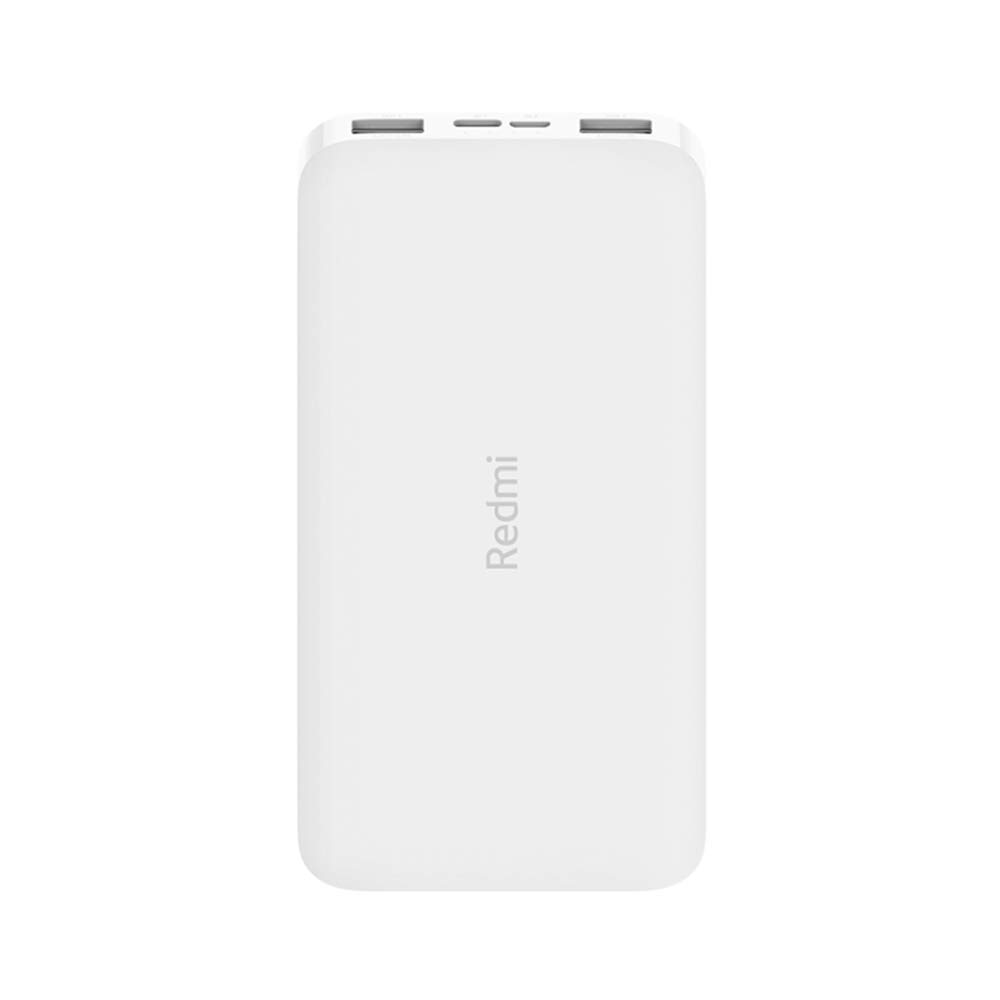
Immaġni: Angolata view of the white Redmi 10000mAh Power Bank.
Informazzjoni dwar is-Sigurtà
To prevent injury, damage to the product, or damage to property, observe the following safety precautions:
- Tiżżarmax, issewwiex, jew timmodifikax il-power bank.
- Do not expose the power bank to fire, high temperatures, or direct sunlight.
- Evita kuntatt ma 'ilma jew likwidi oħra.
- Twaqqax, tħallix impatt fuq, jew tissottomettix il-power bank għal vibrazzjonijiet qawwija.
- Żomm fejn ma jintlaħaqx mit-tfal.
- Uża biss kejbils tal-iċċarġjar u adapters kompatibbli.
- Armi l-power bank skont ir-regolamenti lokali.
Prodott Overview
Familiarize yourself with the components of your Redmi 10000mAh Power Bank.

Image: Close-up of the power bank's top edge showing two USB-A output ports (OUT1, OUT2), one Micro-USB input port (IN1), one USB-C input port (IN2), and four LED battery level indicators.
- Portijiet tal-Ħruġ USB-A (OUT1, OUT2): Użat biex jiċċarġja apparati esterni.
- Micro-USB Input Port (IN1): Użat biex jiċċarġja l-power bank.
- USB-C Input Port (IN2): Użat biex jiċċarġja l-power bank.
- Indikaturi LED: Four small lights indicating the remaining battery level.
- Buttuna tal-Qawwa: Located on the side, used to check battery level or activate charging.

Immaġni: Ġenb view of the power bank highlighting the power button.
Setup
Iċċarġjar Inizjali tal-Power Bank
Before first use, fully charge your Redmi 10000mAh Power Bank.
- Connect a compatible USB cable to either the Micro-USB (IN1) or USB-C (IN2) input port on the power bank.
- Qabbad it-tarf l-ieħor tal-kejbil ma' adapter tal-enerġija USB (mhux inkluż) jew mal-port USB tal-kompjuter.
- The LED indicators will light up, showing the charging progress. All four LEDs will be solid when fully charged.
Apparat li jgħaqqad
The power bank is compatible with mobile phones and other USB-powered devices.
- Use the appropriate charging cable for your device.
- Connect one end of the cable to one of the USB-A output ports (OUT1 or OUT2) on the power bank.
- Qabbad it-tarf l-ieħor tal-kejbil mal-port tal-iċċarġjar tat-tagħmir tiegħek.
Istruzzjonijiet Operattivi
Iċċarġjar ta 'Tagħmir Estern
Once a device is connected, the power bank should automatically begin charging. If not, press the power button once to initiate charging.

Image: The power bank connected via a USB cable to charge a mobile phone, resting on a wooden table.
- The LED indicators will show the power bank's remaining battery level during charging.
- You can charge two devices simultaneously using both USB-A output ports.
Iċċekkjar tal-Livell tal-Batterija
Press the power button once to check the remaining battery level. The LED indicators will light up for a few seconds:
- 1-il LED: 0-25% batterija li jifdal
- 2 LEDs: 25-50% batterija li jifdal
- 3 LEDs: 50-75% batterija li jifdal
- 4 LEDs: 75-100% batterija li jifdal
Manutenzjoni
- Tindif: Imsaħ il-power bank b'ċarruta ratba u niexfa. Tużax kimiċi ħarxa jew materjali li joborxu.
- Ħażna: Aħżen il-power bank f'post frisk u niexef 'il bogħod mix-xemx diretta u minn temperaturi estremi.
- Kura tal-batterija: For optimal battery life, avoid fully discharging the power bank frequently. Recharge it when the battery level is low. If not used for extended periods, charge it to about 50% every three months.
Issolvi l-problemi
| Problema | Soluzzjoni Possibbli |
|---|---|
| Il-power bank mhux qed jiċċarġja. |
|
| L-apparat mhux qed jiċċarġja mill-power bank. |
|
| Iċċarġjar bil-mod. |
|
Speċifikazzjonijiet
| Brand | Xiaomi |
| Numru tal-Mudell | PB100LZm |
| Kapaċità | 10000 mAh |
| Kulur | Abjad |
| Tip ta 'batterija | Polimeru tal-litju |
| Portijiet tad-dħul | 1x Micro-USB, 1x USB-C |
| Portijiet tal-ħruġ | 2x USB-A (5.1V=2.4A each) |
| Apparati Kompatibbli | Mobile Phones and other USB-powered devices |
| Dimensjonijiet | 15.8 x 8 x 2 ċm |
| Piż | 276 gramma |
Garanzija u Appoġġ
Based on the provided product information, this product is indicated as having l-ebda garanzija. For any product-related inquiries or technical support, please refer to the official Xiaomi support channels or your point of purchase.