
1. Istruzzjonijiet ta' Setup
The ASUS RT-AX56U router is designed for easy setup, often guided by a mobile application or web interface tal-browser.
1.1. Konnessjoni tal-Ħardwer
Before configuring your router, ensure all physical connections are correctly made.
- Connect the powered-off modem to the router's WAN port using an Ethernet cable.
- Qabbad l-adapter tal-enerġija mar-router u ixgħel ir-router.
- Connect your device (PC/laptop) to the router wirelessly or with an Ethernet cable to a LAN port.
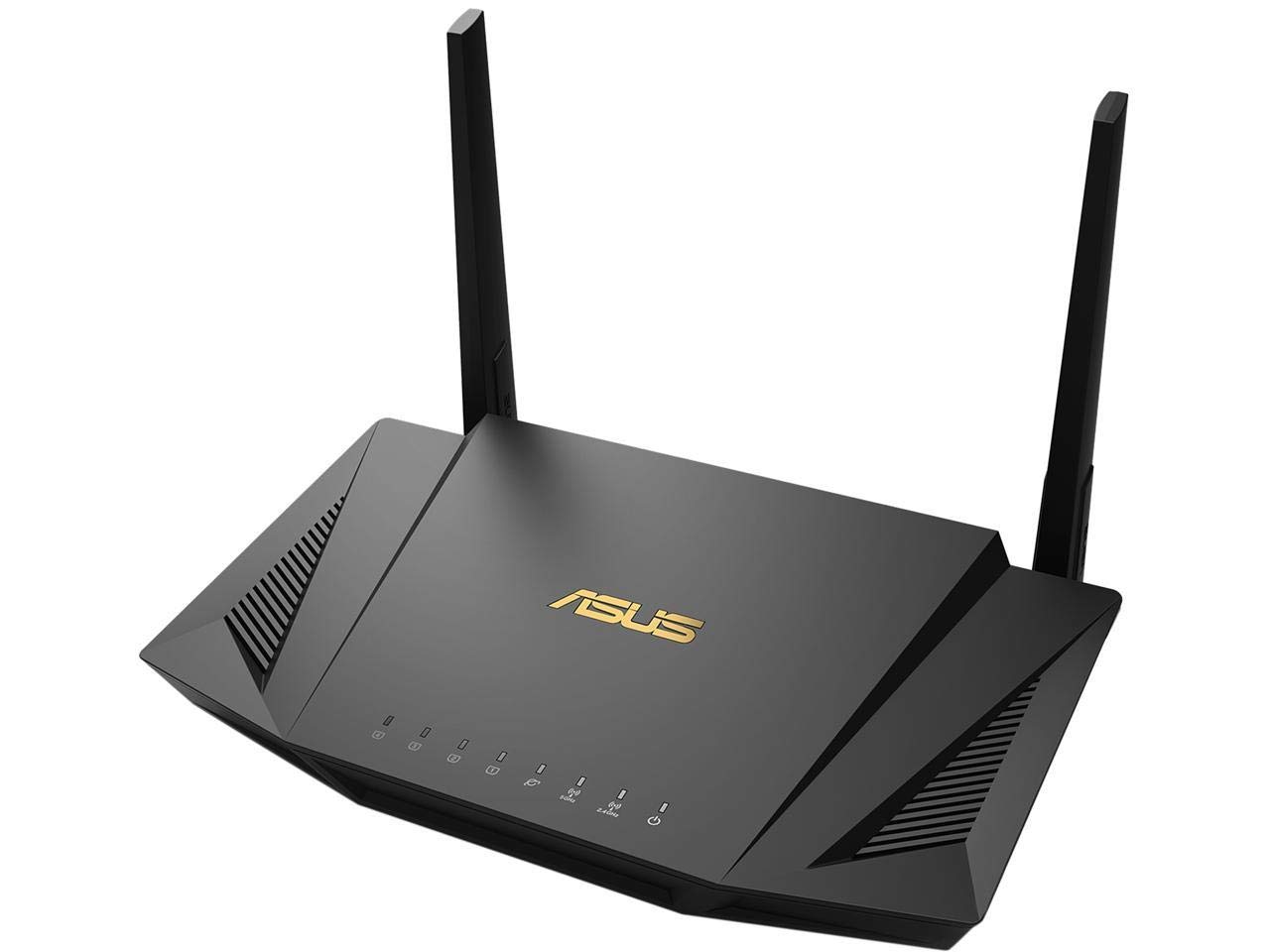
Image: ASUS RT-AX56U Router with its four external antennas extended, showing its sleek black design. The router is positioned on a wooden surface, indicating a typical home setup.
1.2. Setup tan-Netwerk
The router offers two primary methods for network setup:
- Via TP-Link Tether App: Download the Tether app, open it, log in with your TP-Link ID, tap the '+' button, select 'Router > Wireless Router', and follow the on-screen steps to complete setup and connect to the internet.
- Via Web Browser: Connect your device to the router wirelessly or with an Ethernet cable. Launch a web browser u daħħal http://tplinkwifi.net or http://192.168.0.1 in the address bar. Follow the step-by-step instructions to set up the internet connection and register for the TP-Link Cloud service.
Video: This video demonstrates how to set up your ASUS WiFi Router using the Quick Internet Setup (QIS) wizard, guiding you through the initial configuration steps to get your network running.
2. Istruzzjonijiet Operattivi
The RT-AX56U router provides a range of features to optimize your home network experience.
2.1. General Usage & Performance
- Next-Gen WiFi 6 Standard: Supports 802.11AX (Wi-Fi 6) and 80MHz bandwidth for improved capacity and efficiency.
- Ultrafast WiFi Speed: Achieves up to 1800Mbps (574 Mbps on 2.4GHz, 1201 Mbps on 5GHz) with 80MHz bandwidth and 1024-QAM.
- Kapaċità Miżjuda: Utilizes MU-MIMO and OFDMA techniques to efficiently allocate channels and communicate with multiple devices simultaneously.
- Kopertura Wiesgħa: Provides a maximum range of 3000 Sq Ft.
2.2. Network Security & Controls
- Commercial-grade Security: Features lifetime free AiProtection powered by Trend Micro to block internet security threats for all connected smart devices.
- Kontrolli tal-Ġenituri: Manage and monitor internet usage for connected devices.
- VPN integrat: The router supports VPN services, allowing you to configure settings to protect all your devices online through the router.
- AiMesh Compatibility: Can be integrated into an ASUS AiMesh WiFi system for seamless whole-home coverage.
3. Manutenzjoni
Manutenzjoni regolari tiżgura prestazzjoni u sigurtà ottimali għar-router tiegħek.
3.1. Aġġornament tal-Firmware
Keeping your router's firmware up to date is crucial for security and performance improvements.
Video: This video provides a step-by-step guide on how to update the firmware of your ASUS WiFi Router to the latest version, ensuring improved security and performance.
3.2. Restore to Default Settings
If you encounter persistent issues or wish to clear all configurations, you can restore the router to its factory default settings.
Video: This video demonstrates two methods to restore your ASUS router to its default factory settings, either through the web interface jew billi tuża l-buttuna fiżika tar-reset.
4 Issolvi l-problemi
Here are solutions for common issues you might encounter with your ASUS RT-AX56U router.
4.1. Internet Connection Issues
If you are experiencing problems with your internet connection, refer to the following video for guidance.
Video: This troubleshooting guide helps you diagnose and fix common internet connection problems with your ASUS Router, providing steps to restore connectivity.
4.2. Improving WiFi Signal
To enhance your WiFi signal strength and coverage, consider the following:
- Pożizzjonament tar-Router: Position the router in a central location, away from obstructions and interference sources like thick walls, large metal objects, microwaves, and refrigerators.
- Aġġustament tal-Antenna: Adjust the router's antennas to optimize signal direction. For specific angles, refer to the user manual.
- Aġġornament tal-Firmware: Kun żgur li l-firmware tar-router tiegħek huwa aġġornat.
- Sewwieqa tal-Apparat: Update the wireless device drivers or firmware on your connected devices (laptops, smartphones, USB WiFi adapters).
Video: This video offers practical tips and steps to improve your ASUS WiFi Router's signal strength and coverage, addressing common issues that might weaken your wireless connection.
4.3. Accessing Router Settings Page
If you need to access the router's settings page, follow the instructions in the video below.
Video: This video guides you through the process of accessing the ASUS Router's settings page, which is essential for configuration and advanced network management.
5. Speċifikazzjonijiet
| Karatteristika | Dettall |
|---|---|
| Tip bla fili | 802.11a, 802.11ax, 802.11b, 802.11g, 802.11n |
| Numru ta 'USB 2.0 Ports | 1 |
| Numru ta 'USB 3.0 Ports | 1 |
| Serje | RT-AX56U |
| Sistema Operattiva | ASUSWRT |
| Piż tal-oġġett | 1.91 liri |
| Dimensjonijiet tal-Prodott | 8.8 x 5.09 x 1.87 pulzieri |
| Voltage | 100-240 volt |
| Karatteristika Speċjali | Internet Security, WPS |
| Klassi ta' Banda ta' Frekwenza | Doppju-Band |
| Komunikazzjoni mingħajr fili Standard | 802.11a, 802.11ax, 802.11b, 802.11g, 802.11n |
| Apparati Kompatibbli | Kompjuter Personali |
| Użi Rakkomandati Għall-Prodott | Sigurtà |
| Teknoloġija tal-Konnettività | Ethernet, Wi-Fi |
| Tip ta' Antenna | Intern |
6. X'hemm fil-Kaxxa
The ASUS RT-AX56U package includes:
- RT-AX56U router
- Cable Ethernet RJ45
- Adapter tal-Enerġija
- Gwida għall-Bidu Mgħaġġel (QSG)
- Karta ta' Garanzija
7. Garanzija u Appoġġ
Your ASUS RT-AX56U router comes with a Warranty Card included in the box. For technical assistance, troubleshooting, or any product-related inquiries, please refer to the official ASUS support channels.
7.1. Ċaħda Legali
Ir-rata attwali tat-trażmissjoni tad-dejta u l-kopertura tal-WiFi se jvarjaw mill-kundizzjonijiet tan-netwerk u l-fatturi ambjentali, inkluż il-volum tat-traffiku tan-netwerk, il-materjal tal-bini u l-kostruzzjoni, u l-overhead tan-netwerk, li jirriżulta f'rata attwali tat-trażmissjoni tad-dejta u kopertura mingħajr fili aktar baxxa.