
1. Introduzzjoni
The ASUS ZenWiFi AC (CT8) is a whole-home tri-band mesh WiFi system designed to provide extensive and reliable wireless coverage throughout your home. This system eliminates WiFi dead zones and ensures a stable connection for all your devices.
Karatteristiċi ewlenin:
- Kopertura estensiva: Tri-band mesh WiFi system with unique antenna placement delivers strong WiFi to every corner of your home, covering up to 5,400 sq.ft.
- Konnettività bla xkiel: Devices automatically switch to the hub with the strongest WiFi connection, ensuring the best online experience.
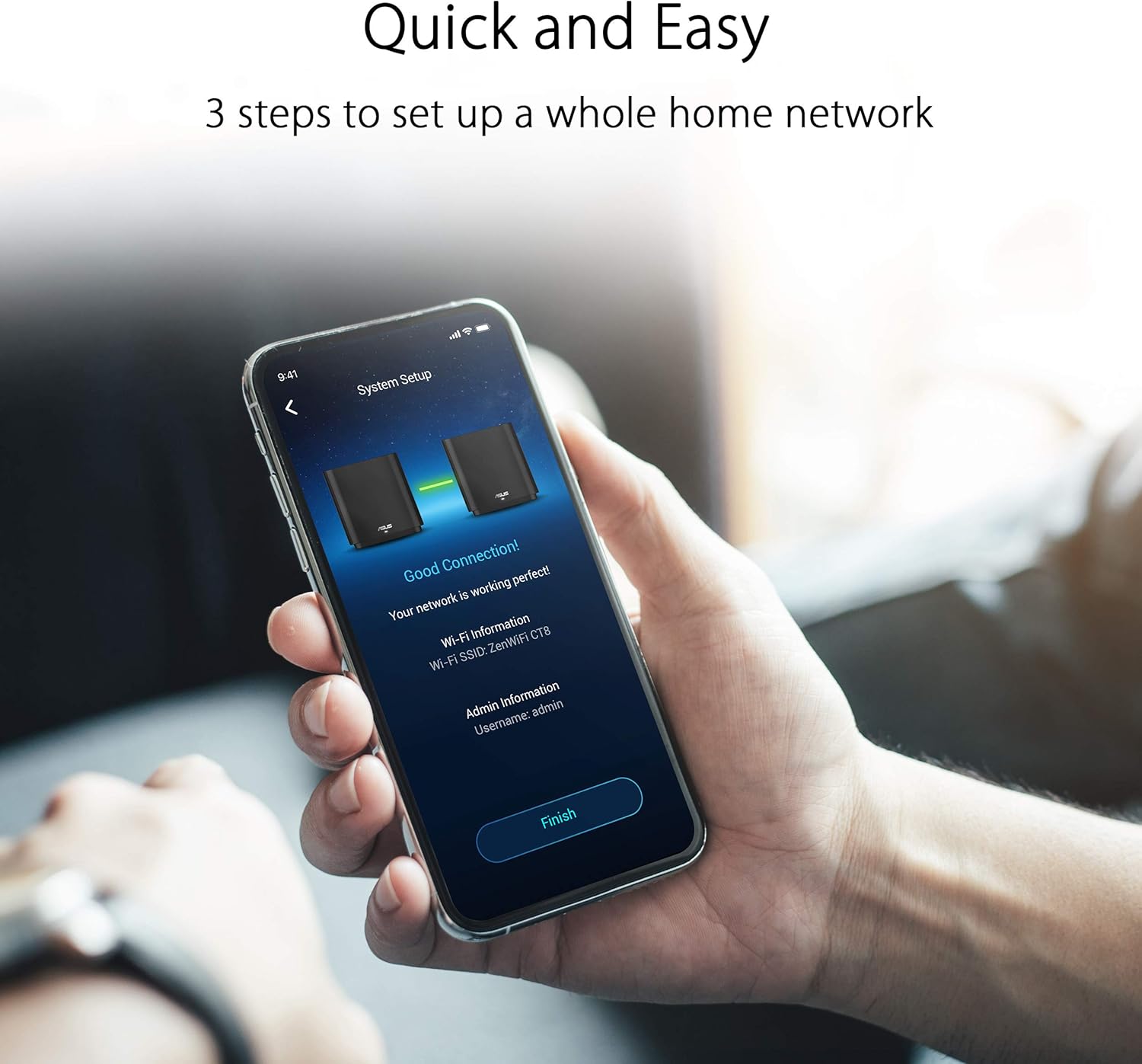
- Setup u Ġestjoni Faċli: Features a 3-step setup process and convenient management via the ASUS Router App.
- Advanced Network Security: Includes lifetime free AiProtection powered by Trend Micro, protecting your privacy on connected devices 24/7.
- Kontrolli tal-Ġenituri: Uża URL filtering and scheduling to manage internet access and protect family members from inappropriate content.
- AiMesh Supported: Mix and match ZenWiFi with other AiMesh-compatible routers to form a powerful and flexible whole-home WiFi system.

2. X'hemm fil-Kaxxa
Your ASUS ZenWiFi AC (CT8) package includes the following items:
- 2 x ZenWiFi AC (CT8) Units
- 2 x Power Adapters
- 1 x Cable Ethernet
- 1 x Gwida għall-Utent
3. Prodott Aktarview (Ħardwer)
Each ZenWiFi AC (CT8) unit features a sleek design and essential connectivity ports for seamless integration into your home network.

Deskrizzjonijiet tal-Port:
- Port DC-IN: Tqabbad mal-adapter tal-enerġija.
- Swiċċ mixgħul/mitfi: Toggles the unit's power.
- USB 3.0/2.0 Port: Għall-konnessjoni ta' apparati USB bħal ħażna esterna.
- Portijiet tal-LAN (LAN1, LAN2, LAN3): For connecting wired devices to your network.
- Port WAN: Jikkonnettja mal-modem tiegħek għal aċċess għall-internet.
4. Setup
Setting up your ASUS ZenWiFi AC (CT8) mesh system is designed to be quick and straightforward. Follow these general steps to get your network running:
- Pożizzjonament: Place your ZenWiFi units strategically to maximize coverage. Ensure they are within a reasonable range of each other and your modem.
- Qawwa Mixgħul: Connect both ZenWiFi units to power outlets using the provided power adapters and turn them on.
- Qabbad mal-Modem: Connect one of the ZenWiFi units (this will be your main router) to your internet modem's LAN port using the provided Ethernet cable. Plug the other end into the WAN port of the ZenWiFi unit.
- Download ASUS Router App: Download and install the ASUS Router App on your smartphone or tablet from your device's app store.
- Segwi l-Istruzzjonijiet fl-App: Open the ASUS Router App and follow the on-screen instructions to detect and configure your ZenWiFi system. The app will guide you through creating your network name (SSID) and password.
- Node Pairing: The app will automatically detect and pair the second ZenWiFi unit (node) to extend your mesh network.
Setup Video Guide:
5. Joperaw
Once your ASUS ZenWiFi AC (CT8) system is set up, it operates to provide a seamless and secure wireless experience.
Network Management with ASUS Router App:
The ASUS Router App is your central hub for managing your mesh network. Through the app, you can:
- Monitor network status and connected devices.
- Configure Wi-Fi settings, including SSID and password.
- Activate and manage AiProtection for network security.
- Set up and customize Parental Controls for internet usage.
- Optimize network performance and check signal quality for each node.


6. Manutenzjoni
To ensure optimal performance and longevity of your ASUS ZenWiFi AC (CT8) system, consider the following maintenance tips:
- Aġġornamenti tal-Firmware: Regularly check for and install firmware updates via the ASUS Router App or web interface. Updates often include performance improvements and security patches.
- Ventilazzjoni xierqa: Ensure your ZenWiFi units are placed in well-ventilated areas to prevent overheating. Avoid covering them or placing them in enclosed spaces.
- Bidu mill-ġdid perjodiku: Occasionally restarting your router and nodes can help clear temporary issues and improve network stability.
- Indafa: Keep the units free from dust and debris. Use a soft, dry cloth for cleaning.
7 Issolvi l-problemi
If you encounter issues with your ASUS ZenWiFi AC (CT8) system, try the following basic troubleshooting steps:
- Ebda Konnessjoni tal-Internet:
- Iċċekkja jekk il-modem tiegħek hux qed jaħdem sew.
- Kun żgur li l-kejbils kollha tal-Ethernet huma konnessi sew.
- Restart your modem and then your ZenWiFi units.
- Sinjal WiFi dgħajjef:
- Relocate your ZenWiFi nodes to optimize coverage, using the ASUS Router App to check signal strength.
- Ensure there are no major obstructions (e.g., thick walls, large metal objects) between the units.
- Skonnettjar tal-Apparat:
- Update the firmware of your ZenWiFi system.
- Iċċekkja għal interferenza minn apparat elettroniku ieħor.
- Restart the affected devices and the ZenWiFi system.
- Kwistjonijiet tal-App:
- Ensure your ASUS Router App is updated to the latest version.
- Clear the app's cache or reinstall it if problems persist.
8. Speċifikazzjonijiet
| Karatteristika | Speċifikazzjoni |
|---|---|
| Dimensjonijiet tal-Prodott | 6.3 x 2.95 x 6.36 pulzieri |
| Piż tal-oġġett | 6.42 libbra (2.92 Kilogrammi) |
| ASIN | B081ZVFN64 |
| Numru tal-Mudell tal-Oġġett | ZenWiFi AC (CT8 2PK) Charcoal |
| Brand | ASUS |
| Isem tal-Mudell | ZenWiFi AC (CT8 2PK) Charcoal |
| Klassi ta' Banda ta' Frekwenza | Tri-Band |
| Komunikazzjoni mingħajr fili Standard | 802.11a, 802.11ac, 802.11b, 802.11g, 802.11n |
| Apparati Kompatibbli | Kompjuter Personali |
| Użi Rakkomandati Għall-Prodott | Sigurtà |
| Teknoloġija tal-Konnettività | Ethernet, Wi-Fi, Wired, Wireless |
| Manifattur | ASUS |
| Data L-Ewwel Disponibbli | 23 ta’ Jannar, 2020 |
9. Garanzija u Appoġġ
For warranty information, technical support, or additional resources, please visit the official ASUS support websit.
Appoġġ ASUS Websit: Ħanut Uffiċjali tal-ASUS fuq Amazon
10. Ċaħda Legali
Ċaħda ta' Responsabbiltà: It-throughput tad-dejta attwali u l-kopertura tal-WiFi se jvarjaw mill-kundizzjonijiet tan-netwerk u l-fatturi ambjentali, inkluż il-volum tat-traffiku tan-netwerk, il-materjal tal-bini u l-kostruzzjoni, u l-overhead tan-netwerk, li jirriżulta f'throughput tad-dejta attwali u kopertura mingħajr fili aktar baxxi.