
RENAISSER Raphael 520
Manwal ta' Istruzzjoni
RENAISSER Raphael 520 Stylus for Surface
Model: Raphael 520
Prodott Overview
The RENAISSER Raphael 520 Stylus is a high-precision digital pen designed for Microsoft Surface devices and other compatible touchscreens. It features advanced MPP 2.0 technology, offering 4096 levels of pressure sensitivity and tilt support for a natural writing and drawing experience. Its ergonomic design, palm rejection, and fast-charging capabilities make it an ideal tool for productivity and creativity.

Figure 1: RENAISSER Raphael 520 Stylus
Setup u Użu Inizjali
Iċċarġjar tal-Stylus
The Raphael 520 Stylus features ultra-fast charging. To charge the stylus, connect it to a compatible USB power source using the provided charging cable. A 20-minute charge provides approximately 50 hours of use, while a full 1-hour charge can last for over 100 hours. The stylus has a smart power management design and will automatically turn off after 10 minutes of inactivity to conserve battery life.

Figure 2: Super Quick Charge feature, showing 20 minutes of charging provides 90 hours of use.
Kompatibilità
The RENAISSER Raphael 520 Stylus is compatible with a wide range of Microsoft Surface devices and other devices supporting MPP 2.0 technology. Please refer to the compatibility list below to ensure your device is supported.
- Microsoft Surface: Surface Pro 10, Surface Pro 9, Surface Pro 8, Surface Pro 7+, Surface Pro 7, Surface Pro 6, Surface Pro 5, Surface Pro 4, Surface Duo/ Duo 2, Surface Pro X, Surface Go/Go 2/Go 3, Surface Book/Book 2/Book 3, Surface Studio 1st Gen, Surface Studio 2, Surface Studio 2+, Surface Laptop 1/Laptop 2/Laptop 3/Laptop 4/Laptop 5/Laptop 6, Surface Laptop Studio.
- Note: Not compatible with Surface Laptop Go, Surface Laptop Go 2, or other touchscreen computers not listed.

Figure 3: Detailed compatibility list for RENAISSER styluses.
Connecting the Stylus
The Raphael 520 Stylus typically connects automatically to compatible Surface devices upon first touch, requiring no manual Bluetooth pairing. Simply touch the stylus tip to your device's screen to begin use.
Operating the Stylus
Kitba u Tpinġija
The stylus offers a natural writing and drawing experience with its 4096 levels of pressure sensitivity. This allows for precise control over line thickness and opacity, mimicking traditional pen-on-paper feel. The Raphael 520 also supports tilt sensitivity, enabling shading effects similar to a real pencil when the stylus is angled. Compatibility for tilt sensitivity may vary depending on the application and specific pen brushes used.
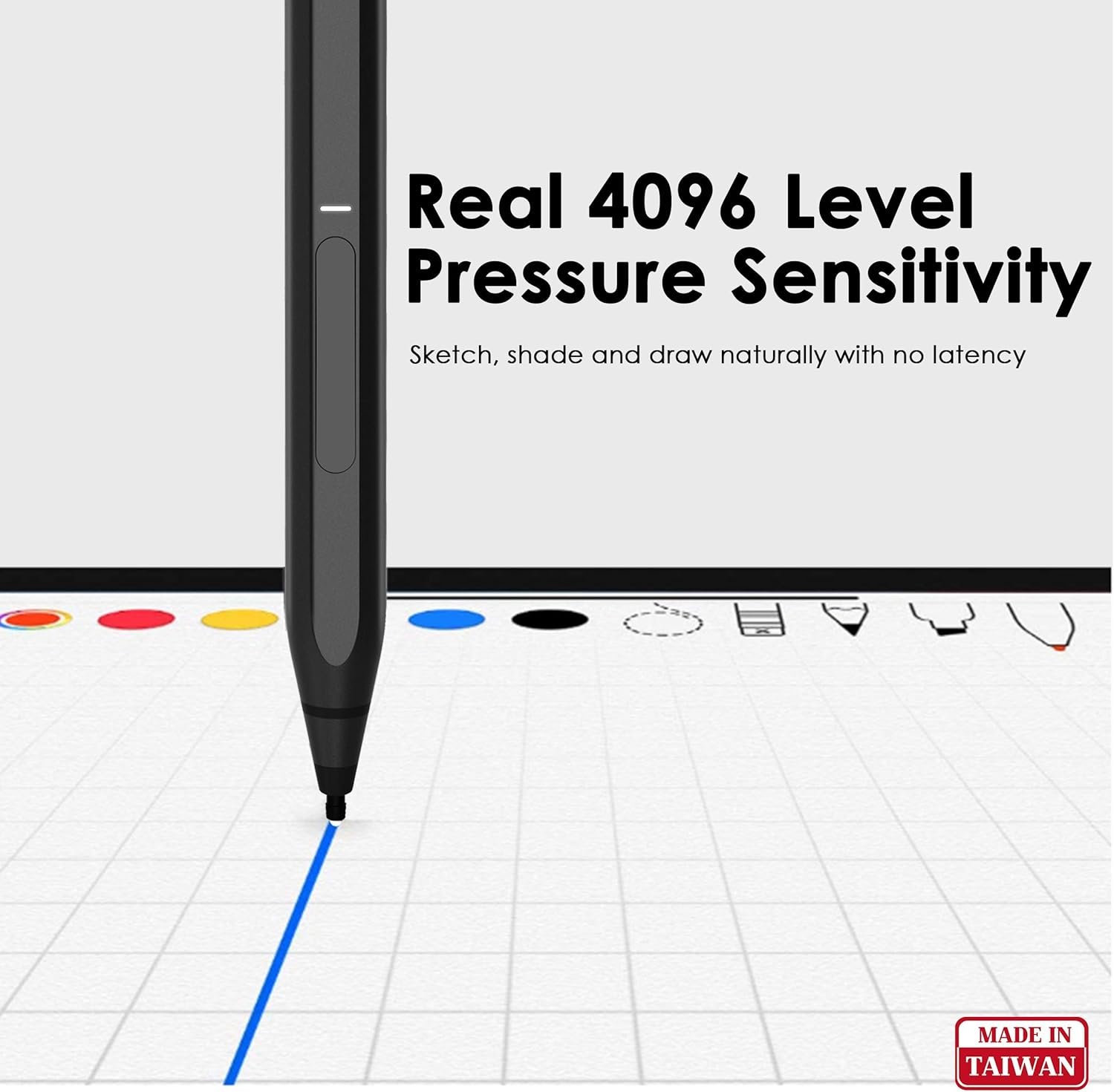
Figure 4: Illustration of 4096 level pressure sensitivity for natural sketching and drawing.
Video 1: A demonstration of the RENAISSER Surface Pen in use, highlighting its responsiveness and precision for writing and drawing on a compatible device.
Ċaħda tal-Palm
The stylus features palm rejection functionality, allowing you to comfortably rest your hand on the screen while writing or drawing without causing unintended marks or interference. This enhances the natural feel and usability of the stylus.

Figure 5: Palm Rejection Technology in action, allowing comfortable hand placement on the screen.
Funzjonijiet tal-buttuna
The Raphael 520 Stylus includes two functional buttons: an erase button and a right-click/power on button. These buttons provide quick access to common functions within compatible applications, enhancing workflow efficiency.

Figura 6: Aktarview of stylus features including MPP 2.0 Technology, ON/OFF LED, Erase Button, Right-click/Power On Button, Original Surface Pen Tips, and Palm Rejection.
Twaħħil Manjetiku
For convenient storage and portability, the Raphael 520 Stylus features built-in magnets that allow it to attach securely to the left side of compatible Surface devices (e.g., Surface Pro/Go/Book). This ensures your stylus is always within reach.

Figure 7: Comparison of RENAISSER's real magnetic attachment versus other non-magnetic pens.
Ergonomic Design and Pen Tips
The stylus is designed for comfortable extended use, with a streamlined shape and balanced weight. It comes with original quality HB-type and 2H-type pen tips, providing gentle friction for a natural writing feel on the screen.

Figure 8: Ergonomics Design highlighting the 8.7 mm width for comfortable holding.

Figure 9: Comparison of RENAISSER stylus tip shape, tilt capability, and material against other styluses.
Manutenzjoni
Kura tal-batterija
To ensure optimal battery life, charge the stylus regularly. Avoid completely draining the battery frequently. The stylus will automatically power off after 10 minutes of non-use to conserve power.
Tindif
Wipe the stylus body with a soft, dry, lint-free cloth. Do not use abrasive cleaners or solvents, as these can damage the finish. Keep the pen tip clean and free of debris.
Sostituzzjoni tal-Ħjiel tal-Pinna
The Raphael 520 Stylus comes with replaceable HB-type and 2H-type pen tips. If a tip becomes worn or damaged, gently pull it straight out from the stylus body. Insert a new tip firmly until it clicks into place. Ensure the new tip is fully seated before use.
Issolvi l-problemi
Stylus Mhux Jirrispondi
- Iċċekkja l-batterija: Ensure the stylus is sufficiently charged. Connect it to a power source for at least 20 minutes.
- Irristartja l-Apparat: Restart your Surface device or compatible computer.
- Iċċekkja l-Kompatibbiltà: Verify that your device is listed as compatible with the Raphael 520 Stylus. Refer to the compatibility section.
- Erġa' stabbilixxi l-Konnessjoni: If the stylus was previously connected, try turning it off and on again, or remove and re-attach it magnetically to your device.
Input Mhux Preċiż jew Tard
- Naddaf l-Iskrin u l-Ponta: Ensure both your device screen and the stylus tip are clean and free of smudges or debris.
- Check Pen Tip: A worn or damaged pen tip can affect performance. Replace the tip if necessary.
- Aġġornamenti tas-Software: Ensure your device's operating system and relevant drawing/note-taking applications are up to date.
Buttuni Ma Jaħdmux
- Appoġġ għall-Applikazzjoni: Verify that the application you are using supports the stylus's button functions (e.g., erase, right-click).
- Livell tal-batterija: Low battery can sometimes affect button responsiveness. Ensure the stylus is charged.
Speċifikazzjonijiet
| Karatteristika | Dettall |
|---|---|
| Brand | RENAISSER |
| Numru tal-Mudell | Raphael 520 |
| Sensittività għall-Pressjoni | 4096 Livelli |
| Sensittività tal-Mejjel | Supported (application dependent) |
| Ċaħda tal-Palm | Iva |
| Tip ta 'batterija | Polimeru tal-jone tal-litju |
| Ħin tal-Iċċarġjar | 20 mins for 50 hours use; 1 hour for 100+ hours use |
| Tifi awtomatiku | Wara 10 minuti ta 'nuqqas ta' użu |
| Piż tal-oġġett | 0.459 uqija (madwar 13 gramma) |
| Dimensjonijiet tal-Prodott | 5.59 x 0.36 x 0.34 pulzieri |
| Materjal | Aluminju |
| Kulur | Iswed |
Garanzija u Appoġġ
For detailed warranty information and customer support, please visit the official RENAISSER website or contact their customer service directly. Specific warranty terms and conditions may vary by region and retailer.
Tista' ssib aktar informazzjoni u riżorsi ta' appoġġ fuq RENAISSER Store on Amazon.
Ask a question about this manual
Ask about setup, troubleshooting, compatibility, parts, safety, or missing instructions. Manuals+ will review the question and use this page’s manual context to help answer it.