
1. Prodott Aktarview
The Fractal Design Define 7 is a versatile mid-tower computer case designed for modularity, flexibility, and ease of use. It features a dual-layout interior, industrial sound damping, and a classic aesthetic, making it suitable for various PC builds, from silent workstations to high-performance gaming systems.
Karatteristiċi ewlenin:
- Solid construction with industrial high-density sound damping for quiet operation.
- Convertible interior for storage-focused layouts, supporting up to 14 HDDs and four dedicated SSDs.
- Three Dynamic X2 GP-14 fans pre-installed, with expansion room for up to nine fans total.
- Included multi-bracket allows conversion of unused fan positions to HDD, SSD, or pump mounts.
- Brushed aluminum front door with dual-handed reversible hinges and magnetic latching.

Figura 1.1: Quddiem view of the Define 7 case, showcasing its brushed aluminum finish.
2. Setup u Installazzjoni
The Define 7 case offers extensive modularity to accommodate various hardware configurations. Before beginning installation, familiarize yourself with the case components and layout options.
2.1 Aċċess għall-Intern
The side panels are designed for easy, tool-less removal. Gently pull the top edge of the side panel to release it from its clips. The top panel can also be removed to facilitate installation of cooling components.
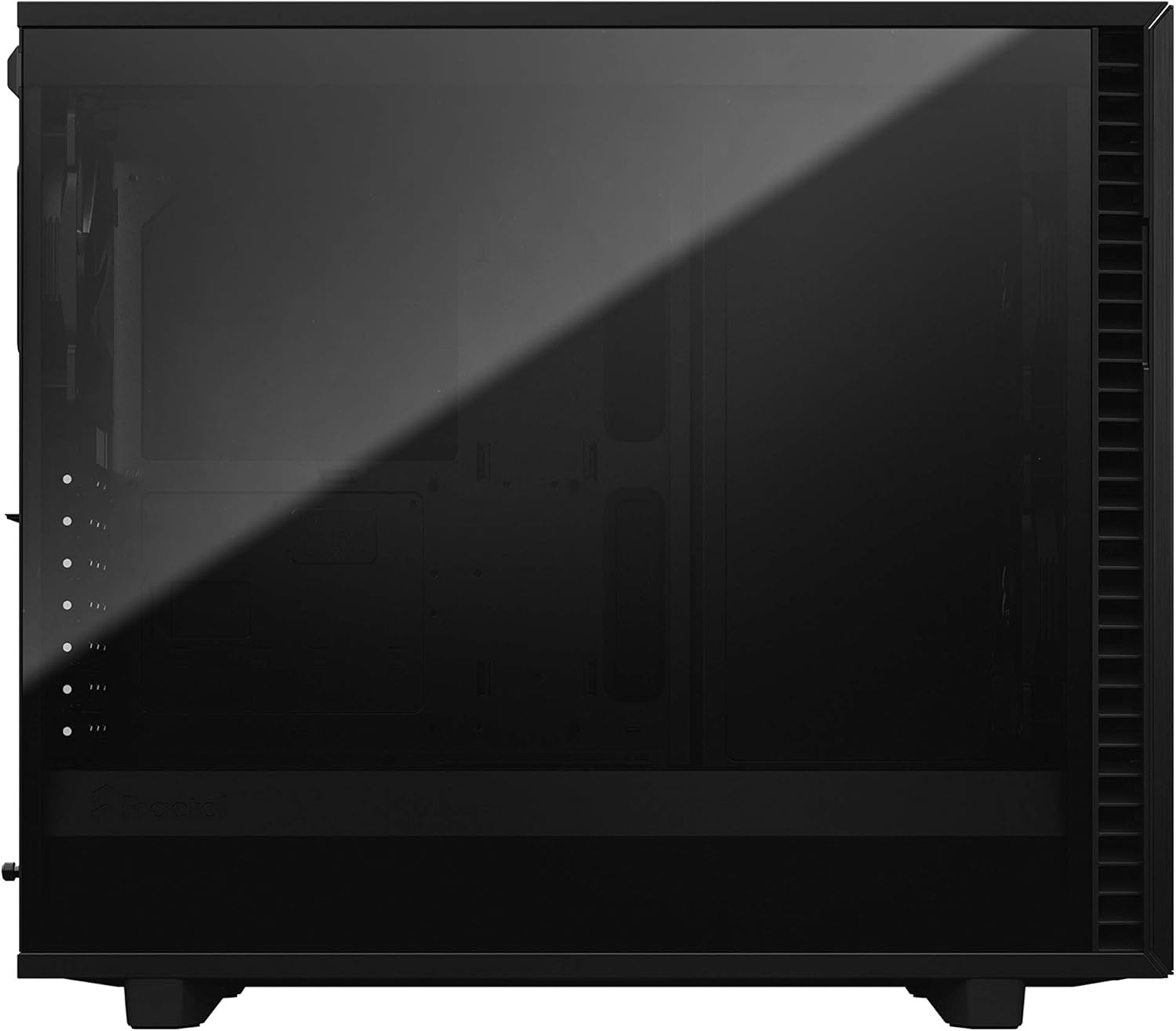
Figura 2.1: Ġenb view of the Define 7 with its tempered glass panel.

Figura 2.2: Sploda view illustrating the modular design of the Define 7, including removable panels and internal brackets.
2.2 Motherboard and Component Installation
The case supports motherboards up to 285 mm E-ATX. Install your motherboard using the provided standoffs and screws. The spacious interior allows for easy installation of large video cards and extensive water cooling setups.

Figura 2.3: Intern view demonstrating the open layout configuration, ideal for custom water cooling or large components.
2.3 Konfigurazzjoni tal-Ħażna
The Define 7 can be configured for various storage needs. In its storage layout, it can accommodate up to 14 HDDs alongside four dedicated SSD mounts. Utilize the versatile multi-brackets for flexible mounting of HDDs, SSDs, or pumps in unused fan positions.
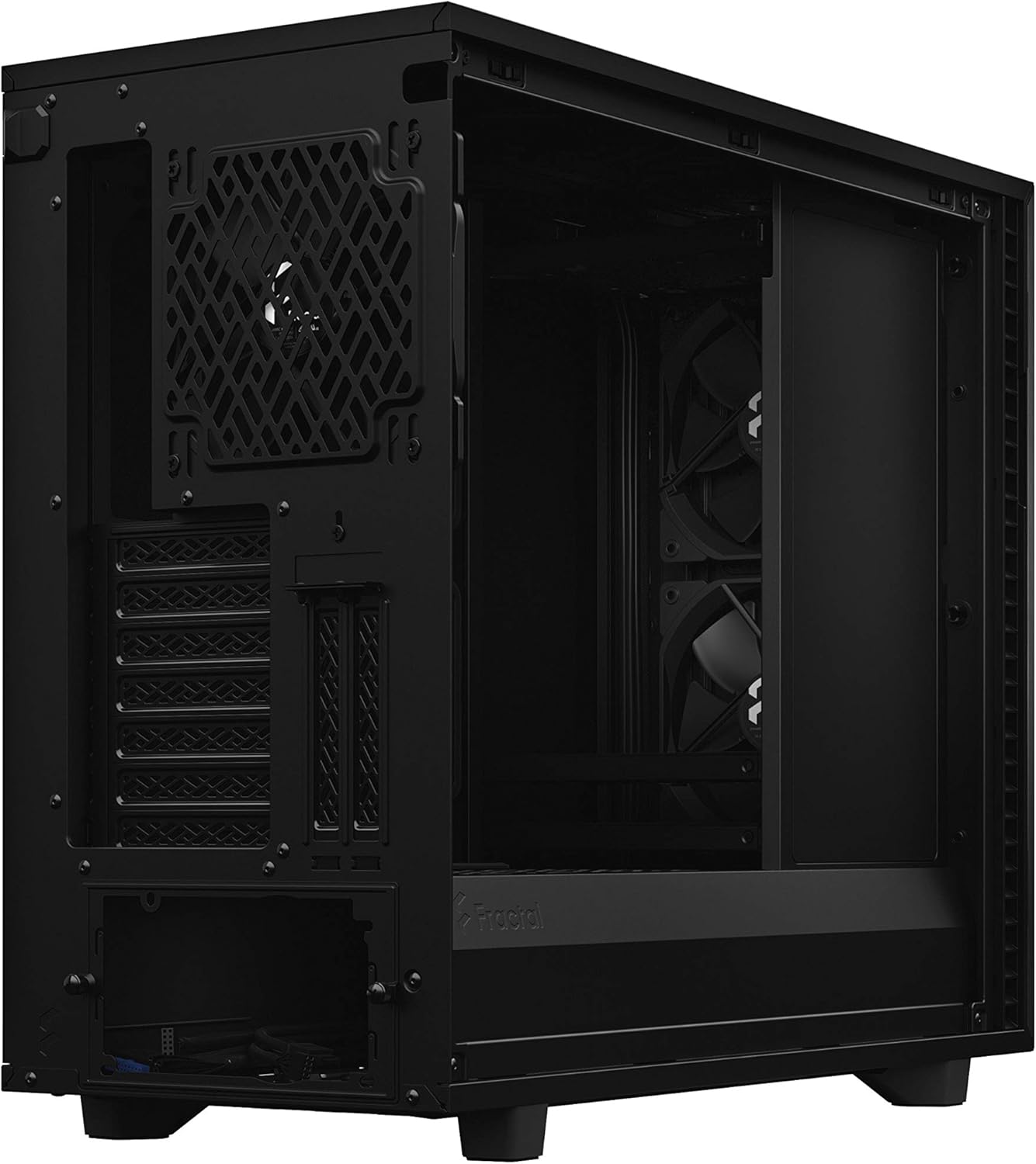
Figure 2.4: Storage layout showing multiple drive bays for extensive data storage.
2.4 Sistema tat-tkessiħ
The case comes with three pre-installed Dynamic X2 GP-14 fans. Additional fan positions are available, allowing for up to nine fans in total. The ultra-slim fan hub supports up to 9 fans, simplifying cable management and control. The top panel can be swapped between a solid steel panel for silent operation and a filtered ventilation panel for enhanced airflow.

Figure 2.5: Top panel removed, showing fan mounting options for improved cooling.

Figure 2.6: The ultra-slim fan hub, capable of supporting up to nine fans.
2.5 Vidjo Fuqview of Modularity
Video 2.1: A showreel demonstrating the modularity and key features of the Fractal Design Define 7 case.
3. Operazzjoni
The Define 7 is designed for both performance and quiet operation. Its features allow you to optimize for either, depending on your needs.
3.1 Portijiet I/O ta' Quddiem
The front panel provides convenient access to essential ports, including USB 3.0, USB 2.0, and a USB-C 3.1 Gen 2 port for high-speed connectivity.

Figura 3.1: Fuq view highlighting the front I/O panel with USB ports and audio jacks.
3.2 Ġestjoni tal-Fluss tal-Arja
For optimal cooling, ensure proper fan configuration and consider using the ventilated top panel. The front door features a treacherous air path design, which directs airflow while minimizing noise leakage. This design helps maintain a balance between cooling efficiency and silent operation.

Figure 3.2: Front panel open, showing the air intake design for balanced airflow and noise reduction.
4. Manutenzjoni
Regular maintenance ensures the longevity and optimal performance of your Define 7 case and its components.
4.1 Tindif tal-Filtri tat-Trab
The Define 7 includes easily accessible dust filters on the top, front, and base. Regularly remove and clean these filters to prevent dust buildup, which can impede airflow and increase component temperatures. Simply slide out the filters, clean them with water or a soft brush, and reinsert them once dry.

Figure 4.1: Top mesh filter panel for easy cleaning and maintenance.
4.2 Tindif Intern
Periodically clean the interior of the case to remove any accumulated dust. Use compressed air or a soft cloth. Ensure the system is powered off and unplugged before cleaning.
5 Issolvi l-problemi
This section provides general guidance for common issues. For specific hardware-related problems, refer to your component manuals.
5.1 Is-Sistema Mhux Qed Tixgħel
- Iċċekkja l-konnessjonijiet kollha tal-enerġija mal-motherboard, is-CPU, u l-karta grafika.
- Kun żgur li s-swiċċ tal-provvista tal-enerġija jkun fil-pożizzjoni 'ON'.
- Verify that the front panel power button cable is correctly connected to the motherboard.
5.2 Komponenti li Jisħnu Żżejjed
- Ensure all case fans are spinning and properly connected to the fan hub or motherboard.
- Clean all dust filters to improve airflow.
- Consider swapping the solid top panel for the ventilated panel if temperatures remain high.
- Iċċekkja li l-cooler tas-CPU u l-cooler tal-GPU huma mqiegħda sew u jaħdmu sew.
5.3 Ħoss Eċċessiv
- Ensure all screws are tightened to prevent vibrations.
- Check fan speeds and adjust them via motherboard BIOS or fan control software if necessary.
- Verify that cables are neatly managed and not interfering with fan blades.
- The industrial sound damping material helps reduce noise; ensure all panels are securely closed.
6. Speċifikazzjonijiet
| Karatteristika | Dettall |
|---|---|
| Brand | Disinn Fractal |
| Isem tal-Mudell | FD-C-DEF7A-03 |
| Tip ta' Każ | Torri tan-Nofs |
| Kompatibbiltà tal-motherboard | ATX, E-ATX (up to 285mm) |
| Materjal | Azzar Liga |
| Kulur | Iswed |
| Piż tal-oġġett | 29.6 liri |
| Dimensjonijiet tal-Prodott (LxWxH) | 21.54 x 9.45 x 18.7 pulzieri |
| Numru ta 'USB 3.0 Ports | 5 |
| Numru ta 'USB 2.0 Ports | 2 |
| Metodu tat-tkessiħ | Arja |
| Daqs tal-fann | 140 Millimeters (3 pre-installed) |
| Tip ta' Immuntar tal-Provvista tal-Enerġija | Torri tan-Nofs |
7. Garanzija u Appoġġ
Fractal Design products are manufactured to the highest quality standards. This product is covered by a manufacturer's warranty against defects in materials and workmanship. For detailed warranty terms and conditions, please refer to the official Fractal Design websit jew ikkuntattja lill-appoġġ tal-klijenti tagħhom.
7.1 Appoġġ għall-Klijent
For technical assistance, troubleshooting, or warranty claims, please visit the official Fractal Design support page. You can find FAQs, driver downloads, and contact information for their support team.
Official Fractal Design Websit: www.fractal-design.com