Welcome to your XClear Wireless Earbuds user manual. This guide provides essential information for setting up, operating, and maintaining your earbuds to ensure optimal performance and longevity. Please read this manual thoroughly before using your device.
X'hemm fil-Kaxxa
Kawża tal-Iċċarġjar bla Fili
Ponot tal-widnejn (daqsijiet varji)
Manwal għall-Utent
2. Prodott Aktarview
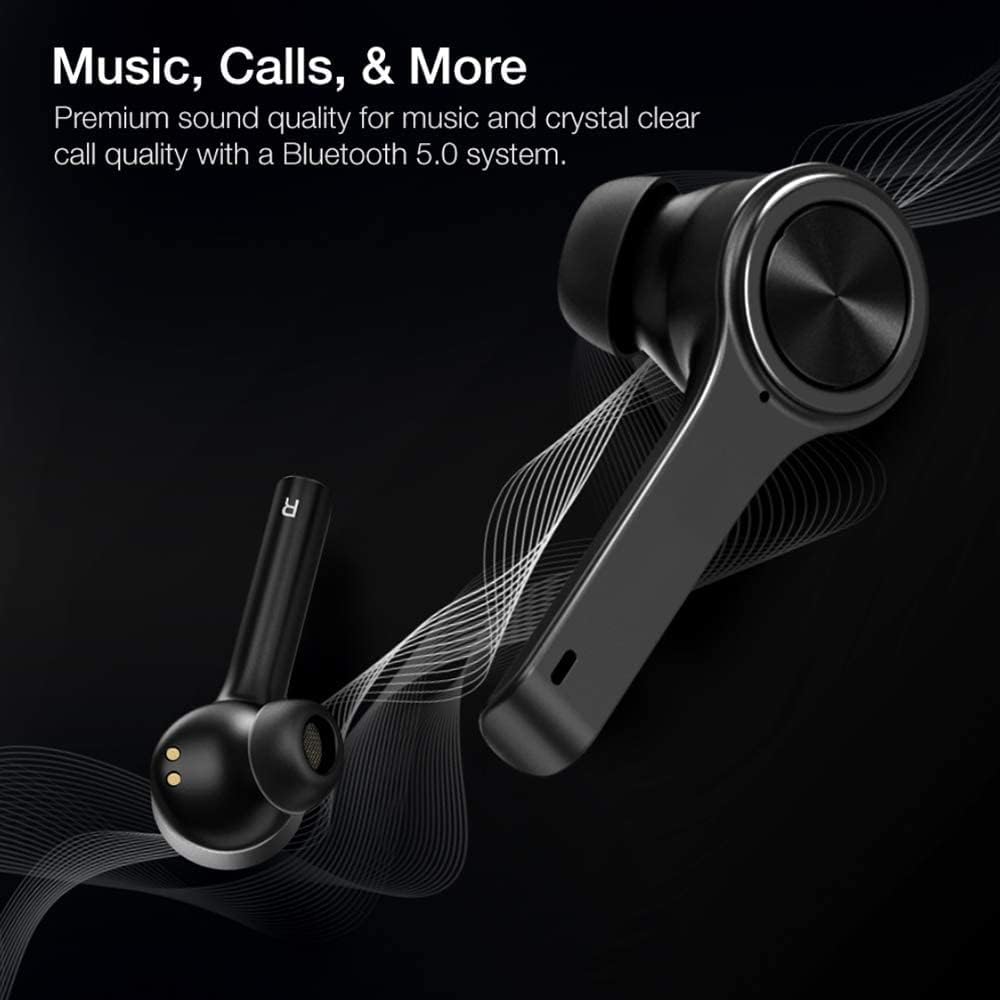
The XClear Wireless Earbuds (Model TT000082) are designed for an immersive audio experience with advanced features for convenience and durability. They feature Bluetooth 5.0 technology for stable connections and clear audio.
Karatteristiċi Ewlenin
Kwalità tal-Ħoss Premium: Enjoy clear music and calls via Bluetooth 5.0.
Tqabbil Mgħaġġel: Quick and easy connection by opening the charging case.
Każ tal-Iċċarġjar kompatt: Portable case with a digital LED battery indicator.
Tajjeb Komdu: Ergonomic design for a secure fit during daily use and sports.
IPX5 Sweatproof: Designed to withstand sweat and light splashes.
Image: XClear Wireless Earbuds and Charging Case. The earbuds are shown alongside their compact charging case, highlighting their sleek design.
Image: A person running while wearing XClear Wireless Earbuds, demonstrating a secure and comfortable fit during physical activity. A close-up inset shows an earbud in an ear.
3. Setup
Iċċarġjar Inizjali
Before first use, fully charge the earbuds and the charging case. Place the earbuds into the charging case. Connect the charging case to a power source using a compatible USB-C cable. The digital LED battery indicator on the case will show the charging progress. A full charge provides up to 5 hours of playtime for the earbuds and an additional 14 hours with the charging case.
Image: The XClear Wireless Earbuds charging case displaying battery life. Graphics indicate 5 hours of playtime for earbuds and 14 hours with the case.
Tqabbil mat-Tagħmir Tiegħek
Kun żgur li l-earbuds huma ċċarġjati.
Open the charging case. The earbuds will automatically enter pairing mode, indicated by bright LED lights.
Fuq l-ismartphone jew it-tagħmir li jaħdem bil-Bluetooth tiegħek, mur fis-settings tal-Bluetooth.
Select "XClear Earbuds" from the list of available devices to connect.
Once connected, the LED lights on the earbuds will indicate a successful pairing.
Selecting the Right Eartips
For optimal sound quality and comfort, select the eartips that best fit your ear canals. An improper fit may result in reduced sound quality or call performance. Experiment with the different sizes provided to find the most snug and secure fit.
4. Istruzzjonijiet Operattivi
Touch Kontrolli
The XClear Wireless Earbuds feature intuitive touch controls for managing your audio and calls:
Play/Pawsa: Tektek wieħed fuq kull earbud.
Track li jmiss: Tektek darbtejn il-earbud tal-lemin.
Track preċedenti: Tektek darbtejn il-earbud tax-xellug.
Tweġiba/Tmiem Sejħa: Tektek waħda fuq kwalunkwe earbud waqt telefonata li tkun dieħla.
Irrifjuta Sejħa: Agħfas u żomm kwalunkwe earbud għal żewġ sekondi waqt telefonata li tkun dieħla.
Attiva l-Assistent tal-Vuċi: Tektek tliet darbiet fuq kull earbud.
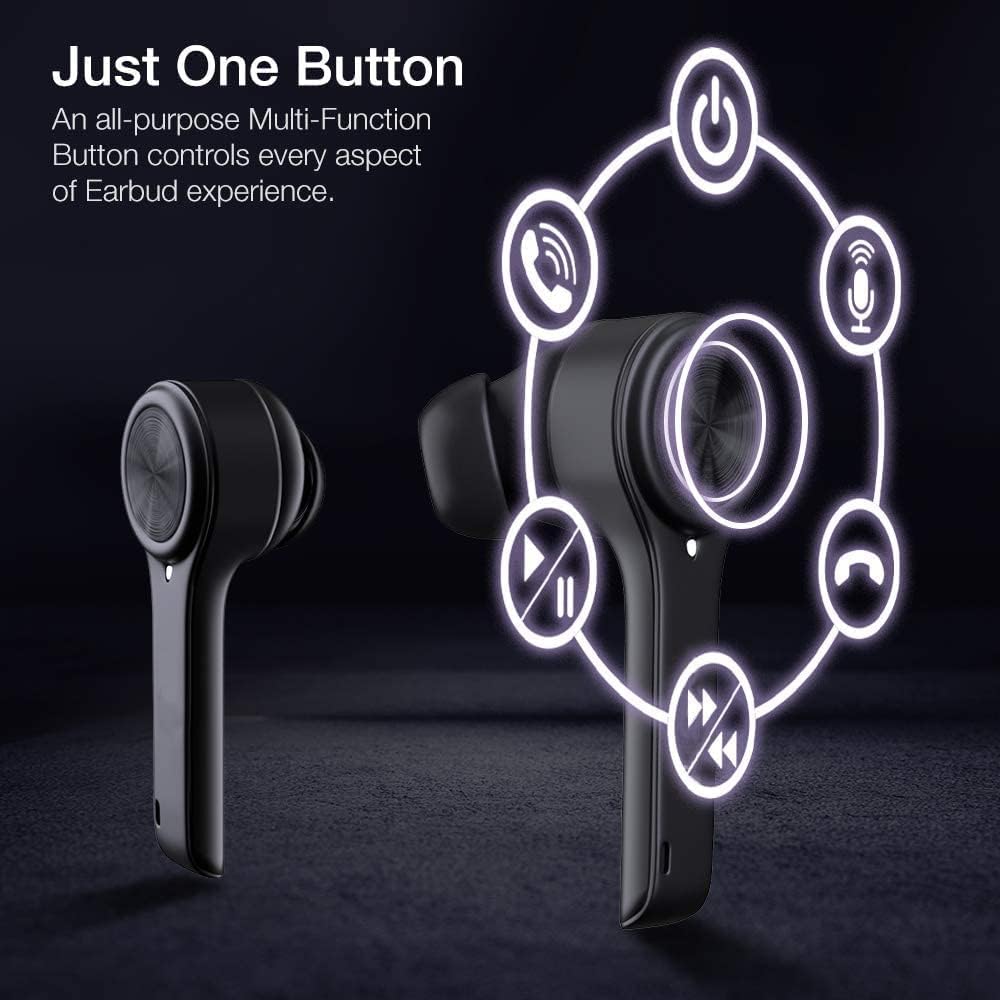
Image: A diagram illustrating the multi-function touch controls on the XClear Earbuds, showing icons for power, calls, microphone, play/pause, and track skipping.
Dual Mode Listening
You can use the XClear Wireless Earbuds in either Stereo Mode (both earbuds) or Single Ear Mode (one earbud). To properly use Single Ear Mode, ensure the unused earbud is placed in the charging case and the lid is closed.
Image: A man wearing a single XClear earbud, demonstrating the dual mode listening feature. The text indicates the ability to switch between stereo and single ear mode.
5. Manutenzjoni
Tindif u Ħażna
Naddaf il-earbuds u l-kaxxa tal-iċċarġjar regolarment b'ċarruta ratba u niexfa.
Evita li tuża kimiċi ħarxa jew materjali li joborxu.
Aħżen il-earbuds fil-kaxxa tal-iċċarġjar tagħhom meta ma tkunx qed tużahom biex tipproteġihom mit-trab u l-ħsara.
Kura tal-batterija
Biex ittawwal il-ħajja tal-batterija, evita li tbattal kompletament il-earbuds u l-kaxxa tal-iċċarġjar ta' spiss.
Charge the device using only the provided cable or a certified USB-C charger.
Tesponix l-apparat għal temperaturi estremi.
Image: A close-up of an XClear earbud with water droplets, illustrating its sweatproof and water-resistant design.
6 Issolvi l-problemi
Kwistjonijiet Komuni u Soluzzjonijiet
Il-earbuds mhux qed jiċċarġjaw: Ensure the charging cable is securely connected to both the case and the power source. Verify that the earbuds are correctly seated in the charging case. Check the charging case's battery level.
Il-earbuds mhux qed jitqabbdu: Make sure Bluetooth is enabled on your device. Place the earbuds back in the case, close the lid, then open it again to re-enter pairing mode. If issues persist, try forgetting the device in your Bluetooth settings and re-pairing.
Kwalità tal-ħoss fqira: Ensure the eartips provide a snug fit in your ear canals. Clean any debris from the earbud speakers. Check the audio source for quality issues.
Earbud wieħed mhux qed jaħdem: Place both earbuds back into the charging case, close the lid, and then open it again. This often re-syncs them. If the issue continues, try resetting the earbuds (refer to the full manual for specific reset instructions if available).
XClear offers a 1-Year Warranty on this product. Please retain your proof of purchase for warranty claims. For detailed terms and conditions, refer to the official XClear websit jew ikkuntattja l-appoġġ tal-klijent.
Appoġġ għall-Klijent
For further assistance, technical support, or warranty inquiries, please visit the XClear official webis-sit jew ikkuntattja lid-dipartiment tas-servizz tal-konsumatur tagħhom. Id-dettalji ta' kuntatt tipikament jistgħu jinstabu fuq l-imballaġġ tal-prodott jew fuq il-marka websit.