
Introduzzjoni
The GENAI Wireless Bluetooth Headset B112 provides a convenient and hands-free communication experience. This manual offers detailed instructions for setting up, operating, maintaining, and troubleshooting your headset to ensure optimal performance and longevity.
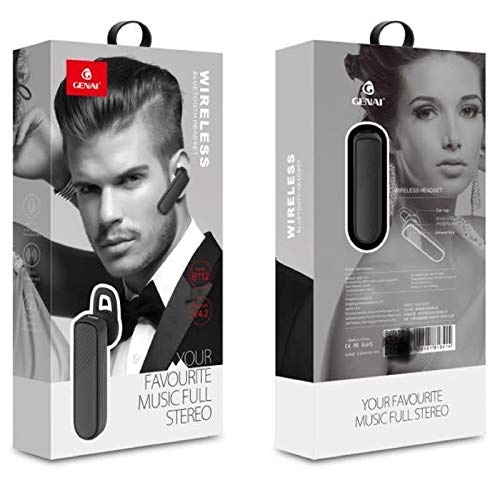
Image: GENAI Wireless Bluetooth Headset B112, main unit with ear hook.
X'hemm fil-Kaxxa
Il-pakkett tal-prodott jinkludi l-oġġetti li ġejjin:
- GENAI Wireless Bluetooth Headset B112
- Kuxxini tal-widnejn
- Kejbil tal-Iċċarġjar (Mikro USB)
Setup
1. Iċċarġjar tal-Headset
- Qabbad il-kejbil tal-iċċarġjar Micro USB mal-port tal-iċċarġjar fuq il-headset.
- Qabbad it-tarf l-ieħor tal-kejbil tal-iċċarġjar ma' sors ta' enerġija USB kompatibbli (eż., port USB tal-kompjuter, adapter tal-ħajt USB).
- Id-dawl indikatur se jixgħel waqt l-iċċarġjar.
- Ċarġ sħiħ tipikament jieħu madwar 2 sigħat.
- Once fully charged, the indicator light may change color or turn off, depending on the model. Disconnect the charging cable.
2. Tqabbil ma' Apparat Bluetooth
- Kun żgur li l-headset huwa kompletament iċċarġjat.
- Qawwa Mixgħul: Press and hold the multi-function button (usually the main button) on the headset until the indicator light flashes, typically alternating blue and red, indicating pairing mode.
- Attiva l-Bluetooth: On your mobile phone or other Bluetooth-enabled device, go to the Bluetooth settings and ensure Bluetooth is turned on.
- Fittex għal Apparati: Your device will scan for available Bluetooth devices. Look for "B112" or "GENAI B112" in the list.
- Qabbad: Select "B112" or "GENAI B112" to initiate the pairing process. If prompted for a password, enter "0000" (four zeros).
- Once successfully paired, the indicator light on the headset will typically flash blue slowly, and you may hear a voice prompt confirming the connection.
3. L-Ilbies tal-Headset
The GENAI B112 headset is designed for comfortable wear. Attach the ear hook if desired, and adjust it to fit securely over your ear. The ear cushions can be changed for a better fit.
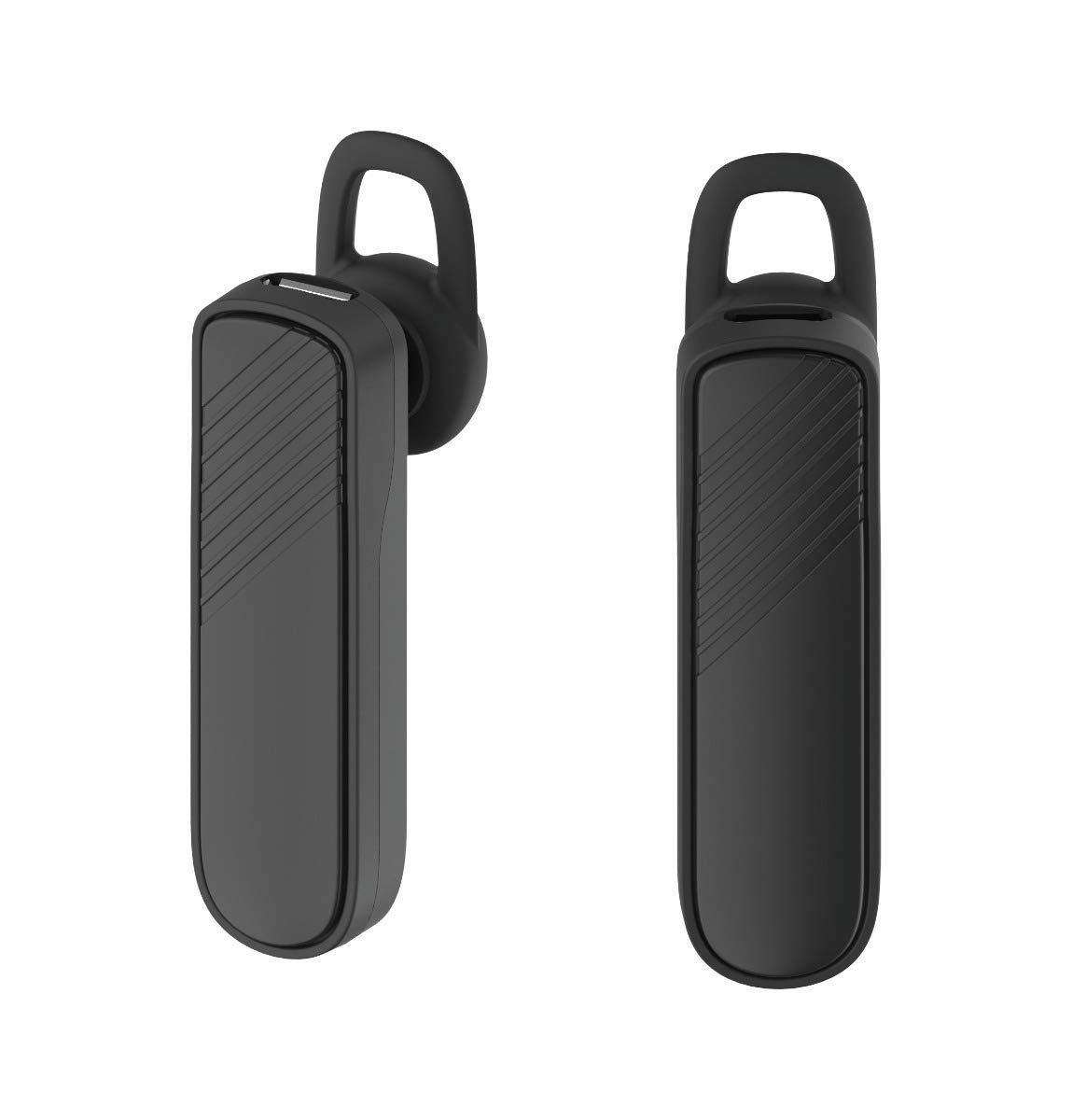
Immaġni: Tnejn views of the GENAI Wireless Bluetooth Headset B112, illustrating its design.
Istruzzjonijiet Operattivi
- Power On/Off: Press and hold the multi-function button for approximately 3-5 seconds to power on or power off the headset. A voice prompt will confirm the action.
- Tweġiba/Tmiem Sejħiet: Press the multi-function button once to answer an incoming call. Press it again to end an active call.
- Ċaħda ta 'Sejħiet: Agħfas u żomm il-buttuna multi-funzjoni għal madwar żewġ sekondi biex tirrifjuta telefonata li tkun dieħla.
- Isemmi mill-ġdid l-Aħħar Numru: Double-press the multi-function button to redial the last dialed number.
- Kontroll tal-Volum: Use the dedicated volume buttons (if present) or the multi-function button (depending on model variation) to adjust the call or music volume. Refer to your device's manual for specific button functions.
- Daqq tal-mużika: When connected, you can play music from your paired device. The multi-function button may also control play/pause.
- Prompts tal-Vuċi: The headset provides voice alerts for power on/off and pairing status.
Manutenzjoni
- Tindif: Use a soft, dry, lint-free cloth to clean the headset. Do not use harsh chemicals, cleaning solvents, or strong detergents.
- Ħażna: When not in use, store the headset in a cool, dry place, away from extreme temperatures and direct sunlight.
- Kura tal-batterija: To prolong battery life, avoid fully discharging the battery frequently. Charge the headset regularly, even if not used for extended periods.
- Espożizzjoni għall-Ilma: This headset is not waterproof. Avoid exposure to water, moisture, or rain.
Issolvi l-problemi
- Il-headset ma jixgħelx:
- Kun żgur li l-headset huwa ċċarġjat kompletament. Qabbadha ma' sors ta' enerġija u ħalliha tiċċarġja għal mill-inqas 30-il minuta qabel ma tipprova tixgħelha mill-ġdid.
- Ma nistax inqabbad il-headset mat-tagħmir tiegħi:
- Ensure the headset is in pairing mode (indicator light flashing blue/red).
- Kun żgur li l-Bluetooth huwa attivat fuq it-tagħmir tiegħek.
- Keep the headset and your device within close proximity (within 1 meter) during pairing.
- Turn off and on both the headset and your device, then try pairing again.
- If previously paired, try "forgetting" or "unpairing" the headset from your device's Bluetooth list and then re-pair.
- L-ebda ħoss jew volum baxx:
- Check the volume levels on both the headset and your paired device.
- Ensure the headset is properly connected to your device. Sometimes, the audio output might switch to the phone speaker.
- Ipprova erġa' ibda ż-żewġ apparati.
- Il-headset jiskonnettja ta' spiss:
- Ensure there are no obstacles between the headset and your device.
- Ersaq eqreb lejn l-apparat imqabbad tiegħek biex tnaqqas l-interferenza.
- Iċċekkja għal apparati Bluetooth attivi oħra li jistgħu jkunu qed jikkawżaw interferenza.
- Kun żgur li l-headset huwa ċċarġjat biżżejjed.
Speċifikazzjonijiet
| Isem tal-Mudell | B112 |
| Teknoloġija tal-Konnettività | Bluetooth V4.2 |
| Port tal-Iċċarġjar | Mikro USB |
| Ħin tal-Iċċarġjar | Madwar 2 Sigħat |
| Ħin tat-Tkellem | Sa 20-il Siegħa |
| Music Play Time | Madwar 20 Sigħat |
| Ħin ta' Standby | Sa 1000-il Siegħa |
| Piż tal-oġġett | 30 g |
| Materjal | Plastik |
| Karatteristika Speċjali | Ganċ tal-widnejn |
| Komponenti Inklużi | Kuxxini tal-widnejn |
| Apparati Kompatibbli | Android, iOS, Mi devices (Bluetooth-enabled smartphones) |
Informazzjoni dwar Garanzija
This GENAI Wireless Bluetooth Headset B112 comes with a 3-il Xahar Garanzija ta' Sostituzzjoni from the date of purchase. Please retain your proof of purchase for warranty claims. This warranty covers manufacturing defects. Please note that this warranty does not include refunds.
Appoġġ
For further assistance, technical support, or warranty claims, please contact your retailer or the GENAI customer service department. Refer to the product packaging or the official GENAI websit għad-dettalji tal-kuntatt.