
Introduzzjoni
This manual provides detailed instructions for the safe and efficient use of your FONESTAR DOTS-N Bluetooth TWS Speaker. Please read this manual thoroughly before operating the device and retain it for future reference.
The FONESTAR DOTS-N is a portable Bluetooth TWS speaker featuring Bluetooth 4.2 and NFC connectivity. It offers powerful sound with enhanced bass, playback controls, and hands-free calling. Equipped with a rechargeable Li-Ion battery providing up to 10 hours of autonomy, it also includes a 3.5mm auxiliary input. Its compact design makes it suitable for home use.
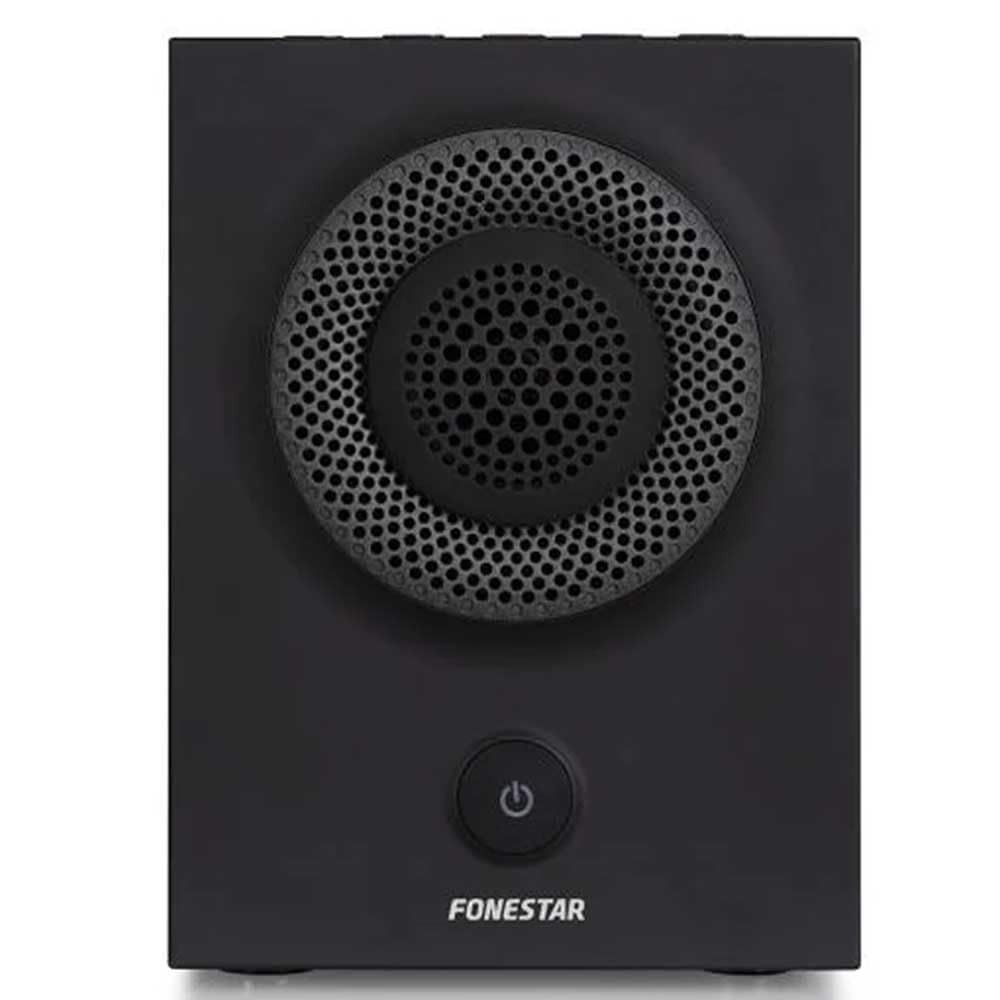
Figura 1: Quddiem view of the FONESTAR DOTS-N Bluetooth TWS Speaker.
Setup
1. Spakkjar
Neħħi l-komponenti kollha mill-imballaġġ bir-reqqa. Kun żgur li l-oġġetti kollha elenkati hawn taħt huma preżenti:
- FONESTAR DOTS-N Bluetooth TWS Speaker
- USB għal Mikro USB Iċċarġjar Cable
- Kejbil tal-Awdjo Stereo ta' 3.5mm
- Manwal għall-Utent (dan id-dokument)
2. Iċċarġja l-Ispeaker
Before first use, fully charge the speaker. Connect the Micro USB end of the charging cable to the speaker's charging port and the USB-A end to a compatible USB power adapter (not included) or a computer's USB port.
- Id-dawl indikatur tal-iċċarġjar se jixgħel waqt l-iċċarġjar.
- Il-ħin tal-iċċarġjar huwa madwar sagħtejn għal ħlas sħiħ.
- The indicator light will change or turn off once charging is complete.
3. Tixgħil / Mitfi
To power on the speaker, press and hold the power button (usually indicated by a ⏻ symbol) for a few seconds until you hear an audible prompt or see an indicator light. To power off, repeat the process.
Istruzzjonijiet Operattivi
1. Tqabbil tal-Bluetooth
The speaker supports Bluetooth 4.2 for wireless audio streaming.
- Ensure the speaker is powered on and in pairing mode (usually indicated by a flashing LED). If not, press the Bluetooth pairing button or power button briefly to enter pairing mode.
- Fuq l-ismartphone, it-tablet, jew apparat ieħor li jaħdem bil-Bluetooth tiegħek, mur fis-settings tal-Bluetooth.
- Fittex għal available devices and select "FONESTAR DOTS-N" from the list.
- Once paired, the speaker will emit an audible confirmation, and the LED indicator will typically become solid.
2. NFC Pairing (Near Field Communication)
For devices with NFC, pairing can be done quickly:
- Ensure NFC is enabled on your device and the speaker is powered on.
- Tap your NFC-enabled device gently against the NFC area on the speaker (refer to product diagram for exact location, if available).
- Ikkonferma t-talba għall-akkoppjar fuq l-apparat tiegħek.
3. Funzjoni Stereo Veru Mingħajr Fili (TWS)
The TWS function allows you to pair two FONESTAR DOTS-N speakers together for a stereo sound experience.
- Ensure both DOTS-N speakers are powered on and not connected to any other Bluetooth device.
- On one speaker (this will be the primary speaker), press and hold the TWS button (if available) or a designated button for TWS pairing.
- L-ispiker primarju se jfittex l-ispiker sekondarju. Ladarba jkunu konnessi, iż-żewġ kelliema se joħorġu ħoss ta’ konferma.
- Issa, qabbad l-apparat Bluetooth tiegħek mal-ispiker primarju kif deskritt fit-taqsima "Bluetooth Pairing". L-awdjo se jindaqq stereo permezz taż-żewġ spikers.
4. Input Awżiljarju (AUX)
For non-Bluetooth devices, use the included 3.5mm stereo audio cable.
- Qabbad tarf wieħed tal-kejbil tal-awdjo ta' 3.5mm mal-port AUX-in fuq l-ispiker.
- Qabbad it-tarf l-ieħor mal-jack tal-headphones jew mal-output tal-awdjo tat-tagħmir tiegħek.
- The speaker will automatically switch to AUX mode or may require manual selection via a mode button.
5. Playback Control and Hands-Free Calls
The speaker features integrated controls for music playback and managing calls:
- Play/Pawsa: Press the Play/Pause button (often combined with the power button or a dedicated button).
- Volum 'il fuq/Niżżel: Uża l-buttuni tal-volum (+ / -) on the speaker.
- Track Li jmiss / Preċedenti: Long press or double-press the volume buttons, or use dedicated track skip buttons if present.
- Tweġiba/Tmiem Sejħa: Press the Play/Pause button during an incoming call to answer, and again to end the call.
- Irrifjuta Sejħa: Agħfas u żomm il-buttuna Play/Pause waqt telefonata li tkun dieħla.
Manutenzjoni
1. Tindif
- Dejjem itfi l-ispiker qabel ma tnaddaf.
- Uża drapp artab, niexef u mingħajr suf biex timsaħ l-uċuħ ta’ barra.
- Tużax prodotti tat-tindif, xama', jew solventi li joborxu għax jistgħu jagħmlu ħsara lill-finitura.
- Evita li tidħol l-umdità fi kwalunkwe fetħiet.
2. Ħażna
- Aħżen l-ispiker f'post frisk u niexef 'il bogħod mix-xemx diretta u minn temperaturi estremi.
- Jekk taħżinha għal perjodu estiż, iċċarġja l-batterija sa madwar 50% kull ftit xhur biex iżżommha f'saħħitha.
3. Kura tal-batterija
- Do not expose the battery to excessive heat, fire, or direct sunlight.
- Evita li tiċċarġja l-batterija kompletament ta' spiss, għax dan jista' jnaqqas il-ħajja tagħha.
- Uża biss il-kejbil tal-iċċarġjar provdut jew wieħed ekwivalenti ċċertifikat.
Issolvi l-problemi
| Problema | Kawża Possibbli | Soluzzjoni |
|---|---|---|
| L-ispiker ma jixgħelx. | Il-batterija hija eżawrita. | Iċċarġja l-kelliem billi tuża l-kejbil USB ipprovdut. |
| Ma tistax tqabbad permezz tal-Bluetooth. | L-ispiker mhux fil-modalità ta' tqabbil; l-apparat huwa 'l bogħod wisq; interferenza. | Ensure speaker is in pairing mode. Move device closer (within 10m). Turn off other Bluetooth devices. |
| L-ebda ħoss jew volum baxx. | Volume too low on speaker or source device; incorrect input mode. | Increase volume on both speaker and source device. Check if the correct input (Bluetooth/AUX) is selected. |
| It-tqabbil tat-TWS ifalli. | Speakers are already paired to another device; incorrect TWS pairing procedure. | Ensure both speakers are disconnected from other devices. Follow TWS pairing steps carefully. |
| Distorsjoni tal-ħoss. | Volume too high; low battery; poor signal. | Reduce volume. Charge the speaker. Move source device closer to the speaker. |
Speċifikazzjonijiet Tekniċi

Figure 2: Dimensions of the FONESTAR DOTS-N Bluetooth TWS Speaker.
| Isem tal-Mudell | DOTS-N |
| Brand | FONESTAR |
| Teknoloġija tal-Konnettività | Bluetooth 4.2, NFC, 3.5mm AUX |
| Firxa Wireless | Sa 10 metri (33 pied) |
| Modalità tal-Ħruġ tal-Awdjo | Stereo (bit-TWS) |
| Tip ta' Kelliem | 3" Coaxial Woofer with Tweeter, 3" Subwoofer, 4" Passive Radiator |
| Qawwa Massima tal-Ħruġ tal-Ispeaker | 12 Watt RMS |
| Rispons ta' Frekwenza | 80 - 20,000 Hz |
| Sinjal-mal-ħoss Ratio | ≥ 75 dB |
| Sors tal-Enerġija | Imħaddem bil-batterija (Li-ion rikarikabbli) |
| Kapaċità tal-batterija | 2200 mAh, 7.4 V |
| Awtonomija tal-Batterija | Sa 10 sigħat (b'50% volum) |
| Ħin tal-Iċċarġjar | Madwar sagħtejn |
| Metodu ta' Kontroll | Tattili (Mess) |
| Karatteristiċi Speċjali | High-res audio, Bluetooth, Integrated microphone, USB port (for charging) |
| Apparati Kompatibbli | Smartphones, Pilloli |
| Użu Rakkomandat | For home |
| Kulur | Iswed |
| Dimensjonijiet (W x H x D) | 125 x 175 x 158 mm (madwar 4.9 x 6.9 x 6.2 pulzieri) |
| Piż tal-oġġett | 1.82 kg (madwar 4.01 lbs) |
| Waterproof | Nru |
Note: Specifications are subject to change without prior notice. Battery autonomy may vary depending on usage, volume level, and music type.
Informazzjoni dwar Garanzija
FONESTAR products are designed and manufactured to the highest quality standards. This product is covered by a limited warranty against manufacturing defects from the date of purchase. The specific terms and duration of the warranty may vary by region and retailer.
Please retain your proof of purchase (receipt or invoice) as it will be required for any warranty claims. The warranty does not cover damage caused by misuse, accident, unauthorized modification, or normal wear and tear.
For detailed warranty terms and conditions, please refer to the warranty card included with your product or contact your local FONESTAR distributor or retailer.
Appoġġ għall-Klijent
If you encounter any issues that are not resolved by the troubleshooting guide, or if you require further assistance, please contact FONESTAR customer support or your authorized retailer.
Meta tikkuntattja l-appoġġ, jekk jogħġbok kun lest li tipprovdi l-informazzjoni li ġejja:
- Product Model: FONESTAR DOTS-N
- Data tax-Xiri
- Deskrizzjoni tal-kwistjoni
- L-informazzjoni ta' kuntatt tiegħek
For the most up-to-date support information, including contact details and FAQs, please visit the official FONESTAR websit.