
Bytech CLAUEB121WT
User Manual for BYTECH Ergonomic Headphone
Model: CLAUEB121WT | Brand: Bytech
1. Introduzzjoni
Thank you for choosing the BYTECH Ergonomic Headphone (Model: CLAUEB121WT). This manual provides essential information for the proper setup, operation, and maintenance of your new headphone. Please read it thoroughly before use.
This headphone features a convenient single-earbud design, which enhances safety by allowing environmental awareness, making it ideal for activities such as running, biking, or driving. Its ergonomic design ensures a comfortable fit, and the inline button control provides easy access to call and audio functions.
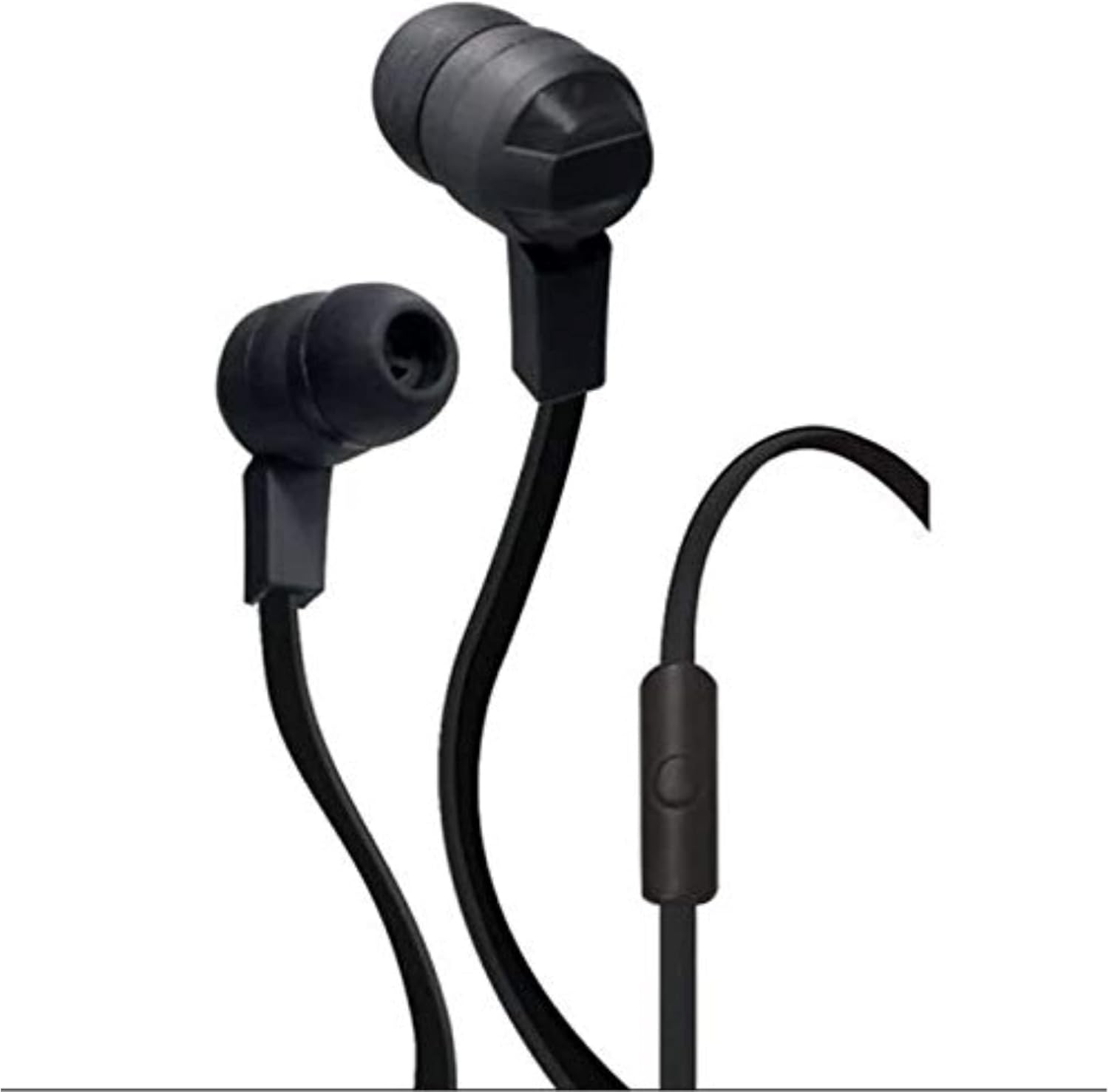
Figure 1: BYTECH Ergonomic Headphone. This image displays the black, wired single-earbud headphone with its inline control button and tangle-free ribbon cable.
2. Setup
2.1 Żpakkjar u Komponenti
Neħħi l-oġġetti kollha mill-imballaġġ bir-reqqa. Kun żgur li l-komponenti li ġejjin huma preżenti:
- BYTECH Ergonomic Headphone (CLAUEB121WT)
- Small, Medium, and Large Ear-cups (pre-installed or in separate bag)
2.2 Connecting the Headphone
The BYTECH Ergonomic Headphone uses a standard 3.5 mm audio jack for wired connectivity.
- Identify the 3.5 mm audio jack on your audio device (smartphone, tablet, laptop, etc.).
- Insert the 3.5 mm plug of the headphone firmly into the audio jack of your device until it clicks into place.
- Adjust the ear-cup size for a comfortable and secure fit. The headphone comes with small, medium, and large ear-cups to ensure optimal comfort.
3. Istruzzjonijiet Operattivi
3.1 Daqq tal-Awdjo
Once connected to your audio device, the headphone will play audio from your device. Use your device's volume controls to adjust the sound level.
3.2 Inline Button Control
The headphone features a handy inline button control for convenient operation without needing to access your device directly.
- Stampa Unika: Play/Pause audio playback.
- Single Press (during call): Wieġeb telefonata li tidħol jew temm telefonata attiva.
- Press doppju: Skip to the next track (functionality may vary by device).
- Istampa Tripla: Go back to the previous track (functionality may vary by device).
- Agħfas u żomm: Activate voice assistant (e.g., Siri, Google Assistant) or reject an incoming call (functionality may vary by device).
4. Manutenzjoni u Kura
Proper care will extend the life of your BYTECH Ergonomic Headphone.
- Tindif: The sweat-proof, tangle-free ribbon cable design is easy to clean. Use a soft, dry cloth to wipe down the headphone and cable. For stubborn dirt, a slightly damp cloth can be used, but ensure no moisture enters the earbud or 3.5mm jack.
- Ħażna: When not in use, store the headphone in a clean, dry place away from extreme temperatures and direct sunlight. Avoid tangling the cable.
- Umdità: While sweat-proof, avoid submerging the headphone in water or exposing it to heavy rain.
- Immaniġġjar: Do not pull on the cable to disconnect the headphone from your device. Always grasp the 3.5 mm plug.
5 Issolvi l-problemi
If you experience issues with your headphone, please refer to the following common problems and solutions:
| Problema | Kawża Possibbli | Soluzzjoni |
|---|---|---|
| L-ebda ħoss jew volum baxx |
|
|
| Mikrofonu mhux qed jaħdem |
|
|
| Inline button not responding |
|
|
Jekk il-problema tippersisti wara li tipprova dawn is-soluzzjonijiet, jekk jogħġbok ikkuntattja l-appoġġ għall-klijenti.
6. Speċifikazzjonijiet
| Karatteristika | Dettall |
|---|---|
| Isem tal-Mudell | CLAUEB121WT |
| Teknoloġija tal-Konnettività | Bil-fili |
| Headphones Jack | 3.5 mm Jack |
| Komponenti Inklużi | Earbud Stereo Headphone w/Mic |
| Materjal | Plastik, Lastiku |
| Karatteristika tal-Cable | Tħabbil Ħieles |
| Piż tal-oġġett | 0.35 Liri (madwar 158.76 g) |
| Dimensjonijiet tal-Prodott | 2.54 x 2.54 x 2.54 ċm |
| Brand | Bytech |
| Kulur | Iswed |
| Tqegħid tal-widnejn | Fil-widnejn |
| Fattur tal-Formola | Fuq Widnejn |
| Kontroll tal-Ħoss | Xejn |
| ASIN | B07YV6B5MG |
| Data L-Ewwel Disponibbli | 8 ta' Ottubru 2019 |
7. Garanzija u Appoġġ
7.1 Garanzija tal-Prodott
Specific warranty information for the BYTECH Ergonomic Headphone (CLAUEB121WT) is typically provided by the manufacturer or seller at the time of purchase. Please refer to your purchase documentation or the manufacturer's official websit għal termini u kundizzjonijiet dettaljati tal-garanzija.
7.2 Appoġġ għall-Klijent
For technical assistance, troubleshooting beyond this manual, or warranty claims, please contact Bytech customer support through their official website or the retailer from whom you purchased the product. Have your model number (CLAUEB121WT) and purchase details ready when contacting support.
Ask a question about this manual
Ask about setup, troubleshooting, compatibility, parts, safety, or missing instructions. Manuals+ will review the question and use this page’s manual context to help answer it.